Most people who try to make faceless reels stall in the same place: the idea is fine, but turning it into a vertical video means writing a script, recording a voice, finding footage nobody else has used and timing captions by hand. Then Instagram shows the Reel to a handful of followers and nobody else. This guide covers both halves of how to make faceless reels: producing them quickly with AI, and shaping them so Instagram is willing to recommend them to people who do not follow you yet. One example runs through every step: a brand-new food history account and its first 40-second Reel.
An honest note first: AI handles the production, not the judgement. It will write, voice and illustrate a Reel in minutes, but picking the account's promise, checking the facts and deciding what to post next stays your job.
Shortcut: to start now, ClipNova's AI faceless reels generator turns a topic or script into a narrated, captioned 9:16 Reel. The Faceless Reels, our faceless reels generator, runs on the same engine with a setup made only for faceless short-form.
What makes faceless Instagram Reels get recommended
Instagram publishes what it holds back from recommendations, which makes it a better guide than any growth hack. According to its Help Center, Reels shown less often include ones that are muted, blurry or low resolution, ones with borders, logos or watermarks, ones where text covers most of the image, and ones that are not original videos. That list shapes every faceless account:
- Originality is the whole game. Reposting other people's clips with a voice on top is exactly what gets held back. Your script, your visuals and your voice need to be yours.
- No watermarks, no borders. A clip exported with another app's logo, or letterboxed inside a frame, starts at a disadvantage.
- Captions, not walls of text. Short captions that follow the narrator are fine. A paragraph covering the frame is not.
- Under 3 minutes. Reels can run up to 20 minutes, but Instagram says Reels over 3 minutes will not be recommended to new audiences.
- Vertical. Instagram lists vertical filming among the things that help a Reel get recommended.
The example: Forgotten Pantry
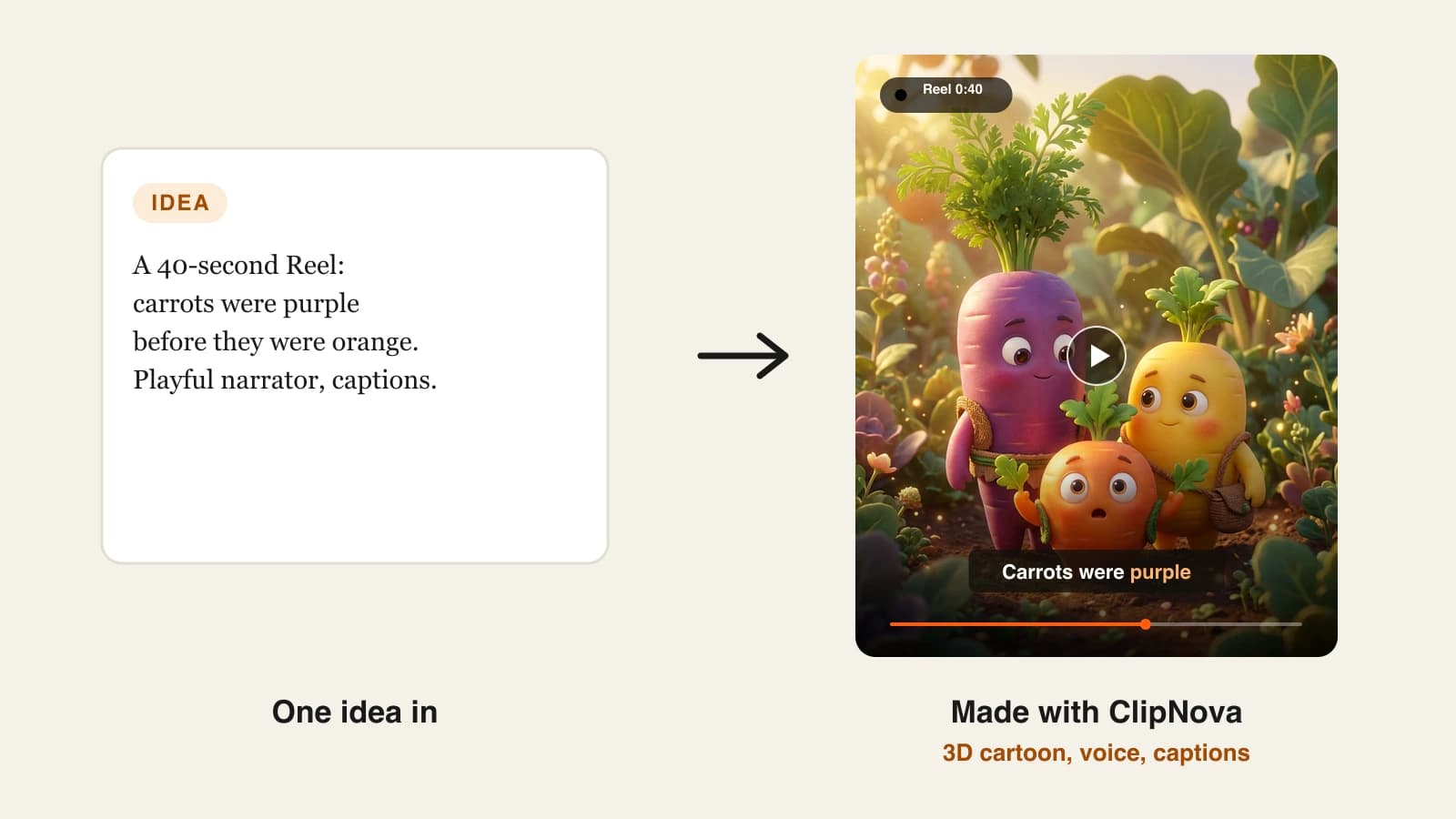
Forgotten Pantry is a new faceless Instagram account about the surprising history of everyday food. Each Reel takes one ingredient and tells the story nobody learned at school, in 30 to 45 seconds, with warm 3D visuals, one calm narrator and one-word captions. The plan is one Reel a day for the first month. Its first Reel: "Carrots were purple first", 40 seconds long. Everything below is the production plan for that account and that Reel.
Step 1: Set up a professional account with a clear promise
Without a promise, a faceless account looks like a random feed, and nobody follows a random feed. Without a professional account, you cannot see whether Instagram considers your content eligible for recommendations.
- Create the account under the channel's name, not yours: @forgottenpantry.
- Switch it to a professional (creator) account. Instagram's Help Center says professional accounts can check Account Status to see whether their content may be eligible to be recommended to people who do not follow them.
- Write the bio as a promise in the words people search: "The weird history of the food in your kitchen. A new story every day."
- Make a simple logo in your account colors. On a faceless account, the logo is the face.
Instagram's creator team recommends putting relevant keywords in your content, caption, bio and hashtags so people find you through Search. "Food history" belongs in the bio, not just in your head.
Step 2: Write 30 faceless reels ideas before the first Reel
A niche that runs dry at Reel 12 kills the account at Reel 12. Write 30 ideas in one sitting; if you stall at 15, widen the niche. Forgotten Pantry got to 30 in about 25 minutes: why ketchup was once sold as a medicine, the pineapple as a dinner-party status symbol, why honey keeps for so long, how the fork took centuries to catch on.
Then group the ideas into repeatable formats, because formats are what make a faceless account recognizable:
| Format | Example for Forgotten Pantry | Length |
|---|---|---|
| "It used to be..." | Carrots were purple first | 35-45 s |
| Myth vs fact | Did sailors really eat lemons for scurvy? | 30-40 s |
| Ranked list | 3 foods that used to be luxuries | 45-60 s |
| One-object story | The jar of honey that outlived its makers | 30-40 s |
For more angles, see our list of faceless Instagram reel ideas.
Step 3: Write a 40-second script that works on mute
Assume part of your audience scrolls with the sound off, so the hook has to land as text and image, not only as voice. A faceless Reel also has no face to hold attention, so the first frame does that job.
Forgotten Pantry's scripts follow three beats:
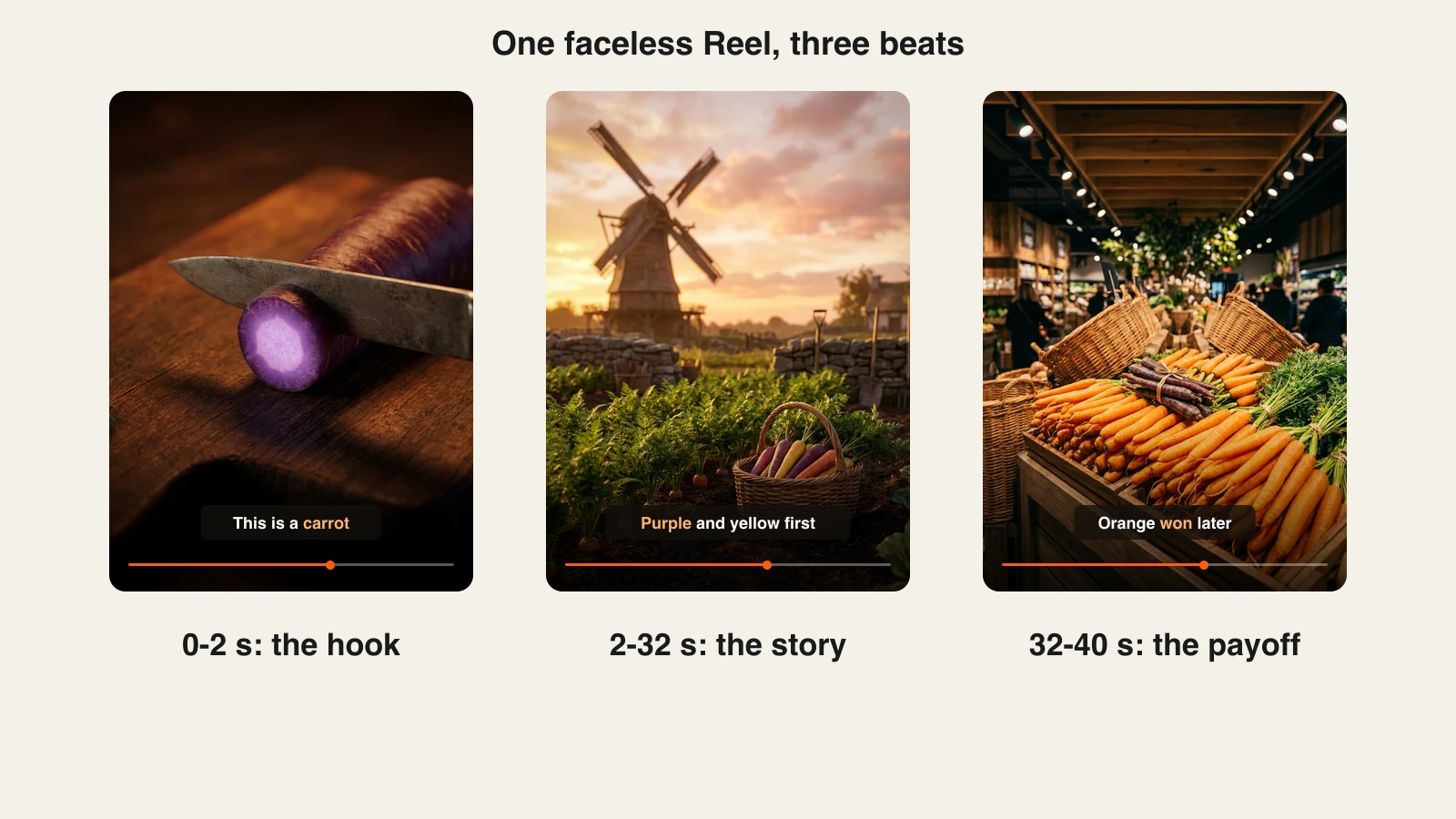
- Hook (0 to 2 seconds): a familiar object plus a line that sounds wrong. A purple carrot on a cutting board: "This is a carrot. It is also what carrots used to look like."
- Story (2 to 32 seconds): one fact per sentence. Early cultivated carrots were purple and yellow; orange varieties became the standard much later, and Dutch growers played a big part.
- Payoff (32 to 40 seconds): the twist, then a reason to follow. "The orange carrot is the newcomer. Tomorrow: the sauce that was sold as medicine."
Around 100 words fills 40 seconds of narration. Our guide to writing a faceless video script goes deeper on hooks and pacing.
Step 4: Generate the Reel with AI
Doing this by hand means a stock site, a voice app, a caption tool and an editor for every Reel. An all-in-one generator does the whole job from the script.
1. ClipNova is the complete option. For the carrot Reel:
- Paste the script (or type the topic and let it draft one).
- Choose 9:16, a warm 3D style and one narrator voice.
- Generate. ClipNova writes or follows the script, voices it, generates a scene for each line, burns in captions and adds music.
- Review, then fix any scene that does not match its line in the scene editor, without redoing the whole video.
ClipNova also lets you pick the video model (Sora 2, Veo or Kling) when a shot needs a particular look, voices narration in 18 languages, and exports watermark-free 1080p or 4K with commercial rights. It does not post for you; you review and upload. Plans from $19/mo.
2. The Faceless Reels runs on the same engine, set up for faceless short-form only: pick a format and style, drop in the idea, get a narrated, captioned Reel to review. If all you make is faceless Reels, Shorts and TikToks, it is the quickest path, on the same plans from $19/mo.
For Forgotten Pantry, the voice, style and caption look were fixed on day one and reused for every Reel after.
Read the captions against the script before you post. AI narration can mispronounce a name or a date, and a wrong caption on a history account costs more trust than a slightly plain scene.
Step 5: Make the file Instagram-ready
A good Reel can still be held back by technical details. Check these before every upload:
- Aspect ratio: Instagram accepts Reels between 1.91:1 and 9:16. Faceless Reels belong at 9:16, full screen.
- Quality: at least 30 frames per second and 720 pixels. Export 1080p, and turn on Upload at highest quality under Media quality in the app's settings.
- Length: keep it under 3 minutes if you want it recommended. Forgotten Pantry stays under 60 seconds.
- No foreign watermarks or borders: export clean, with no logo from another app and no letterbox frame.
- Cover: Instagram recommends 420 x 654 pixels (a 1:1.55 ratio) for the cover, and you cannot change the cover after upload, so pick the most striking frame first.
- Text: captions near the lower middle, a few words at a time. Never let text cover most of the frame.
AI labels. Meta requires people to use its AI disclosure tool when they post photorealistic video or realistic-sounding audio that was digitally created or altered, and says it may apply penalties if they do not. Meta also adds an "AI info" label when it detects industry-standard AI signals. A stylized 3D Reel about carrots is not trying to pass as real footage, but the narrator is a synthetic voice. When in doubt, add the label: it costs nothing and protects the account.
Step 6: Post, caption and read the numbers
Consistency matters more than any single Reel. Forgotten Pantry posts at the same time every day for 30 days before judging anything.
- Caption: one line that restates the hook plus searchable words: "Carrots were purple first. The food history nobody taught you."
- Hashtags: three to five specific ones (#foodhistory, #carrots), not thirty generic ones.
- Cross-posting: the same file works on YouTube Shorts and TikTok. Upload the clean export to each platform rather than re-saving a posted version from another app. Our guide to starting a faceless YouTube channel covers the Shorts side.
- Weekly review: open Insights for each Reel and compare reach, watch time and shares. Check Account Status once a week to make sure nothing is blocking recommendations.
Step 7: Turn the Reels that work into a series
After a month, sort the Reels by reach and shares. For Forgotten Pantry, the "it used to be..." format beat the ranked lists, so it became the account's main series, and the best topics got follow-ups ("Part 2: the yellow carrot").
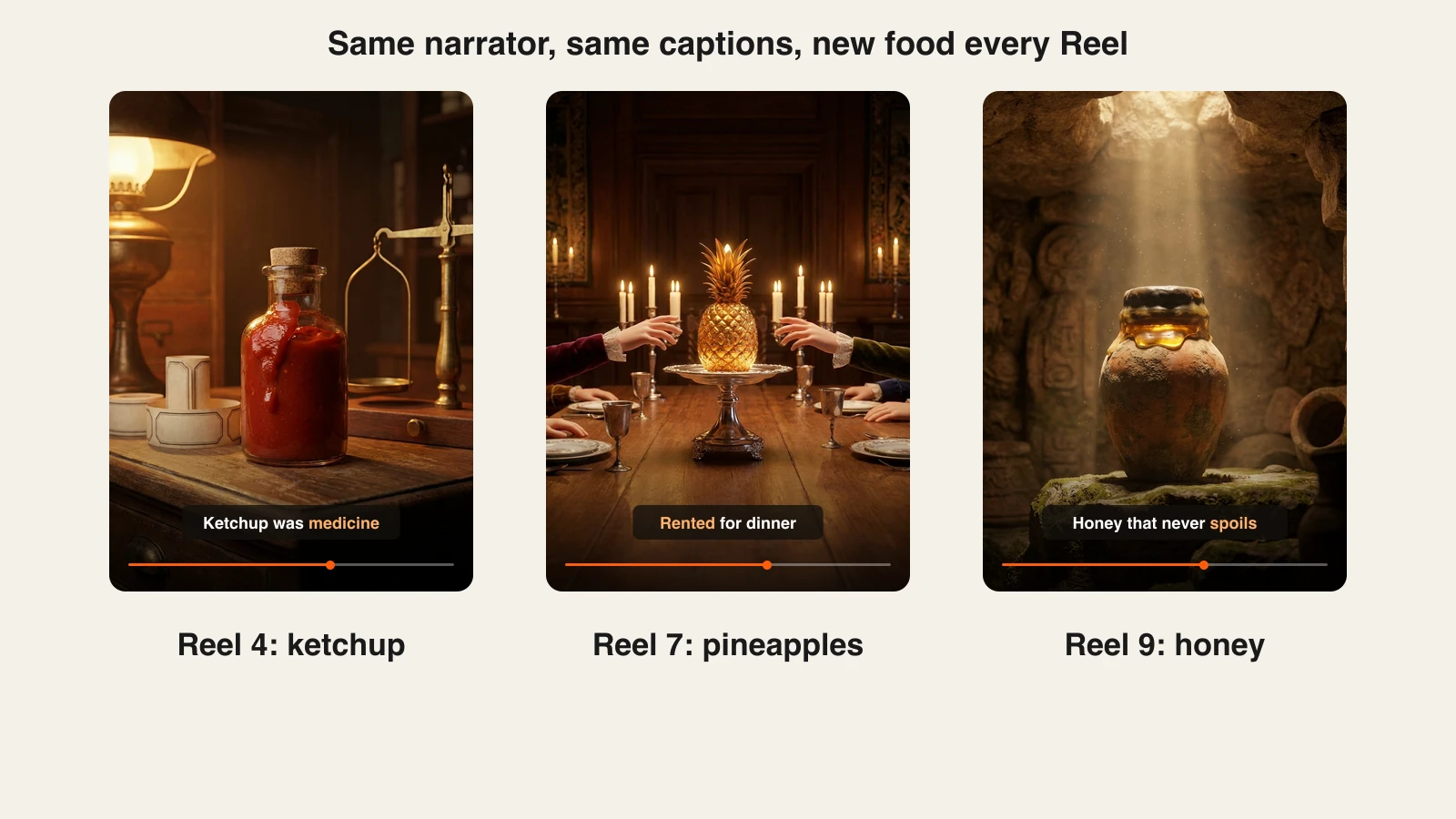
Keep the narrator, caption style and color grade identical across the series, and change the subject every time. That is the difference between a recognizable account and a template farm: same packaging, new story. When a topic clearly has more depth than 40 seconds, ClipNova can render longer versions of up to 5 minutes on Starter and above for YouTube, while Instagram keeps getting the short cut.
How long does it take to make a faceless Reel?
For a 40-second Reel like "Carrots were purple first", once the account and settings exist:
- Idea and fact check: 10 minutes.
- Script: 10 minutes, or edit an AI draft.
- Generation: one run, done while you research the next idea.
- Review and scene fixes: 5 to 10 minutes.
- Cover, caption and upload: 5 minutes.
About 35 to 40 minutes per Reel. The one-off setup (account, bio, 30 ideas, voice and style) takes an afternoon. Plans from $19/mo, with every feature included; only the monthly credits change.
What goes wrong, and the fix
- Reposting other people's clips. Instagram says it shows non-original Reels less often. Generate your own visuals from your own script.
- Exporting with a watermark or border. It signals recycled content. Export clean 9:16 files and post the original, not a download from another app.
- A hook that needs sound. Viewers on mute swipe before the narrator lands. Put the hook in the first frame and the first caption.
- Made-up facts in the narration. Popular food stories are full of myths (the claim that orange carrots were bred to honour William of Orange is widely repeated and hard to prove). Check every claim and cut what you cannot source.
- Changing voice or style every week. The account stops being recognizable. Fix the narrator and caption look on day one.
- Going over 3 minutes. Long Reels are not recommended to new audiences. Keep Reels short and send long versions to YouTube.
- Quitting at Reel 20. Most faceless accounts stop before their first breakout. Commit to 30 days of daily posts before judging the niche.
Write the 30 ideas tonight and make the first three Reels this week. To compare tools before you commit, read our roundup of the best AI reel generators.
Frequently asked
How do you make faceless reels?
Pick a narrow account promise, write a 30 to 45 second script with a hook that works on mute, then turn it into a 9:16 video with AI narration, generated visuals and captions. Review it, export a clean 1080p file without watermarks or borders, and post it on a fixed daily schedule. An all-in-one generator like ClipNova or The Faceless Reels handles the voice, visuals and captions in one run.
Do faceless reels get recommended on Instagram?
Yes, a missing face is not a problem. What Instagram says it shows less often are Reels that are not original, have borders, logos or watermarks, are blurry or low resolution, or are mostly covered by text. Original scripts and generated visuals keep a faceless account eligible.
How long should faceless Instagram reels be?
Instagram lets you make Reels of up to 20 minutes, but it says Reels over 3 minutes will not be recommended to new audiences. Most faceless accounts post 30 to 60 second Reels and send longer versions of their best topics to YouTube.
Do I have to label AI-generated reels on Instagram?
Meta requires you to use its AI disclosure tool when you post photorealistic video or realistic-sounding audio that was digitally created or altered, and it may apply penalties if you do not. It also adds an AI info label when it detects industry-standard AI signals. If a Reel could pass as real footage or a real voice, add the label.
What are good faceless reels ideas?
Story-led niches work best without a presenter: food and everyday history, myths versus facts, science and space, ranked lists, short scary stories and motivational quotes over cinematic visuals. Write 30 ideas before you launch; if you cannot reach 30, the niche is too narrow for daily posting.
How much does it cost to make faceless reels?
The Instagram account costs nothing. The main expense is the tool that produces the videos. ClipNova and The Faceless Reels share the same plans: Hobby $19/mo with 1,000 credits, Starter $49/mo with 2,600, Growth $99/mo with 5,750 and Ultra $199/mo with 12,000, and yearly billing is 20% off.
Can one person run a faceless Instagram account?
Yes. Once the account, voice and style are set, one Reel takes about 35 to 40 minutes including fact checking and review, so one Reel a day fits in under an hour. The production is automated; the topic choice and fact checking are where your time goes.
Which tool should I use to make faceless reels?
ClipNova is the complete option: a script or topic becomes a narrated, captioned Reel, with a choice of video models, a scene editor, 18 voiceover languages and watermark-free 1080p or 4K export. The Faceless Reels runs on the same engine with a setup made only for faceless Shorts, Reels and TikToks. Neither posts for you, so you review every Reel before it goes live.