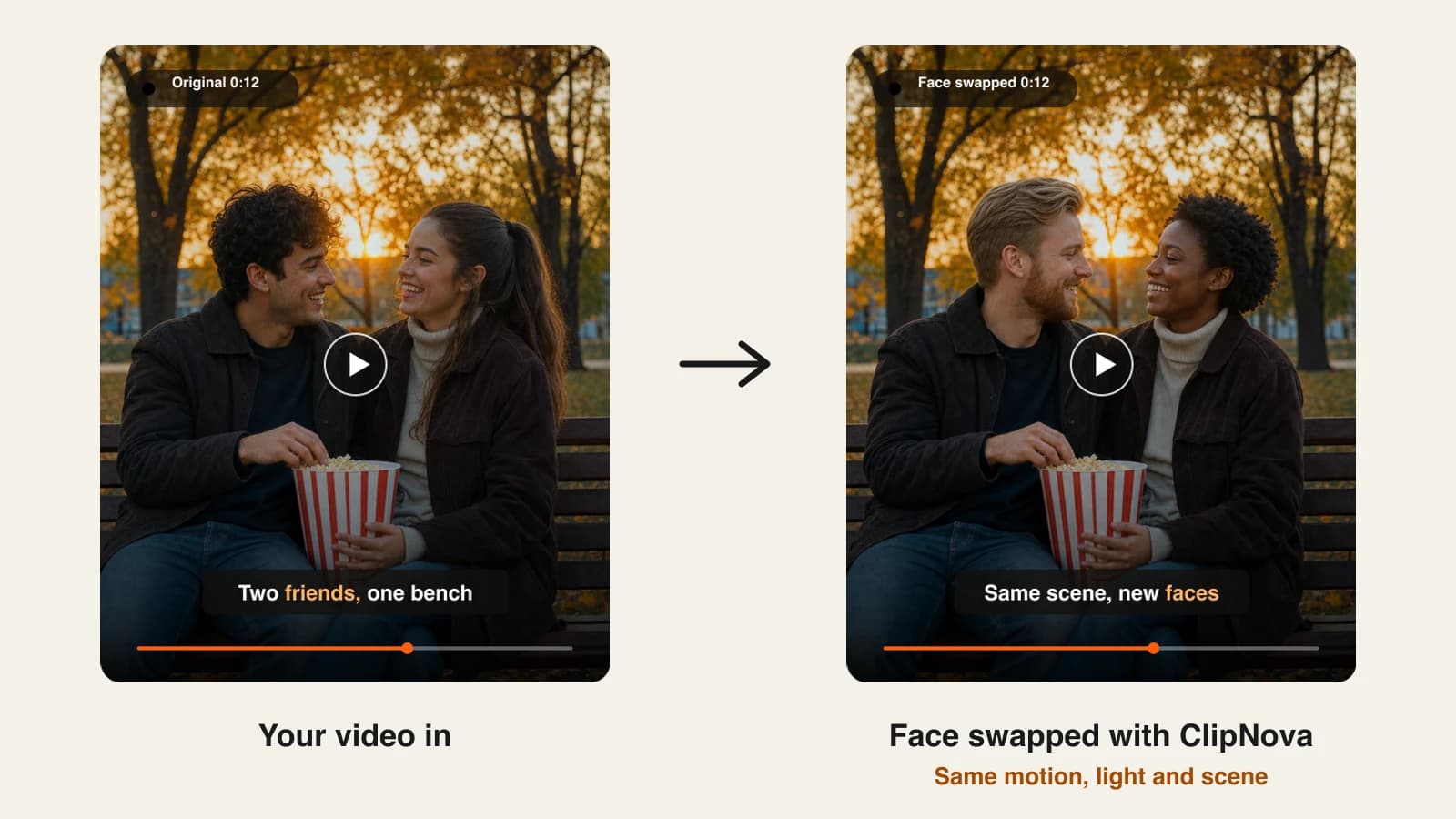
Faceless creators reach for face swap for a different reason than meme makers do. You want a recurring on-screen host without showing your own face, a stock clip that matches your character, or a skit where one actor plays three roles. An AI face swap video tool does that in minutes: you give it a clip and a face photo, and it rebuilds every frame with the new face while the motion, lighting and sound stay as filmed.
The tools differ more than their landing pages suggest. Some swap only the face on your own footage, some replace the whole character, and some only swap a face onto their own avatars and templates. Entry plans in this list run from $19 to $30 a month, and what each plan buys in seconds of swapped video varies a lot more than the sticker price.
This roundup compares 6 AI face swap video tools on what they swap, clip limits, output quality and the cheapest paid plan, all checked on each vendor's site on October 10, 2026.
The 6 best AI face swap video tools at a glance
- ClipNova: best overall for realistic face swaps on short clips. Swaps one person at 720p or up to three people at 1080p and keeps the original motion and audio.
- HeyGen: best for mapping several faces in one short clip. Its face swap app matches multiple faces to multiple targets in a single pass, inside a full avatar video studio.
- Vidnoz: best for long videos and batch swaps. Its swap accepts videos up to 50 minutes and processes several faces or files at once.
- Luma AI: best for restyling a whole person while keeping the performance. Modify Video turns the actor into a new character with the same motion, lip sync and expressions.
- VEED: best for character swaps inside an editor you already use. Animate Replace puts a character from a reference image into your footage, next to subtitles and editing tools.
- AI Studios: best for swapping a face onto ready-made avatar videos. It puts your face on its avatars and templates rather than on your own footage.
| Tool | What it swaps | Starting price | Faces per clip | Max output |
|---|---|---|---|---|
| ClipNova | Face and look of a person in your clip | From $19/mo | 1 (Standard) or up to 3 (Pro) | 1080p (Pro) |
| HeyGen | Face | $29/mo ($24/mo yearly) | Several faces in one pass | Up to 1080p on Creator, 4K on Pro |
| Vidnoz | Face | $26.99/mo ($19.99/mo yearly) | Multi-face and batch | 1080p |
| Luma AI | The whole character | $30/mo ($25/mo yearly) | Not published | 1080p |
| VEED | The whole character | $20/mo ($10/mo yearly) | Not published | Not published |
| AI Studios | Face on its avatars and templates | $29/mo ($24/mo yearly) | Multi-avatar scenes | HD and 4K claimed |
Before you pay for anything, decide what has to change in the clip. If only the face changes, a face swap tool is enough. If the outfit, body and hair should change too, you want a character swap (Luma AI or VEED) or a tool that replaces the whole look (ClipNova Pro carries hair and outfit with the face).
1. ClipNova, best overall for realistic face swaps on short clips
ClipNova treats face swap as a finishing step for creators, not a party trick. You upload a clip, add a face photo, and it puts that face into every frame while the motion, expressions, camera moves, lighting and original sound stay exactly as filmed. Standard is built for the common case, one person in a short clip. Pro is for scenes with up to three people, matched left to right, with an optional note such as "the first photo replaces the man on the left".
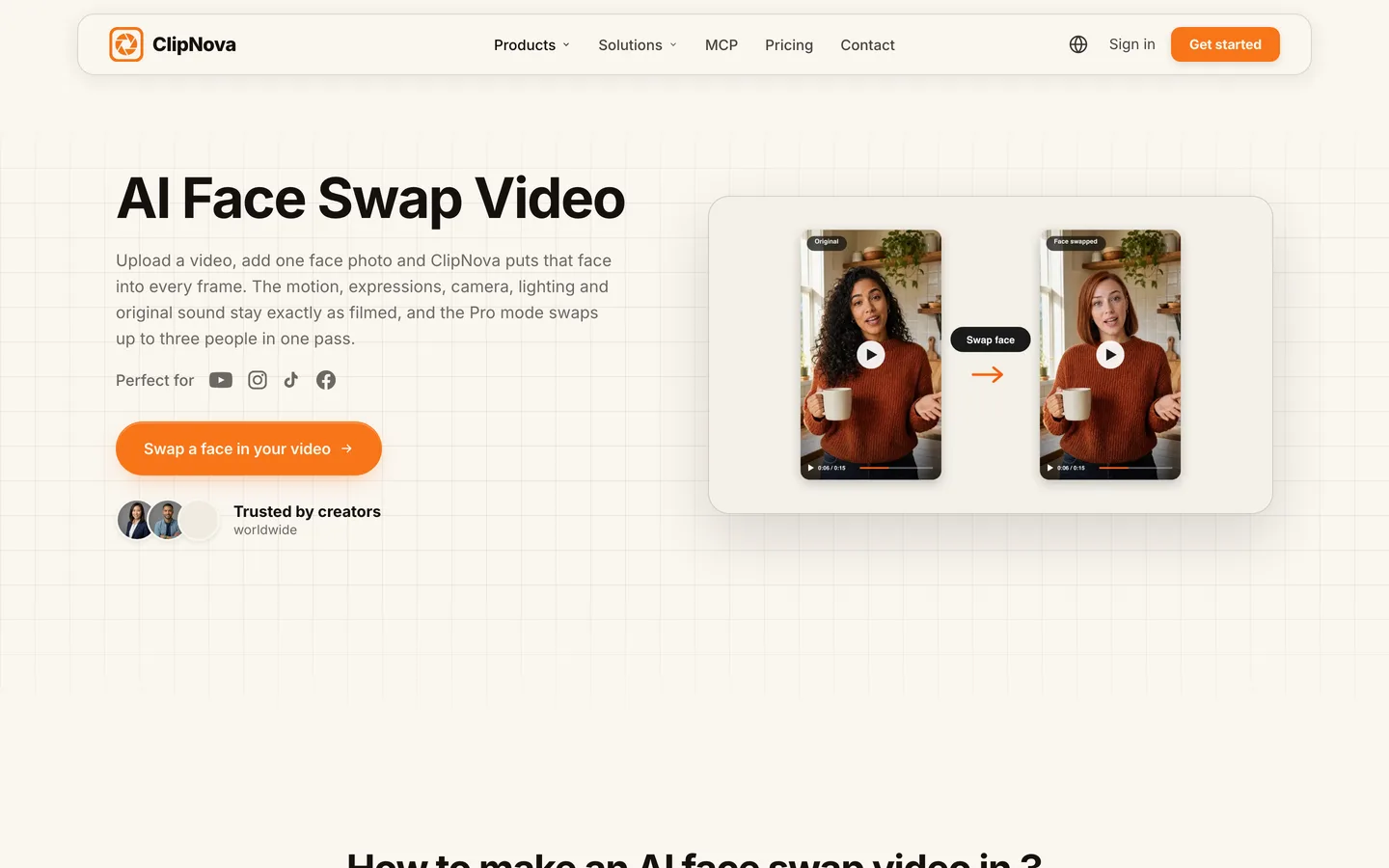
What sets it apart for faceless channels is everything around the swap. The same account generates the clip you swap into, builds a consistent AI character, and turns a script into a narrated, captioned video. The ClipNova face swap video tool shows the before and after and the exact limits for each mode.
Key features
- Standard: one person, 720p, clips from 1 to 29 seconds, original sound kept
- Pro: up to three people in one pass, 1080p, clips from 5 to 20 seconds, the most realistic result
- Replaces the full look (face, hair, and it can carry the outfit) so the new person reads as one person, not a pasted mask
- The exact credit cost shows before you swap
- Watermark-free export and commercial rights on every plan
Best for
- Faceless channels that want a recurring host face in B-roll or skits
- Short Reels, Shorts and TikToks where the swap has to survive a close look on a phone screen
Pricing
- Plans from $19/mo (Hobby, 1,000 credits), then Starter $49 (2,600), Growth $99 (5,750) and Ultra $199 (12,000). Yearly billing is 20% off.
- Standard costs about 50 credits per started 5 seconds, so a 15-second swap is about 150 credits and Hobby covers about six of them a month. Pro is about 113 credits per second (about 1,690 for 15 seconds).
Pros
- Keeps the original motion, lip movement and sound, so the swap holds up on a phone screen
- One account for the swap and for making the rest of the video
Cons
- Clips are short: 29 seconds on Standard and 20 seconds on Pro
- Pro uses credits quickly on longer clips
2. HeyGen, best for mapping several faces in one short clip
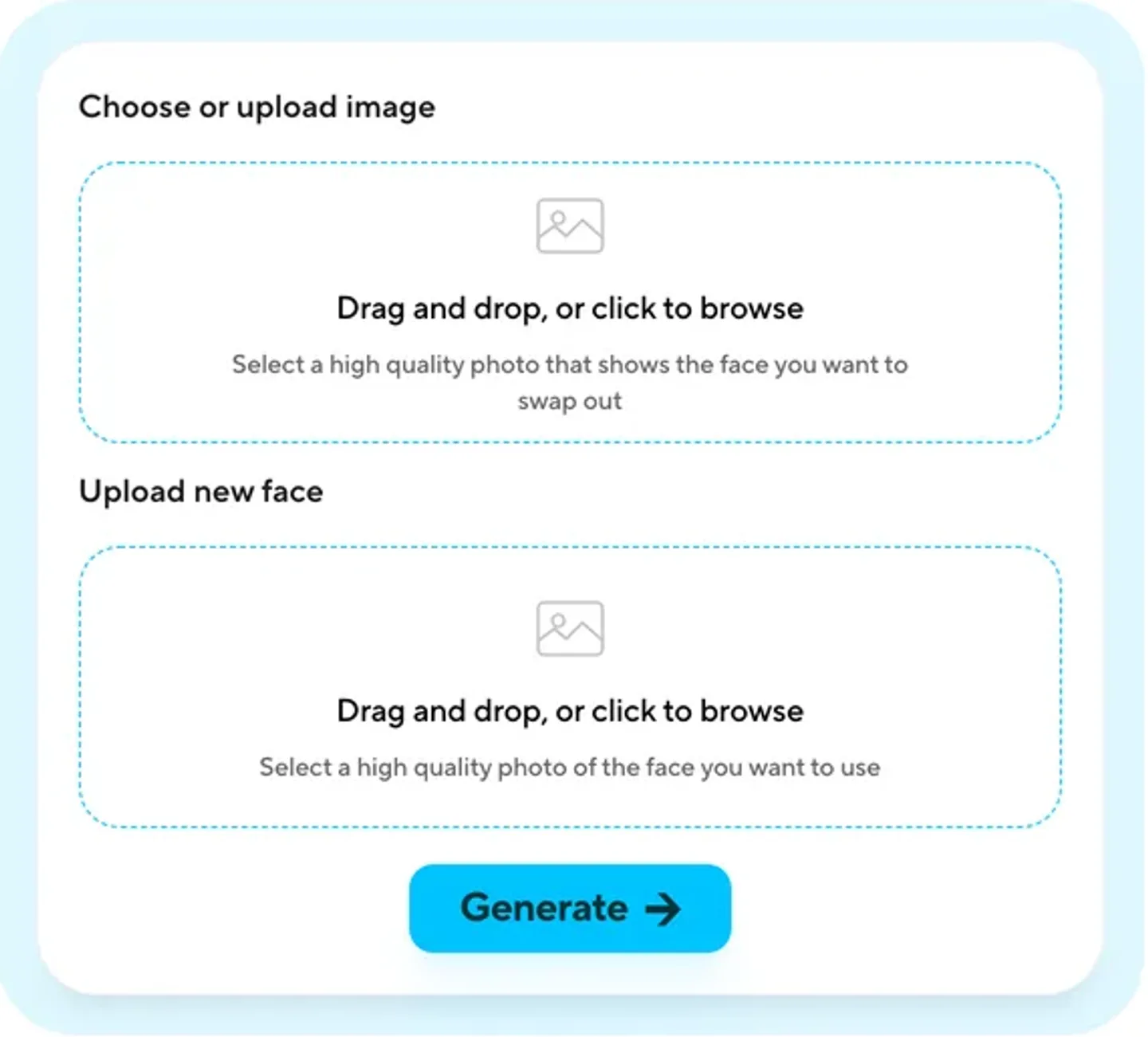
HeyGen is best known for AI avatars and video translation, and its face swap app sits inside the same account. You upload a photo, video or GIF, add the new face, and download the result in the same format. Its strength is multi-face work: you can map several faces to several targets in one pass, which suits group skits and reaction clips. Clips are short, so it fits the same Shorts and Reels use case as ClipNova rather than full episodes.
Key features
- Face swap for video, photos and GIFs, output in the same format you upload
- Several faces mapped to several targets in one pass
- Sits next to HeyGen's avatars, translation and editing in one account
- An API for teams that automate swaps
Best for
- Group skits where every face changes
- Teams already using HeyGen for avatar or translated videos
Pricing
- Creator: $29/mo, or $24/mo billed yearly. It includes 600 credits a month, up to 1080p, no watermark and commercial rights.
- Pro: $49/mo with 1,000 credits and up to 4K. Business: $149/mo plus $20 per seat.
Pros
- Strong multi-face mapping in one pass
- Commercial rights from the entry plan
Cons
- Face swap clips are capped at 15 seconds
- The swap is one app inside a large avatar platform, so you pay for tools a faceless channel may never use
3. Vidnoz, best for long videos and batch swaps
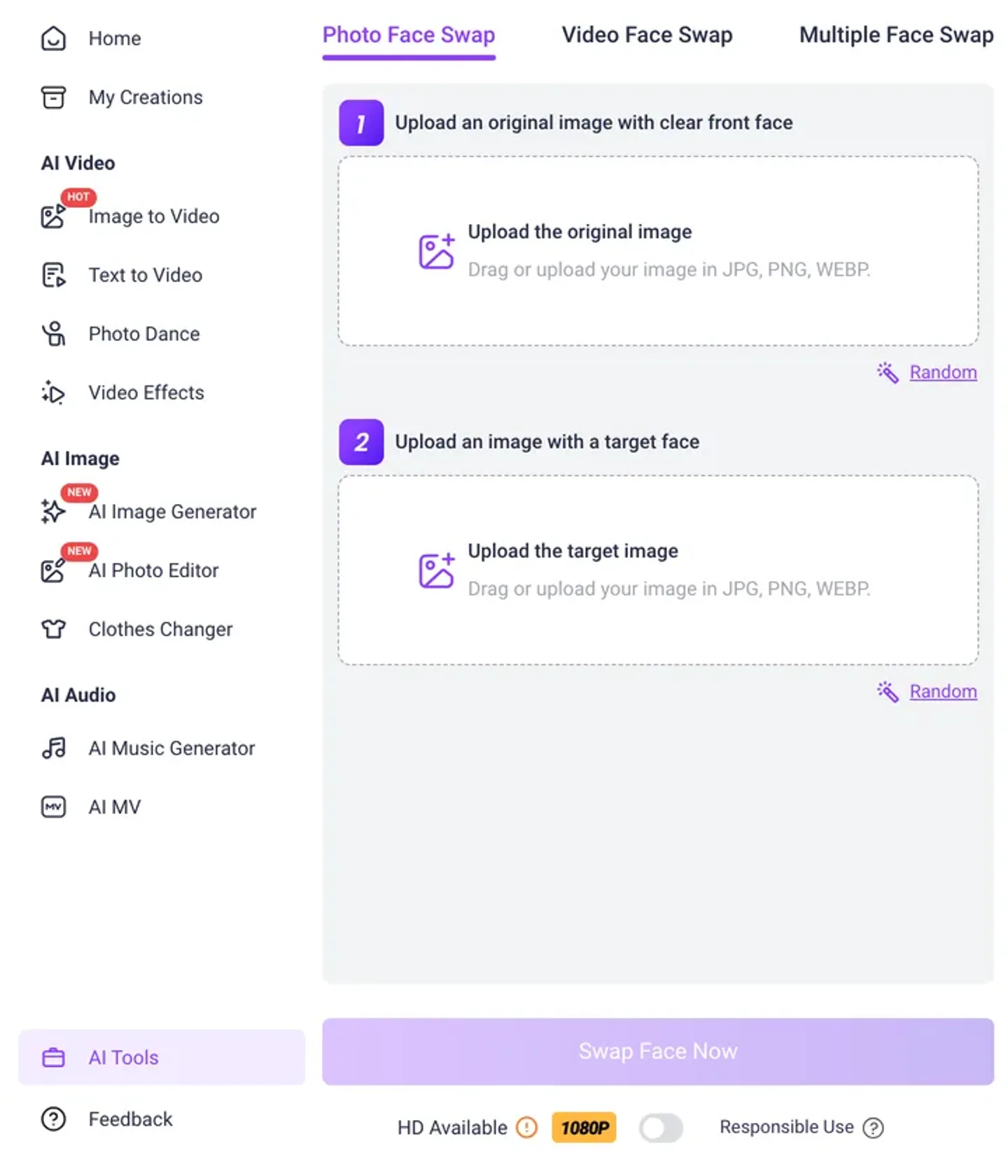
Vidnoz is an AI video suite with avatars, text to video and a face swap that handles photos, videos and multiple faces. Its limits are the most generous in this list: the swap accepts videos up to 50 minutes and 100MB, supports batch jobs, and exports at 1080p with an HD option. That makes it the pick when you need to swap a full episode or a stack of clips in one go rather than one Short at a time.
Key features
- Video face swap on clips up to 50 minutes and 100MB
- GIF, MP4, M4V, MOV and WEBM uploads
- Multi-face and batch swaps
- 1080p output with an HD enhancement option
Best for
- Long-form creators swapping whole episodes
- Agencies running many swaps a week
Pricing
- Starter: $26.99/mo, or $19.99/mo billed yearly. It includes 450 credits a month, 1080p export, no watermark and videos up to 60 minutes.
- Business: $74.99/mo ($56.99 yearly) with 900 credits, voice cloning, translation and a brand kit.
Pros
- The longest clip limit in this list
- Batch mode saves time on volume work
Cons
- Credit cost per swapped minute is not stated next to the plans, so test before you plan a series
- The interface is busy, with many tools competing for attention
4. Luma AI, best for restyling a whole person while keeping the performance
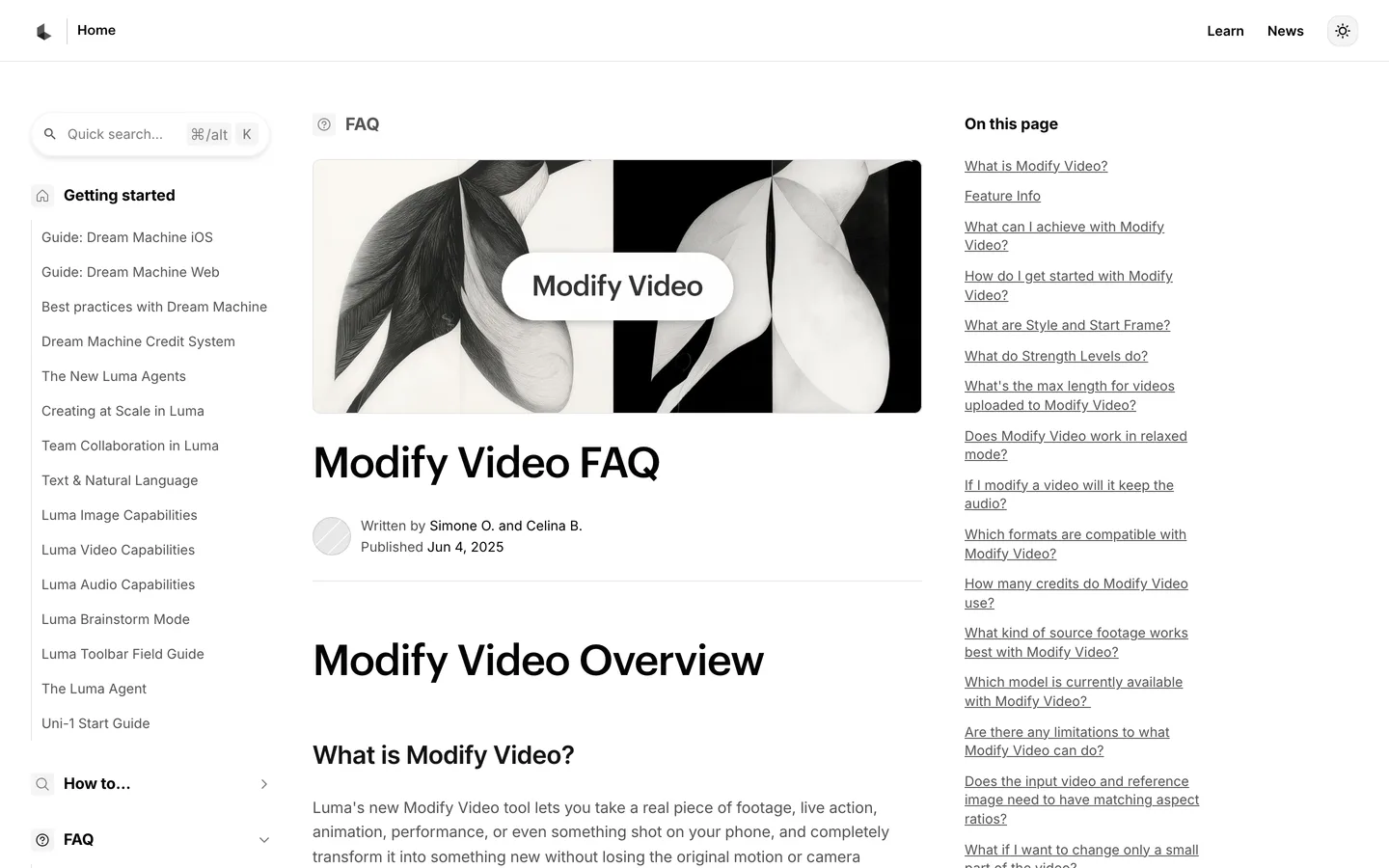
Luma AI comes at the problem from the generative video side. Its Modify Video tool in Dream Machine takes real footage and transforms the person into a new character while keeping the original body motion, lip sync and expressions. Three strength levels (Adhere, Flex and Reimagine) control how far it moves from the source. It is a character swap rather than a face swap, so it suits stylised hosts and genre scenes more than a subtle realistic edit.
Key features
- Modify Video: new character, same motion, lip sync and expressions
- Three strength modes from close to the source to fully reimagined
- 720p or 1080p output, MP4, MOV or WMV input
- Available on every paid plan
Best for
- Turning yourself or an actor into a stylised recurring character
- Genre channels (horror, fantasy, sci-fi) that want a cinematic look
Pricing
- Plus: $30/mo, or $25/mo billed yearly, with 10,000 credits and commercial use. Modify Video costs about 400 credits per 5 seconds.
- Pro: $90/mo ($75 yearly) with 40,000 credits.
Pros
- The strongest restyle of the whole person in this list
- Keeps lip sync, so dialogue clips still work
Cons
- Input clips are limited to 10 seconds
- It changes more than the face, which is wrong for a realistic face swap
5. VEED, best for character swaps inside an editor you already use
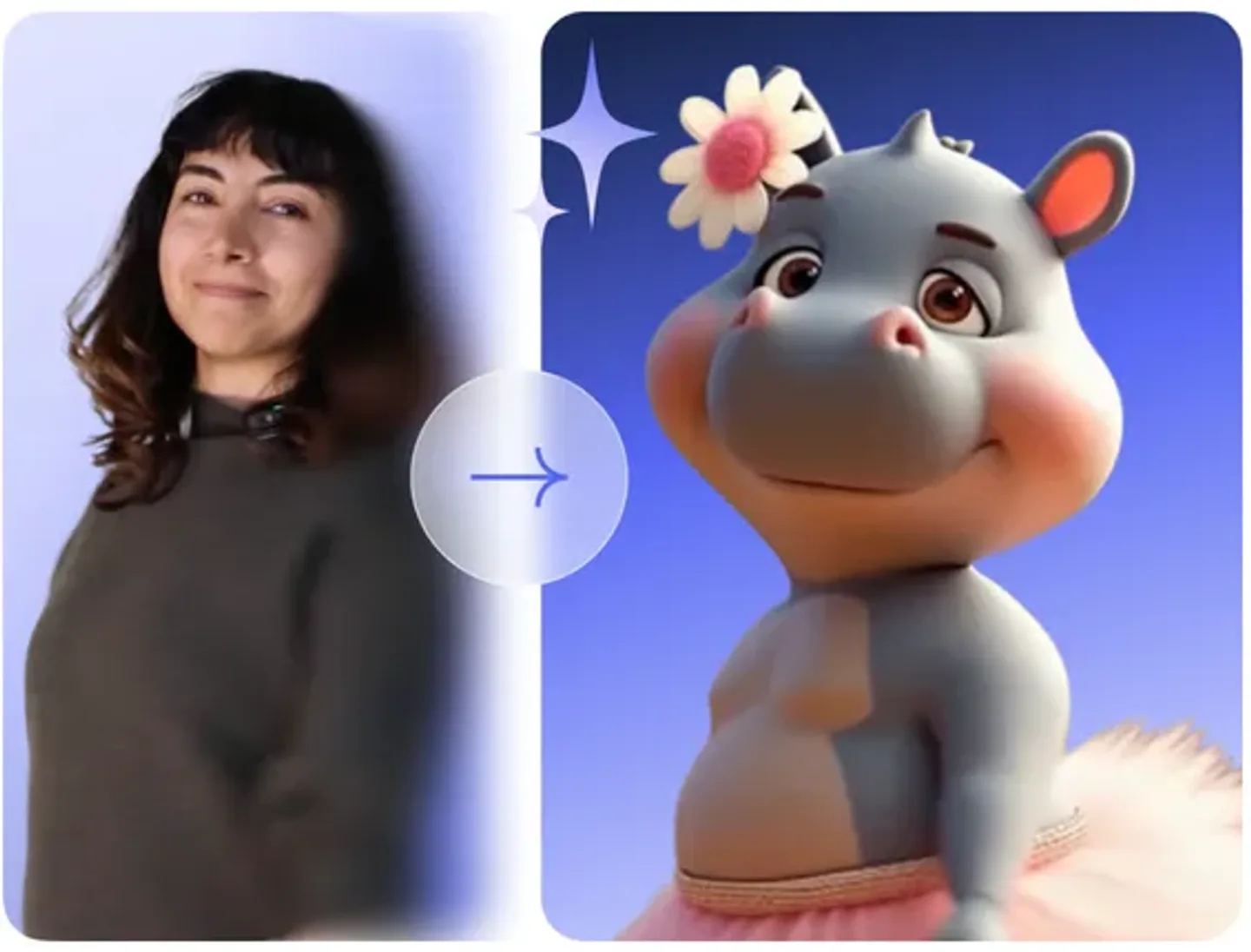
VEED is a browser video editor first, and that is the reason to pick it. Its Animate Replace feature (built on Wan 2.2) swaps the person in your footage for a character from a reference image while keeping motion and expressions, and the result lands in the same editor where you add subtitles, cut and export. If your channel already edits in VEED, the swap becomes one more step instead of another app.
Key features
- Animate Replace: swap the person in your clip for a reference character
- Works best on clips of 2 to 30 seconds with two-thirds body shots
- Unlimited auto subtitles and a full editor around the swap
- Other video to video tools for restyling and animation
Best for
- Creators who already edit and caption in VEED
- Cartoon or mascot hosts dropped into real footage
Pricing
- Creator: $20 per user per month, or $10/mo billed yearly ($116/yr). It includes 500 credits a month, no watermark and unlimited auto subtitles.
- Pro: $44/mo with 2,500 credits, brand kits and translation.
Pros
- Swap, subtitles and editing in one place
- Good with stylised characters
Cons
- A character swap, not a face swap on a real person
- Credit cost per swap and output resolution are not published
6. AI Studios, best for swapping a face onto ready-made avatar videos
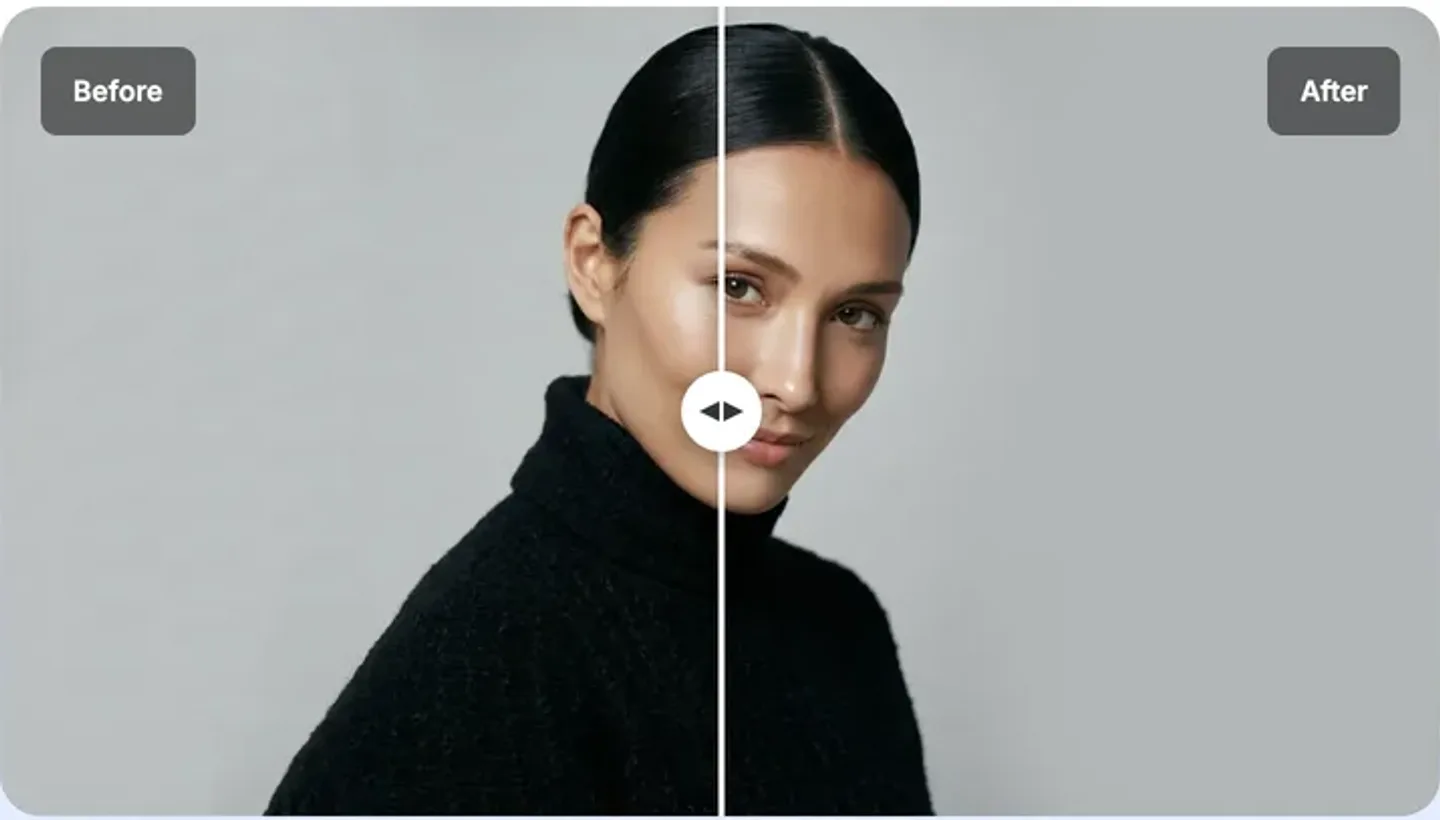
AI Studios by DeepBrain AI is an avatar video platform, and its face swap works inside that world. You add a face from a photo and it places it on AI avatars and video templates, using Nano Banana Pro and Veo 3.1 for the motion. That is different from swapping a face on footage you filmed, so it fits creators who build videos from templates and want a consistent presenter face across them.
Key features
- Face from a photo onto avatars and templates
- Nano Banana Pro and Veo 3.1 for natural motion
- HD and 4K output claimed on the feature page
- Multi-avatar scenes, plus AI dubbing in the same plan
Best for
- Template-based explainer and training videos with one presenter face
- Creators who want avatars and dubbing as well as swaps
Pricing
- Personal: $29/mo, or $24/mo billed yearly. Videos up to 30 minutes each at 1080p, 60 generative credits a month, 120 minutes of AI dubbing and 3 custom avatars.
- Team: $69 per seat per month ($55 yearly) with 4K.
Pros
- Long videos with a consistent presenter face
- Dubbing and avatars in the same subscription
Cons
- Swaps onto its own avatars and templates, not onto clips you filmed
- Clip length, file size and formats for face swap are not published
How to choose the best AI face swap video tool for your channel
1) Does only the face change, or the whole person?
- If only the face changes and the clip must look real: ClipNova for short clips, Vidnoz for long ones.
- If the person should become a new character with the same performance: Luma AI, or VEED if you edit there already.
- If you build videos from avatars and templates: AI Studios.
2) How long are your clips?
- Under 30 seconds (most Shorts, Reels and TikToks): ClipNova Standard handles up to 29 seconds, and HeyGen up to 15.
- Several minutes or full episodes: Vidnoz, with uploads up to 50 minutes.
- Very short stylised shots: Luma AI takes inputs up to 10 seconds.
3) How many people are in the shot?
- One person: any tool here works.
- Two or three people: ClipNova Pro, HeyGen or Vidnoz multi-face. Check that each face is clearly visible in the first frames, or matching gets unreliable.
4) What does one swap really cost?
Work out the price per swap, not the plan price. On ClipNova Hobby ($19 for 1,000 credits), a 15-second Standard swap is about 150 credits, so roughly $2.85 per swap, and ClipNova has the lowest entry price in this list. Luma AI's Plus plan spends about 1,200 of its 10,000 credits on a 15-second Modify Video, so about $3.60 of a $30 plan. HeyGen, Vidnoz, VEED and AI Studios do not publish a per-swap cost next to their plans, so run one test swap and check the credits used before you plan a series around them.
Make three test swaps on clips from your own channel before you commit to a plan. Face swap quality depends heavily on the source: a well-lit face turned toward the camera swaps cleanly almost everywhere, and side profiles, fast motion and hands over the face separate the strong tools from the weak ones.
Use it responsibly
Only swap faces you have permission to use, including your own AI host. YouTube asks creators to disclose realistic altered or synthetic content, and TikTok and Meta label AI-generated media. Swapping a real person into a video without consent can break platform rules and the law in many places, and it is the fastest way to lose a monetized channel.
If you are building a channel around a recurring host, read how to start a faceless YouTube channel first, then add face swap where a person on screen actually helps the story. ClipNova pricing shows what each plan's credits buy before you start.
Frequently asked
What is the best AI face swap video tool in 2026?
ClipNova is the best overall AI face swap video tool for short clips: it swaps one person at 720p or up to three people at 1080p and keeps the original motion, lighting and sound. For long videos and batch work, Vidnoz accepts uploads up to 50 minutes. HeyGen is strong for mapping several faces in one short clip, and Luma AI is the pick when you want to turn a whole person into a new character.
How does AI face swap video work?
You upload a clip and a clear photo of the new face. The tool detects the face in each frame, rebuilds it with the new identity and blends it back in, matching expression, head angle and lighting. Better tools also keep lip movement in sync with the original audio.
Can I face swap a video with more than one person?
Yes, with tools that support multi-face swaps. ClipNova Pro swaps up to three people, matched left to right. HeyGen maps several faces to several targets in one pass, and Vidnoz has multi-face and batch modes.
What is the cheapest AI face swap video tool?
ClipNova has the lowest entry price in this list at $19 a month, where a 15-second Standard swap costs about 150 of the 1,000 included credits. VEED starts at $20 a month, Vidnoz at $26.99, HeyGen and AI Studios at $29 and Luma AI at $30, all billed monthly.
Can I use face swap videos on a monetized YouTube channel?
You can, as long as you have the rights to every face and clip you use and you disclose realistic altered content when YouTube asks for it. Swapping a real person into a video without consent can break YouTube's rules and get a video removed. Check the plan's license too: ClipNova includes commercial rights on every plan.
Do I need to label face swap videos on TikTok and Instagram?
Both platforms label AI-generated media and ask creators to disclose realistic synthetic content. Turning on the AI label when you post a realistic face swap is the safe default and avoids your video being flagged later.
What makes a face swap look realistic?
The source clip matters most. A well-lit face looking roughly toward the camera, with no hands or hair covering it, swaps cleanly in almost every tool. Use a sharp, front-facing face photo, keep clips short, and avoid fast head turns and heavy motion blur if you want the swap to hold up on a phone screen.
Which face swap tool should a faceless channel start with?
Start with ClipNova if you want realistic short swaps plus a tool that makes the rest of the video: script, AI voice, visuals and captions in one account. Plans start at $19 a month and every plan includes every feature. If you mostly swap full episodes, add Vidnoz for its longer clip limit.