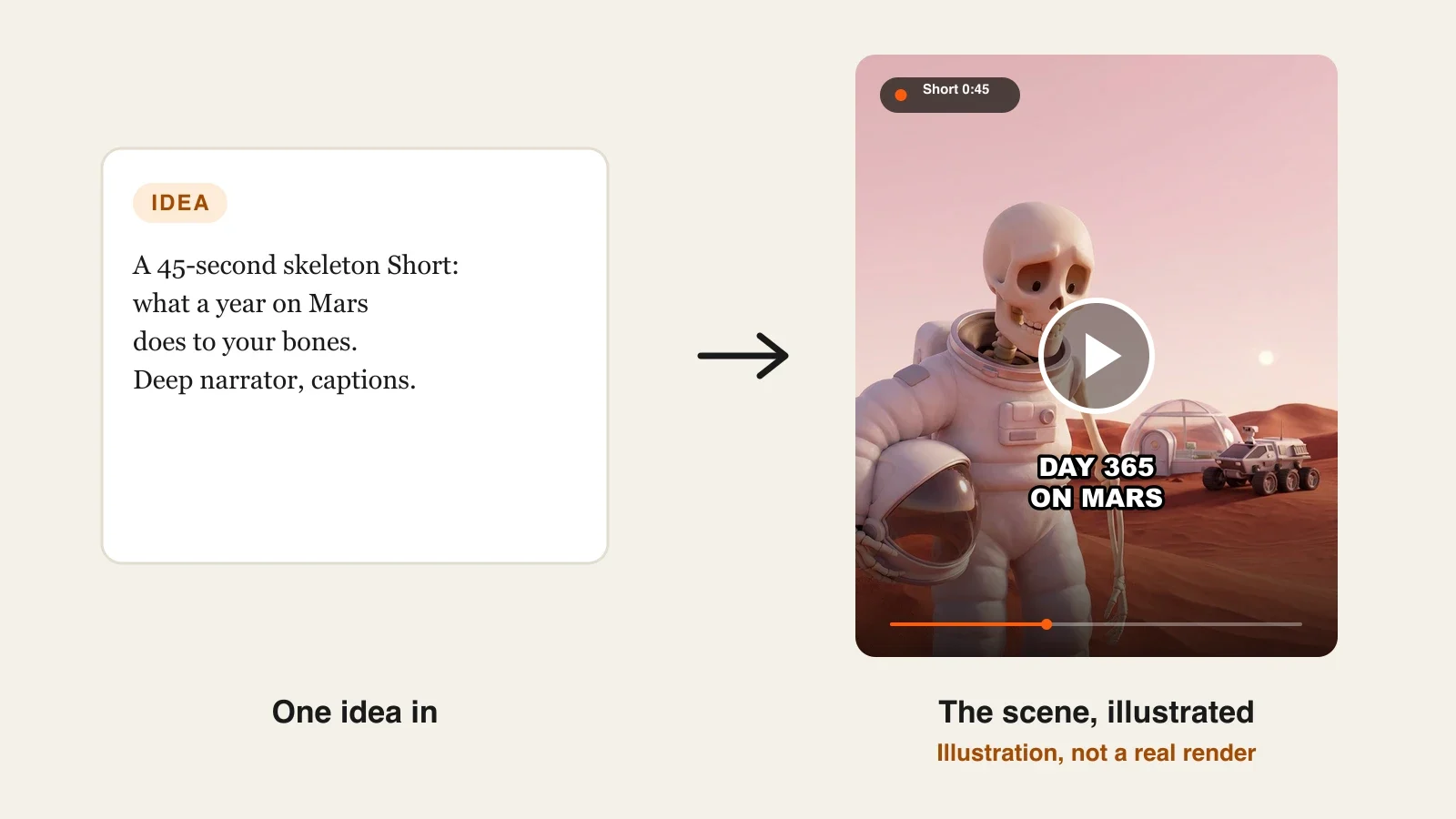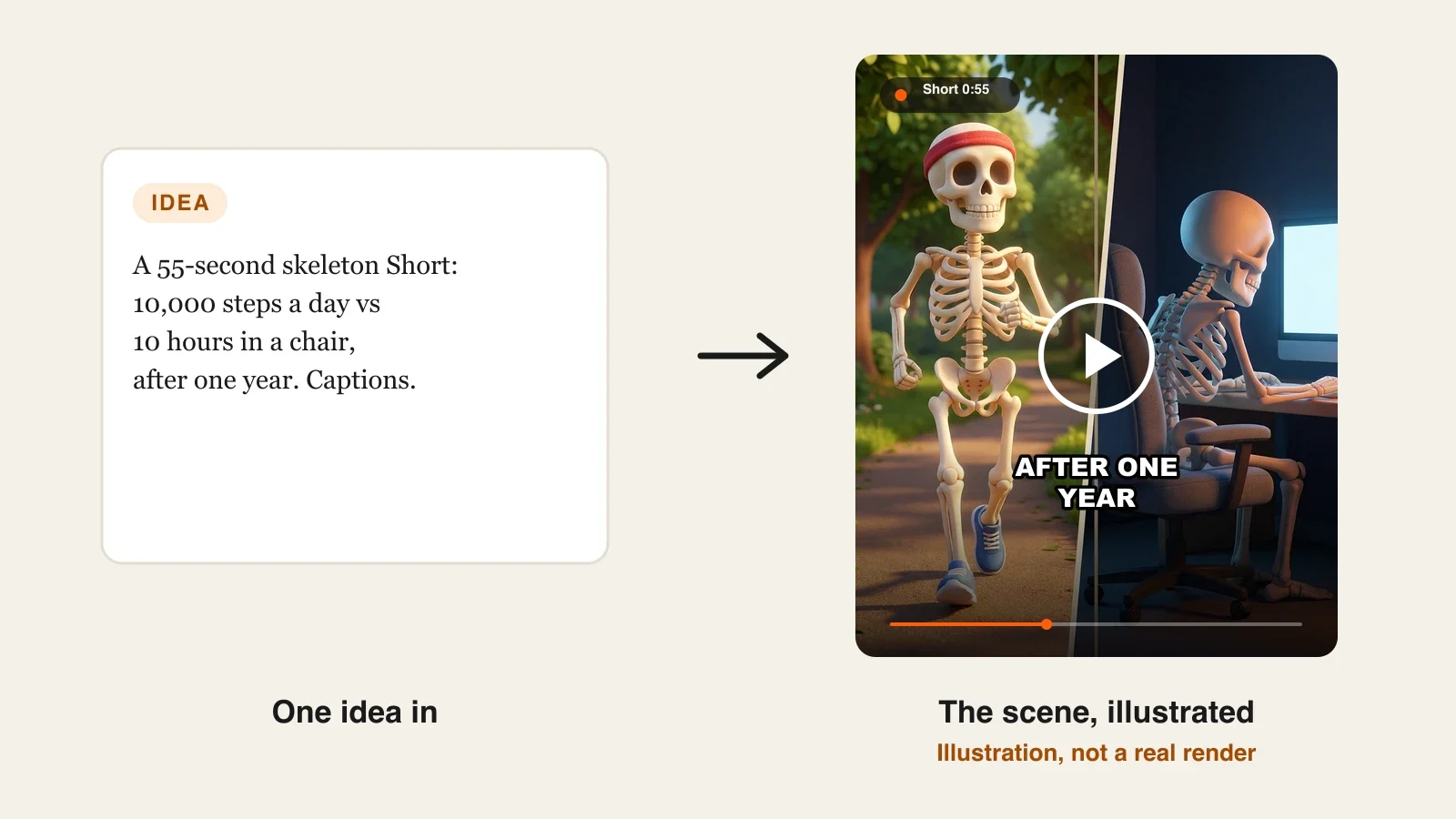
To make skeleton shorts with AI, pick one comparison or what-if, check the facts before you write a word, design your skeleton host once and reuse that exact description, write a 50 to 60 second script in clear beats, then let an AI video tool build the scenes, voiceover and word-by-word captions from it. Fix any scene where the skeleton drifts, and post.
One skeleton Short is easy now. A skeleton channel is harder. The format lives on a host viewers recognize, and most AI tools redraw the skeleton from scratch in every scene: the skull changes shape, the headband disappears, the hoodie turns into a lab coat. Comparison videos make it worse, because you need two skeletons that stay different from each other and the same as themselves for a whole minute. This guide shows how to build one comparison Short that holds together, and how to make the next twenty look like the same show. One example runs through every step: Bone Report, a 55-second Short comparing a skeleton who walks 10,000 steps a day with one who sits ten hours a day, after one year.
Want to start now? ClipNova's skeleton Shorts generator turns a topic and a skeleton description into a finished video: the same skeletons in every scene, a voiceover in one of 18 languages, word-by-word captions and music, and the same project can grow to 5 minutes when a topic deserves a longer explainer.
What makes a skeleton Short work
The format looks like a meme. It behaves like a show, and the channels that last get these right:
- A host you recognize in half a second. One skull shape, one outfit, one prop. Viewers who have seen the channel before should know it is yours before the first caption.
- One question, asked in the first two seconds. "What happens if...", "Day 1 vs day 365", "1900 vs 2026". The hook is the topic, not an intro.
- A visible contrast. The best skeleton Shorts are comparisons, so the difference has to read without sound: posture, setting, lighting.
- Captions that carry the video on mute. Big, centered, word by word, timed to the voice.
- Facts that hold up. These are health and science videos with a cartoon on top. A wrong claim costs trust, and on YouTube it can break the medical misinformation policy.
The example: Bone Report
Bone Report is a faceless skeleton channel for YouTube Shorts, TikTok and Instagram Reels, posting three comparison Shorts a week. This episode runs 55 seconds in 9:16: Stride, a skeleton who walks 10,000 steps every day, and Slouch, a skeleton who sits about ten hours a day, compared after one year. Calm, slightly deadpan narrator, bold white captions. Everything below is the production plan for that Short.
Step 1: Pick the comparison and check the facts first
Why: in a skeleton Short the facts are the content. If you write the script first and look for sources later, you end up defending lines you cannot back up, or quietly cutting the best beat.
- Write the comparison as one line: "10,000 steps a day vs ten hours sitting, after one year."
- List the three or four claims the video would need to make.
- Find each claim on a public health source and note the exact wording. Keep only what the source actually says.
- Turn vague claims into honest ones. "Your bones get 50% stronger" becomes "your bones carry your weight every day, and that is the kind of exercise that keeps them strong."
Applied to the example:
| Claim in the Short | What the source says | Source |
|---|---|---|
| Walking counts as bone exercise | Brisk walking is a weight-bearing exercise, and weight-bearing exercise helps prevent bone loss in adults | NIAMS (NIH), Exercise for Your Bone Health |
| There is a weekly target | Adults should do at least 150 minutes of moderate-intensity activity a week | WHO physical activity fact sheet |
| Sitting all day is its own problem | All age groups should limit the amount of time spent sedentary | WHO physical activity fact sheet |
Three sourced claims are enough for 55 seconds. Anything you cannot source (exact percentages of bone loss, years of life gained) stays out.
Step 2: Design the skeleton hosts once
Why: if you describe the skeleton differently in every prompt, you get a different skeleton every time. A comparison doubles the risk: Stride and Slouch must stay distinct from each other and identical to themselves.
Write one fixed description per skeleton, with one or two markers that survive any camera angle:
- Stride: "a friendly cartoon 3D skeleton, upright posture, red running headband, blue running shoes, big expressive eye sockets."
- Slouch: "the same cartoon 3D skeleton design, hunched posture, oversized grey cardigan, fuzzy slippers, sits in a grey office chair."
Rules that keep them stable:
- Give each skeleton a color that the other never wears (red for Stride, grey for Slouch).
- Keep the same skull design for both, so the comparison is about the habit, not the character design.
- Save the descriptions in a text file and paste them unchanged into every Bone Report video.
Applied to the example: in ClipNova, add both as characters (a picture and a name each) in the Characters section of Prompt to Video, which keeps characters the same in every shot. Make the two pictures once, for example in ClipNova's AI Character tool with the Pixar look, and reuse them on every episode.
Test the hosts before the script. Generate a 10-second clip with both skeletons standing side by side and nothing else. If you cannot tell them apart in a thumbnail, change a marker now, not after twenty episodes.
Step 3: Write the 55-second script in beats
Why: at roughly 130 to 150 spoken words a minute, 55 seconds is about 120 to 130 words. Every beat needs a visual and a caption, so write them together.
Applied to the example, the Bone Report script:
| Time | Narration | Scene |
|---|---|---|
| 0:00 | "Two skeletons. One year. One habit." | Stride and Slouch side by side, split screen |
| 0:04 | "Stride walks ten thousand steps a day. Slouch sits for ten hours." | Stride on a park path; Slouch in the office chair |
| 0:12 | "Walking is weight-bearing exercise. Every step, Stride's bones carry the load, and that is how bones stay strong." | Close-up of Stride's legs mid-stride |
| 0:24 | "The World Health Organization asks adults for at least 150 minutes of moderate activity a week. Stride does that by Wednesday." | Stride passing a calendar on a park bench |
| 0:35 | "Slouch's problem is not one long day. It is every day. Health agencies say to limit time spent sitting." | Slouch at night, monitor glow, cold coffee |
| 0:46 | "After one year: same skeleton. Different habit." | Split screen again, Stride stretching, Slouch stands up for the first time |
| 0:52 | "Which one are you? Stand up and check." | Slouch waving at the camera |
Keep the first line under eight words; it is also your first caption. The last line is a loop back to the opening question, which is what makes viewers replay.
Step 4: Make the Short in ClipNova
Why: this is the step where most skeleton videos fall apart, because the tool generates scenes independently. Use a tool that lets you lock the characters and gives you the voice and captions in the same render.
1. ClipNova: the complete option for a skeleton channel. ClipNova makes finished long videos with consistent characters: a skeleton Short today, a 5-minute explainer with the same host next month, the saved skeletons looking the same in every scene, and the script, voiceover, captions and music arriving in one render. Plans from $19/mo, every feature on every plan, commercial rights included.
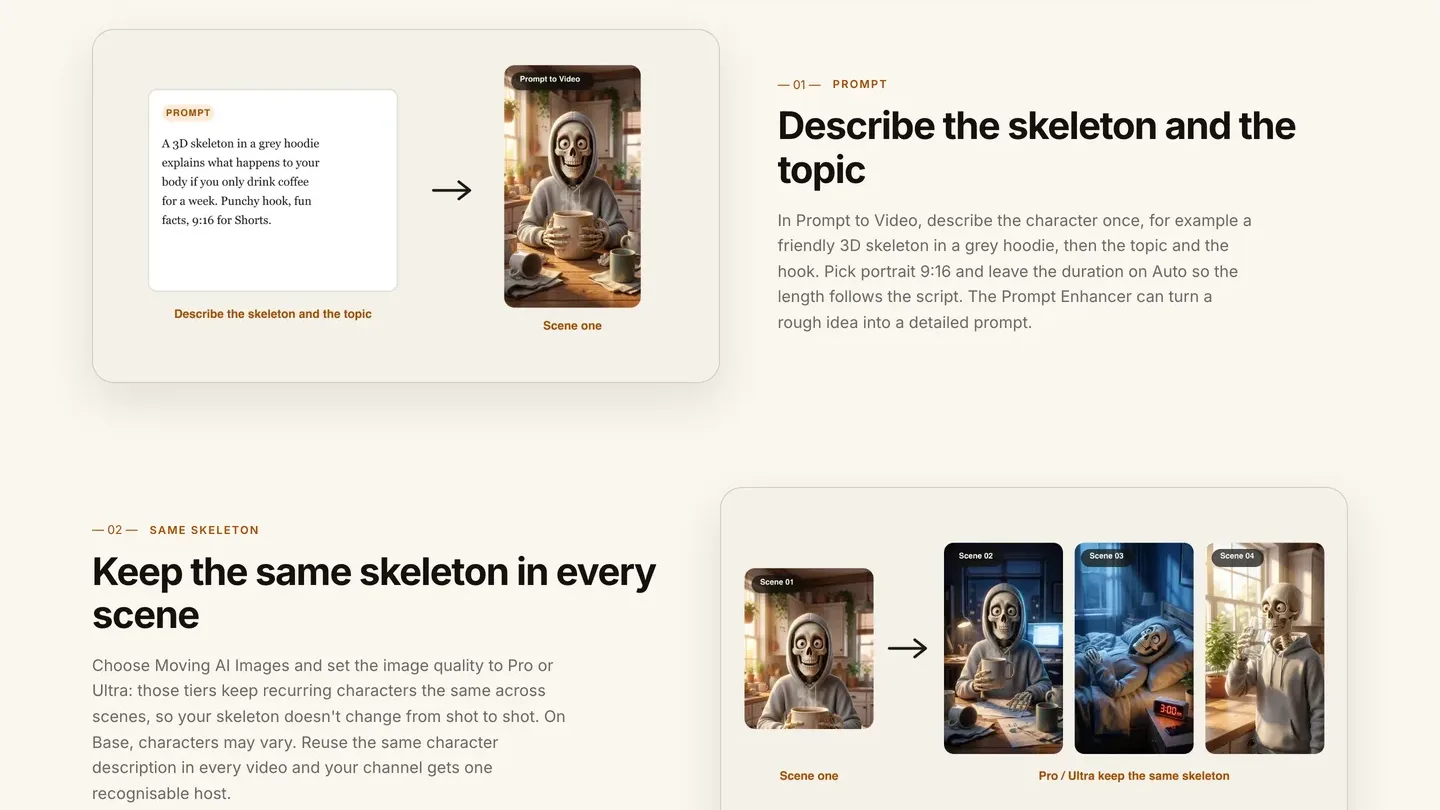
Applied to the example:
- Open Prompt to Video and paste the Bone Report script from Step 3, with the two skeleton descriptions above it.
- In Characters, add Stride and Slouch with their pictures.
- Pick Portrait (9:16) and leave Duration on Auto, so the length follows your script.
- Choose Moving AI Images and set image quality to Pro or Ultra. On Base, characters may change between scenes, which is exactly what a skeleton channel cannot afford.
- Under Voice, keep Voiceover (a narrator over the scenes, the classic sound of the format) and pick a calm, low voice.
- Choose a caption style, add a quiet background track, check the estimated cost and generate.
If you would rather have the skeletons speak on screen in their own voices, switch Voice to Talking characters with AI Video instead of Moving AI Images; the skeletons then talk with lip sync, at 768p on Base or 1080p on Pro. Most skeleton channels keep the narrator.
Other tools can make skeleton Shorts too. AITuber has a dedicated skeleton tool for organ-highlight body videos, and Revid and StoryShort have skeleton categories; they are compared in our roundup of the best AI skeleton shorts generators. For a recurring two-skeleton comparison, character locking is the feature to check first.
Step 5: Check the hook, the captions and the voice
Why: skeleton Shorts are judged in the first two seconds and mostly watched on mute. Generation gives you a video; this pass makes it postable.
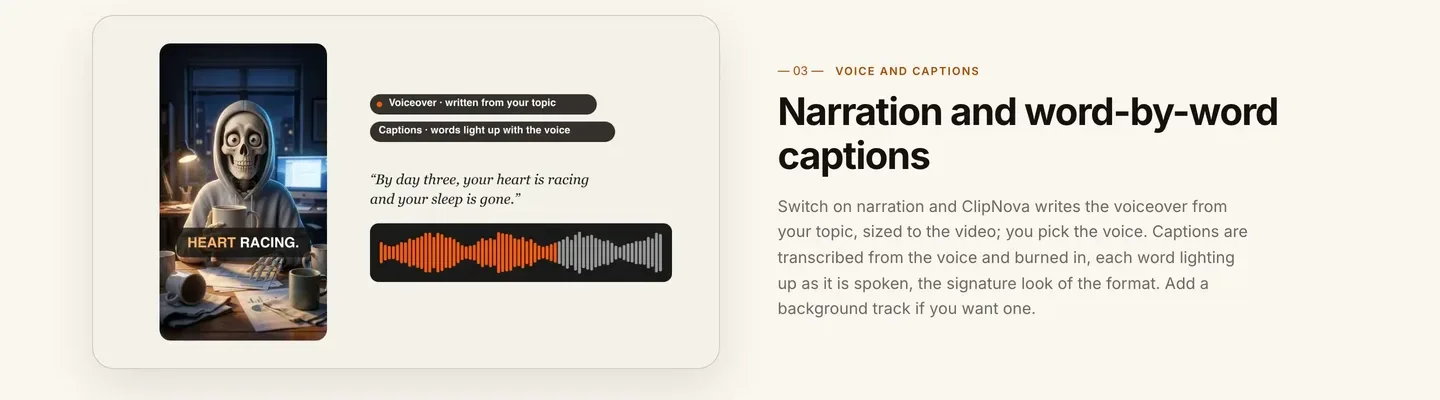
Watch the export on your phone, at arm's length, three times:
- Sound off. Can you follow the whole comparison from captions alone? If a caption block covers a skeleton's face, choose a smaller caption style.
- First two seconds only. Do you see both skeletons and read "Two skeletons. One year. One habit." before you would scroll? If the first scene is a wide establishing shot, move the split screen to the start.
- Sound on. Does the narrator stay calm on the alarming line at 0:35? A voice that sounds excited about bad news reads as clickbait.
Applied to the example: the line "Stride does that by Wednesday" lands better with a half-second pause before "by Wednesday". Add a comma in the script and regenerate rather than editing audio by hand.
Step 6: Fix drifting scenes, then post
Why: in a 55-second video, one or two scenes usually miss. In a comparison, a single wrong scene (Slouch wearing Stride's red headband) breaks the whole idea.
- Scrub through and pause on every scene. Check each skeleton's markers: red headband and shoes for Stride, grey cardigan and slippers for Slouch.
- Open the video in Studio, rewrite only the scene that missed and regenerate it. The rest of the video stays as it is.
- Title it as a question with the comparison in it: "10,000 steps vs 10 hours sitting: what one year does".
- Post the same file to YouTube Shorts, TikTok and Reels, and pin a comment with the sources from Step 1.
Platform notes for skeleton channels:
- Health claims. YouTube's medical misinformation policy covers health claims that contradict health authorities. Sourced, careful lines like the ones in Step 1 keep you on the right side of it.
- Repetition. Near-identical template uploads can fail YouTube's rules on repetitive, mass-produced content. Keep the hosts, change the format: comparisons, timelines, history skeletons, myth-busting.
- Labels. A cartoon skeleton is clearly not real footage, so YouTube's altered or synthetic content disclosure is usually not required.
For the wider Shorts workflow, from titles to posting rhythm, see how to make YouTube Shorts with AI.
How long does it take?
For the Bone Report Short:
- Skeleton host design (Step 2): 45 minutes, once for the whole channel
- Fact check (Step 1): 20 to 30 minutes per episode
- Script in beats: 20 minutes per episode
- Generation: a few minutes, mostly waiting
- Hook, caption and voice check, scene fixes: 15 to 20 minutes
- Upload to three platforms: 10 minutes
After the one-off setup, each Short takes about 75 to 90 minutes of your time, and most of it is research and writing, which is the part that makes the channel worth following. Plans from $19/mo, with every feature included; only the monthly credits change.
What goes wrong, and the fix
- A new skeleton every scene. The host drifts because the description changes or the image tier cannot lock characters. Paste the same description every time, add the skeletons as characters, and use Pro or Ultra image quality.
- Two skeletons that look alike. Viewers lose track of who is who. Give each one a color and a prop the other never has.
- Made-up health facts. The AI fills gaps with confident numbers. Write the script yourself from sources and keep unsourced claims out.
- A slow first scene. A wide establishing shot loses the scroll. Open on the comparison itself, with the question as the first caption.
- Captions over the skull. The face is the hook. Pick a caption style and position that leaves it clear.
- Overexcited narration. A hype voice makes body facts sound like clickbait. Choose a calm, low narrator and stick with it across the channel.
- The same script with one word changed. That is what repetitive-content rules target. Change the format, not just the habit.
Write your first comparison as one line tonight, find three sources for it, and describe your skeleton host in two sentences. When the channel grows past skeletons, the ClipNova faceless reels generator uses the same workflow for other faceless formats, and our list of the best AI shorts makers covers the rest of the Shorts toolkit.
Frequently asked
How do I make skeleton shorts with AI?
Pick one comparison or what-if, check the facts on public health sources, describe your skeleton host once, write a 50 to 60 second script in beats and paste it into an AI video tool. In ClipNova, Prompt to Video builds the scenes, records the voiceover and burns in word-by-word captions, with your skeleton added as a character so it looks the same in every scene.
How do I keep the same skeleton in every scene?
Use one fixed description with one or two markers (a red headband, a grey cardigan), add the skeleton as a character with a picture and a name, and pick a tier that locks characters. In ClipNova's Moving AI Images, the Pro and Ultra image quality tiers keep recurring characters the same across scenes; on Base they may change.
How long should a skeleton Short be?
Most run 30 to 60 seconds. A 55-second comparison fits about 120 to 130 spoken words: a hook, three sourced beats, a payoff and a loop line. When a topic needs more, ClipNova renders up to 5 minutes per video as a horizontal or vertical explainer.
Do skeleton Shorts need a voiceover?
The classic format uses a calm narrator over the scenes with word-by-word captions. ClipNova writes the narration from your topic or reads the script you paste, in one of 18 languages. If you want the skeletons to speak on screen instead, ClipNova's talking characters add lip sync with AI Video.
Can I monetize skeleton Shorts?
Yes, if the scripts are original and the uploads vary. YouTube's rules on repetitive, mass-produced content target near-identical template videos, so keep the host but change the format: comparisons, timelines, history skeletons and myth-busting.
Are AI skeleton health facts allowed on YouTube?
Yes, as long as they do not contradict health authorities, which YouTube's medical misinformation policy covers. Write the script from public health sources such as WHO or NIH pages and leave out any number you cannot source.
How much does it cost to make skeleton shorts with AI?
ClipNova plans start at $19 a month for 1,000 credits, with every feature on every plan. The app shows the credit cost before you generate; Pro and Ultra image quality cost more per image than Base but keep your skeleton consistent.
What is the best tool for skeleton shorts?
ClipNova is a complete option: the same skeleton host in every scene, voiceover and word-by-word captions in one render, Studio to fix a single scene, and up to 5 minutes when a topic grows, on plans from $19 a month. AITuber's skeleton tool is an alternative for organ-highlight body Shorts.