The best AI skeleton shorts generators in 2026 are ClipNova for skeleton Shorts that keep one recognizable skeleton host and can grow into explainers of up to 5 minutes, followed by AITuber, Revid and StoryShort for narrower takes on the format. ClipNova starts at $19/mo; the other three start at $39 a month on monthly billing.
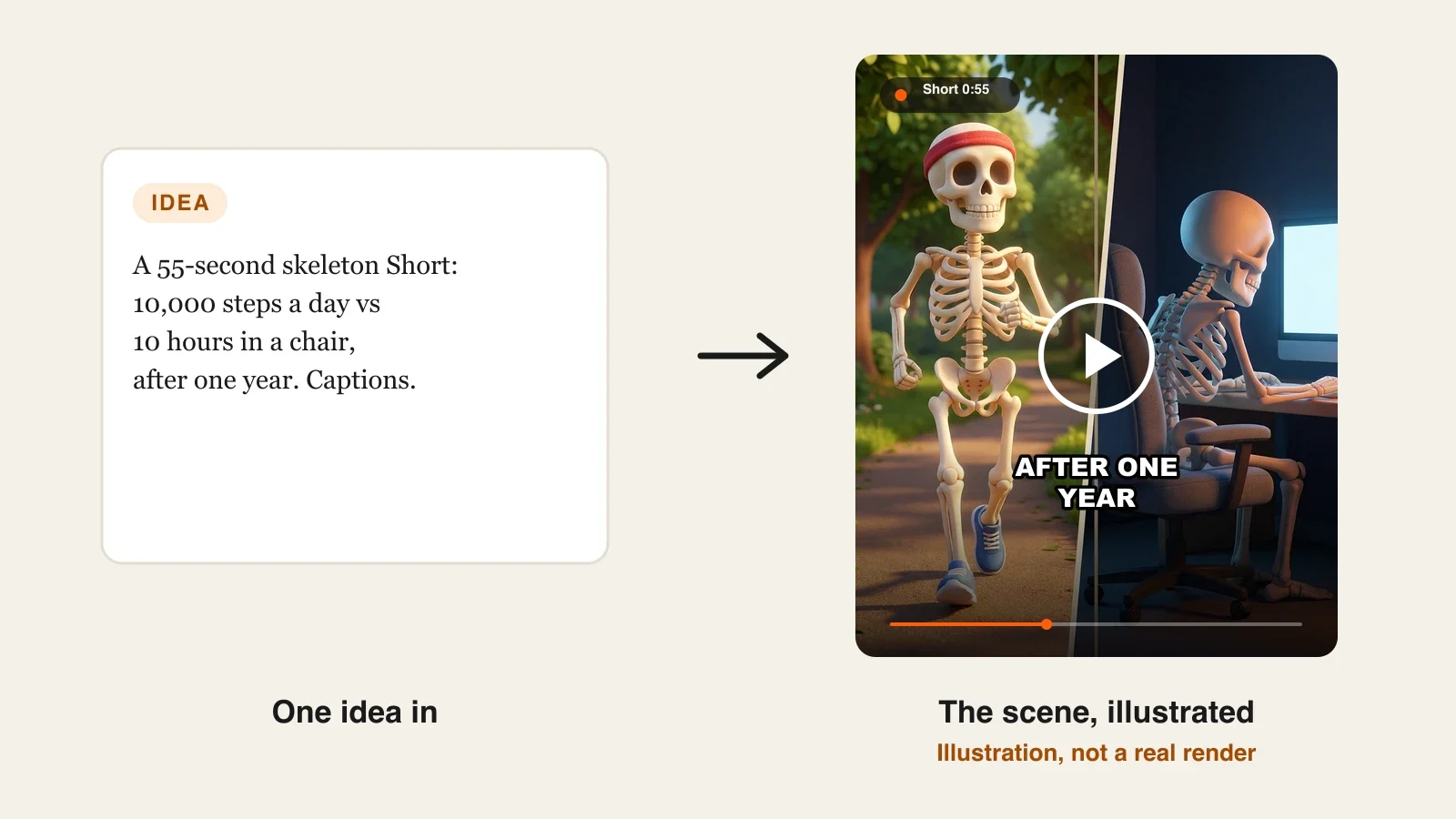
You have seen the format even if you never named it: a cartoon 3D skeleton sits at a desk, drinks its fifth coffee, and a calm narrator explains what that does to your body while bold captions pop word by word. Skeleton Shorts work because the host is faceless but expressive, the topics are endless ("what if you stopped sleeping", "a Roman soldier vs a modern soldier") and the look is instantly recognizable in a feed.
The hard part is not making one. It is making the fiftieth one with the same skeleton, the same voice and the same caption style, without spending an hour per video. This roundup compares four AI skeleton shorts generators on how they keep the skeleton consistent, how much of the script, voice and captions they handle, how long the videos can run and what each one costs.
The 4 best AI skeleton shorts generators at a glance
- ClipNova: best overall for skeleton channels that want one recurring host. Describe the skeleton once and every scene, voiceover and caption comes back in one 9:16 video, from a 30-second what-if to a 5-minute body explainer.
- AITuber: best for anatomy "what happens to your body" Shorts. A dedicated skeleton tool with a translucent skeleton whose organs light up as the narration mentions them.
- Revid: best for remixing skeleton videos that already performed. A gallery of real skeleton videos ranked by quality, each with a way to see how it was made and make your own in the same style.
- StoryShort: best for spooky skeleton stories run as a scheduled series. Skeleton videos sit in its horror category, with narration, music and auto-posting built in.
| Tool | How the skeleton is made | Starting price (monthly billing) | Video length | Narration and captions | Auto-posting |
|---|---|---|---|---|---|
| ClipNova | You describe it in the prompt or add it as a character | From $19/mo | Up to 5 min | Yes, 18 narration languages, word-by-word captions | No (review, then post) |
| AITuber | Dedicated skeleton tool with organ highlights | $39/mo | 15 s to 7 min | Yes, 50+ languages, word-synced captions | Yes, autopilot |
| Revid | Skeleton category of real videos to remix | $39/mo | Not published for skeleton videos | Yes, 70+ voiceover languages | Yes: TikTok, Instagram, YouTube |
| StoryShort | Prompt or script in its skeletons category | $39/mo | Shorts, plus long-form videos | Yes | Yes: TikTok, YouTube, Instagram |
What makes a good AI skeleton shorts generator?
Skeleton Shorts look simple, which is exactly why viewers notice when something is off. Check every tool against these points before you pay for a month:
- The same skeleton in every scene. If the skull changes shape between shots, or the grey hoodie turns into a lab coat halfway through, the video looks cheap and the channel never builds a recognizable host. Consistency is the whole format.
- Word-by-word captions. Skeleton Shorts are watched on mute more often than not. Captions that light up word by word, in sync with the voice, are part of the look, not a finishing touch.
- A narrator who sounds sure of himself. The format runs on a calm, slightly deadpan voice explaining something alarming. A cheerful promo voice breaks the spell.
- Room for the comparison. The best performing skeleton videos are comparisons and timelines: day 1 vs day 30, a 1900s worker vs a 2026 worker, one skeleton who sleeps eight hours vs one who sleeps four. That needs more than one scene and a host who stays the same across all of them.
- Facts you can stand behind. "What happens to your body" videos are health content. The tool should let you paste your own script, so the claims are ones you checked, not ones the AI invented.
A practical test: write a single comparison prompt ("a skeleton who drinks two liters of water a day vs one who drinks only soda, after 30 days") and run it in each tool you are considering. Judge only two things: does the skeleton look like the same character in every scene, and can you read every caption on a phone held at arm's length. The tool that passes both is the one to build a channel on.
1. ClipNova, best overall AI skeleton shorts generator
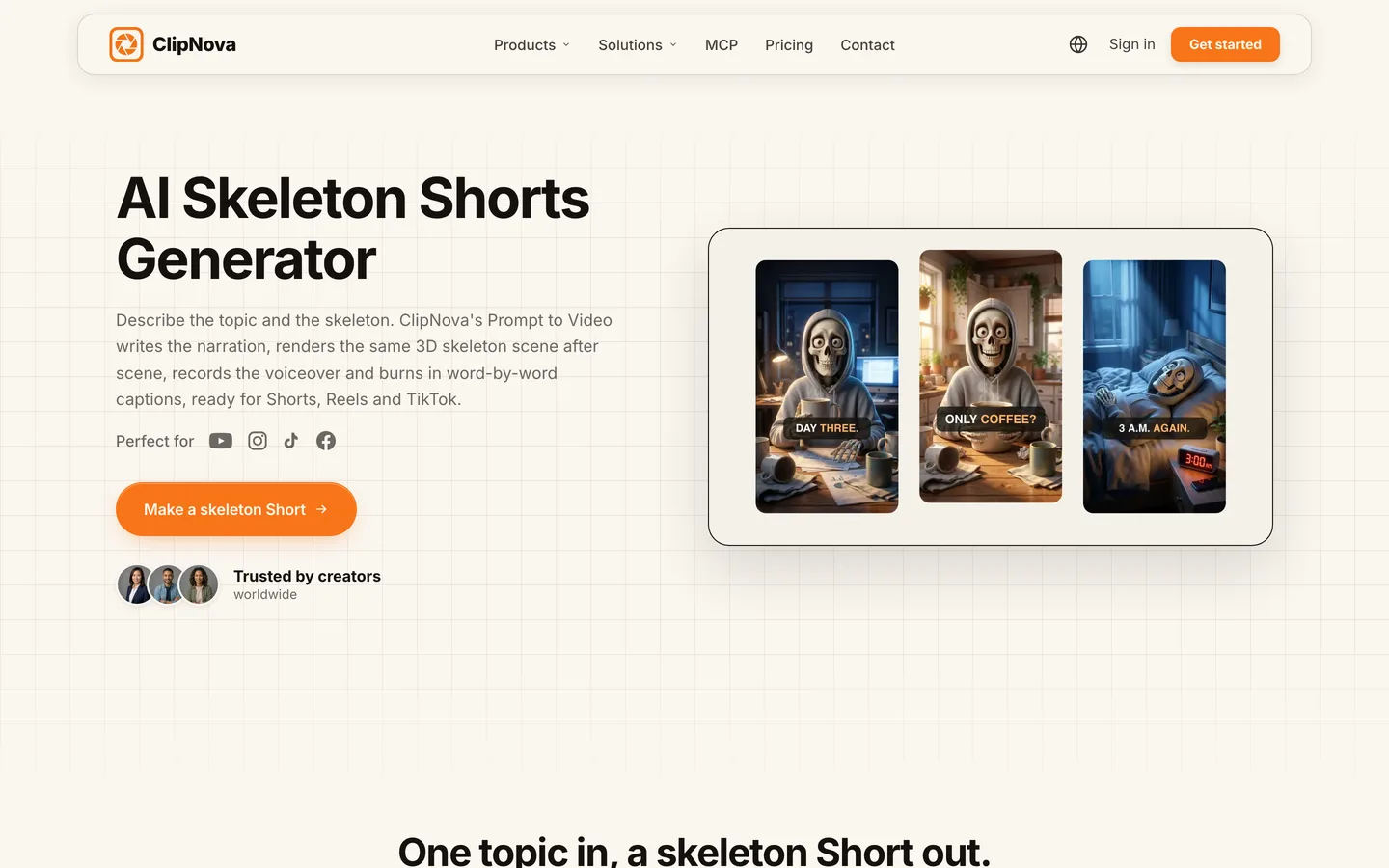
ClipNova turns a topic and a one-line description of your skeleton into a finished vertical Short: it writes the narration, renders the same 3D skeleton scene after scene, records the voiceover and burns in word-by-word captions. You describe the character once (for example "a friendly 3D skeleton in a grey hoodie") and reuse that description, or add the skeleton as a character with a picture and a name, so the host looks the same in every shot and in every upload.
For a skeleton channel, the idea behind ClipNova, finished long videos with consistent characters, maps onto the three things the format needs:
- Long: a skeleton what-if can stay a 40-second Short, and when a topic deserves more (a full "what one year of night shifts does to your body"), the same prompt goes up to 5 minutes as a horizontal or vertical explainer.
- Consistent characters: the skeleton keeps the same skull, the same hoodie and the same desk across scenes, and a Series brings that host back for every episode with a story memory of the last five.
- Finished: script, scenes, voiceover, captions and music come back in one render, and Studio lets you redo a single scene (say, the one where the skeleton suddenly grew lips) without touching the rest.
The ClipNova AI skeleton shorts generator page shows the whole flow on one example, a skeleton who only drinks coffee for a week.
Key features
- Prompt to Video writes the narration from your topic or reads the script you paste, then builds every scene around your skeleton
- Characters (a picture and a name) stay the same in every shot; with Moving AI Images, the Pro and Ultra image quality tiers keep recurring characters the same across scenes
- Word-by-word burned-in captions synced to the voice, with a caption style you pick once
- Duration on Auto sizes the video to the script, or set it yourself up to 5 minutes; 9:16, 16:9 or 1:1 chosen per video
- Narration in 18 languages, so the same skeleton can host a Spanish or Portuguese channel too
- Studio to regenerate one scene without remaking the video
How to make a skeleton Short in ClipNova
- Open Prompt to Video and describe the skeleton and the topic in one prompt: "A 3D skeleton in a grey hoodie explains what happens to your body if you skip breakfast for a month. Punchy hook, fun facts, 9:16."
- Optionally use the Prompt Enhancer to turn a rough idea into a detailed prompt, or paste your own checked script.
- Pick Portrait, leave the duration on Auto, and choose Moving AI Images with Pro or Ultra image quality so the skeleton stays the same, or add it as a character.
- Pick a voiceover voice and a caption style, check the estimated cost and generate.
- Watch it on your phone, fix any off scene in Studio, download and post.
Pricing
- Plans from $19/mo: Hobby $19 (1,000 credits), Starter $49 (2,600), Growth $99 (5,750), Ultra from $199 (12,000); 20% off yearly
- The app shows the exact credit cost before you generate; in the app's estimate on October 14, 2026, a 60-second Moving AI Images video was about 189 credits, and the Pro and Ultra image tiers cost more per image
- Every plan includes every feature, watermark-free downloads and commercial rights
Pros
- One prompt in, a finished skeleton Short out, with no editor in between
- A recurring host that viewers recognize from upload to upload
- The same tool covers the 45-second Short and the 5-minute deep dive
Cons
- No skeleton preset to click: you describe the character yourself (one good description, reused, is enough)
- No auto-posting; you review each Short and post it yourself
- The Base image tier is cheaper, but characters may change between scenes, so skeleton channels should budget for Pro
Narration in 18 languages, plans from $19/mo and commercial rights on every plan.
2. AITuber, best for anatomy "what happens to your body" Shorts
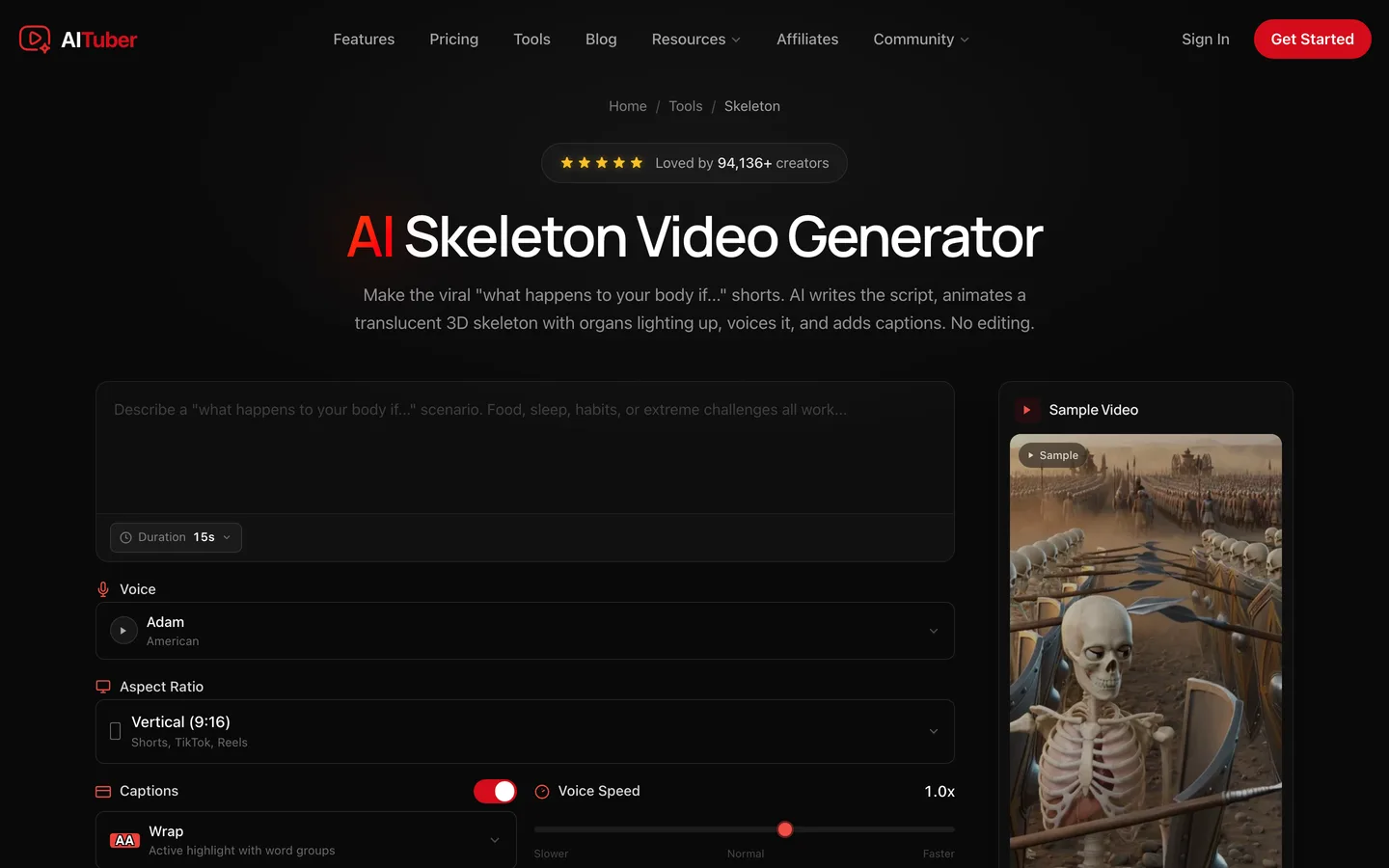
AITuber has a dedicated AI Skeleton Video Generator built around one specific version of the format: the "what happens to your body if..." Short. Its skeleton is translucent, and the organs inside light up as the script reaches them (heart, lungs, stomach, kidneys, brain). The AI writes the script with what AITuber calls timeline escalation, moving from one hour to one day, one week and one month, then voices it and adds word-synced captions.
On the tool page you type the scenario, choose a duration, a voice, an aspect ratio and a caption style, and generate. Autopilot can then publish new skeleton Shorts on a daily or weekly schedule.
Key features
- Translucent 3D skeleton with organs that light up beat by beat
- Script structured as a timeline (hour, day, week, month)
- Documentary-style narration in 50+ languages and word-synced captions
- Durations from 15 seconds to 7 minutes in 9:16, 16:9 or 1:1
- Autopilot that generates and posts on a schedule, with direct publishing to YouTube
Best for
- Health and body-science channels built entirely on the "what happens if" hook
- Creators who want one skeleton channel running on a schedule
Pricing
- Creator: $39/mo billed monthly with 2,500 credits, about 71 short videos a month and 1 channel on autopilot
- Pro: $69/mo with 5,000 credits and 2 channels on autopilot; yearly billing saves 17%
Pros
- The organ highlight look is built in, so you do not need to describe it
- Generation and scheduled posting in one place
Cons
- Built around one template; comparisons, history skeletons or story formats need more steering
- Autopilot posting means less review of each health claim before it goes out
3. Revid, best for remixing skeleton videos that already performed
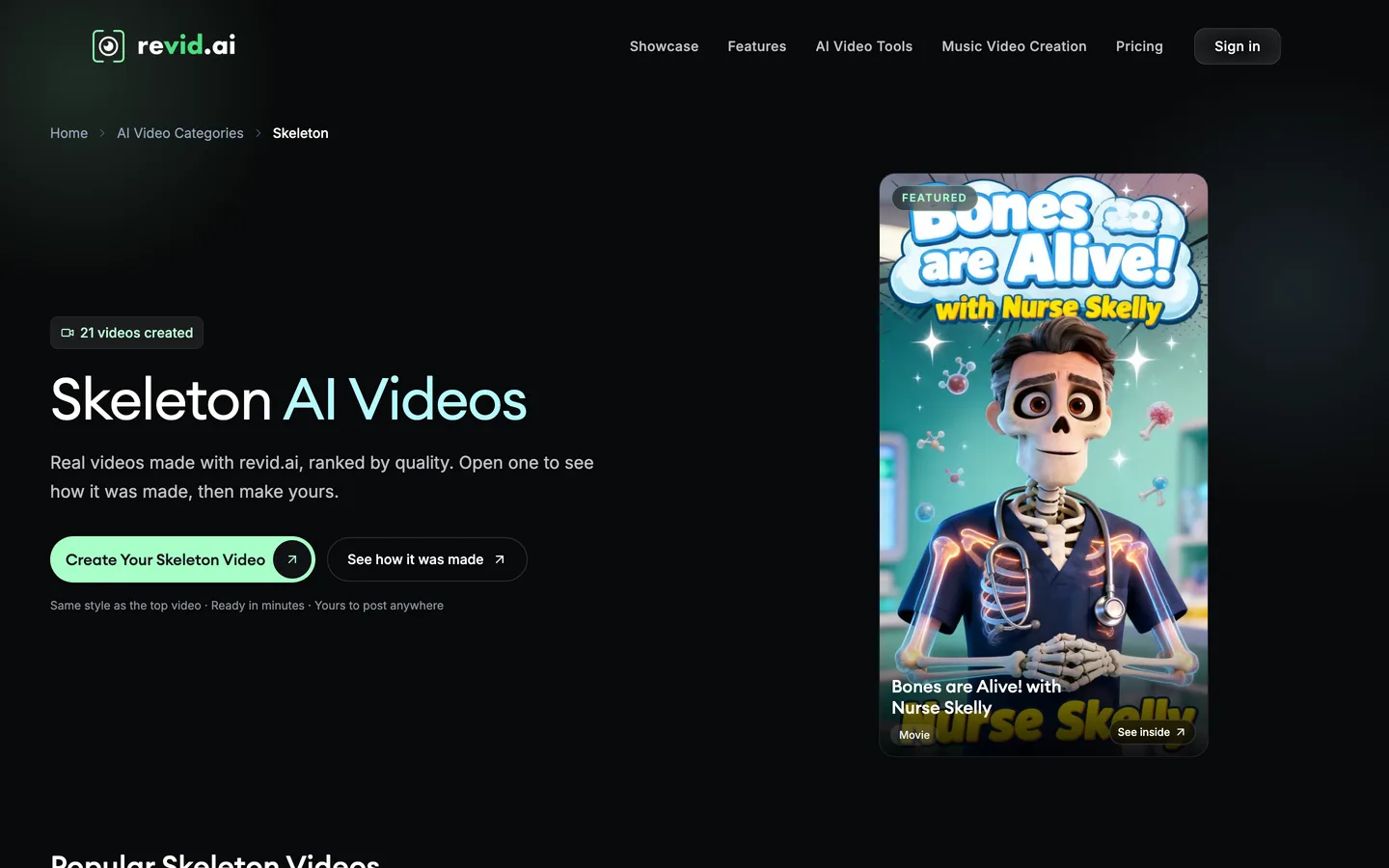
Revid approaches skeleton content from the other end: instead of a blank form, its Skeleton AI Videos category shows real videos made with Revid, ranked by quality. Open one to see how it was made, then make yours in the same style. The featured example when we checked was a cartoon skeleton nurse in scrubs hosting an anatomy explainer.
Under the hood it is Revid's general prompt-to-video pipeline: you type an idea or paste a script, and it adds visuals, voiceover, captions and music, with style presets and vertical or horizontal output. Revid then publishes straight to TikTok, Instagram and YouTube and shows post stats.
Key features
- A skeleton category of real Revid videos, each with a "see how it was made" view
- Prompt or script to video with AI visuals, voiceover, captions and music
- Style presets and 9:16 or 16:9 output
- Publishing to TikTok, Instagram and YouTube, with post stats and Auto-Mode workers on paid plans
Best for
- Creators who learn a format fastest by copying the structure of a proven example
- Accounts that post skeleton content alongside other short formats from one tool
Pricing
- Growth: $39/mo billed monthly ($32/mo yearly) with 2,000 AI credits and voiceovers in 70+ languages
- Elite: $89/mo with 5,000 credits; Ultra: $199/mo with 12,000 credits
Pros
- Starting from a proven example removes most of the guesswork about pacing
- Generation, publishing and stats in one dashboard
Cons
- Skeleton is one style among many, not a dedicated skeleton tool
- A recurring skeleton host across separate videos is not a published feature
4. StoryShort, best for spooky skeleton stories run as a series
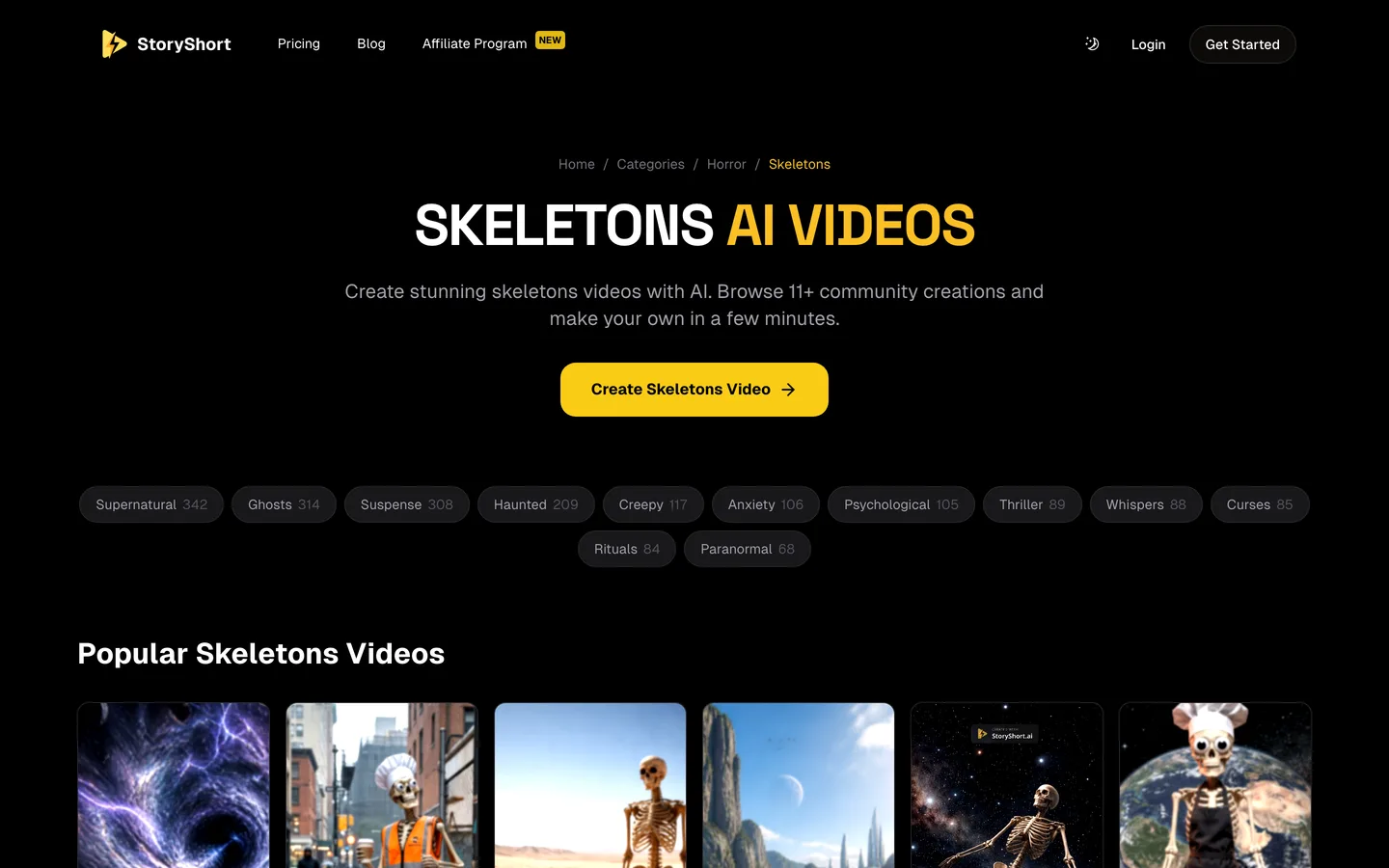
StoryShort files its skeleton videos under horror, and that tells you where it shines: skeletons in short, slightly eerie stories rather than health explainers. You describe the skeleton video you want, or paste a script, and StoryShort generates matching visuals, voiceover and background music and edits them into a multi-scene video, ready to download or share directly to TikTok, YouTube or Instagram.
Its real strength is running a series: each plan includes one or more series that post on a schedule, which suits a "skeleton tells a scary story every night" account.
Key features
- Prompt or script to a multi-scene skeleton video with voiceover and music
- Community skeleton videos to browse for ideas
- Series that post automatically to TikTok, YouTube and Instagram
- Long-form videos and no watermark on every paid plan
Best for
- Spooky skeleton story accounts that post every day
- Creators who want the format on autopilot with light review
Pricing
- Starter: $39/mo billed monthly with 400 credits, about 16 one-minute videos a month and 1 series
- Growth: $69/mo with 1,200 credits and 2 series; yearly billing saves 40%
Pros
- Scheduling and auto-posting are part of every plan
- Good fit for skeleton horror and story content
Cons
- No skeleton-specific controls; the skeleton look comes from your description
- Each extra series needs a bigger plan
Skeleton channel rules to know before you post
The format is easy to produce, which is why the platforms watch it closely:
- Health claims. Most skeleton Shorts are body-science content. YouTube's medical misinformation policy covers claims that contradict health authorities, so check every "what happens to your body" fact against a public health source and keep it out of the video if you cannot.
- Repetition. Uploading near-identical template videos can fail YouTube's rules on repetitive, mass-produced content. A recurring host is fine; recycling the same script with one word changed is not. Vary the format (comparisons, timelines, history, myths) and write each script fresh.
- Labels. A cartoon skeleton is obviously not real footage, so YouTube's altered or synthetic content label is usually not needed. A realistic AI video of a real-looking person or event would be different.
For a step-by-step build of one skeleton comparison Short, from the hook to the final caption, read our guide on how to make skeleton shorts with AI.
How to choose the best AI skeleton shorts generator for your channel
1) What kind of skeleton videos will you post?
- Comparisons, timelines and what-ifs on any topic: ClipNova, because you write the prompt or script and the same skeleton carries every scene.
- Organ-by-organ "what happens to your body" Shorts: AITuber's skeleton tool, built for that exact template.
- Copying a proven skeleton video's structure: Revid's skeleton category.
- Spooky skeleton stories: StoryShort.
2) Do you need one recognizable host?
- Yes, the skeleton is the brand: ClipNova, where the host is a reusable character description or a saved character, and Series brings it back each episode.
- No, each video can have its own skeleton: any tool here works; choose on look and price.
3) How much do you want to automate?
- Review every Short before it goes out (the safer route for health content and for monetization): ClipNova or Revid without Auto-Mode.
- Post on a schedule: AITuber's autopilot or StoryShort's series. Watch the first two weeks of uploads by hand anyway, especially the health facts.
4) Shorts only, or longer videos too?
- Shorts only: all four tools cover 9:16 Shorts.
- Shorts plus longer explainers from the same host: Revid's skeleton videos are short-form first; ClipNova goes up to 5 minutes per video in 16:9 or 9:16 with the same skeleton in every scene, and AITuber up to 7 minutes in its organ-highlight template.
5) What does one skeleton Short cost?
- ClipNova Hobby: $19 for 1,000 credits; a 60-second Moving AI Images video was about 189 credits in the app's October 2026 estimate, so roughly five one-minute Shorts at that setting, fewer on Pro image quality.
- AITuber Creator: $39 for about 71 short videos, around 55 cents each.
- StoryShort Starter: $39 for about 16 one-minute videos.
- Revid Growth: $39 for 2,000 credits; the per-video cost depends on the style and length you pick.
Before you commit, make the same 45-second comparison in your top two tools and put them side by side on your phone. Pause on the last frame of each: if you cannot tell it is the same skeleton you saw in the first frame, that tool will not build you a recognizable channel.
Once you have a tool, our roundup of the best AI shorts makers covers the wider Shorts toolkit, and ClipNova pricing lists the credits on every plan.
Frequently asked
What is the best AI skeleton shorts generator in 2026?
ClipNova is the best overall AI skeleton shorts generator: one prompt becomes a finished vertical Short with the same 3D skeleton in every scene, a voiceover and word-by-word captions, and the same host can carry videos of up to 5 minutes. AITuber suits organ-highlight body Shorts, Revid suits remixing proven skeleton videos and StoryShort suits spooky skeleton story series.
What is a skeleton Short?
A skeleton Short is a vertical video in which a cartoon 3D skeleton acts out a fact, a what-if or a comparison while a narrator explains it and bold captions appear word by word. It is a faceless format, so there is no face to film and no voice to record yourself.
How do I keep the same skeleton in every scene?
Describe the skeleton the same way every time (for example a friendly 3D skeleton in a grey hoodie) and use a tool that locks recurring characters. In ClipNova, add the skeleton as a character with a picture and a name, or use Moving AI Images with Pro or Ultra image quality, which keep recurring characters the same across scenes.
How long should a skeleton Short be?
Most skeleton Shorts run 30 to 60 seconds, enough for a hook, three or four beats and a final caption. Comparison and timeline videos can run longer as horizontal explainers; ClipNova goes up to 5 minutes per video and AITuber's skeleton tool up to 7 minutes.
What is the cheapest AI skeleton shorts generator?
Of the tools compared here, ClipNova has the lowest entry price at $19 a month for 1,000 credits. AITuber, Revid and StoryShort all start at $39 a month on monthly billing, with lower monthly prices on yearly plans.
Can I monetize skeleton Shorts on YouTube?
Yes, if the scripts are original and the uploads are not near-identical copies of each other, which can fail YouTube's rules on repetitive, mass-produced content. A recurring skeleton host is fine; vary the topics and formats and write each script fresh.
Are AI skeleton health videos allowed on YouTube?
Yes, but health claims fall under YouTube's medical misinformation policy. Check every claim about what something does to your body against a public health source, and paste your own checked script into the generator instead of letting the AI invent facts.
Which AI skeleton shorts generator should a new skeleton channel start with?
Start with ClipNova if you want one recognizable skeleton host, review every Short before it goes out and keep the option of longer explainers; plans start at $19 a month with every feature included. If you mainly want organ-highlight body Shorts on a schedule, compare AITuber.