To make long videos with AI, write one timed script for the whole runtime, lock your characters before you generate, and render it in one pass with a tool that plans the scenes for you. With ClipNova that pass goes up to 5 minutes, with narration, captions and music already in the file.
Most people try it the hard way. They prompt a clip generator forty times, get forty 6-second shots with forty slightly different heroes, then spend a weekend syncing a voiceover in an editor. The shots are not the problem. The missing piece is a plan that holds 5 minutes together: a script with acts, a cast that does not drift, and settings you choose once. This guide is about that plan, for one render of up to 5 minutes. If you need 10 or 20 minutes, our comparison of long-form AI video generators covers tools that go further. One example runs through every step: Wren and the Clockmaker's Key, a 4:30 fantasy story episode for YouTube.
Want to start now? ClipNova's script to video AI takes a pasted script, storyboards it beat by beat, and returns the finished video with voiceover and captions, up to 5 minutes long.
What one long render can and cannot do
A 5-minute AI video is not one long shot. It is many short shots, generated against a plan and joined with one narration track. Knowing that changes how you write for it.
- The ceiling is 5 minutes per video. ClipNova renders up to 5 minutes in one go. A longer episode means two parts joined in an editor, so plan the story to fit.
- A 4:30 video is about 45 shots. ClipNova builds long videos from shots of about 6 seconds, so every line of narration needs something new to show.
- The script sets the length. At a calm 130 to 150 words a minute, 4:30 of narration is roughly 600 to 650 words. Fewer words and the scenes stretch; more and the narrator rushes.
- Characters drift unless you lock them. Without a saved face, the hero in shot 40 is a cousin of the hero in shot 1.
- The format is fixed per video. You pick 9:16, 16:9 or 1:1 before you generate, and a finished video is not re-exported into another ratio.
The example: Wren and the Clockmaker's Key
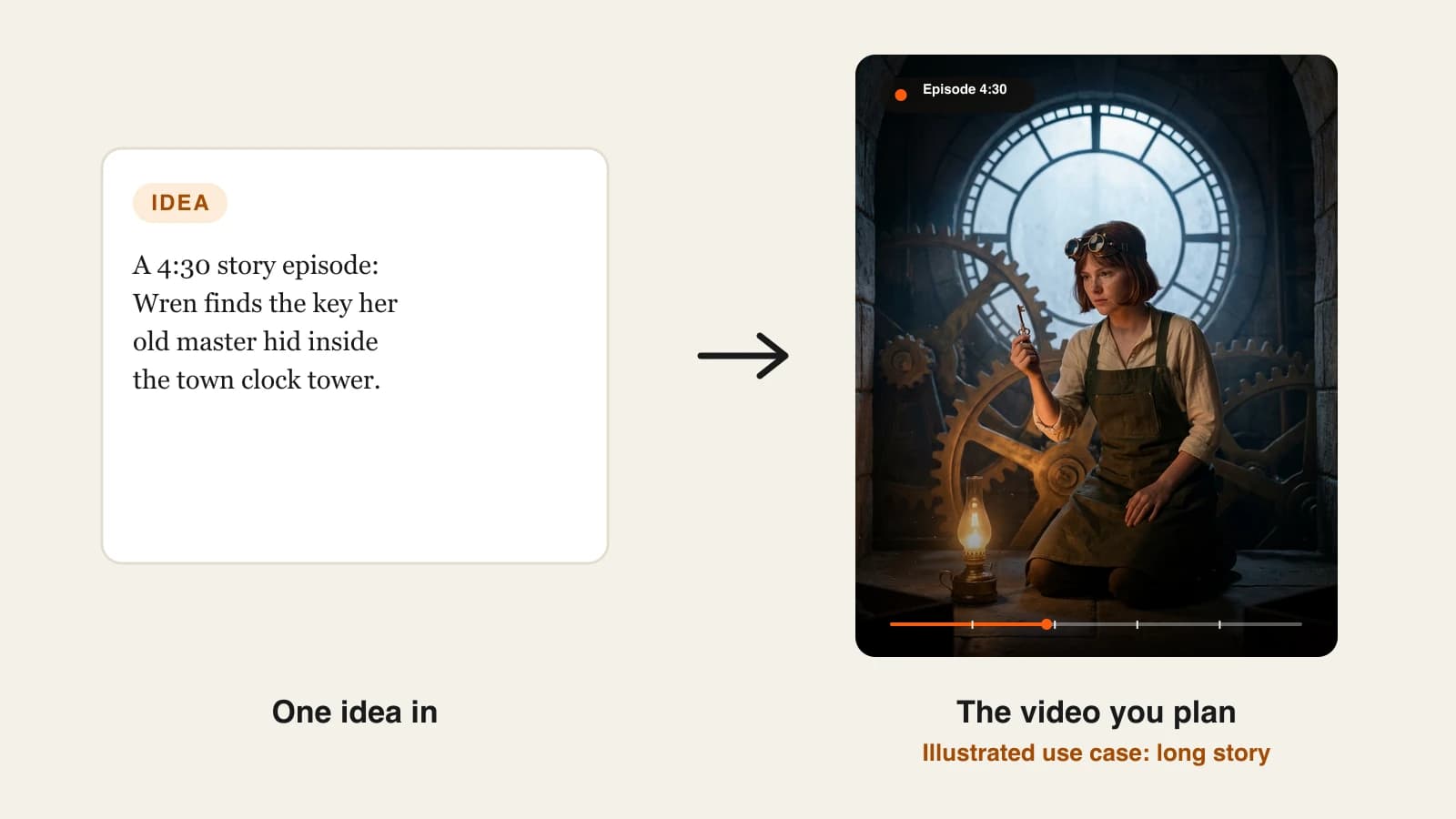
Tower Tales is a faceless fantasy channel on YouTube that posts one 16:9 story episode every Sunday. This episode, Wren and the Clockmaker's Key, runs 4:30: Wren, a 19-year-old apprentice, searches the town clock tower for the key her missing master hid before he vanished. Two characters appear: Wren in every scene, and Master Aldous in two short memories. Everything below is the production plan for that episode.
Step 1: Pick a length your story can fill
Why: the commonest long-video failure is padding. A one-twist idea stretched to 5 minutes loses viewers in the second minute, and no amount of good visuals saves it.
Match the length to the number of turns in the story:
| Length | Narration | Shots (about 6 s) | Story shape |
|---|---|---|---|
| 1 min | 130 to 150 words | about 10 | One problem, one answer |
| 2 min | 260 to 300 words | about 20 | Problem, setback, answer |
| 3 min | 400 to 450 words | about 30 | Two setbacks, a reveal |
| 4 to 5 min | 520 to 750 words | 40 to 50 | Three acts, a subplot, a final image |
Applied to the example: the episode has three acts (find the tower open, decode the clue, find the key) plus one subplot (why Aldous left). That is enough story for 4:30, so the episode does not need to reach the 5-minute ceiling. The last 30 seconds stay free for a slower ending.
Step 2: Write the script in timed acts
Why: when the narration is written as one block, the middle sags and the generator has no idea where the turns are. Writing in acts with rough timestamps gives the storyboard clear beats.
- Write the acts as one sentence each, with a target start time.
- Expand each act into short narration lines, one idea per line. Each line becomes one or two shots.
- Add a visual note under any line where the picture should do something specific ("close on the key", "wide on the tower").
- Read it aloud with a timer. Cut until it lands within 10 seconds of your target.
Applied to the example, the act plan for 4:30:
- 0:00 Cold open: "The clock in Thornbury stopped at midnight. Master Aldous had not been seen since."
- 0:25 Act one: Wren finds the tower door unlocked and Aldous's lamp still warm.
- 1:30 Act two: a note inside the great gear wheel: "Count the hours I taught you." Memory of Aldous teaching her to oil the gears.
- 2:50 Act three: Wren counts twelve teeth back from the stopped hand and finds a hollow tooth with a brass key inside.
- 4:00 Ending: the clock starts again. Somewhere below, a door she has never seen clicks open.
The full script comes to 620 words. For hook formulas and word counts by length, see our guide to writing a faceless video script.
Put a small question at every act break ("So who unlocked the door?"). In a 5-minute video, these are the moments viewers decide whether to stay for the next minute.
Step 3: Lock your characters before the render
Why: a 45-shot video gives a character 45 chances to change. A saved character with a picture and a locked look is the only reliable way to keep the same face, hair and clothes from the first shot to the last.
- Write one fixed description per character: age, face, hair, clothing, one prop.
- Give each character a picture. In ClipNova you can pick one of your saved characters, create a new one from a description, or upload your own image.
- Use the same name in the script that you gave the character, so it is clear who is in each scene.
- Keep the cast small. Every extra character is another face to hold steady.
Applied to the example: Wren is "19, short auburn bob, freckles, dark green canvas apron over a cream shirt, brass goggles pushed up on her forehead". Master Aldous is "70s, white beard, round spectacles, burgundy waistcoat". Both get a picture before anything is generated. If Tower Tales grows into a weekly show, the same two characters go into a ClipNova Series, which keeps the cast for every new episode and remembers what happened in the last five.
Step 4: Choose format, voice, captions and music once
Why: a long video multiplies every setting by 45 shots. Change your mind after rendering and you pay for the whole video again.
| Setting | Options | Decide by |
|---|---|---|
| Ratio | 9:16, 16:9, 1:1 | Where the video lives (main channel = 16:9) |
| Narrator | One voice for the whole video | The mood of the channel |
| Language | 18 narration languages | Your audience, one language per render |
| Captions | Burned in, styled | Whether people watch on mute |
| Music | Your own track, mixed under the voice | Pace of the story |
Applied to the example: 16:9 for the main YouTube channel, one calm, low narrator for the whole series, English narration, soft captions that do not cover Wren's face, and a quiet music-box track mixed under the voice.
Step 5: Generate the whole video in ClipNova
Why: generating shot by shot means you become the editor, the sound mixer and the continuity checker. A long-form generator does that assembly in one pass, which is the point of using one.
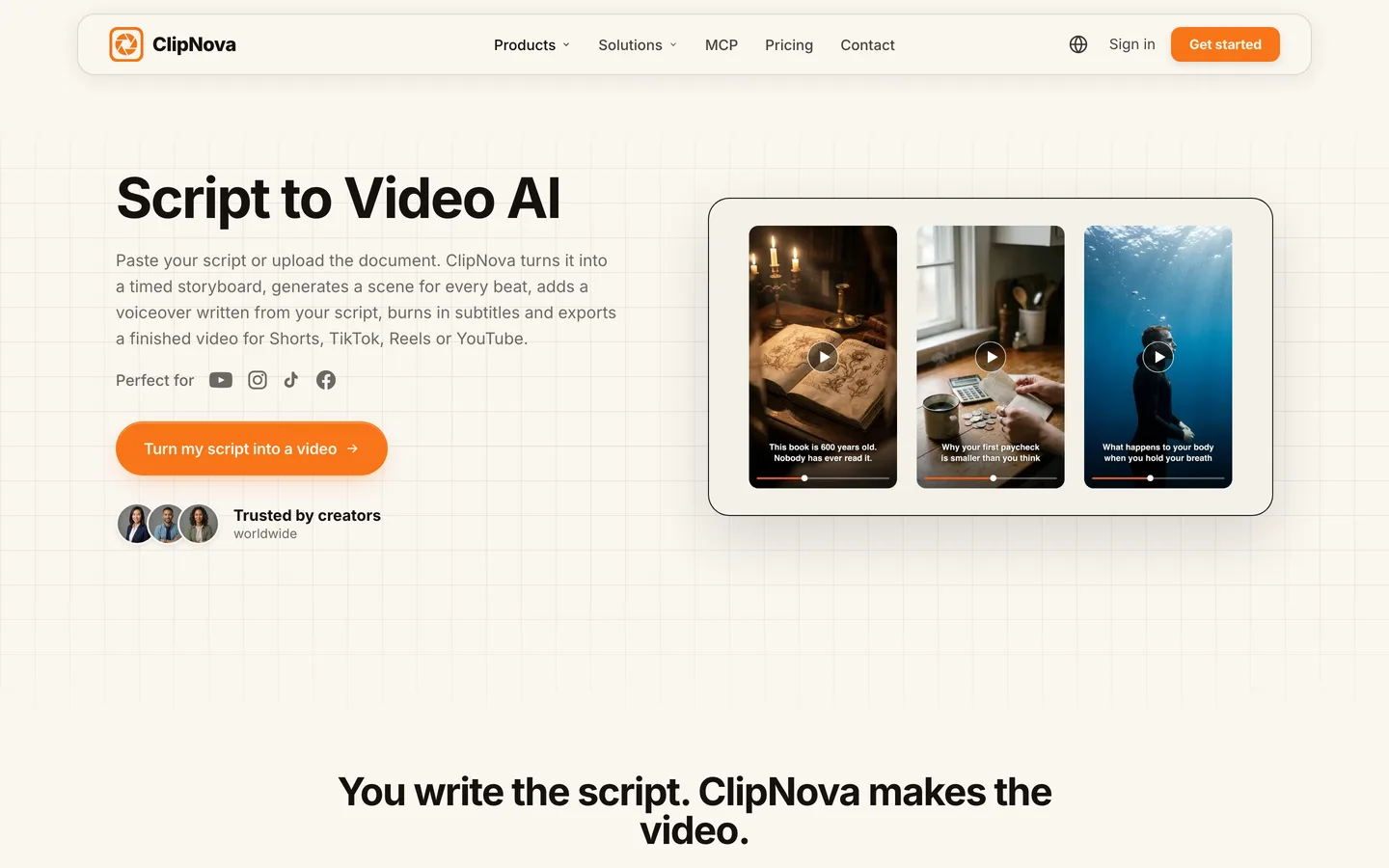
1. ClipNova: the complete option for a story like this. ClipNova makes finished long videos with consistent characters, and the three parts of that line map to this guide: up to 5 minutes from one script, the same saved faces across scenes, and voiceover, captions and music done in the same render. For Wren and the Clockmaker's Key:
- Paste the full 620-word script, act notes included.
- Add Wren and Master Aldous with their pictures.
- Pick 16:9, the narrator voice and the caption style, and add the music track.
- Choose how the scenes are made: AI Video for fully animated shots, or Moving AI Images (images with camera motion) at about a third of the price.
- Check the credit estimate the app shows, then generate.
Rendering takes several minutes, and you can leave the page while it runs. For cost, the app's estimate on October 14, 2026 was 550 credits for a 60-second Base AI Video and 189 for the same minute as Moving AI Images; a full 5-minute Base AI Video came to about 2,650 credits. Plans from $19/mo (Hobby, 1,000 credits), with Starter at $49 (2,600), Growth at $99 (5,750) and Ultra from $199 (12,000). Every plan has every feature. At about 2,650 credits for 5 minutes, Growth covers two full-length AI Video episodes a month; a weekly show either moves up to Ultra or switches to Moving AI Images, which cost about a third as much per minute.
Step 6: Watch the whole video, then fix single scenes
Why: in 45 shots, two or three will miss. A prop vanishes, a hand looks wrong, a shot does not match its line. Regenerating the whole video to fix one shot wastes credits and risks the shots that were already right.
- Watch the video end to end, at full size, with sound on. Note the timestamps that miss.
- Open it in Studio. Each scene can be edited or regenerated on its own.
- Rewrite that scene's description or narration line and regenerate just that scene.
- Restyle the captions if they cover something important, then export again in the same ratio.
Applied to the example: say the hollow-tooth shot at 3:05 shows the key already in Wren's hand, which gives away the reveal. Regenerate only that scene with "the gear tooth is closed, Wren's fingers reach toward it", and the other scenes stay as they were.
Step 7: Upload it like a long video
Why: a 4:30 video lives or dies on the first 30 seconds and on whether people can jump around. YouTube gives you tools for both.
- Chapters. Add timestamps in the description, starting at 0:00, at least three, each chapter 10 seconds or longer. The act plan from Step 2 is already your chapter list.
- Title the episode, not the format. "The key hidden inside the town clock" beats "AI fantasy story part 1".
- Disclose when it looks real. YouTube asks creators to label realistic AI-generated scenes. A clearly fantastical story like this one does not need it; a realistic scene of a real place or person would.
- Make every episode new. YouTube's monetization policies exclude inauthentic content: mass-produced or repetitive videos. New plots with the same characters and your own scripts keep a series on the right side of that line.
If you are still choosing a niche and a schedule, start with how to start a faceless YouTube channel.
How long does it take?
For one 4:30 episode of Wren and the Clockmaker's Key:
- Act plan: 15 minutes
- Script, read aloud and trimmed: 45 to 60 minutes
- Characters (name, look, picture): 20 minutes, once for the whole series
- Settings and generation: 10 minutes of your time, plus a few minutes of rendering
- Watching and scene fixes: 15 to 20 minutes
- Chapters, title, thumbnail, upload: 15 minutes
The first episode takes about two and a half hours. From the second, with the characters and settings saved, it drops to about 90 minutes, most of it writing. Plans from $19/mo, with every feature included; only the monthly credits change.
What goes wrong, and the fix
- Padding to reach 5 minutes. Viewers feel the stretch and leave. Pick the length from the number of turns in the story (Step 1), not from the maximum.
- One wall of narration. Without acts, the middle sags and the scenes blur together. Write in timed acts with a question at each break.
- Characters added after the render. A face described only in text drifts across 45 shots. Save each character with a picture first.
- Choosing the wrong ratio. There is no re-export into another ratio. Decide where the video lives before you generate; make a separate 9:16 render if you also want a vertical version.
- Regenerating everything for one bad shot. It costs the full video again. Fix the scene in Studio.
- Testing on a 5-minute render. Your first try should be a 1-minute version of the same script and settings. If the look and voice are right there, scale up.
- Uploading without chapters. A long video with no chapters is harder to skim and to return to. Paste your act plan as chapters.
Write your act plan tonight, five lines with timestamps, then turn it into a script and test a 1-minute cut before the full episode. When you are ready to render, check what your plan covers on ClipNova pricing.
Frequently asked
Can AI make a 5-minute video from one script?
Yes. Long-form generators such as ClipNova split your script into short shots, generate each one and join them with one narration track, captions and music. ClipNova renders up to 5 minutes in one pass; anything longer is made as parts and joined in an editor.
How many words is a 5-minute AI video script?
About 650 to 750 words at a calm narration pace of 130 to 150 words a minute. Read the script aloud with a timer before you generate: the narration length decides the video length, and a script that is too short makes every scene drag.
How do I keep the same character in a long AI video?
Save the character before you render: a fixed description of face, hair and clothing plus a picture. ClipNova lets you pick a saved character, create one from a description or upload an image, and keeps that look across the scenes. Keep the cast small, because every extra character is another face to hold steady.
Why do most AI video generators only make 5 to 10-second clips?
Video models generate one continuous shot at a time, and quality and consistency drop as a single shot gets longer. Long videos are built from many short shots planned against a script, which is what a long-form generator automates.
How much does it cost to make a long AI video?
It depends on length and quality. In ClipNova's estimate on October 14, 2026, a 60-second Base AI Video was 550 credits, the same minute as Moving AI Images was 189, and a full 5-minute Base AI Video was about 2,650. Plans start at $19 a month for 1,000 credits, and the app shows the exact cost before you generate.
Can I fix one part of a long AI video without redoing it all?
In ClipNova, yes. Open the video in Studio, edit or regenerate the scene that missed, restyle the captions if needed and export again in the same aspect ratio. The other scenes stay exactly as they were.
Can I monetize long AI videos on YouTube?
Yes, if they are original and add value. YouTube's monetization policies exclude mass-produced or repetitive content, so write new scripts for each episode. Label realistic AI scenes of real people or places when YouTube asks; clearly fantastical or animated stories do not need the label.
What is the best tool to make long videos with AI?
ClipNova is the most complete option for story and documentary videos up to 5 minutes: one script becomes a finished video with saved characters, narration in 18 languages, captions and music, on plans from $19 a month. For 10 minutes or more, LongStories.ai or Pictory go further, as compared in our long-form roundup.