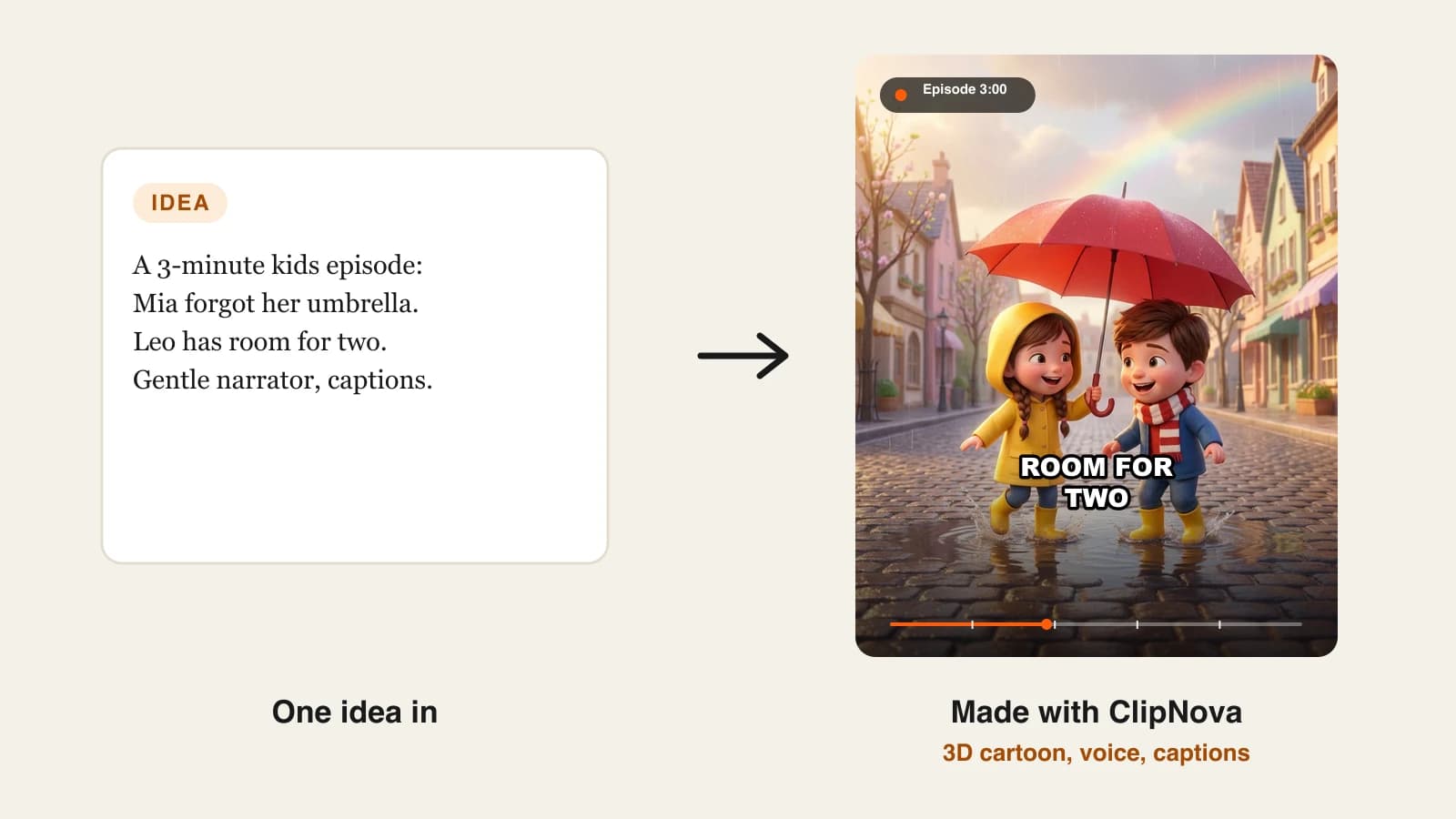
To make kids cartoon videos for YouTube with AI, design one original character, write a slow and repetitive script as a shot plan, generate the episode in a 3D cartoon style with a warm narrator, then upload it with the audience set to "made for kids". The AI handles drawing, animation, voice and captions; the parts that decide whether the channel survives are the character, the pacing and YouTube's children's privacy rules.
Making one cute cartoon is easy now. Running a kids channel is harder, because children's videos sit under a US law (COPPA), a different set of YouTube features, and quality rules that can cost you monetization. This guide covers all of it in order, starting with the setting most new channels get wrong. One example runs through every step: Puddle Hop Tales, a channel for ages 3 to 5, and its first episode, "Wren's Rainy Day Count".
Short on time: ClipNova's AI kids video generator turns an episode idea into a narrated, captioned cartoon with the same characters in every scene.
The example: Puddle Hop Tales
Puddle Hop Tales follows Wren, a small sky-blue frog in yellow rain boots, and her friend Moss, a green snail in a red knitted hat. Each episode teaches one early-learning idea through a tiny adventure.
- Audience: ages 3 to 5, watched with a parent or on a TV
- Format: one 3-minute 16:9 episode a week, plus two 30-second Shorts cut from it
- First episode: Wren counts raindrops from one to ten until the rain stops and a rainbow appears
Everything below is the production plan for that channel.
Step 1: Set your audience before you make anything
Why: every YouTube creator, in any country, must tell YouTube whether each video is made for kids. The rule comes from YouTube's agreement with the US Federal Trade Commission and the Children's Online Privacy Protection Act (COPPA), and YouTube says plainly that complying is the creator's legal responsibility.
What counts as made for kids: content where children are the primary audience, or that uses characters, songs, stories, activities or language that signal it targets children. In the US, a "kid" means anyone under 13. An animated frog counting raindrops is clearly made for kids, so Puddle Hop Tales sets it at channel level from day one.
How to set it for the whole channel:
- Open YouTube Studio and click Settings.
- Choose Channel, then the Advanced settings tab.
- Under Audience, select "Yes, set this channel as made for kids" and save.
A video-level setting at upload overrides the channel setting, so mixed channels can choose per video.
What changes on made-for-kids videos (from YouTube Help):
| Turned off | What it means for your plan |
|---|---|
| Comments and the notification bell | Growth comes from search, suggestions and playlists, not community |
| Personalized advertising | Ads can still run, but not personalized ones |
| Cards and end screens | Link episodes with playlists instead |
| Channel memberships, Super Chat, merch | Earn from ads and views, not fan funding |
| Miniplayer, save to playlist, autoplay on home | Viewers rewatch from your channel page and playlists |
Getting this wrong is not a small mistake. YouTube can change your setting and act on your account, and the FTC can seek civil penalties under COPPA of up to $53,088 per violation. Set it honestly and build the channel around it.
Step 2: Pick a format young kids rewatch
Why: toddlers rewatch what they recognize. A channel that mixes nursery rhymes, horror-lite stories and toy reviews gives neither kids nor parents a reason to come back.
| Format | Length | Why it works |
|---|---|---|
| Counting and colors episodes | 2 to 4 min | One concept, repeated, with a payoff kids can predict |
| Bedtime stories | 4 to 5 min | Calm pace, soft visuals, parents search for them at night |
| Song-led episodes | 1 to 3 min | Repetition is built in |
| Character mini-adventures | 3 to 5 min | The recurring character becomes the reason to subscribe |
Applied to Puddle Hop Tales: counting episodes with a character adventure wrapped around them. Each episode is one number range (1 to 10, then 10 to 20, then shapes and colors later), so episode two can promise "count with Wren again".
Step 3: Build a cast sheet and reuse it word for word
Why: kids attach to characters, not channels. If Wren is light blue in one scene and teal with three boots in the next, a 4-year-old notices, and the channel stops feeling like a show.
Write each character as one fixed sentence: species, color, body shape, one or two signature items. Paste the same sentence into every prompt, and keep a front and side reference image.
- Wren: "a tiny round sky-blue frog with big shiny black eyes, a pale cream belly and a pair of bright yellow rain boots"
- Moss: "a small plump green snail with a spiral orange shell and a tiny red knitted hat"
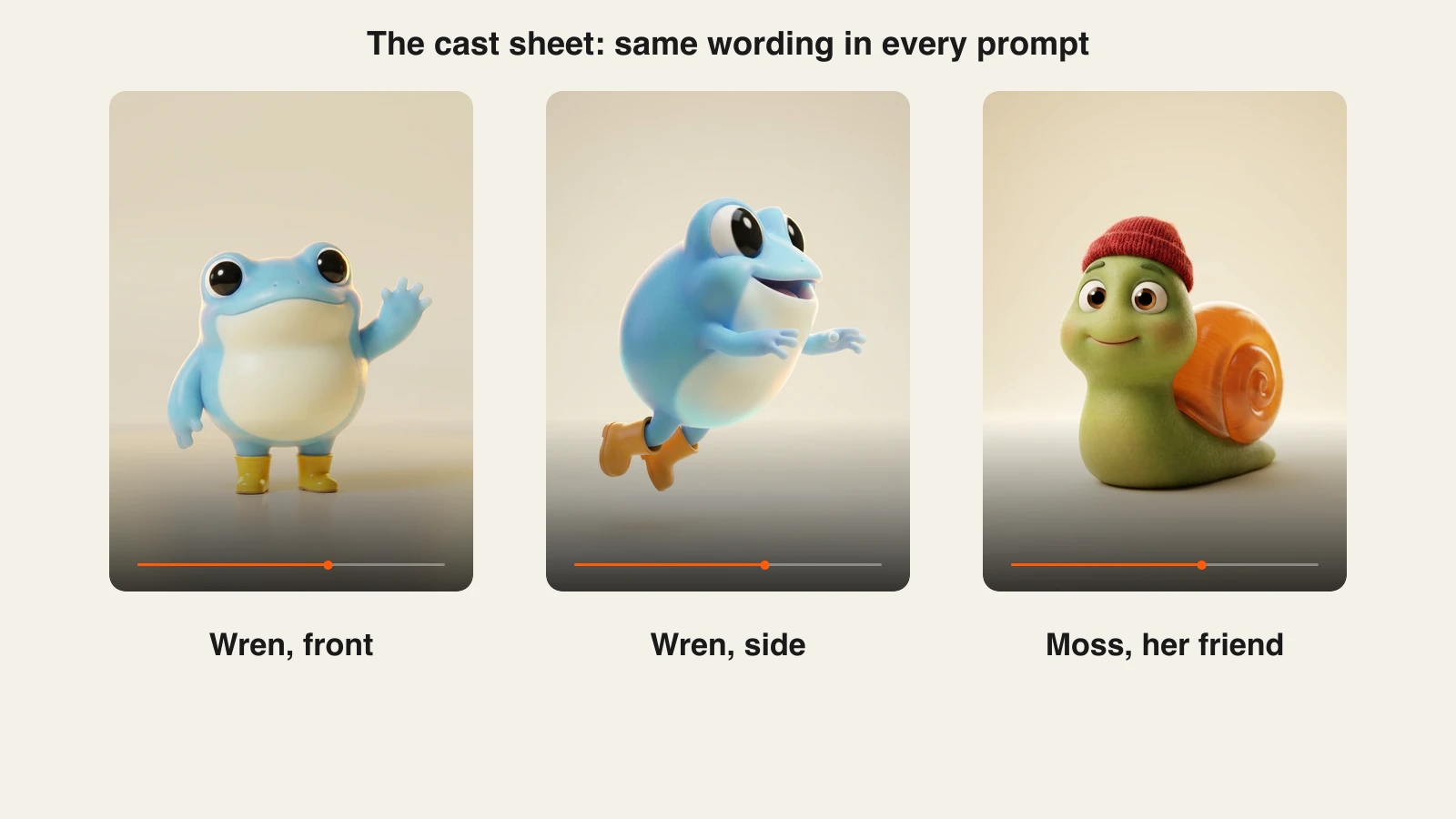
Choose signature items the model can hold. A pair of boots or a hat survives every camera angle. A single boot on one foot, a tiny badge or a specific number of freckles drifts between scenes, which is exactly what happened in our first test images of Wren.
Keep characters original. A lookalike of a famous cartoon invites copyright claims, and YouTube's quality principles flag strange uses of familiar children's characters.
Step 4: Write the script as a shot plan
Why: most AI kids videos fail on pace, not pictures. Preschoolers need short sentences, repetition and time to answer. A shot plan also tells the generator exactly what each scene shows.
Rules for ages 3 to 5:
- Sentences of five to eight words, one idea each
- Repeat the key word or number at least twice
- Leave a pause after a question so kids can answer the screen
- End with a calm payoff, not a cliffhanger
Applied to "Wren's Rainy Day Count" (3:00, ten scenes):
| Time | Scene | Narration |
|---|---|---|
| 0:00 | Rain begins over the pond, Wren on a lily pad | "Drip, drop. The rain begins. Can you count with Wren?" |
| 0:20 | First drop lands on Wren's hand | "One drop. One shiny drop." |
| 1:20 | Wren and Moss under a big leaf, four puddles | "Four drops now. Four little puddles." |
| 2:40 | Wren jumps into a puddle, rainbow appears | "Ten drops, one rainbow. You counted to ten." |
| 2:55 | Wren waves goodbye | "See you next time at the pond." |
About 280 words of narration fills three minutes at a gentle, toddler-friendly pace.
Step 5: Generate the episode in ClipNova
Why: a 3-minute cartoon is dozens of shots. Making them one clip at a time in a raw video model means re-describing Wren every time and hoping she matches.
- 1. ClipNova: the complete option. Paste the shot plan or the episode idea, choose 16:9 for the episode, pick a 3D cartoon look and a warm narrator voice, and ClipNova plans the video shot by shot (up to 5 minutes per render), keeps the characters consistent across scenes, voices the narration and adds captions and music. For short standalone clips there is also an AI Cartoon Video tool. Plans from $19/mo.
Applied to the example: 16:9, the 3D cartoon style, a soft female narrator, captions on. Narration is available in 18 languages, so a Spanish or French version of the same episode is a second render, not a new production.
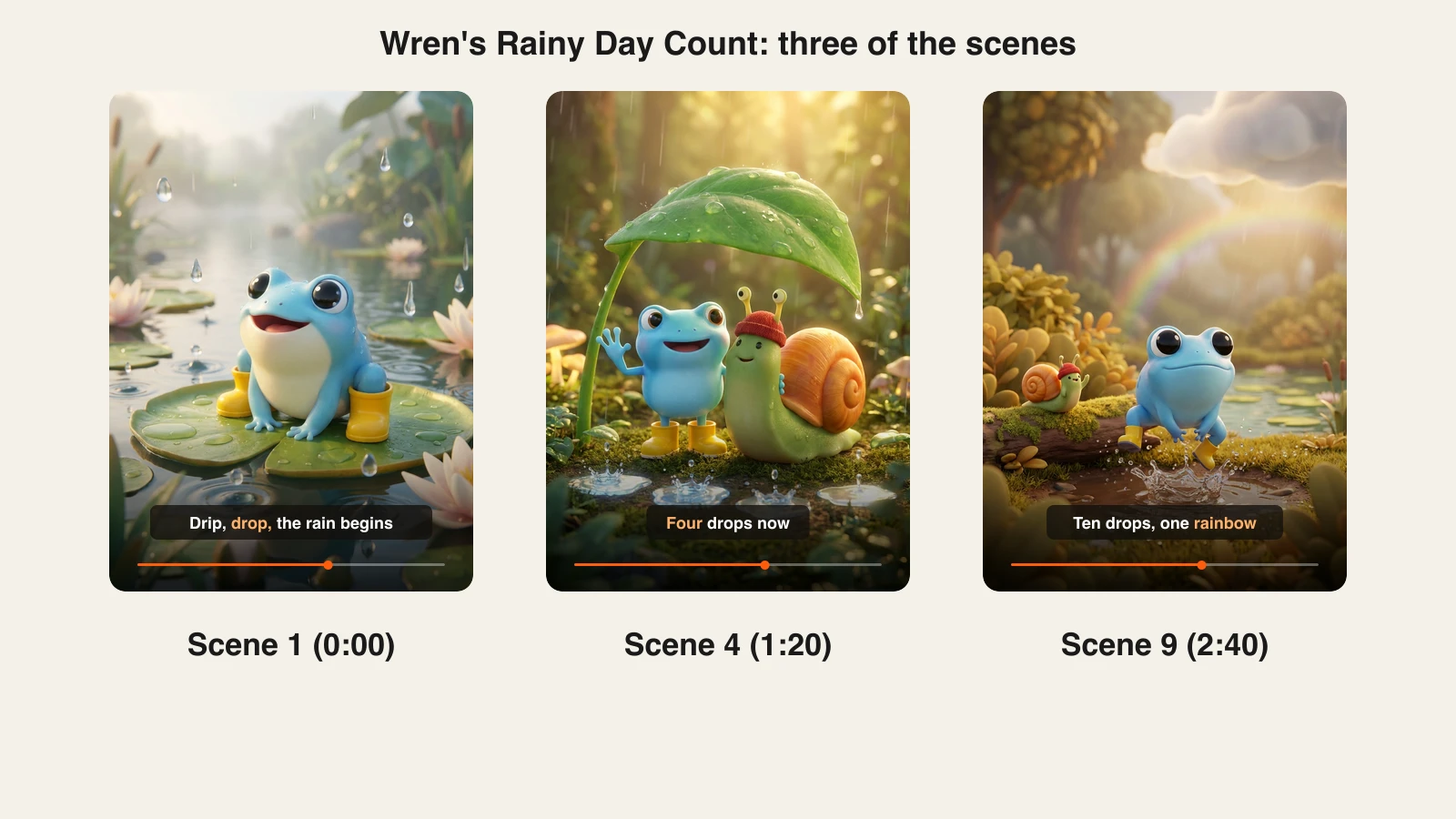
Word-by-word captions help early readers and parents follow along. Keep them large and high in contrast; a 3-year-old watching on a tablet will not read small text.
Step 6: Watch it the way a parent would
Why: YouTube's quality principles for kids and family content reward videos that are age-appropriate, enriching and easy to follow, and channels focused on low-quality kids content can be suspended from the Partner Program or get limited ads.
Before uploading, check:
- Is the story easy to follow? YouTube lists jumbled storylines and unclear audio as low quality.
- Is the learning real? If the title says "learn to count to 10", the episode must actually count to 10, in order, on screen.
- Is anything scary or risky? No sudden loud sounds, no dangerous behavior a child could copy.
- Is it honest? No keyword-stuffed titles or exaggerated thumbnails.
- Do the characters match the cast sheet in every scene? Fix any scene where they drift before you upload.
Step 7: Upload with the right settings
- Title it for parents searching: "Counting to 10 with Wren | Rainy Day Counting Song for Toddlers".
- Confirm Audience: Yes, it's made for kids on the video.
- The altered or synthetic content label is for realistic content; a clearly animated cartoon does not need it.
- Add the episode to a "Counting with Wren" playlist, since end screens and cards are off.
- Post on the same day each week so parents learn when the new episode lands.
Step 8: Cut Shorts from every episode
Why: Shorts bring new families to the channel, and the long episode keeps them. Two 30-second Shorts per episode is one week of extra reach from work you already did.
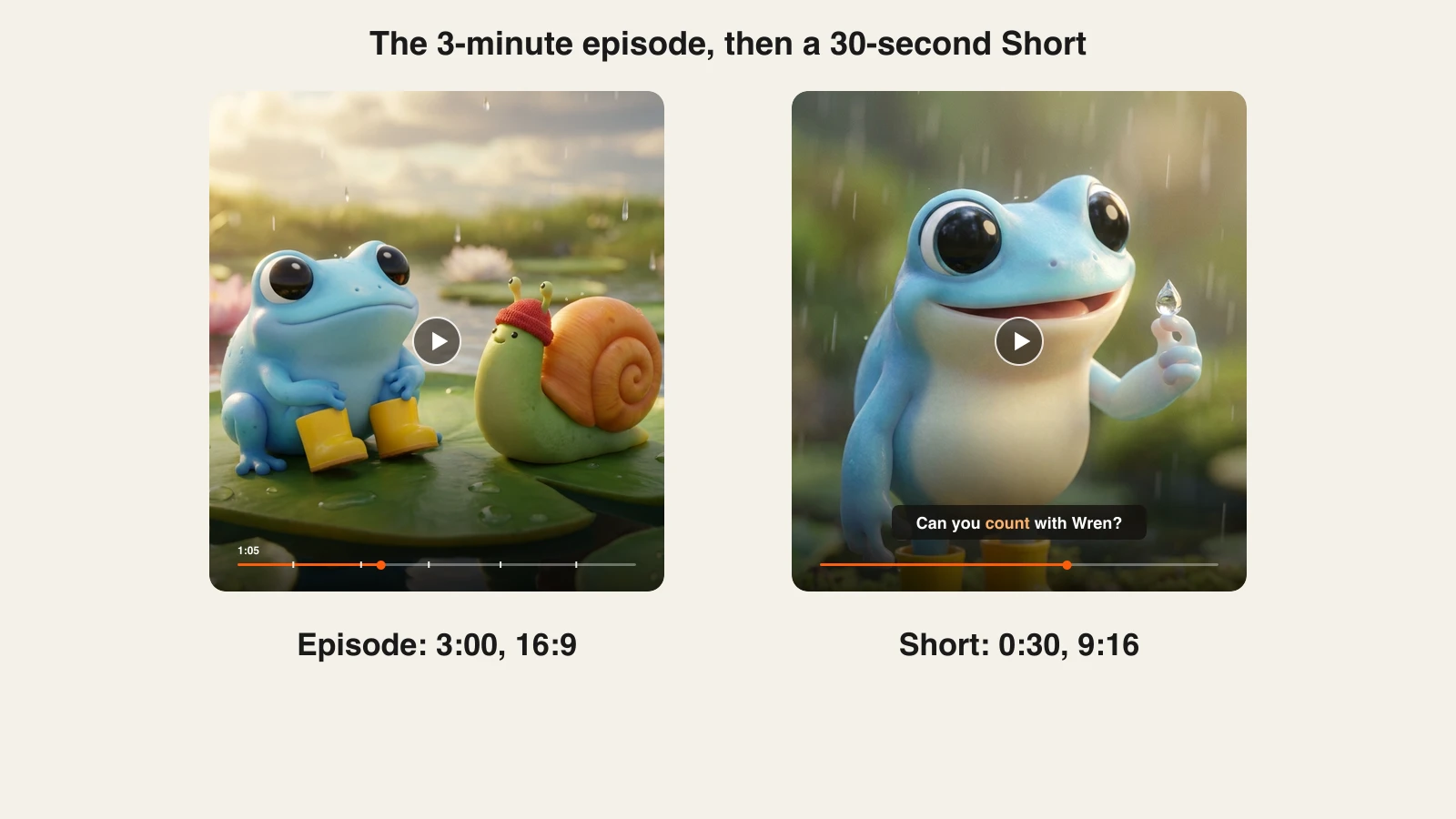
Pick the most self-contained moments (Wren counting the first three drops, the rainbow jump) and make them as vertical 9:16 videos with the same characters and narrator. Shorts aimed at kids get the same made-for-kids setting.
How long does it take?
For one 3-minute episode of Puddle Hop Tales, once the cast sheet exists:
- Episode idea and shot plan: 30 minutes
- Generation: one render, done while you plan the next episode
- Parent-eye review and scene fixes: 15 to 20 minutes
- Two Shorts: 15 minutes
- Titles, settings, playlist: 10 minutes
About 75 minutes of hands-on work per episode and two Shorts. The cast sheet, channel audience setting and playlists are one-off setup. Plans from $19/mo, with every feature included; only the monthly credits change.
What goes wrong, and the fix
- Leaving the audience setting for later. Videos go out mislabeled and YouTube may change them for you. Set the channel to made for kids before the first upload.
- A character that changes every scene. Kids notice and stop rewatching. Use one fixed sentence per character and signature items that survive every angle.
- Narration that runs too fast. Adult pacing loses a 3-year-old in seconds. Five to eight words per sentence, with pauses after questions.
- Lookalikes of famous characters. They invite claims and quality flags. Design your own cast.
- Titles that promise more than the video teaches. "Learn 100 words" on a 3-minute video is deceptively educational. Promise what the episode delivers.
- Planning around comments and end screens. Both are off for kids content. Build growth on playlists, a weekly schedule and Shorts.
Write Wren's equivalent today: one character sentence, one 3-minute shot plan, one episode. For the tool comparison behind this guide, see the best AI video generators for YouTube, and for channel basics, how to start a faceless YouTube channel. When you are ready to pick a plan, ClipNova pricing shows what each one includes.
Frequently asked
How do I make kids cartoon videos for YouTube with AI?
Design one original character with a fixed description, write a short and repetitive script as a shot plan, and generate the episode in a 3D cartoon style with a warm narrator and captions. In ClipNova you paste the plan, choose 16:9, pick the style and voice, and it renders up to 5 minutes with the same characters in every scene. Then upload with the audience set to made for kids.
Do I have to mark AI cartoons as made for kids on YouTube?
If children are the primary audience, yes. YouTube requires every creator to set whether each video is made for kids, to comply with COPPA and its agreement with the FTC. Animated characters, simple songs and child-level language are signals of kids content, and in the US a kid means anyone under 13.
What features are turned off on made for kids videos?
Comments, the notification bell, personalized ads, cards and end screens, channel memberships, Super Chat, merchandise, the miniplayer, save to playlist and autoplay on home are all unavailable. Ads can still run, but not personalized ones, so plan growth around playlists, Shorts and a steady schedule.
Can AI kids cartoon videos be monetized on YouTube?
Yes, made for kids videos can earn from ads inside the YouTube Partner Program, without personalized ads or fan funding. YouTube's quality principles matter more here: channels focused on low-quality kids content can lose Partner Program access or get limited ads, so each episode should be easy to follow and genuinely teach or entertain.
What happens if I set the wrong audience on a kids video?
YouTube can change the setting and take action on your account, and under COPPA the FTC can seek civil penalties of up to $53,088 per violation. Setting the whole channel as made for kids in YouTube Studio, under Settings, Channel, Advanced settings, avoids mislabeled uploads.
Do AI cartoons need the altered or synthetic content label?
Usually not. YouTube's disclosure is for realistic content that could be mistaken for real people, places or events. A clearly animated 3D cartoon character does not need it, but the made for kids setting still applies.
How long should a kids cartoon video on YouTube be?
Counting and color episodes work at 2 to 4 minutes, bedtime stories at 4 to 5 minutes, and Shorts at around 30 seconds. ClipNova renders up to 5 minutes per video, which covers a full preschool episode in one render.
Which AI tool is best for making kids cartoon videos?
ClipNova is the most complete option: it plans the episode shot by shot, keeps characters consistent across scenes, narrates in 18 languages and adds word-by-word captions, with plans from $19 a month. For a wider comparison of tools, see our roundup of the best AI video generators for YouTube.