To make AI news videos, start from a primary source rather than a headline, let an AI tool condense that source into a short narration, check every name, number and date against the original, add your own angle, then render the video with faceless scenes or an AI presenter and post it with a source line and the right AI label. The source and the fact check are your job; the tool handles the voice, the visuals and the captions.
A news video looks like the easiest faceless format: a hook, three facts, a takeaway. It is also the easiest to get wrong. AI can read an article aloud in seconds, but it can also round a number, merge two quotes or "research" a detail that never happened, and YouTube's rules on misinformation and reused content apply to every upload. This guide shows how to make news videos that are fast and still accurate, from picking sources to the posted Short. One example runs through every step: Riverbend Weekly, a faceless local news channel for a small river town.
Want to start now? The ClipNova AI news video generator turns an article link, a PDF or your own report into a narration written only from that source, then into a finished Short or a recap of up to 5 minutes with captions, faceless scenes or the same AI presenter every time.
What makes a news video trustworthy
Viewers decide in seconds whether a news channel is worth following. Five things earn that trust:
- A named source. "According to the council's published minutes" beats "reports say". Put the outlet and date on screen or in the description.
- Exact names and numbers. One wrong figure in a 45-second video is all a commenter needs.
- Your angle. Why it matters to your viewers, what happens next. That is the original value YouTube asks monetized channels to add.
- A calm, consistent delivery. The same voice, the same caption style, the same presenter or look. Hype reads as clickbait.
- Corrections in public. A pinned comment that fixes a mistake builds more trust than a silent delete.
The example: Riverbend Weekly
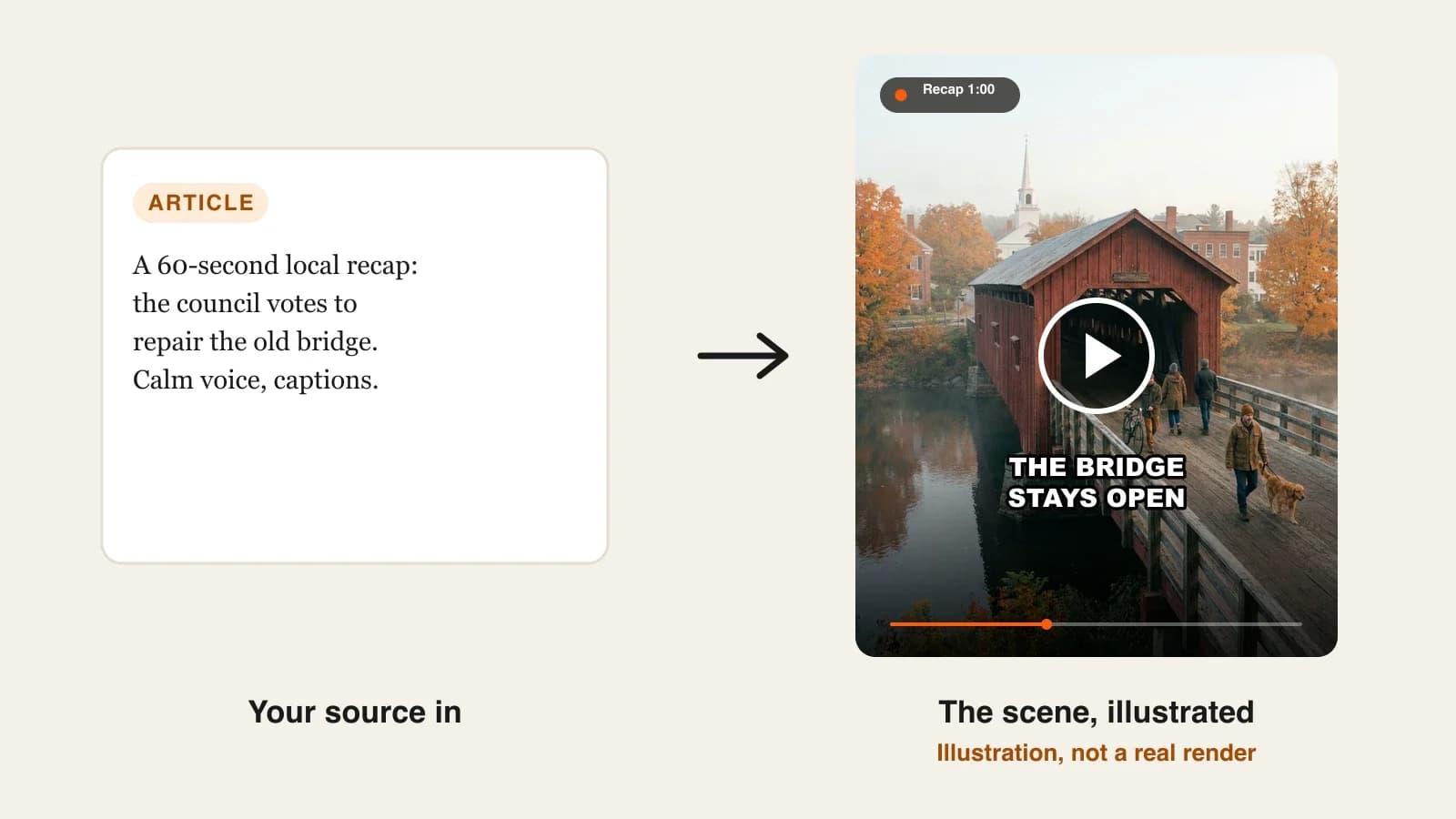
Riverbend Weekly is a faceless YouTube and TikTok channel covering one small town: council votes, school news, road works and local events. It posts three vertical Shorts of about 60 seconds a week and one 16:9 recap of 3 minutes on Sunday. This week's lead story: the town council voted to repair the 1870s covered bridge instead of closing it. Everything below is the production plan for that story.
Step 1: Pick a news lane you can source every week
Why: a news channel lives or dies on its supply of reliable stories. Pick a lane where primary sources publish on a schedule, so you are never forced to guess.
| Lane | Primary sources | Story supply | Risk to watch |
|---|---|---|---|
| Local news | Council minutes, school board, police and fire statements | Weekly meetings | Names of private people |
| Tech news | Company announcements, release notes, filings | Daily | Rumors presented as launches |
| Space and science | Agency press releases, published studies | Several a week | Overstated study results |
| Sports recaps | League results, official stats | Every match day | Clips you do not own |
| Niche industry | Regulator notices, trade publications | Weekly | Paywalled sources |
Applied to the example: Riverbend Weekly takes the local lane. Its sources are the town website (agendas and minutes), the school district news page and the county's press releases, all public and dated.
Step 2: Build a source rule before you make a video
Why: speed tempts you to work from a headline or a social post. A written rule stops that before the first upload.
- Primary first. Use the document itself (minutes, press release, study) whenever it exists; use a news article only to find it.
- Two sources for anything surprising. A number that seems too big, a quote that seems too sharp: confirm it in a second source or leave it out.
- Date everything. Note the publication date next to every source, so old stories are never posted as new.
- Rights. Use your own words and generated visuals; do not reuse other outlets' footage or read their articles out in full.
Applied to the example: the bridge story uses the council's published minutes as the source, with the local paper's article as a cross-check for the vote count.
Step 3: Condense the source into a 60-second narration
Why: a Short has room for about 140 to 160 words. The structure decides whether viewers stay to the end.
Use five beats:
- Hook (one sentence): the outcome, not the background.
- What happened: the decision or event, with the key number.
- Why it matters: what changes for the viewer.
- What is next: the date or the next step.
- Source line: where it comes from.
Applied to the example:
- 0:00 hook: "The Riverbend covered bridge is staying open."
- 0:05 what happened: "On Tuesday the town council voted 5 to 2 to repair the bridge instead of closing it."
- 0:20 why it matters: "It is the only crossing for the east side without a 15-minute detour."
- 0:40 what is next: "Work starts in the spring; the bridge stays open to walkers during repairs."
- 0:55 source: "Source: Riverbend council minutes, published Wednesday."
(Riverbend is a fictional example; use the real figures from your own source.)
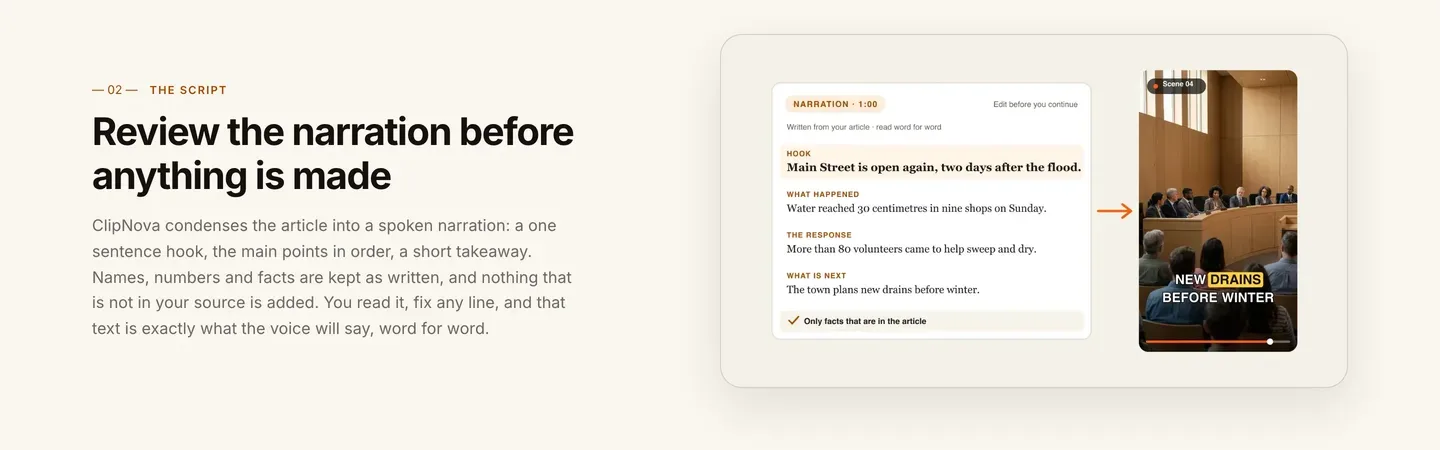
In ClipNova, you do not have to write this from scratch. PDF to Video reads the minutes from a link, a PDF or pasted text, writes a narration with a hook, the main points and a takeaway, and keeps names and numbers as written. You then edit it into your five beats and add your own "why it matters" line.
Step 4: Fact-check the narration before anything is rendered
Why: once the video is generated, mistakes cost credits to fix and are easy to miss. The narration is short; check it line by line now.
- Put the narration and the source side by side.
- Check every name (spelling, title), number (vote counts, money, dates) and quote (word for word, attributed).
- Remove anything the source does not say, even if it sounds right.
- Check the date: is this still news this week?
- Read the hook again: does it promise exactly what the video delivers?
Applied to the example: the first draft said "voted unanimously". The minutes say 5 to 2. Fixed before rendering.
Step 5: Make the video with faceless scenes or a presenter
Why: news viewers return for a familiar format. Decide the look once, scenes or a presenter, and keep it for every video.
1. ClipNova: the complete option for a news channel. ClipNova makes finished long videos with consistent characters, which for news means:
- Long: the same source becomes a 60-second Short or a Sunday recap of up to 5 minutes (lengths of 30 seconds, 1, 2, 3 or 5 minutes).
- Same face every episode: for a presenter, pick one from the AI Talking Avatar library, generate one or upload a photo, and that same anchor reads every bulletin word for word with lip sync. For people who recur in story-led explainers, saved characters and Series keep them the same.
- Finished: scenes or presenter, voice, burned-in captions and music in one render, and Studio to reorder or trim scenes and edit the narration, music or captions afterwards.
Applied to the example:
- In AI Video Studio, open PDF to Video, use the reviewed narration and pick 1 minute.
- Keep faceless scenes (Moving AI Images by default): the bridge, the council chamber, the east-side road.
- Choose one calm voice from the library and one caption style, and keep both for every video on the channel.
- Export 9:16 for Shorts and TikTok. For Sunday, paste the week's three reviewed stories as text and pick 3 minutes in 16:9.
- Narration comes in 18 languages, so a Spanish-language version of the recap uses the same workflow.
Plans from $19/mo, with commercial rights on every plan. ClipNova does not pull news feeds or post on a schedule: you bring the story and you post it.
Step 6: Title, label and post it like a newsroom
Why: most news-channel strikes come from what surrounds the video, not the video itself.
- Titles that match the video. YouTube's spam policy prohibits maliciously misleading titles, thumbnails or descriptions. "Riverbend Bridge Stays Open After 5-2 Council Vote" is better than "THEY DID WHAT?".
- Source line in the description: outlet or document, headline, date, link.
- AI disclosure. YouTube asks you to disclose realistic altered or synthetic content, such as a realistic scene that did not happen or a real person appearing to say something they did not. Label realistic AI presenters and reconstructions; simple illustrated scenes usually do not need it.
- No misattributed footage. YouTube's misinformation policy covers old footage presented as a current event. Generated scenes avoid the problem; never reuse a clip from a past flood for this week's storm.
- Corrections: pin a comment with any fix, and update the description.
Step 7: Stay monetizable
Why: a news channel that only reads other outlets' stories aloud is exactly what YouTube's reused-content rule targets.
- Add original value. YouTube requires significant original commentary, substantive modifications or educational value; videos that only read material you did not create are not eligible.
- Avoid template sameness. The inauthentic content policy excludes mass-produced, repetitive videos. Your own angle, a recurring presenter or format, and a real local focus make each upload different.
- The thresholds: the YouTube Partner Program asks for 1,000 subscribers plus either 4,000 watch hours in 12 months or 10 million Shorts views in 90 days. The Sunday recap builds watch hours; the Shorts build reach.
For channel setup, see how to start a faceless YouTube channel.
How long does it take?
For one Riverbend Weekly Short:
- Finding and reading the source: 15 to 20 minutes
- Narration (condense and edit): 10 minutes
- Fact check: 10 minutes
- Generation: a few minutes, mostly waiting
- Title, description, label and upload: 10 minutes
About 50 minutes per Short, and about 90 minutes for the Sunday recap that reuses the week's sources. Channel setup (look, voice, caption style, presenter) is a one-off hour. Plans from $19/mo, with every feature included; only the monthly credits change.
What goes wrong, and the fix
- Working from a headline. Headlines simplify. Open the primary source and condense that.
- Trusting AI research. A tool that researches a topic for you can add details nobody published. Give it the source instead, or check every line.
- Rounded or merged numbers. "About 5 to 2" or "unanimous" when it was not. Check numbers one by one before rendering.
- Old news posted as new. Date every source and check it before you post.
- Clickbait titles. They get clicks once and lose subscribers. Match the title to the first sentence of the narration.
- Reading other outlets aloud. It fails the reused-content rule. Add why it matters and what is next in your own words.
- Unlabeled realistic AI. A photoreal AI anchor or reconstruction needs the disclosure. Turn it on at upload.
Pick your lane tonight, list five primary sources that publish every week, and make your first Short from the newest one. To compare tools first, our roundup of the best AI news video generators covers ClipNova and four alternatives with their prices.
Frequently asked
How do I make a news video with AI?
Start from a primary source such as minutes, a press release or a study, and let an AI tool condense it into a short narration. Check every name, number and date against the source, add your own angle, then render it with faceless scenes or an AI presenter. ClipNova's PDF to Video writes the narration only from the link, PDF or text you give it.
Can I start a faceless news channel on YouTube?
Yes. Pick one lane you can source every week (local, tech, space, sports results), keep one voice and caption style, and post on fixed days. Monetization needs 1,000 subscribers plus 4,000 watch hours in 12 months or 10 million Shorts views in 90 days, and the videos must add original value.
Is it legal to make videos from news articles?
Facts themselves are not owned, but an article's wording, photos and footage are. Retell the facts in your own words, use generated or licensed visuals, credit the source and do not read other outlets' articles out in full. YouTube also excludes videos that only read material you did not create from monetization.
Do AI news videos need an AI label?
YouTube asks creators to disclose realistic altered or synthetic content, such as a realistic scene that did not happen or a real person shown saying something they did not say. Label realistic AI presenters and reconstructions; simple illustrated scenes usually do not need it.
How long should a news Short be?
About 45 to 60 seconds, or 140 to 160 spoken words: a one-sentence hook, what happened, why it matters, what is next and a source line. Weekly recaps work at 3 to 5 minutes on YouTube.
How do I stop AI from making up facts in news videos?
Give the tool the source document instead of a topic, so it writes only from that text, then compare the narration with the source line by line before rendering. Remove anything the source does not say and confirm surprising numbers in a second source.
How much does it cost to make AI news videos?
ClipNova plans start at $19 a month for 1,000 credits, with every feature and commercial rights included. The cost of each video depends on its length and visual mode and shows in the app before you generate.
What is the best AI tool for a faceless news channel?
ClipNova is a complete option: it writes the narration only from your source, lets you edit it before rendering, and exports Shorts or recaps of up to 5 minutes with faceless scenes or the same AI presenter, in 18 narration languages. Our roundup of the best AI news video generators compares it with Revid, StoryShort, HeyGen and Pictory.