To make a lyric video with AI, start with a song you own, export a clean file with a clear lead vocal, map the song section by section, describe one visual world for it, then let an AI lyric video tool read the words from the vocals and time them on screen. Check every word against your lyric sheet before you post, and make a separate vertical cut of the chorus for Shorts, TikTok and Reels.
Releasing a song without a lyric video now feels like releasing it half-finished. But the classic route is slow: type the lyrics, time every line by hand, find visuals that are not the same stock clips everyone uses. AI tools can now hear when each word is sung and build scenes for each line, which turns a weekend job into an evening. What they cannot do is fix a muddy vocal or give you the rights to a song that is not yours. One example runs through every step: Streetlight Saints, a 3:05 original indie-pop song by an independent artist, released with a 16:9 lyric video and a 9:16 chorus clip.
Want to start now? ClipNova's AI lyric video maker reads the lyrics from your vocals, lights up each word as it is sung in the caption style you pick and builds an animated scene for every line, for the whole length of your track. It comes from a studio built for finished long videos with consistent characters: one upload in, a finished MP4 out, with your recording unchanged.
What makes a lyric video worth watching
Lyric videos get replayed when they get a few things right:
- Every word on time. A line that appears a beat late breaks the sing-along. Timing should come from the vocal, not from guesswork.
- Readable on a phone. Most plays happen on a small screen. Outlined or highlighted captions beat thin white text over a bright sky.
- Pictures that follow the words. When the lyric says "the bakery lights come on", the scene should not be a galaxy.
- A recognisable world. One look and the same people from verse to chorus make it feel like a video, not a slideshow.
- Your rights in order. The recording and the lyrics are both protected. If the song is not yours, a lyric video is a claim waiting to happen.
The example: Streetlight Saints
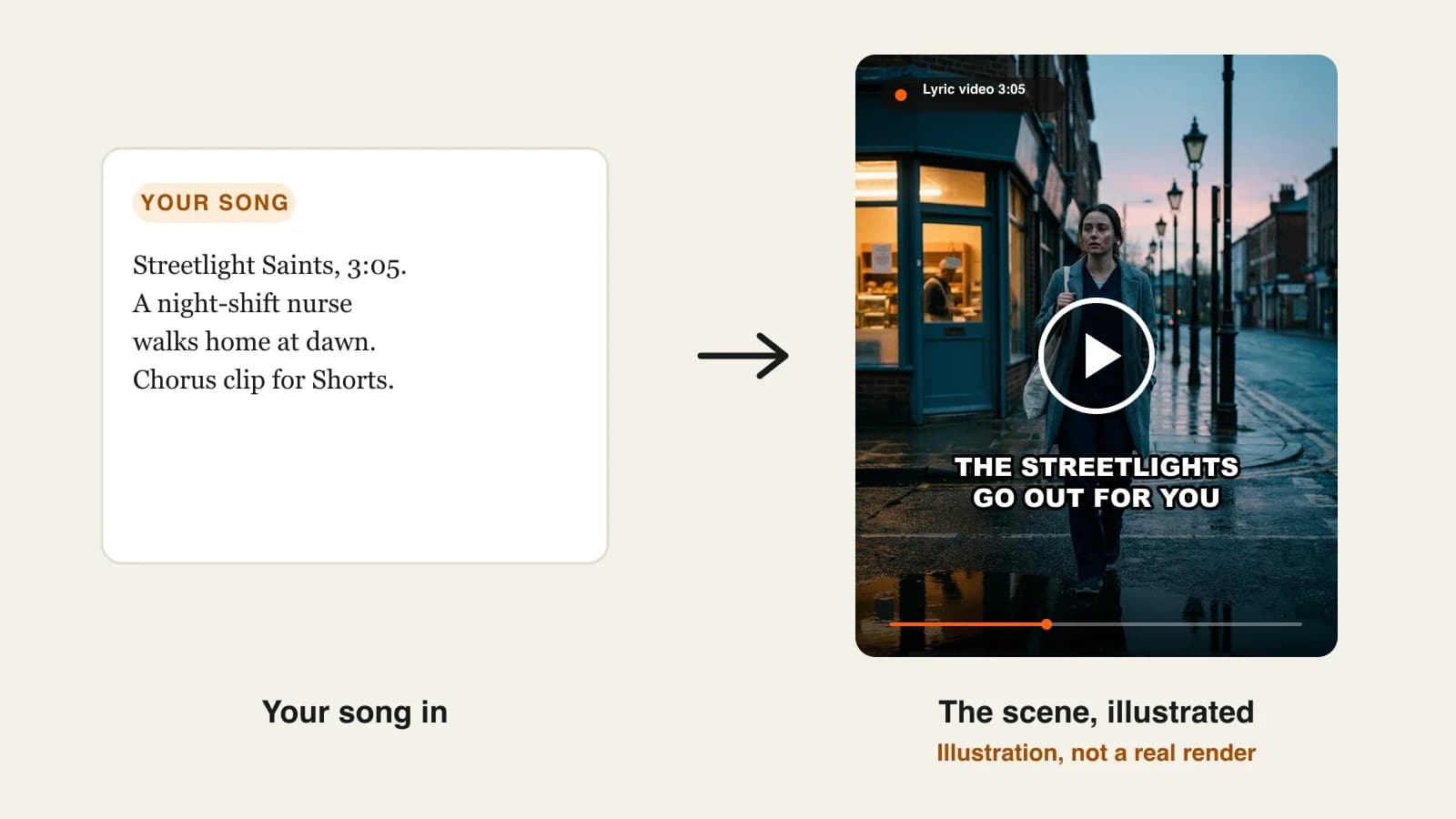
Streetlight Saints is a 3:05 indie-pop song by a solo artist about a night-shift nurse walking home at dawn as the city wakes up. The artist owns the song, the recording and the lyrics. The plan is a 16:9 lyric video for YouTube on release day and a 30-second 9:16 chorus clip for Shorts, TikTok and Reels the same week. Everything below is the production plan for those two videos.
Step 1: Check the rights and prepare the file
Why: AI lyric tools read the words from the recording, and the same file becomes the soundtrack. A file you are not allowed to use, or a vocal the AI cannot hear, ruins the video before it starts.
- Confirm you can use it. Your own song, a cover you have licensed for video, or a track from an AI music tool whose terms allow commercial use. A fan lyric video of a chart song will usually be claimed through Content ID, and the revenue goes to the rights owner.
- Export the final master as MP3 (320 kbps) or M4A. ClipNova accepts MP3, WAV, M4A, AAC or OGG up to 20 MB, and a three-minute WAV is usually over that, so a high-quality MP3 is the practical choice.
- Listen for the hard parts: stacked harmonies, ad-libs over the lead, heavy reverb or distortion on a word. These are where AI lyric reading slips.
Applied to the example: Streetlight Saints is exported as a 320 kbps MP3 of about 7 MB. The bridge has a doubled vocal on "saints, saints", so that line goes on the watch list for Step 6.
Step 2: Map the song before you describe it
Why: a lyric video follows the structure of the song. Knowing where each section starts tells you where the visuals should change and which 30 seconds become the chorus clip.
| Time | Section | First line | Visual idea |
|---|---|---|---|
| 0:00 | Intro | (instrumental) | Empty street, streetlamps still on |
| 0:12 | Verse 1 | "Twelve hours under hospital light" | The nurse leaves the hospital doors |
| 0:42 | Chorus | "The streetlights go out for you" | Lamps switch off one by one as she walks |
| 1:12 | Verse 2 | "Coffee's cold, the night bus gone" | The bakery window lights up |
| 1:42 | Chorus | (repeat) | The same street, a new angle |
| 2:12 | Bridge | "Saints, saints, in paper shoes" | Colleagues waving from a bus window |
| 2:35 | Final chorus | (repeat) | She reaches her door as the sun hits it |
Applied to the example: the first chorus (0:42 to 1:12) is the strongest 30 seconds, so it becomes the vertical clip.
Step 3: Describe one world, once
Why: the AI builds a scene for each line from your description. Change the description between renders and the 16:9 video and the chorus clip will not match.
Write one short paragraph covering the style, the people and the places, and reuse it word for word for both videos:
"Cinematic, realistic, quiet and hopeful. A young nurse in navy scrubs under a long grey coat, dark hair in a low bun, a canvas tote on her shoulder. A rain-wet city street at blue-hour dawn, old iron streetlamps, a small corner bakery with warm window light, a red-brick terrace. Soft pink sky between the buildings."
Applied to the example: the nurse is described with three fixed details (navy scrubs, grey coat, low bun), so she reads as the same person from the verse to the final chorus.
Name what changes over the song in the description: "streetlamps on at the start, switching off through the chorus, sunrise by the end". It gives the scenes a direction instead of a mood loop.
Step 4: Pick the format, quality and caption style
Why: these choices decide how the video looks on the platform where it will be watched, and they cannot be changed by cropping later.
| Choice | Options | For Streetlight Saints |
|---|---|---|
| Format | 16:9 YouTube, 9:16 Shorts / TikTok / Reels, 1:1 feed | 16:9 for the full song; 9:16 for the chorus clip |
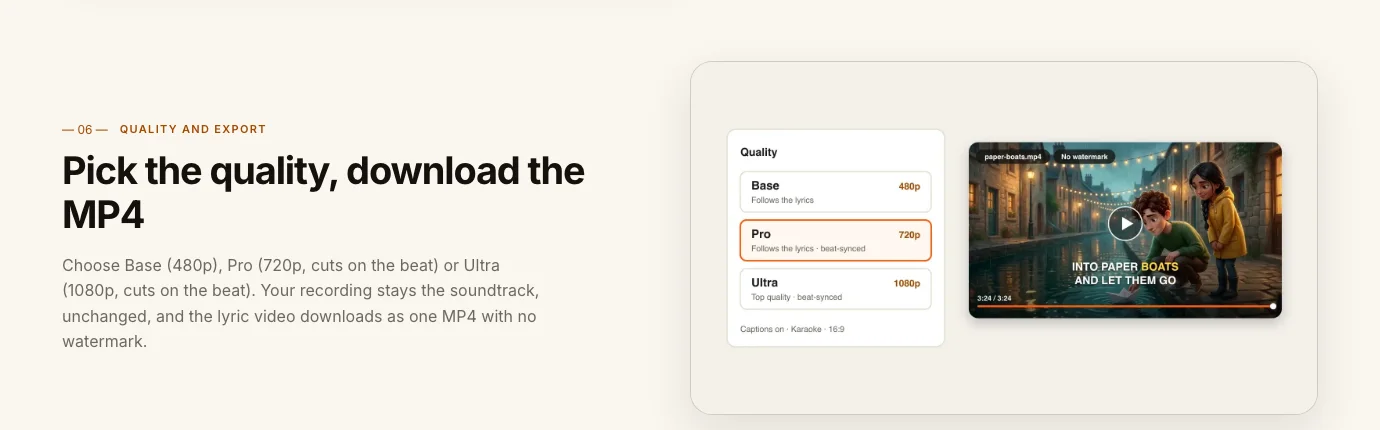
| Quality | Base (480p), Pro (720p, cuts on the beat), Ultra (1080p, cuts on the beat) | Ultra for the release video, Pro for the clip |
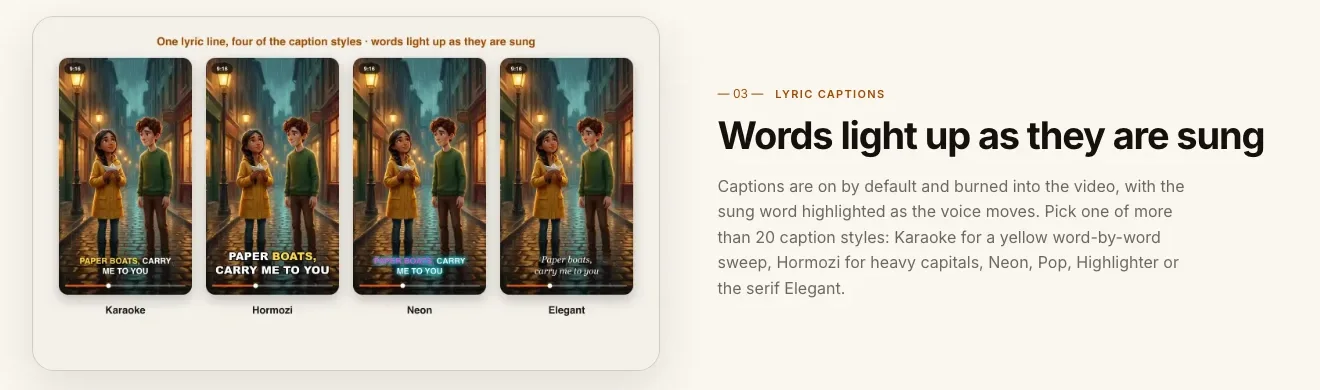
| Caption style | Karaoke, Hormozi, Neon, Pop, Highlighter, Elegant, Movie and more | Elegant for the 16:9, Karaoke for the clip |
A rough guide to caption styles: Karaoke (a yellow word-by-word sweep) for sing-alongs and pop; Hormozi or Pop for loud, fast songs; Elegant (a serif) for ballads and worship; Neon for night-time and electronic tracks.
Step 5: Make the lyric video in ClipNova
Why: this is where the plan becomes a video. Everything from Steps 1 to 4 goes into one form, and the lyrics, timing, scenes and captions come back together.
1. ClipNova: the complete option for a lyric video of your own song. It is built around finished long videos with consistent characters: the lyric video runs as long as your track, the people you describe carry through every verse, and the words, timing, scenes and captions arrive in one render with your recording as the soundtrack.
- Open Music to Video and upload the MP3 from Step 1.
- Paste the world description from Step 3 into the Theme box.
- Choose 16:9, Ultra quality and the Elegant caption style.
- Check the credit estimate the app shows, and generate. Credits reserved but not used are returned.
- Download the MP4. It has no watermark, and every plan includes commercial rights for the visuals.
There is no field to paste lyrics: the words come from what is sung, in the language it is sung in, so a Spanish or Portuguese song gets captions in that language. Plans from $19/mo, and the cost depends on the song's length and the quality you pick.
Other tools fit narrower jobs. Neural Frames paints the words into the artwork, and Revid makes fast vertical clips over stock or AI backgrounds, but neither builds a scene for every sung line of a full song the way this workflow does.
Step 6: Check every word, then make the chorus clip
Why: AI lyric reading is very good on a clear vocal and still not perfect. One wrong word in a lyric video gets screenshotted in the comments.
- Watch the video muted with your lyric sheet open, line by line.
- Pay special attention to the parts you flagged in Step 1: doubled vocals, ad-libs, effects.
- If a word comes out wrong, generate again first. If it keeps misreading, the vocal is the problem: since the uploaded file is also the soundtrack, the fix is a mix where that word is clearer, so test the hard section as a short file before rendering the full song again.
- For the chorus clip, export just the chorus (0:42 to 1:12) as its own file, upload it, reuse the same Theme text and render in 9:16 with Karaoke captions. Each render makes one format, so the clip is its own render rather than a crop.
Applied to the example: the bridge line "saints, saints, in paper shoes" is the only risk in Streetlight Saints. Watching that 20-second stretch muted is enough to confirm it before the release.
Step 7: Publish the lyric video
- Title: "Artist name, Streetlight Saints (Official Lyric Video)". The word "Official" belongs only on your own song.
- Description: the full lyrics, the songwriting and production credits, and links to the streaming release.
- Timing: post the 16:9 video on release day, the 9:16 chorus clip the same week, and pin a comment pointing to the full song.
- Disclosure: YouTube asks creators to label realistic AI-generated content that could be mistaken for real people or events. A photoreal video like this one should carry the label; a clearly animated or illustrated one usually does not need it.
For the short-form side, see how to make YouTube Shorts with AI.
How long does it take?
For Streetlight Saints:
- Rights check and file export (Step 1): 15 minutes
- Song map (Step 2): 20 minutes
- World description and settings (Steps 3 and 4): 20 minutes
- Generation: a few minutes per render, mostly waiting
- Word-by-word check: about 10 minutes, the length of the song plus the risky parts
- Chorus clip, upload and description: 30 minutes
About two hours for both videos, and much less for the next single once your world description and caption choices are saved in a note. Plans from $19/mo, with every feature included; only the monthly credits change.
What goes wrong, and the fix
- Using a song you don't own. It will be claimed or taken down. Use your own music, a licensed cover or an AI-made track whose terms allow commercial use.
- A muddy vocal. The AI reads the words from what it hears. Export the final master with the lead vocal clear, and test hard sections before the full render.
- A file over the limit. A long WAV can pass 20 MB. Export a 320 kbps MP3 or an M4A.
- A new description for every render. The 16:9 video and the chorus clip end up looking like two different songs. Reuse the same Theme text word for word.
- Thin captions on bright scenes. Words disappear on a phone. Pick a style with an outline or highlight and check it muted on a phone.
- Cropping the 16:9 into a vertical clip. The captions and faces get cut. Render the chorus separately in 9:16.
- Skipping the word check. One wrong word becomes the top comment. Read along once with the lyric sheet before posting.
Export the master of your next single and write the one-paragraph world description tonight. When you are ready, our roundup of the best AI lyric video makers compares the options, and ClipNova pricing shows what each plan covers.
Frequently asked
How do I make a lyric video with AI?
Export your song as a clean MP3 with a clear lead vocal, describe the look of the video in one paragraph, and upload both to an AI lyric video tool such as ClipNova. It reads the lyrics from the vocals, times each word on screen in the caption style you pick and builds a scene for every line. Check every word against your lyric sheet before posting.
Do I have to type and time the lyrics myself?
Not with ClipNova. It isolates the vocals, reads every sung word with its timing and splits the song into lines, so each line appears when it is sung. There is no lyrics field, so a clear vocal gives the most accurate captions.
Can I make a lyric video for a song I don't own?
Not safely. The recording and the lyrics are both protected, so a lyric video of someone else's song will usually be claimed through Content ID or removed. Use your own songs, licensed covers or AI-made tracks whose terms allow commercial use.
How long can an AI lyric video be?
In ClipNova the lyric video runs as long as your track, with audio files up to 20 MB. A three-minute song exported as a 320 kbps MP3 is about 7 MB, well within the limit.
How do I make a vertical lyric video for TikTok or Reels?
Export the chorus as its own audio file, upload it with the same look description and render it in 9:16. Each render makes one format, so a full 16:9 YouTube video and a 9:16 chorus clip are two renders, not a crop.
Which caption style is best for a lyric video?
Karaoke, a yellow word-by-word sweep, suits sing-alongs and pop; Hormozi or Pop suit loud, fast songs; Elegant, a serif, suits ballads and worship songs; Neon suits night-time and electronic tracks. Always check readability muted on a phone.
Can AI make a lyric video in Spanish or another language?
Yes. ClipNova reads the lyrics in the language they are sung, so a Spanish, French, Portuguese or German song gets captions in that language.
How much does it cost to make a lyric video with AI?
ClipNova plans start at $19 a month. The cost of each lyric video depends on the song's length and the quality you pick, and the app shows the exact credits before you generate. Every plan includes commercial rights for the visuals and watermark-free export.