The best AI lyric video makers in 2026 are ClipNova for a full-length animated lyric video of your own song, with every sung word timed on screen and a scene behind each line, followed by Revid, Neural Frames and VidMuse for narrower jobs. ClipNova starts at $19/mo; the other three start at $39 a month on monthly billing.
Every release needs a lyric video now. Listeners search for the words, sing-along channels live on them, and a 9:16 chorus clip is often the first place a new song gets heard. The old way was a template with stock footage and an evening spent timing every line by hand. AI lyric video makers now listen to the recording, find the words and their timing, and build the visuals around them.
They differ a lot in how. Some put clean captions over animated scenes, some paint the words into the picture, some treat lyrics as a storyboard rather than text on screen. This roundup compares four tools on lyric timing, visual style, length and price.
The 4 best AI lyric video makers at a glance
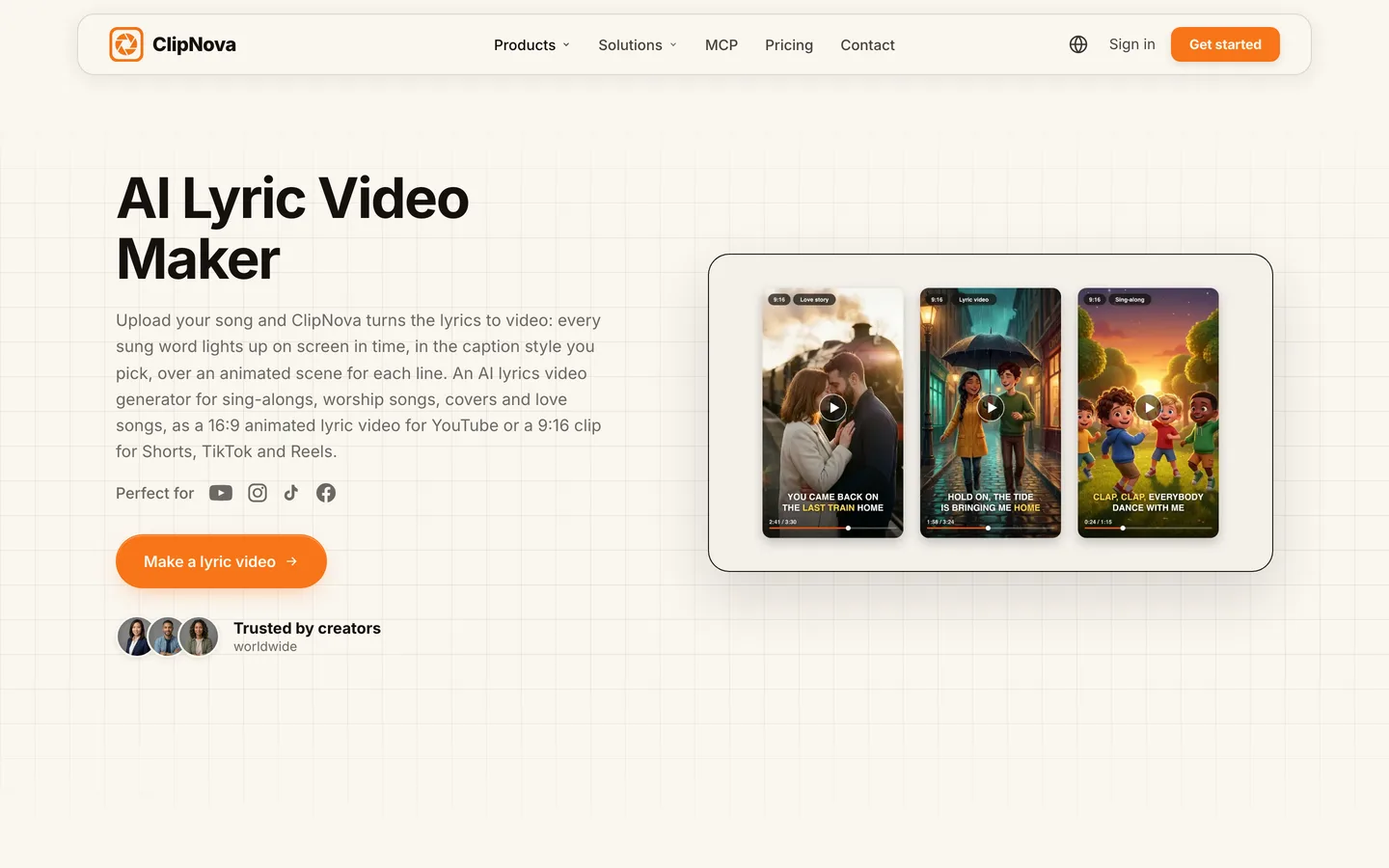
- ClipNova: best overall for full-song animated lyric videos. Upload your track and it reads the lyrics from the vocals, lights up each word as it is sung in one of 20+ caption styles and makes a scene for every line.
- Revid: best for quick 9:16 lyric clips from a file or a music link. Upload an MP3 or paste a Spotify or Suno link and it builds synced animated lyrics over AI or stock visuals.
- Neural Frames: best for lyrics painted into the scene itself. The words are generated inside the images, with audio-reactive visuals built for musicians.
- VidMuse: best for a storyboard-first music video shaped by the lyrics. You plan scenes and shots around the song before anything is generated.
| Tool | Best for | Starting price (monthly billing) | How lyrics appear | Lyric input | Formats |
|---|---|---|---|---|---|
| ClipNova | Full-song animated lyric videos | From $19/mo | Burned-in captions, sung word highlighted, 20+ styles | Read from your vocals | 16:9, 9:16, 1:1 |
| Revid | Fast lyric clips for Shorts and TikTok | $39/mo | Animated synced text over visuals | Audio file or music link | 9:16 focus, other ratios in the editor |
| Neural Frames | Words inside the artwork | $39/mo | Generated into the scene | Extracted from audio, editable | Horizontal, with vertical conversion |
| VidMuse | Directed music videos built on the lyrics | $39/mo | Lyrics guide the storyboard | Audio file or Suno link | Not published per format |
What to look for in an AI lyric video maker
A lyric video has one job: put the right word on screen at the right moment, in a way people want to watch. Check five things:
- Timing that follows the singer. The word should appear when it is sung, not a beat early or a line late. Tools that read the vocals do this; templates that make you type and time lines do not.
- Captions that stay readable. A caption style that looks great on a laptop can vanish on a phone over a bright scene. Look for outlined or highlighted styles.
- Visuals that follow the words. When the verse mentions a train platform, the scene should not be a random galaxy. The best tools read the meaning of each line.
- The whole song, not a clip. A lyric video runs as long as the track. A tool capped at 10 seconds per clip leaves you stitching thirty clips together.
- Your audio untouched. The recording you mixed and mastered should be the soundtrack, unchanged.
And one rule that no tool fixes for you: you need the rights to the song. Upload your own songs, or covers you have licensed, and see the rights section below before posting anything else.
1. ClipNova, best overall AI lyric video maker
ClipNova starts from your recording. Upload the song, describe the look in your own words (the style, the people, the places), and it isolates the vocals, reads every sung word with its timing and splits the song into lines. Each line gets its own animated scene in the world you described, the people you describe carry through the verses, and when the chorus comes back its scene comes back too, from a fresh angle. It is the same studio that keeps consistent characters across long story videos, so your song and your channel can share one look. The sung word lights up on screen as the voice moves.
That is ClipNova's core idea, finished long videos with consistent characters, applied to a song:
- Long: the lyric video runs as long as your track, from the intro to the last chorus, as one MP4, not a loop of short clips.
- Consistent characters: describe your two leads once and every verse is built from that same description; for a recurring cast with locked faces across a whole channel, saved characters and Series keep the same faces in your story videos.
- Finished: lyrics, timing, captions, scenes and your unchanged recording come back together, with no lyric typing and no manual timing.
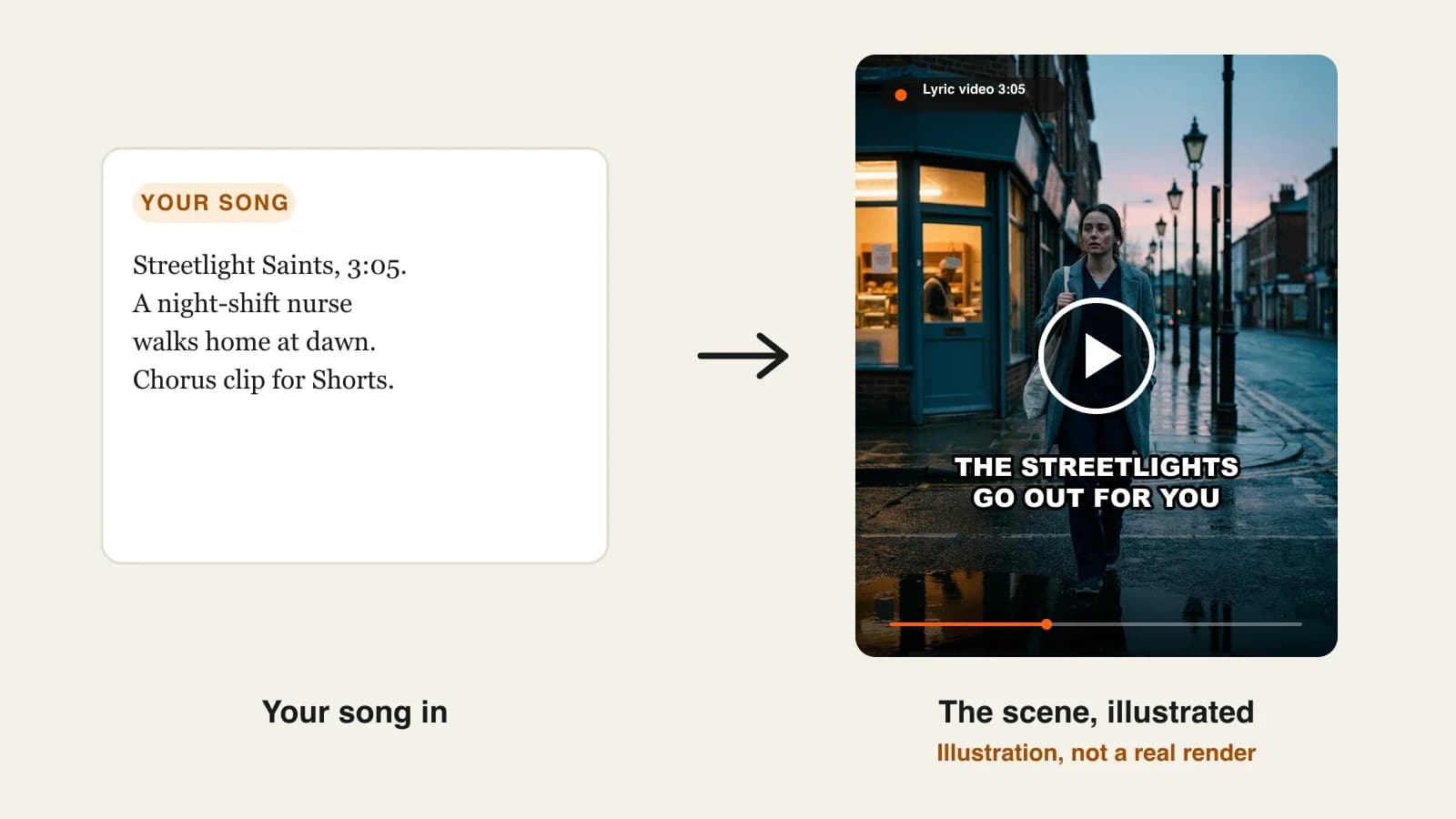
The ClipNova AI lyric video maker page shows one song taken from MP3 to finished video.
Key features
- Lyrics read from the vocals, word by word, in the language they are sung
- 20+ caption styles: Karaoke (a yellow word-by-word sweep), Hormozi, Neon, Pop, Highlighter, the serif Elegant, or captions off
- A scene for every sung line, a returning scene for the chorus, mood scenes for instrumentals
- 16:9 for YouTube, 9:16 for Shorts, TikTok and Reels, 1:1 for feed posts
- Base (480p), Pro (720p, cuts on the beat) or Ultra (1080p, cuts on the beat)
How to make a lyric video in ClipNova
- Open Music to Video and upload your song (MP3, WAV, M4A, AAC or OGG, up to 20 MB).
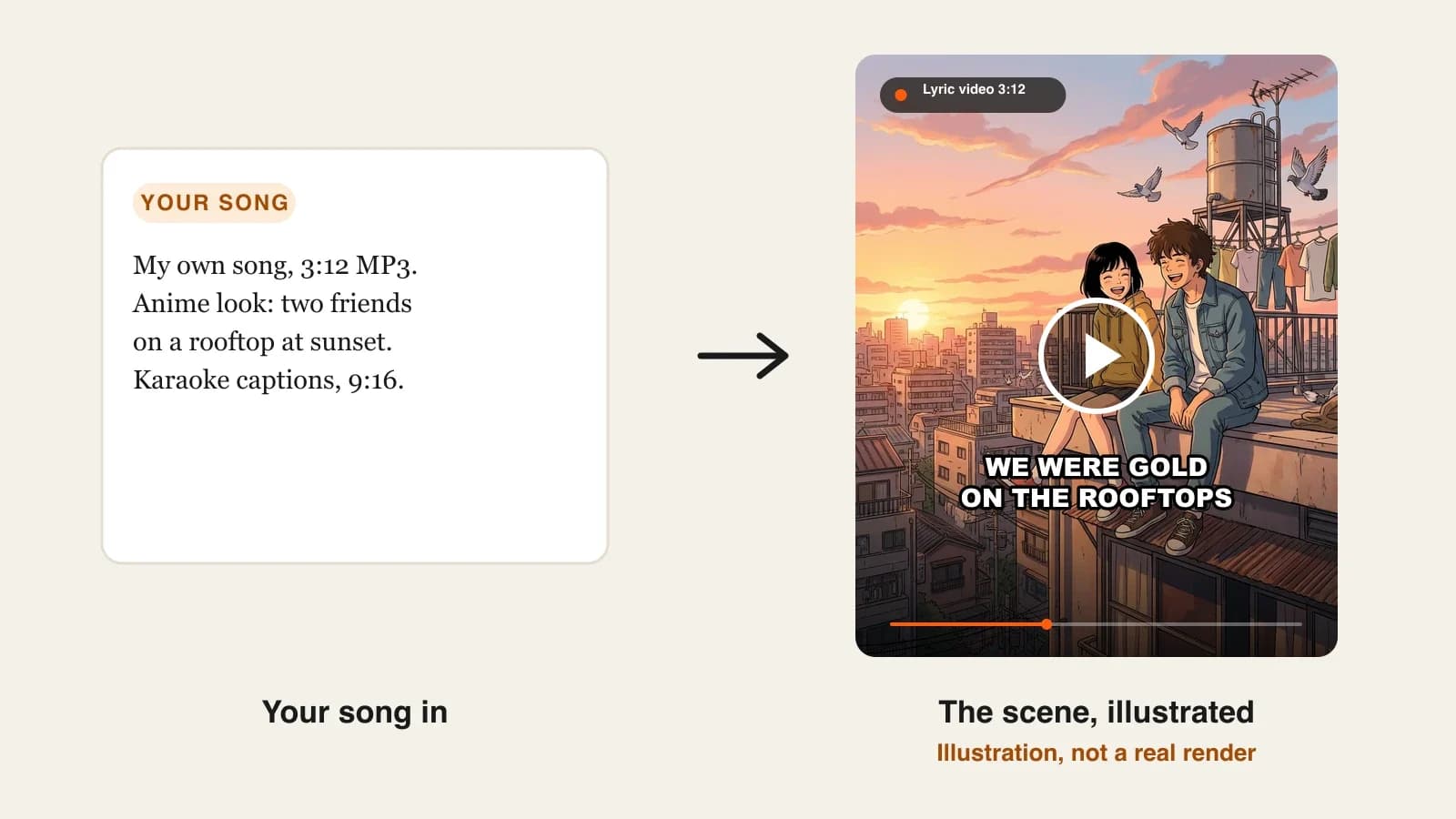
- In the Theme box, describe the look: "anime, two friends on a city rooftop at sunset, warm and nostalgic".
- Pick the format, the quality and a caption style.
- Check the credit estimate and generate.
- Watch it once on a phone and check any word that came out wrong, especially in fast or layered vocals.
Pricing
- Plans from $19/mo: Hobby $19 (1,000 credits), Starter $49 (2,600), Growth $99 (5,750), Ultra from $199 (12,000); 20% off yearly
- Cost depends on song length and quality, the app shows the exact credits before you generate, and credits reserved but not used are returned
- Every plan includes commercial rights for the visuals and watermark-free export; ClipNova narrates in 18 languages for your story videos, and lyrics are read in the language they are sung
Pros
- No typing or timing lyrics by hand
- Real scenes that follow the words, not stock clips
- The whole song in one render, in the format you need
Cons
- There is no field to paste lyrics, so a clear lead vocal matters: heavy effects or several voices at once can make a word come out wrong
- Each render makes one format; a YouTube video and a Short of the same song are two renders
2. Revid, best for quick lyric clips from a file or a music link
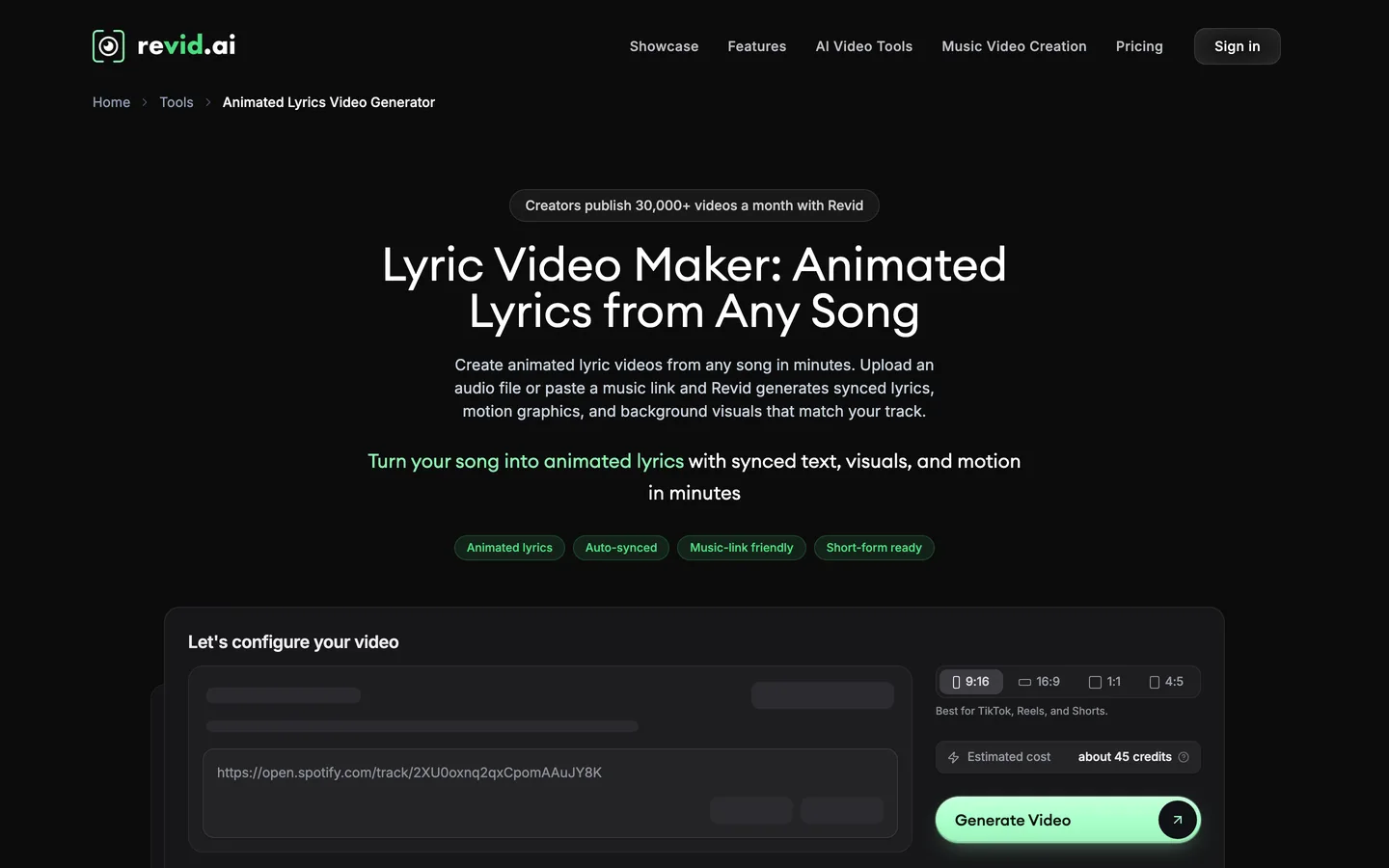
Revid's Animated Lyrics Video Generator takes an MP3 or WAV upload, or a link from Spotify or Suno, and analyses the audio at the word level so each word animates when it is sung. You choose the background: AI-generated video, moving AI images, stock footage or your own upload, with an optional sound wave that reacts to the music.
It is tuned for short-form: the page leads with 9:16 for TikTok, Reels and Shorts, and the generator shows an estimate of about 45 credits for a clip. Revid also has a separate lyrics tool that composes a new song from typed lyrics, which is useful for sketches but not for releasing your own recording.
Key features
- Audio upload or Spotify / Suno link
- Word-level timing with animated text
- AI video, moving images, stock or uploaded backgrounds; optional sound wave
- Direct publishing to TikTok, Instagram and YouTube on paid plans
Best for
- Artists posting a chorus clip with every release
- Creators who want generation and posting in one place
Pricing
- Growth: $39/mo billed monthly ($32/mo yearly) with 2,000 AI credits
- Elite: $89/mo with 5,000 credits
Pros
- Fast route from a streaming link to a vertical lyric clip
- Flexible backgrounds, including your own footage
Cons
- Built around short vertical clips rather than full-length 16:9 lyric videos
- Scenes are backgrounds for the text rather than a story that follows each line
3. Neural Frames, best for lyrics painted into the scene
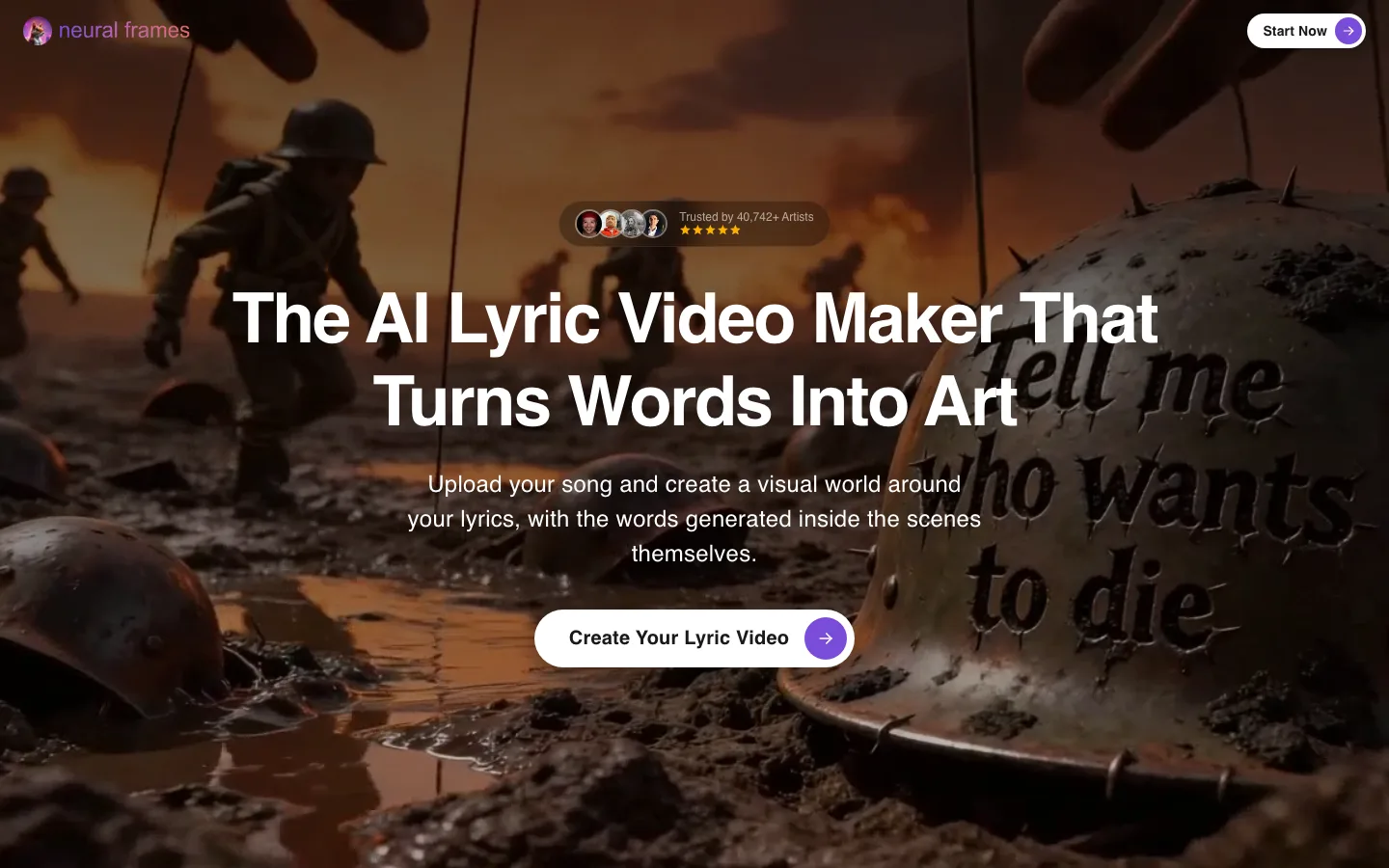
Neural Frames is a music video platform built for musicians, and its lyric video maker takes a different approach from everyone else here. You upload an MP3, WAV or FLAC file, it extracts the lyrics (which you review and correct), and then the words are generated inside the images themselves: carved into a helmet, written in the sky, painted on a wall, rather than placed in a caption layer.
The result looks like album art in motion. The trade-off, which Neural Frames states itself, is that you do not get the font-by-font precision of a separate caption layer, and fast or layered vocals need careful review.
Key features
- Lyrics extracted from your audio, editable before rendering
- Words generated inside the scenes
- Stem extraction and audio-reactive effects
- Autopilot for full music videos; horizontal-to-vertical conversion
Best for
- Artists who want a distinctive, art-led lyric video
- Releases where the look matters more than exact caption timing
Pricing
- Neural Knight: $39/mo billed monthly ($26/mo yearly) with 2,400 credits and 1080p upscaling; Neural Frames marks it "not recommended for Autopilot"
- Neural Ninja: $99/mo ($66/mo yearly) with 7,200 credits and 4K upscaling, the tier it recommends for Autopilot
Pros
- A look no caption-based tool can copy
- Deep audio-reactive controls for musicians
Cons
- In-scene words are less precise than a caption layer
- The plan suited to its full-song Autopilot costs $99 a month
4. VidMuse, best for a storyboard-first music video shaped by the lyrics
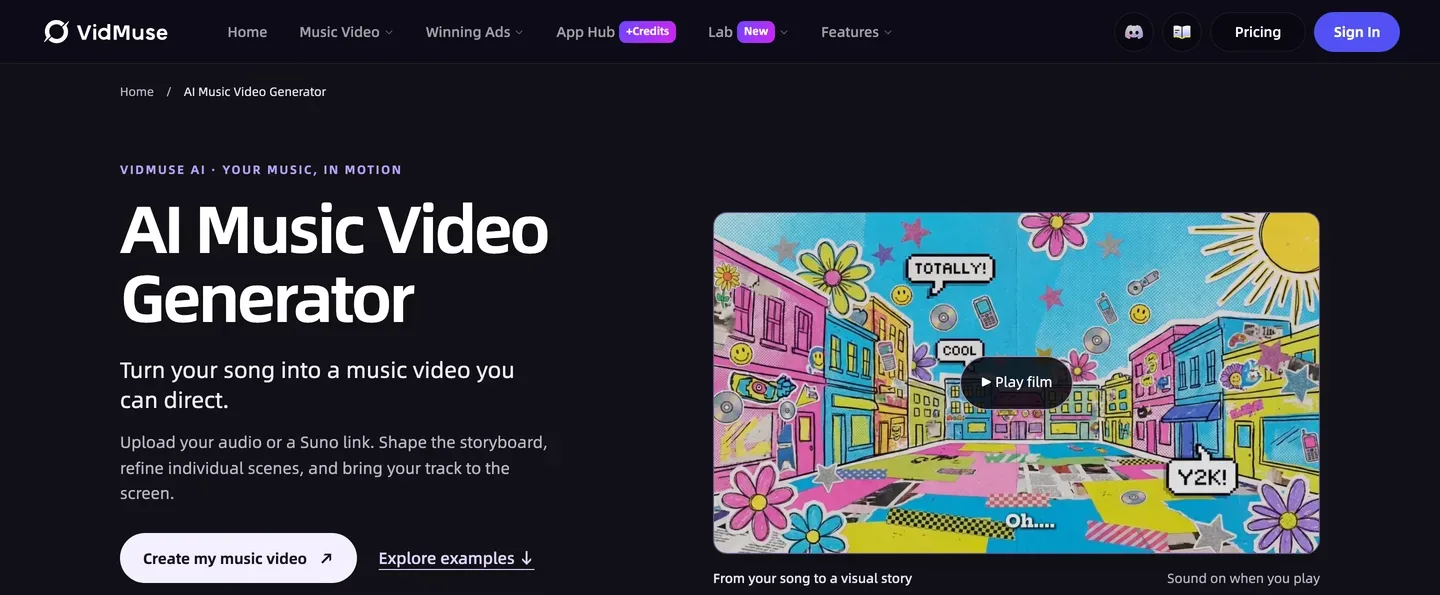
VidMuse treats a song as a film to direct. You upload an MP3 or WAV, import a Suno link or create a track inside it, then build a creative brief around the lyrics, mood and rhythm. It turns that into references, a scene and shot list and a storyboard you review before anything moves, and you refine individual shots and finish on a timeline.
That makes it closer to a music video than a classic lyric video: the lyrics shape what you see more than they appear as text. Choose it when you want a directed story for your single and you are happy to add or style the on-screen words yourself.
Key features
- Audio upload, Suno link or a track made inside VidMuse
- Creative brief built around the lyrics, mood and rhythm
- Story, Abstract or Performance styles; shot-by-shot storyboard
- Shot refinement and a timeline editor; 1080p on paid plans
Best for
- Independent artists who want a directed music video for a single
- Short vertical teasers built around the chorus
Pricing
- Pro: $39/mo billed monthly ($33/mo yearly) with 4,000 credits, which VidMuse describes as 2 to 3 polished one-minute projects
- Ultra: $99/mo ($83/mo yearly) with 12,000 credits, for full-length projects
Pros
- The most control over story and shots in this list
- Lyrics inform the scenes, not just the captions
Cons
- Word-by-word on-screen lyric captions are not a highlighted feature
- A full-length song realistically needs the $99 plan
Can you make a lyric video for a song you don't own?
Not safely. A lyric video uses two protected works: the recording and the lyrics themselves. Posting someone else's song with its words on screen, even as a fan, usually means a Content ID claim that sends the ad revenue to the rights owner, or a takedown. A cover has the same problem for the lyrics and composition unless you have a licence.
Safe lanes for creators:
- Your own songs. Original music you wrote and recorded, or tracks you commissioned with the rights.
- Licensed covers. Use a service or licence that covers the composition for video.
- Songs you made with an AI music tool, under that tool's commercial terms.
Every tool here leaves the rights question to you. ClipNova's page says it plainly: upload a recording you own or have a licence for.
For a full walkthrough with one song, read our guide on how to make a lyric video with AI.
How to choose the best AI lyric video maker for your song
1) How should the words look?
- Clean captions that light up word by word: ClipNova, with 20+ caption styles.
- Animated text over a background, fast: Revid.
- Words painted into the artwork: Neural Frames.
- Few words on screen, a directed story instead: VidMuse.
2) Full song or chorus clip?
- The full song, 16:9 for YouTube: ClipNova renders the whole track; Neural Frames and VidMuse handle full songs on their higher plans.
- A 9:16 chorus clip for TikTok and Reels: Revid, or ClipNova in 9:16.
- Both: ClipNova, rendered once per format.
3) Do the scenes need to follow the story of the song?
- Yes, verse by verse with the same people: ClipNova makes a scene per line in the world you describe and brings the chorus scene back; VidMuse if you want to direct each shot yourself.
- No, a mood is enough: Revid or Neural Frames.
4) What does one lyric video cost?
- ClipNova Hobby: $19 a month; the credits depend on song length and quality and show before you generate, so try a 9:16 chorus at Base before the full 16:9 video.
- Revid Growth, Neural Frames Knight, VidMuse Pro: $39 a month each on monthly billing.
- Full-song plans: Neural Frames recommends Ninja ($99) for Autopilot and VidMuse points full songs to Ultra ($99).
5) How clear is the vocal?
- One clear lead vocal: any tool that reads the words from the recording works, and ClipNova's word-by-word highlight looks its best.
- Fast rap, layered harmonies or heavy effects: expect a few misheard words. Neural Frames lets you correct the extracted lyrics before rendering; with ClipNova, test the hardest 30 seconds first and pick a cleaner mix if a word comes out wrong.
- An instrumental-heavy track: the scenes carry the video between lines, so describe the look carefully; ClipNova makes mood scenes for instrumental parts.
Test every tool with the same 30-second chorus, not the whole song. Watch it muted on your phone: if you cannot follow the words, no amount of visual polish will save the full video.
For more on music visuals, ClipNova's AI music video generator tells the song as a story when the scenes matter more than the words, and ClipNova pricing shows the credits on each plan.
Frequently asked
What is the best AI lyric video maker in 2026?
ClipNova is the best overall AI lyric video maker: upload your song and it reads the lyrics from the vocals, highlights each word as it is sung in one of 20+ caption styles and makes an animated scene for every line, for the full length of the track. Revid suits quick 9:16 clips, Neural Frames paints words into the artwork and VidMuse suits storyboarded music videos.
Can AI sync lyrics to a song automatically?
Yes. ClipNova isolates the vocals and reads every sung word with its timing, Revid analyses audio at the word level, and Neural Frames extracts lyrics you can correct. A clear lead vocal gives the best results; heavy effects or several voices at once can make a word come out wrong.
Do I need to type my lyrics into an AI lyric video maker?
Not with ClipNova or Revid, which read the words from the recording. ClipNova has no lyrics field at all, so check the result for misheard words. Neural Frames shows the extracted lyrics for you to edit before it renders.
Can I make a lyric video for a song I don't own?
Not safely. The recording and the lyrics are both protected, so a lyric video of someone else's song will usually be claimed through Content ID or taken down. Use your own songs, licensed covers or AI-made songs whose terms allow commercial use.
Can I make a vertical lyric video for TikTok and Reels?
Yes. ClipNova renders 9:16 for Shorts, TikTok and Reels, 16:9 for YouTube or 1:1 for feed posts, one format per render. Revid is built around 9:16 clips.
Can AI make a lyric video in Spanish or another language?
Yes. ClipNova reads the lyrics in the language they are sung, so a Spanish, French, Portuguese or German song gets captions in that language.
How much does an AI lyric video cost?
ClipNova plans start at $19 a month; the cost depends on the song length and quality and the app shows the exact credits before you generate. Revid, Neural Frames and VidMuse each start at $39 a month on monthly billing.
Which AI lyric video maker should an independent artist start with?
Start with ClipNova if you want the full song with readable word-by-word captions and scenes that follow the lyrics, on plans from $19 a month with commercial rights for the visuals. Compare Neural Frames if you want the words painted into the art instead.