To make 3D animated videos with AI, pick the 3D finish first (Pixar-style 3D or claymation), describe your character down to its materials, write the story as shots with light and camera notes, then let an AI 3D animation tool render, voice and caption the scenes. Review the video for 3D-specific glitches and regenerate only the scenes that break.
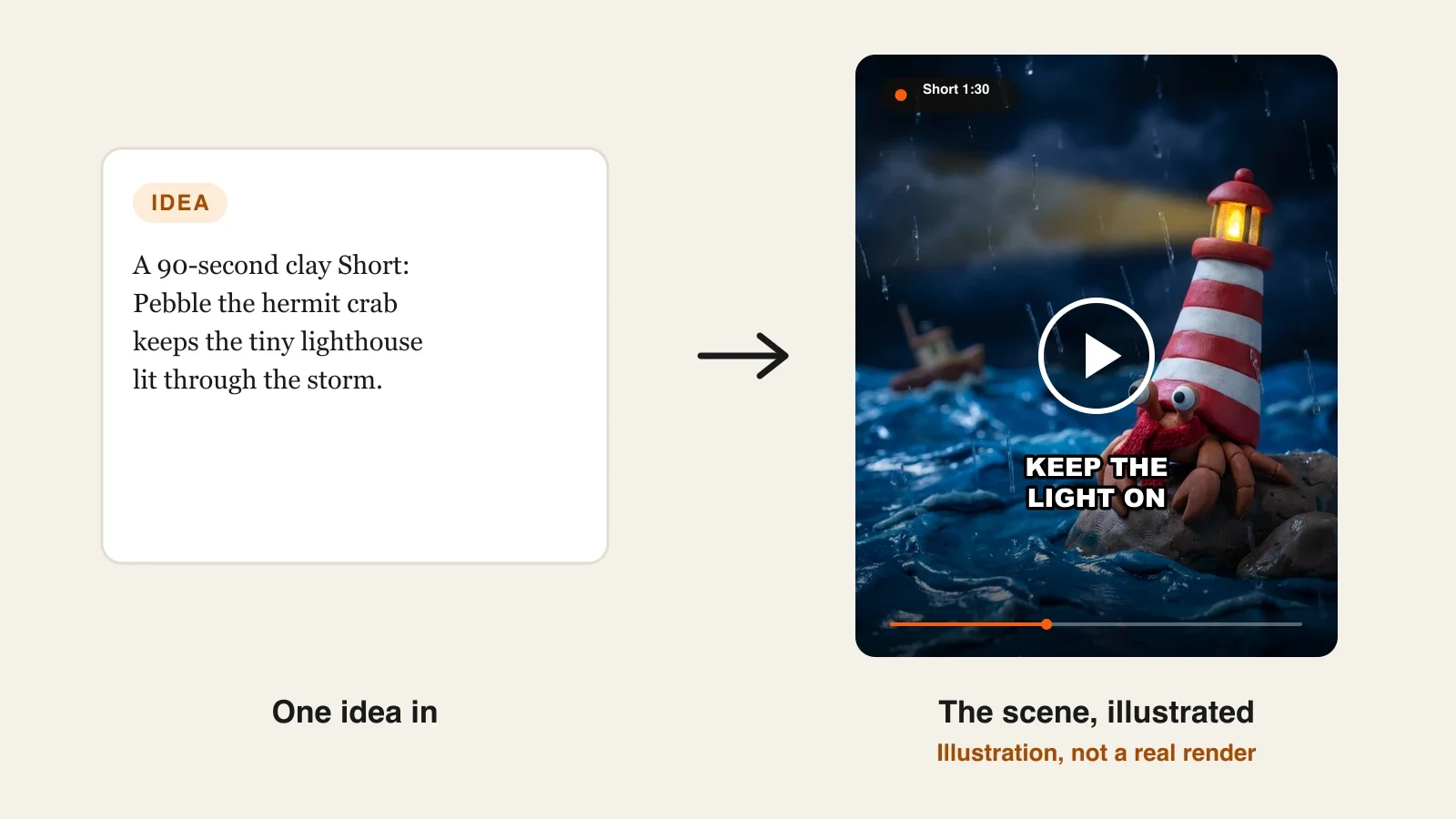
One 3D frame from AI is easy now. A 90-second 3D story is harder. 3D has more to keep consistent than flat animation: the surface of every object, where the light comes from, how the camera moves, and a character whose texture and proportions must survive every cut. Most of what goes wrong in AI 3D is not the model's fault; it is a prompt that never said what things are made of or where the light is. This guide shows the 3D-specific decisions that make the difference. One example runs through every step: Pebble's Lighthouse, a 90-second claymation Short for YouTube Shorts and TikTok.
Want to start now? The ClipNova AI 3D animation generator makes the whole 3D story, not just a shot: up to 5 minutes per video, the same character in every scene, and the narration, music and captions done in the same render.
What makes AI 3D animation look like 3D, not a filter
- Materials. Real 3D reads as a surface: plasticine with fingerprints, felt, glossy plastic, brushed metal. Name the material and the image has something to hold on to.
- One light, kept. A 3D film decides where the light comes from and keeps it there. Change it only when the story changes.
- A camera that moves like a camera. Slow push-ins, low angles and gentle orbits read as 3D. Random jumps read as a slideshow.
- Proportions that do not drift. A character with a big head and tiny legs in shot one must have the same head in shot ten.
- A finish that suits the story. A cozy storm story and a fast comedy sketch want different 3D looks.
The example: Pebble's Lighthouse
Pebble's Lighthouse is a 90-second vertical claymation Short for a small channel called Clay Harbor, posted to YouTube Shorts and TikTok once a week. Pebble is a hermit crab who lives in a tiny lighthouse instead of a shell, and on the night of a storm a little boat needs the light to get home. Everything below is the production plan for that one video, built so Pebble can return every week.
Step 1: Pick the 3D finish before you write
Why: the finish changes the story you write. Claymation forgives slower pacing and simple motion; Pixar-style 3D invites bigger expressions and faster comedy. Choosing late means rewriting.
| Pixar-style 3D | Claymation | |
|---|---|---|
| Feels like | Soft, rounded, warm feature-film light | Handmade plasticine, miniature sets |
| Motion | Big expressions, quick timing | Slower, deliberate, a little tactile |
| Best for | Comedy, bedtime stories, talking animals | Cozy stories, weather, seasonal clips |
| Watch out for | Faces that drift toward generic | Textures that look smooth like plastic |
In ClipNova the two finishes are the Disney / Pixar 3D and Claymation style presets, and the same prompt can be rendered in either, so you can compare before you commit.
Applied to the example: Pebble's Lighthouse is a cozy storm story with simple actions (climb, light the lamp, wave), so it gets Claymation. The handmade look also makes the storm feel safe enough for younger viewers.
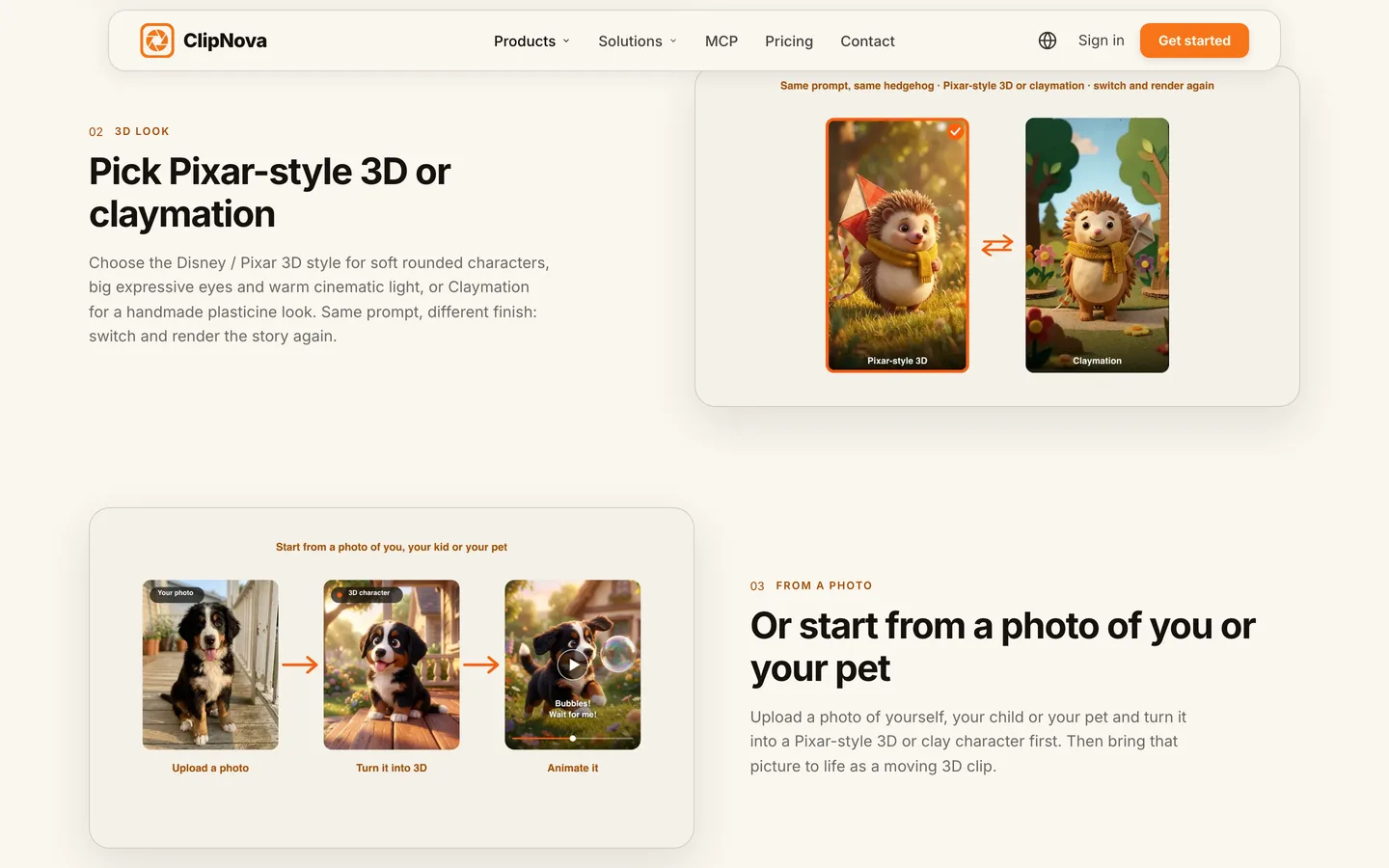
Step 2: Describe the character down to its materials
Why: AI rebuilds a 3D character from your words in every scene. Vague words ("a cute crab") give a different crab every time. Precise, physical details give the model something it can repeat.
Write five things: shape, size, colour, material and one signature detail.
- Shape and size: "a small hermit crab, palm-sized, round body, two big googly eyes on short stalks"
- Colour: "terracotta-orange claws, cream belly"
- Material: "plasticine with visible fingerprints, matte finish"
- Signature detail: "a hand-knitted red scarf, and a red-and-white striped clay lighthouse as his shell, lamp on top"
- Personality (for the voice and motion): "careful, a bit anxious, brave when it matters"
Applied to the example: save Pebble once as a character with this description and a picture, so every scene and every future episode uses the same crab. ClipNova also builds a character sheet (shape, colours, outfit, expressions) before it animates, which is what keeps the scarf red in the last shot.
Give a 3D character one detail that is impossible to miss, like Pebble's striped lighthouse shell. When you review, check that detail first: if it survived, the rest usually did too.
Step 3: Write the story as shots, with light and camera
Why: a 3D story is a sequence of shots, and each shot needs a place, an action, a light and a camera. If you only write the plot, the tool guesses the rest, and the guesses change between scenes.
Applied to the example, about 220 words of narration for 90 seconds, in six shots:
| Time | Shot | Light and camera |
|---|---|---|
| 0:00 | Pebble on his rock as the first raindrops fall | Cold blue dusk, slow push-in |
| 0:15 | The sea rises in glossy clay waves | Low angle at water level |
| 0:30 | A tiny clay boat rocks in the dark, far out | Wide shot, the boat small in frame |
| 0:45 | Pebble climbs inside his shell to the lamp | Warm lamplight from above, close-up |
| 1:05 | The beam sweeps across the storm and finds the boat | Wide, the beam is the only warm light |
| 1:20 | The boat reaches the harbor; Pebble waves his claw | Soft dawn light, gentle pull-back |
Opening line: "Every night, Pebble keeps one promise. Tonight, the sea is trying to make him break it." The last line sets up next week: "And tomorrow, someone knocks on the lighthouse door."
Step 4: Render it in ClipNova
Why: this is where the shots, the character, the voice and the captions meet. Set everything once and the tool carries it through every scene.
1. ClipNova: the complete option for a 3D story. ClipNova makes finished long videos with consistent characters: one script becomes a 3D video of up to 5 minutes, a saved character keeps the same look in every scene, and the script, scenes, voice, captions and music arrive together, with Studio to fix one scene afterwards.
- Open Prompt to Video and paste the six-shot script, light and camera notes included.
- Pick the Claymation style preset.
- Choose 9:16 and set the length to 90 seconds.
- Add Pebble from your saved characters.
- Keep Voiceover on and pick a warm, slightly slow narrator voice (narration comes in 18 languages); add soft music and switch on captions.
- Choose AI Video for full animation, or Moving AI Images (images with camera motion, about a third of the price) for a cheaper first draft.
- Check the credit estimate the app shows, then generate. It takes a few minutes.
Applied to the example: make the first version as Moving AI Images to check the story and Pebble's look, then render the final as AI Video. For scale, a 60-second Moving AI Images video is about 189 credits and a 60-second Base AI Video about 550, so a 90-second final costs more; the app shows the exact number before you click. Plans from $19/mo, with commercial rights on every plan.
Clip generators such as Runway or Kling make great single shots, but you would still write, voice, caption and assemble the six shots yourself; ClipNova gives you the whole 90-second story.
Step 5: Review for 3D glitches and fix single scenes
Why: in a 90-second 3D video, one or two shots usually miss, and 3D misses are specific. Fixing the whole video wastes credits; fixing one shot does not.
Watch once on your phone at full volume, then once with the sound off, and look for:
- Melting materials: clay that turns glossy like plastic, or a scarf that blends into the body.
- Light jumps: a warm shot dropped into the cold storm sequence for no reason.
- Proportion drift: Pebble's eyes or shell changing size between shots.
- Extra limbs: crabs and hands are hard; count claws.
- Camera chaos: a sudden spin that breaks the calm build.
Open the video in Studio, rewrite the line for the weak scene with the missing detail ("red-and-white striped clay lighthouse shell, lamp on top, matte plasticine"), and regenerate only that scene.
Applied to the example: if the 1:05 beam shot loses the lighthouse stripes, regenerate that shot alone with the stripes named, and leave the other five as they are.
Step 6: Publish, then turn Pebble into a series
- Title the story, not the tool. "Pebble keeps the light on (a claymation storm story)" works better than "AI 3D animation".
- Set the audience honestly. If the channel is made for children, YouTube requires you to mark it made for kids.
- Disclosure. YouTube asks creators to label realistic synthetic content; clearly animated claymation like this does not need the label.
- Avoid template sameness. Channels that upload near-identical videos can fail YouTube's rules on repetitive content. A recurring character with new stories each week reads as a show.
- Make it a series. Save Pebble and a second character (the boat's captain, a gull) in a ClipNova Series so every episode keeps their faces and remembers what happened before. Our guide on keeping characters consistent in AI videos goes deeper on reference pictures.
For the tools that fit other 3D jobs, see our roundup of the best 3D AI animation video generators.
How long does it take?
For one 90-second episode of Pebble's Lighthouse:
- Pick the finish and test it: 15 minutes, once
- Character description and saved character: 20 minutes, once
- Six-shot script with light and camera notes: 30 to 40 minutes per episode
- Draft render as Moving AI Images: a few minutes, mostly waiting
- Final render, review and scene fixes: 20 to 30 minutes
- Title, description and upload: 10 minutes
Setup is about 35 minutes; after that each episode is roughly an hour of your time, most of it writing. Plans from $19/mo, with every feature included; only the monthly credits change.
What goes wrong, and the fix
- No material in the prompt. The clay turns into smooth plastic and the 3D look goes generic. Name the material in the character and in each scene.
- A new light in every shot. The storm feels like six unrelated pictures. Write one light per sequence and change it only on a story turn, like the lamp coming on.
- Describing the character fresh each time. Pebble's scarf changes colour by shot four. Save the character once and add it to every video.
- Too many actions per shot. "Pebble climbs, lights the lamp and waves" in one shot gives a blurry mess. One action per shot.
- Picking the finish last. A comedy script in claymation feels slow; a cozy story in a hyper-glossy look feels cold. Choose the finish in Step 1.
- Regenerating the whole video for one bad shot. It costs credits and can break shots that worked. Fix single scenes in Studio.
- Copying a famous studio character. It puts the channel at risk. Make original characters and use "Pixar-style" or "claymation" only as a look.
Write Pebble's six shots tonight, or your own character's, with one light and one camera note per shot. When Pebble is ready for a second episode, the ClipNova AI series generator keeps the cast for a whole season, and ClipNova's plans show the credits on each tier.
Frequently asked
How do I make a 3D animated video with AI?
Pick the 3D finish (Pixar-style 3D or claymation), describe your character with its shape, colour, material and one signature detail, and write the story as shots with a light and a camera note each. Then render it in an AI 3D animation tool such as ClipNova, which builds the scenes, narrator, music and captions, and fix any weak scene on its own.
Do I need Blender or 3D modeling skills to make a 3D animated video with AI?
No. AI 3D animation tools make the finished video directly from text or a photo, with no modeling, rigging or keyframes. They do not export 3D model files, so if you need assets for a game engine you still need a 3D modeling tool.
What is the difference between Pixar-style 3D and claymation?
Pixar-style 3D has soft rounded characters, big expressive eyes and warm film lighting, and suits comedy and bedtime stories. Claymation looks like handmade plasticine with fingerprints and miniature sets, and suits slower, cozy stories. In ClipNova both are style presets you can switch on the same prompt.
How do I keep a 3D character looking the same in every scene?
Describe it with physical details, including the material, save it once as a character with a picture and add it to every video. ClipNova also builds a character sheet before animating, and a Series keeps the same cast across episodes.
Can I turn a photo of my pet into a 3D animated character?
Yes. In ClipNova you can upload a photo of yourself, your child or your pet, turn it into a Pixar-style 3D or clay character, then animate it or use it in a story. Only use photos of people who agreed to it.
How long can an AI 3D animated video be?
In ClipNova, from a 10-second clip up to 5 minutes per video, in 9:16 for Shorts, TikTok and Reels or 16:9 for YouTube. Longer stories work best as a series of episodes with the same characters.
How much does it cost to make 3D animated videos with AI?
ClipNova plans start at $19 a month for 1,000 credits. A 60-second video is about 189 credits as Moving AI Images or about 550 as Base AI Video, and the app shows the exact cost before you generate.