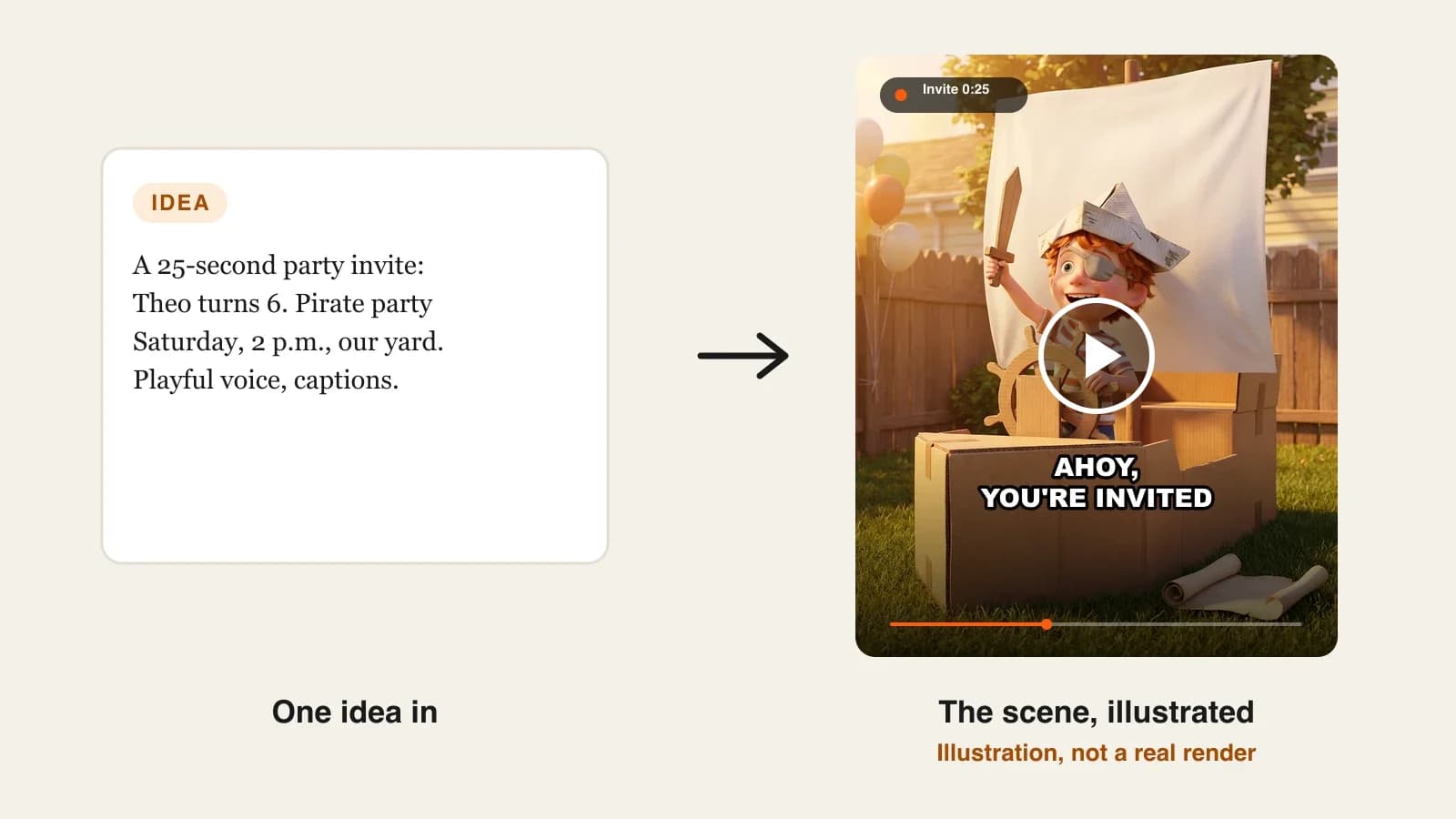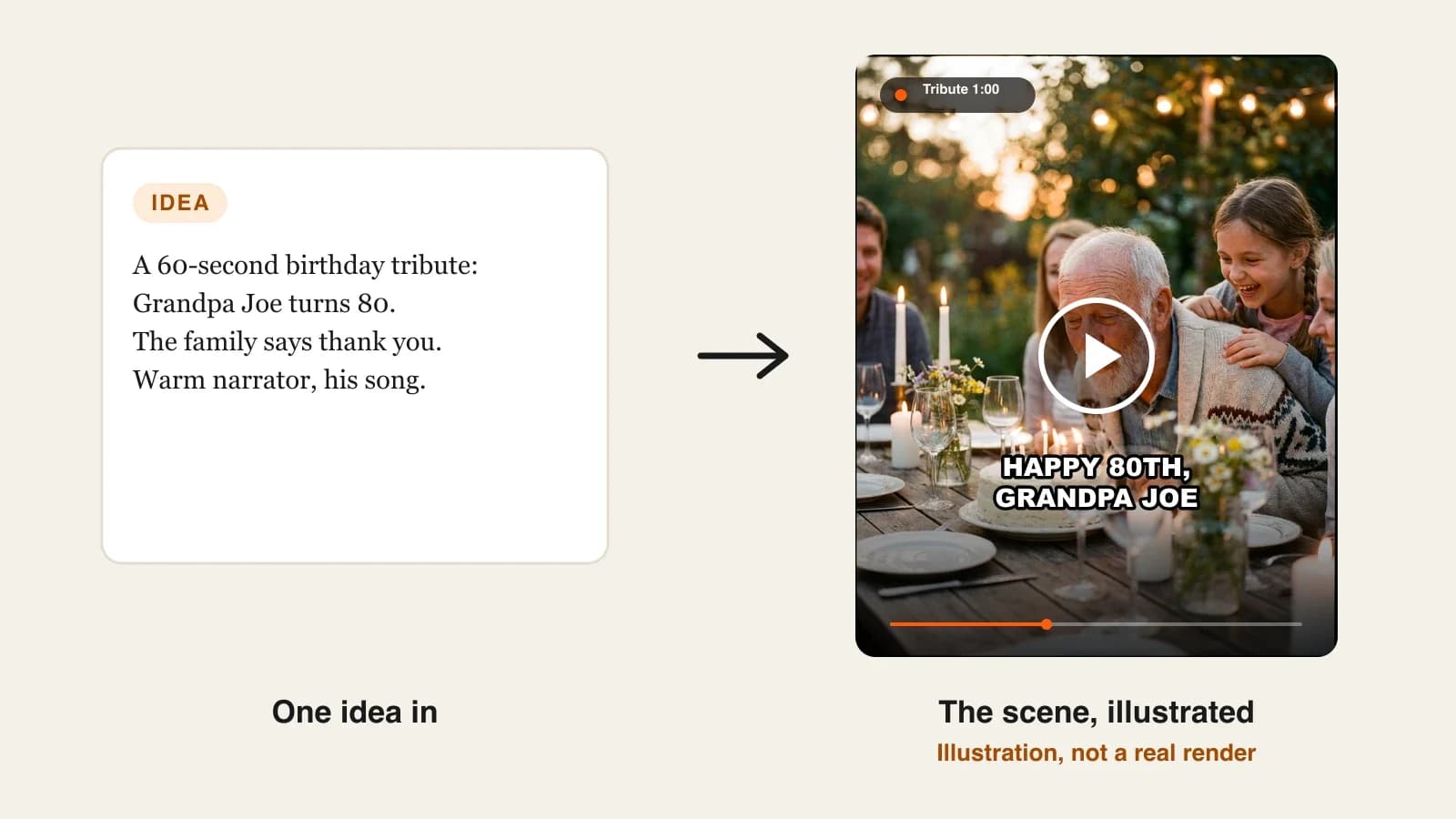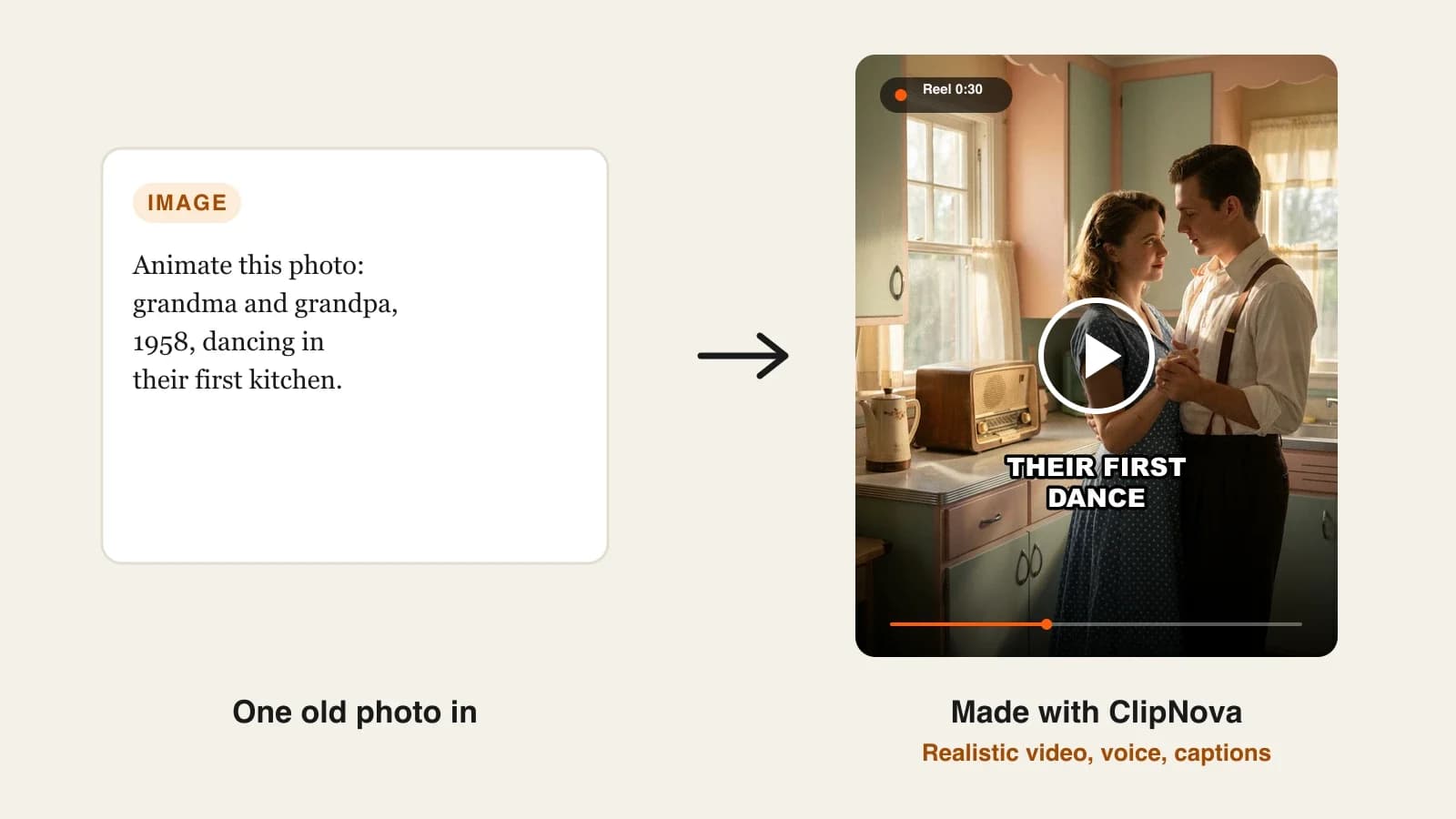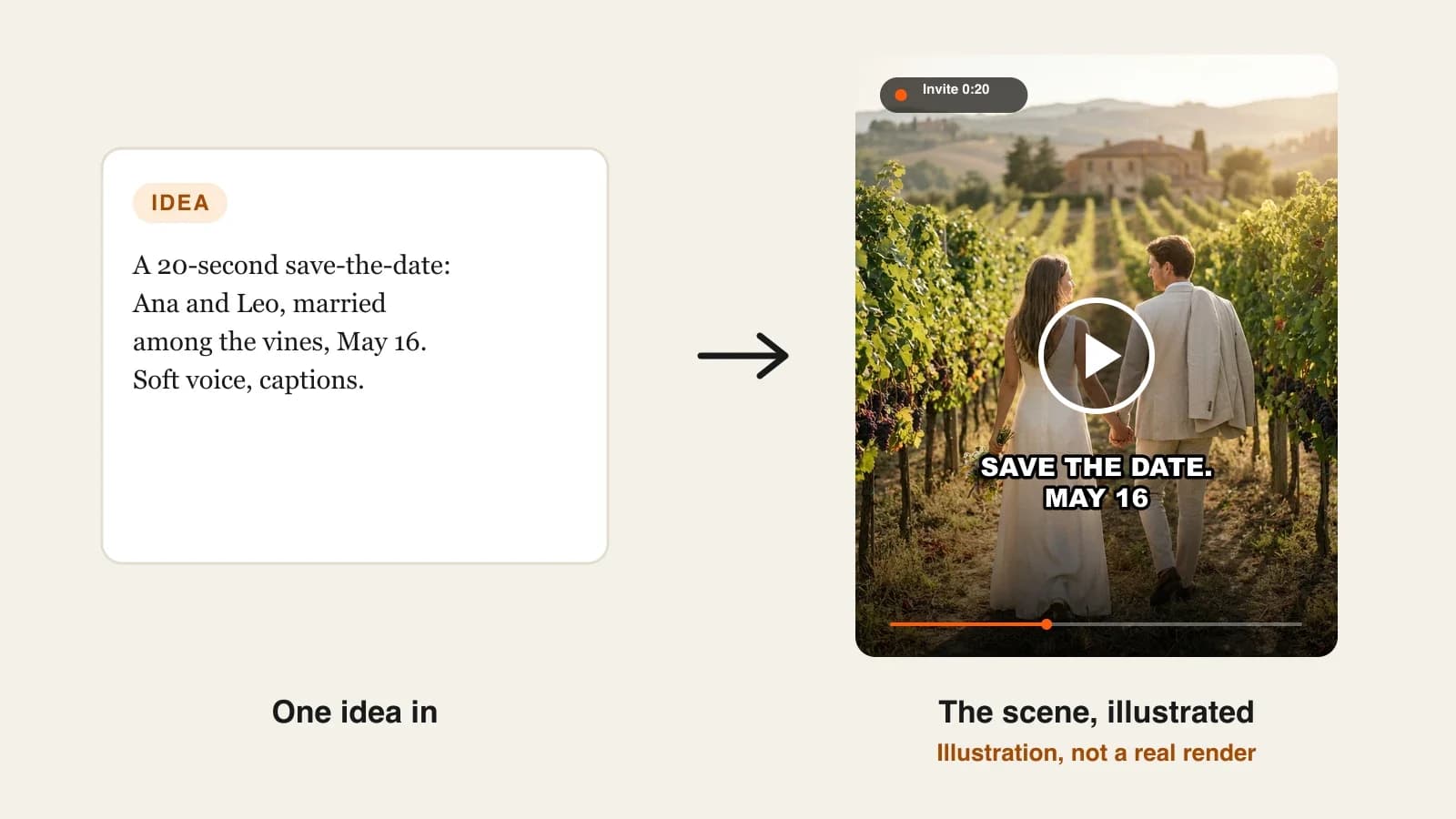
The best AI video invitation makers in 2026 are ClipNova for invitations that play like a short film, with the same couple or birthday child in every scene, followed by FlexClip, HeyGen and Vidnoz for template, presenter and avatar invitations. ClipNova starts at $19/mo; the other three start between $19.99 and $29 a month on monthly billing.
A paper invitation gets a glance and a spot on the fridge. A video invitation gets watched, forwarded to the family chat and replayed the night before, which is why more people now send a 20-second save-the-date instead of a printed card. The catch is that most invitation tools are either rigid templates or general video apps that were never built to get a name, a date and a venue across in a few seconds.
This roundup compares four AI video invitation makers for weddings, birthday parties, baby showers and other personal events: what each one makes, how it gets the details to your guests, and what it costs per month.
The 4 best AI video invitation makers at a glance
- ClipNova: best overall for story-style invitations. A short brief becomes original animated scenes, a voice that reads the date and place, burned-in captions and your music, in 9:16 for chats or 16:9 for email and screens.
- FlexClip: best for editable invitation templates. Thousands of ready-made designs, plus an AI tool that turns a prompt into an invitation card or video you then fine-tune by hand.
- HeyGen: best for invitations that guests hear in their own language. Paste the invitation text and it builds scenes, narration and captions, then translates the video for guests abroad.
- Vidnoz: best for a talking-photo invitation. Upload your own photo and a talking avatar reads the invitation over a template.
| Tool | Best for | Starting price (monthly billing) | How the details reach guests | Max output |
|---|---|---|---|---|
| ClipNova | Original story-style invitations | From $19/mo | Voiceover from your exact words plus burned-in captions | Up to 5 min, 1080p |
| FlexClip | Template invitations you edit by hand | $19.99/mo | Editable on-screen text, optional voiceover | Unlimited length, 1080p on Plus |
| HeyGen | Narrated invitations in several languages | $29/mo | AI voiceover and on-screen text pulled from your copy | Up to 30 min, 1080p |
| Vidnoz | Talking-photo invitations | $26.99/mo | A talking avatar reads the text, plus template text | Up to 60 min, 1080p |
What makes a good AI video invitation?
An invitation is a tiny video with one job. Before you compare tools, check them against what guests actually need:
- Details that cannot be misread. Names, date, time, venue and RSVP must be exact. Image models still misspell words drawn inside a picture, so the safest tools carry the details in a voiceover and captions built from the text you type.
- Readable with the sound off. Most guests open the video in a group chat, often muted. Captions or large on-screen text are not optional.
- The right shape for where it is sent. Vertical 9:16 for WhatsApp and stories, horizontal 16:9 for email or the screen at the venue.
- A look that fits the event. Watercolor for a baby shower, cinematic for a wedding, a cartoon for a seventh birthday. A tool with one house style will make every invitation look the same.
- Quick versions. A second invitation for the evening guests or the grandparents should take minutes, not a new project.
A useful test: write your invitation as one sentence ("Ana and Leo are getting married, Saturday May 16, 4 p.m., at the old vineyard in Sonoma, RSVP by April 1") and give exactly that sentence to each tool. Then watch the result on your phone with the sound off. If you cannot read the date in the first ten seconds, the tool is wrong for invitations, however pretty the scenes look.
1. ClipNova, best overall AI video invitation maker
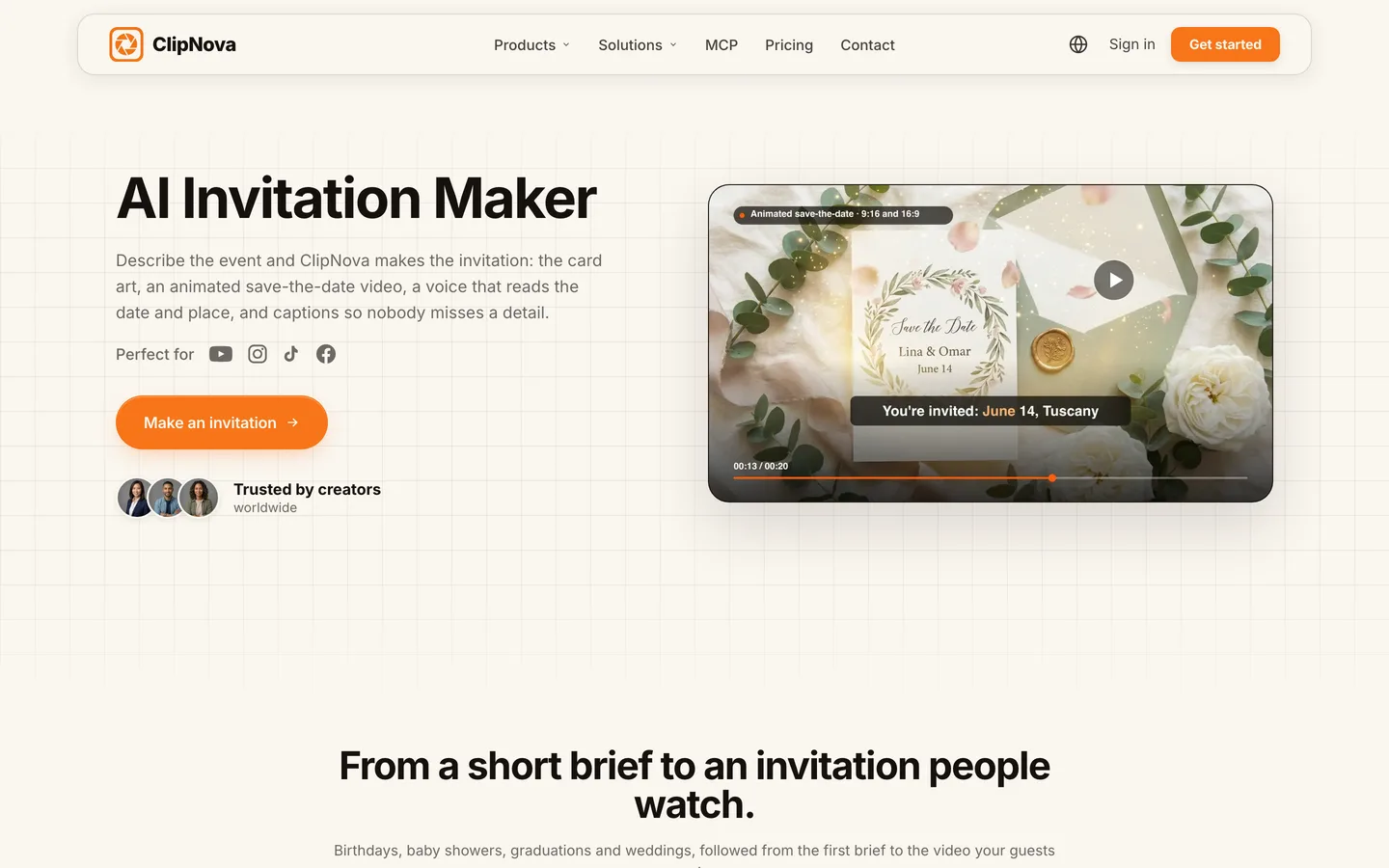
ClipNova turns a few lines about your event into an invitation that plays like a short film: original scenes in the style you pick, a voice that reads the names, date and place, captions burned in so the details survive a muted chat, and your own music under it. Save the couple or the birthday child once as a character with a picture, and they keep the same face in every scene, which is what makes an invitation feel personal instead of generic.
That fits what ClipNova is built for, finished videos with consistent characters, and an invitation is the shortest version of that idea:
- Long when you need it: a save-the-date runs 15 to 30 seconds, but the same project can grow into a "how we met" story of up to 5 minutes for the rehearsal dinner or the screen at the reception.
- Consistent characters: the couple, the grandparents or the child look the same from the first scene to the last, and saved characters come back the same way for the next family event.
- Finished: scenes, voiceover, captions and music arrive together, and if one scene misses (a wrong dress, an odd hand), you redo only that scene in Studio.
The ClipNova AI invitation maker page walks through the whole flow, from brief to card art to the shared video.
Key features
- Prompt to Video: describe who is inviting, the event, the date, the place and the mood, pick a Style preset (or none for a realistic look) and ClipNova generates the scenes
- Text to Image for the card itself (Watercolor, Ghibli and other presets), then Image to Video to make that card move: candles flickering, petals drifting
- Narration you write word for word, so the names and date are spoken exactly as typed, with captions transcribed from the voice and burned in
- Upload your own song; it is lowered automatically while the voice speaks
- Export in 9:16 for chats and stories, 16:9 for email and screens, or 1:1 on the quality tiers that support it
- Narration in 18 languages, so the grandparents can get a version in their own language
How to make an invitation in ClipNova
- Open Prompt to Video and write the brief: who, what, when, where, and the mood ("a playful 3D cartoon invitation for Sam's 7th birthday, balloons and confetti").
- Add the people as saved characters with a photo you have permission to use, so their faces stay the same in every scene.
- Switch on narration and type the exact sentence guests must hear, including the RSVP date. Keep captions on.
- Pick 9:16 for the family chat, add your track and generate.
- Watch it muted on your phone, fix any weak scene in Studio, then change one line of the brief to make a version for a second group of guests.
Pricing
- Plans from $19/mo: Hobby $19 (1,000 credits), Starter $49 (2,600), Growth $99 (5,750), Ultra from $199 (12,000); yearly billing 20% off
- The app shows the credit estimate before you generate, so you know what each invitation costs before you make it
- Every plan includes every feature and commercial rights
Pros
- Original scenes instead of a template other guests have already seen
- The details travel in the voice and the captions, so a misspelled word in the artwork never decides whether guests show up
- One brief makes the 9:16 chat version and the 16:9 email version
Cons
- No guest list, RSVP tracking or sending; you download the video and share it yourself
- Lettering drawn inside generated card art can come out misspelled, so keep names and dates in the narration and captions, or check the card before sending
Narration in 18 languages, plans from $19/mo and commercial rights on every plan.
2. FlexClip, best for editable invitation templates
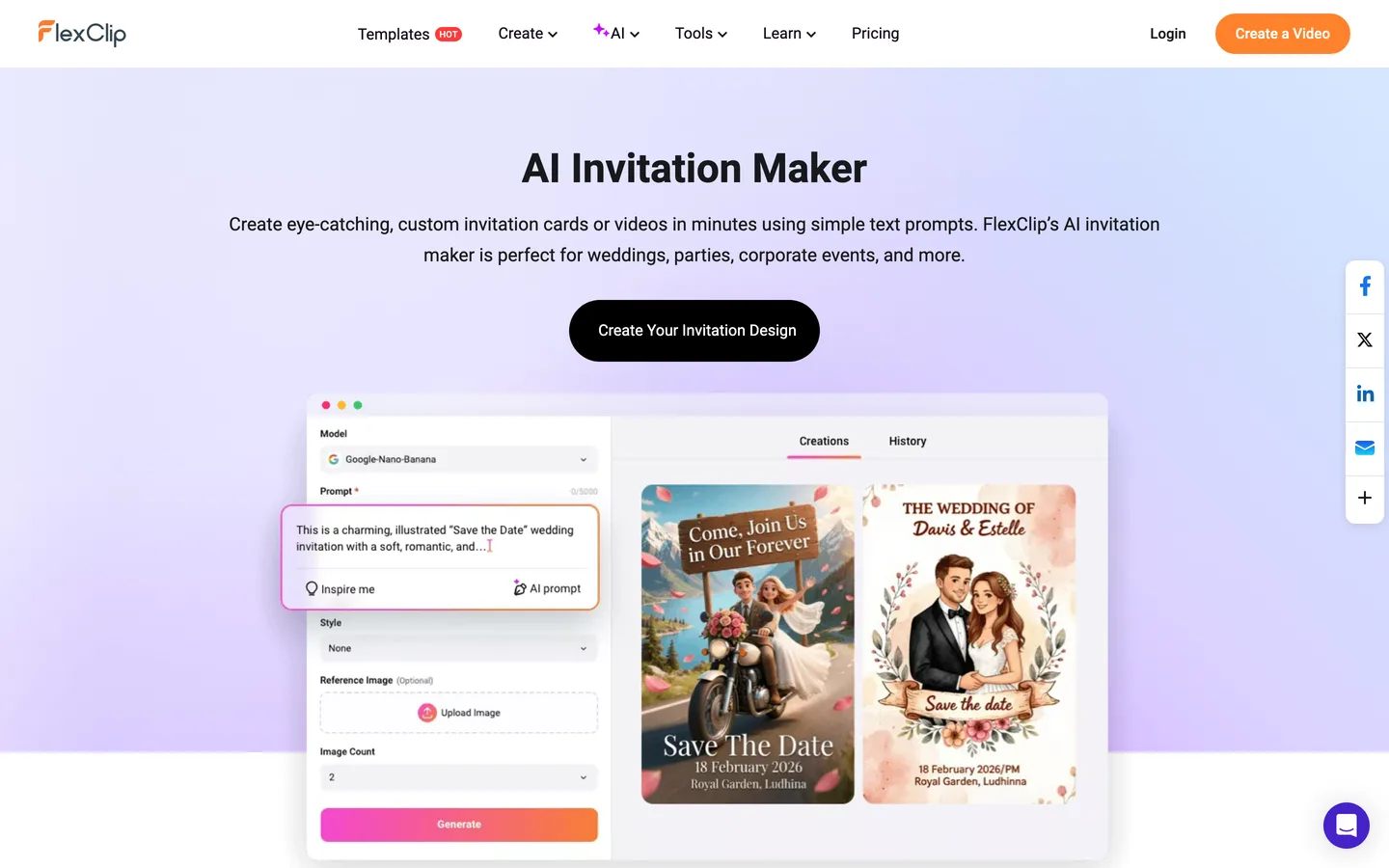
FlexClip is an online video editor with a large invitation section: wedding, save-the-date, reception, Islamic, Christian and Indian wedding templates, birthday and party invitations, and an AI Invitation Maker that turns a prompt with your theme, date and address into either an invitation card (text to image) or an invitation video (text to video).
Its strength is control. Every template is editable text, so the couple's names are typed, not generated, and you can change fonts, colors and timing by hand. It is a template editor at heart: polished layouts and stock elements rather than original scenes with your own characters. If you want guests to see a story rather than a nicely animated card, ClipNova makes the scenes for you.
Key features
- AI Invitation Maker: prompt to invitation card or invitation video, with an optional reference image
- 6,000+ templates, with AI Recreate to swap in your own photos and footage
- Full editor: fonts, colors, stickers, your own voiceover and music
- Export in several ratios and resolutions, as MP4 or GIF
Best for
- Couples who already know the exact look they want and prefer to type every word themselves
- Invitations that mix several real photos of the couple or the venue
Pricing
- Plus: $19.99/mo billed monthly ($11.99/mo billed annually) with 1080p downloads, 3,600 AI credits a year, five stock videos per project and no FlexClip watermark
- Business: $29.99/mo billed monthly with 4K downloads and 9,600 AI credits a year
Pros
- Typed text means names and dates are always spelled right
- A huge library of event-specific templates
Cons
- Template layouts can look familiar to guests who use the same app
- You do most of the finishing by hand; AI credits are a yearly allowance, not unlimited generations
3. HeyGen, best for invitations in several languages
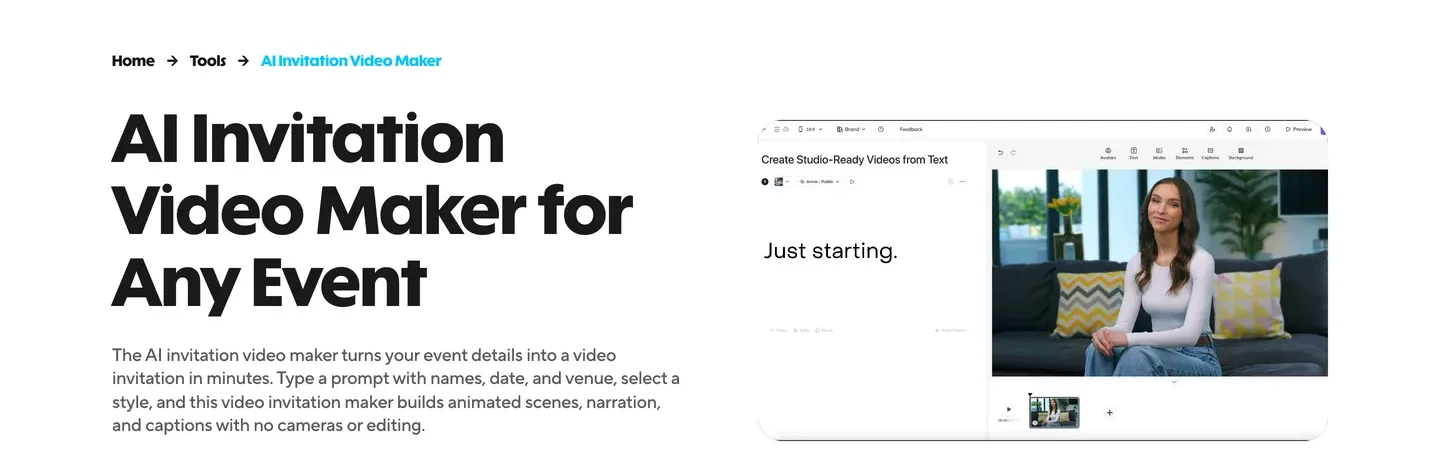
HeyGen is best known for AI presenters, and its AI Invitation Video Maker uses the same engine for events. You paste the invitation copy, it identifies names, date, time, venue and RSVP details, and builds animated scenes with on-screen text, an AI voiceover and a music track. Uploaded engagement or party photos get gentle pans and zooms.
Where it stands out is language. You can translate the invitation into 175+ languages and regenerate it, which helps a wedding with guests on three continents. Like other avatar tools, its home ground is presenters and messages; for an invitation that tells a little story with original scenes, ClipNova goes further.
Key features
- Event copy in, invitation scenes out, with names and dates emphasised as on-screen text
- Templates from formal to playful to cinematic, with adjustable colors, type and music
- AI voiceover, or your own cloned voice from a short clip
- Translation into 175+ languages; MP4 download or a share link
Best for
- Weddings and milestone parties with guests who speak different languages
- Hosts who want the invitation read in their own cloned voice
Pricing
- Creator: $29/mo billed monthly ($24/mo billed annually) with 1080p export and videos up to 30 minutes
- Pro: $49/mo billed monthly
Pros
- Strong text handling: details come from your copy, not from an image model
- Multilingual versions of the same invitation in minutes
Cons
- The look leans toward clean motion graphics rather than story scenes
- Many of its features (batch personalisation, webhooks) are aimed at business events, so you pay for tools a family party will not use
4. Vidnoz, best for a talking-photo invitation
Vidnoz is an avatar video tool with a big template library. For invitations, its pages show wedding, birthday and anniversary templates you personalise with names, dates and a message, plus the option to upload your own photo and turn it into a talking avatar that reads the invitation, or pick one of its stock avatars and voices.
It suits hosts who want a face on screen saying "we would love you to come" without filming themselves. It is a presenter tool more than a storyteller: the avatar talks over a template, while ClipNova builds the scenes of the event itself.
Key features
- Invitation templates for weddings, birthdays and anniversaries
- Talking photo avatars from your own picture, with lip-synced voiceover
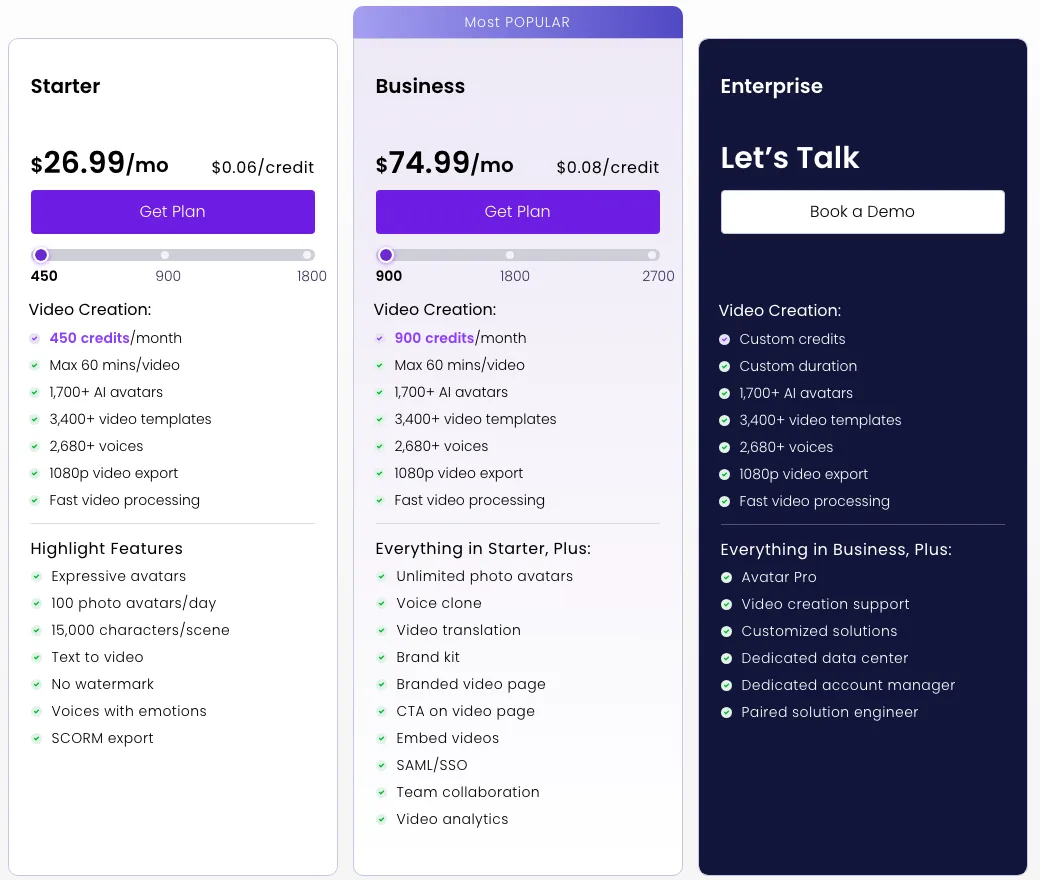
- 2,680+ voices and background music and effects from its gallery
- 1080p export without a watermark on paid plans
Best for
- A host who wants to "say" the invitation without recording a video
- Simple invitations built from one photo and a short message
Pricing
- Starter: $26.99/mo billed monthly ($19.99/mo billed yearly) with 450 credits a month, 1080p export and up to 60 minutes per video
- Business: $74.99/mo billed monthly, which adds voice cloning
Pros
- The fastest route to a personal-looking talking invitation
- Large template and voice libraries
Cons
- Your own cloned voice needs the Business plan
- The avatar talks over a template, so there are no scenes of the event or the people being celebrated
A note on names, faces and music
Invitations use real people, so a few rules apply whichever tool you pick:
- Use photos you own or have permission to use. Ask before you animate someone else's face, especially children's.
- Use music you have the rights to. A popular song can get a shared video muted or blocked on social platforms; a private chat is more forgiving, but a public post is not.
- Keep the address out of public posts. Send the full version privately and post a teaser without the venue.
For a full walkthrough with one example from brief to the family chat, read our guide on how to make a video invitation with AI.
How to choose the best AI video invitation maker for your event
1) Do you want original scenes or a template?
- Original scenes with your own people in them: ClipNova, which builds the invitation as a short story and keeps saved faces the same.
- A designed template you edit word by word: FlexClip.
- A presenter or your own face reading the invitation: HeyGen or Vidnoz.
2) How will guests receive it?
- Family chats and stories: 9:16, captions on, under 30 seconds. All four tools can do this; ClipNova and HeyGen carry the details in a voice and captions.
- Email and a screen at the venue: 16:9, and a longer "our story" cut works well. ClipNova goes up to 5 minutes for that version.
- Guests in several countries: HeyGen's translation, or ClipNova's narration in 18 languages with one version per language.
3) Is this one invitation or a season of events?
- One wedding: pick the tool that fits the look, make two or three test versions and send the best.
- A year of family events (engagement, wedding, baby shower, first birthday): ClipNova's saved characters keep the same faces from one invitation to the next, so the whole set looks like one family album.
4) What does one invitation cost?
- ClipNova Hobby: $19 a month for 1,000 credits, with each invitation's cost shown before you generate.
- FlexClip Plus: $19.99 a month, with the finishing done by hand.
- Vidnoz Starter: $26.99 a month for 450 credits.
- HeyGen Creator: $29 a month, worth it mainly if you need multilingual versions.
Make the invitation twice: once as a 20-second 9:16 version for chats, and once as a 16:9 version with the full details for email. Guests forward the short one; they check the long one the night before.
If the party is a birthday, our roundup of the best AI birthday video makers covers the video you play on the day, and the best AI image to video generators help when the invitation starts from one favourite photo. ClipNova pricing lists the credits on each plan.
Frequently asked
What is the best AI video invitation maker in 2026?
ClipNova is the best overall AI video invitation maker: a short brief becomes original scenes, a voice that reads the names, date and place, burned-in captions and your music, with saved characters keeping the same faces in every scene. FlexClip suits editable templates, HeyGen suits multilingual narrated invitations and Vidnoz suits talking-photo invitations.
How do I make a video invitation with AI?
Write a short brief with who is inviting, the event, the date, the place and the mood, then give it to an AI invitation tool. In ClipNova you describe the event in Prompt to Video, switch on narration with the exact details, keep captions on and generate in 9:16 for chats or 16:9 for email.
Will an AI invitation maker spell names and dates correctly?
Text typed into a voiceover, captions or an editable template is spelled exactly as you type it. Lettering drawn inside AI-generated artwork can come out misspelled, so check any text in the image or keep the card art free of text and let the voice and captions carry the details.
How long should a video invitation be?
A save-the-date or party invitation works best at 15 to 30 seconds, with the date and place readable in the first ten seconds. A longer 'our story' version of one to five minutes suits email or a screen at the venue; ClipNova renders up to 5 minutes.
Can I use my own photos in an AI video invitation?
Yes. ClipNova can animate an uploaded photo in Image to Video or keep a saved character's face the same across scenes, FlexClip swaps your photos into templates, HeyGen animates uploaded photos with pans and zooms, and Vidnoz can turn your photo into a talking avatar. Only use photos you own or have permission to use.
What is the cheapest AI video invitation maker?
Of the tools compared here, ClipNova has the lowest entry price at $19 a month on the Hobby plan. FlexClip Plus is $19.99 a month on monthly billing, Vidnoz Starter $26.99 and HeyGen Creator $29.
Which format should I export a video invitation in?
Use 9:16 vertical for WhatsApp, group chats and stories, and 16:9 horizontal for email and screens at the venue. Make both from the same brief so every guest gets a version that fits how they watch.
Which AI video invitation maker should I start with?
Start with ClipNova if you want an invitation with original scenes, your own people and the details read out loud, on plans from $19 a month with every feature included. If you would rather edit a ready-made design word by word, compare FlexClip.