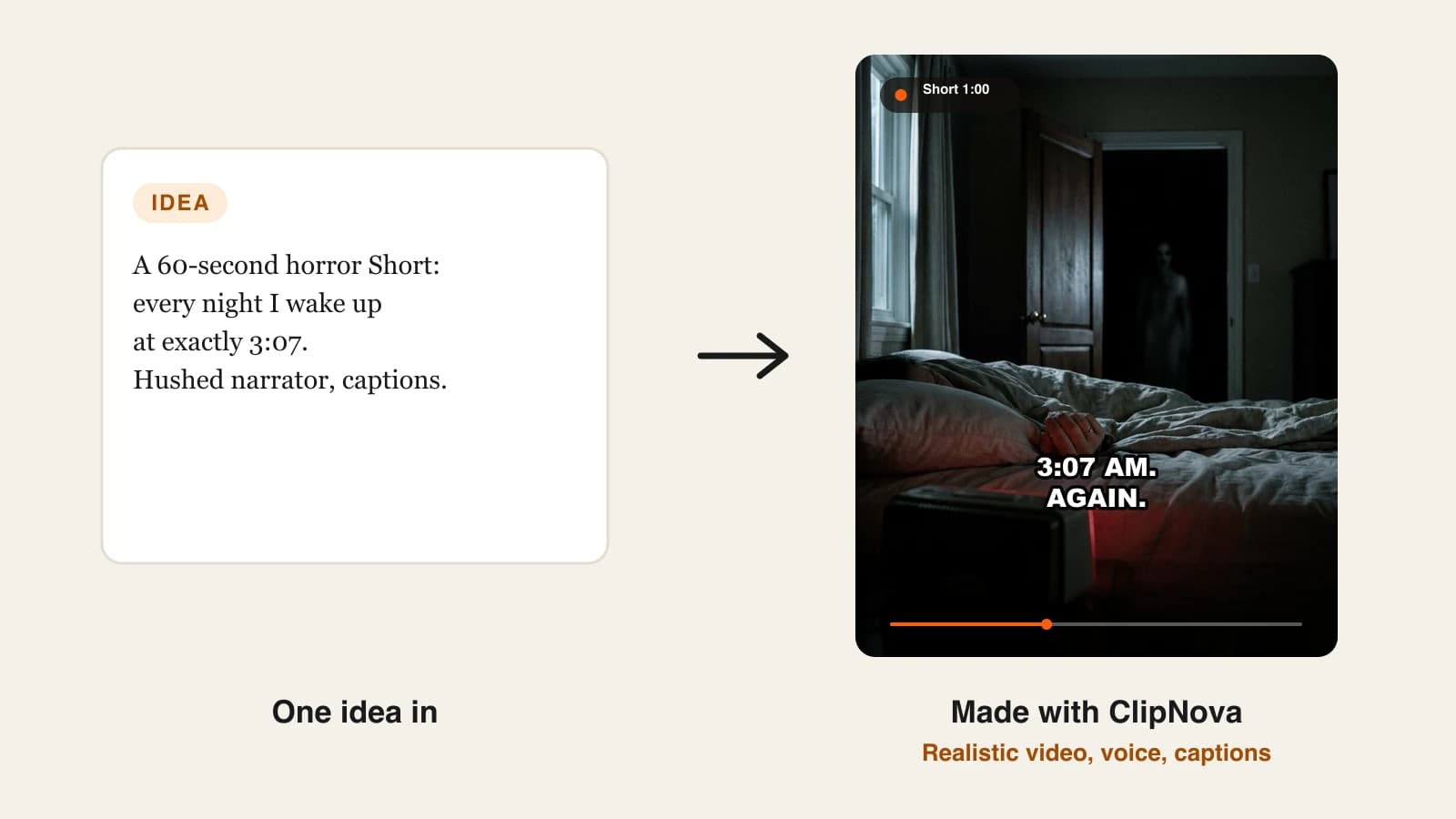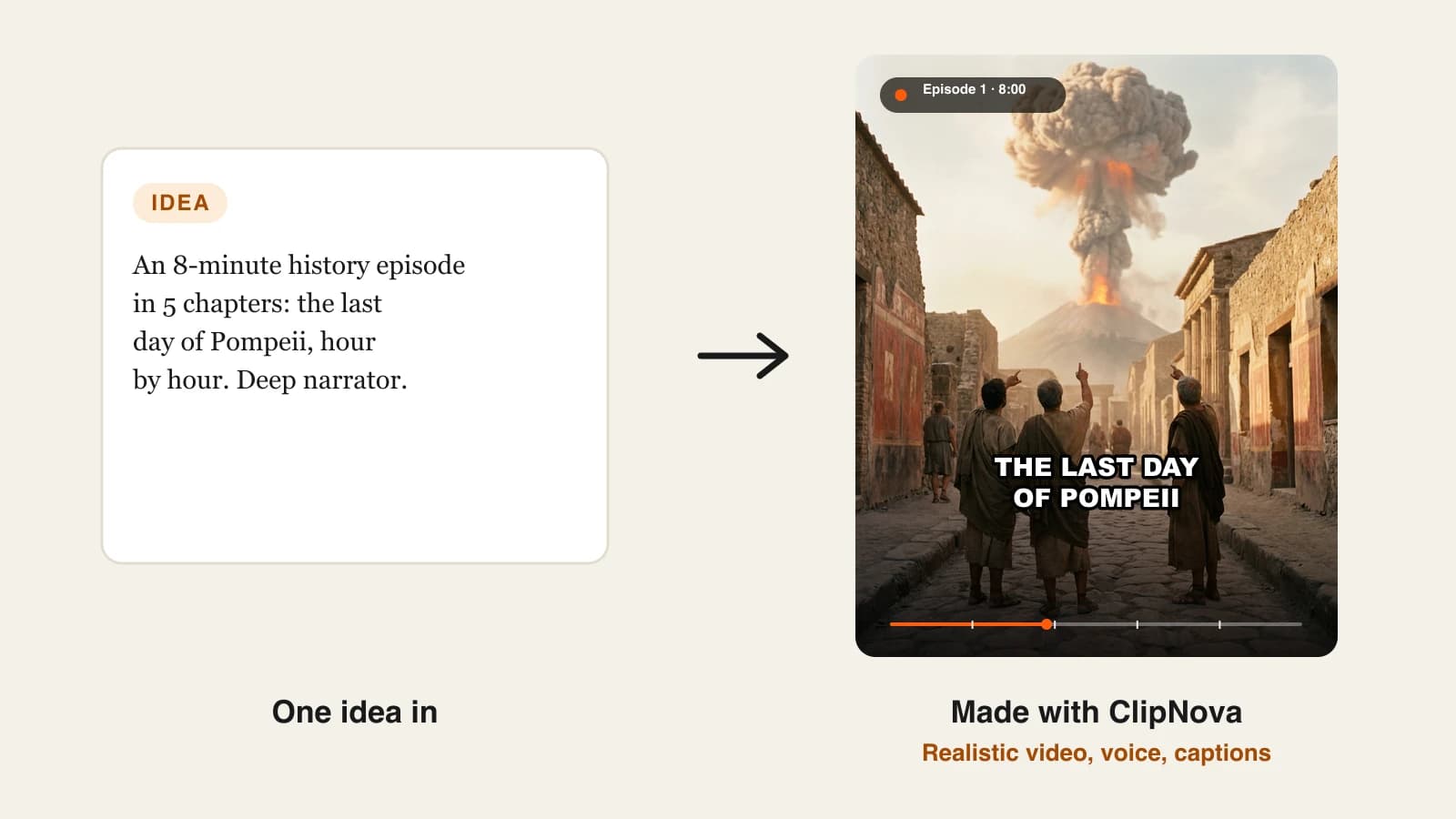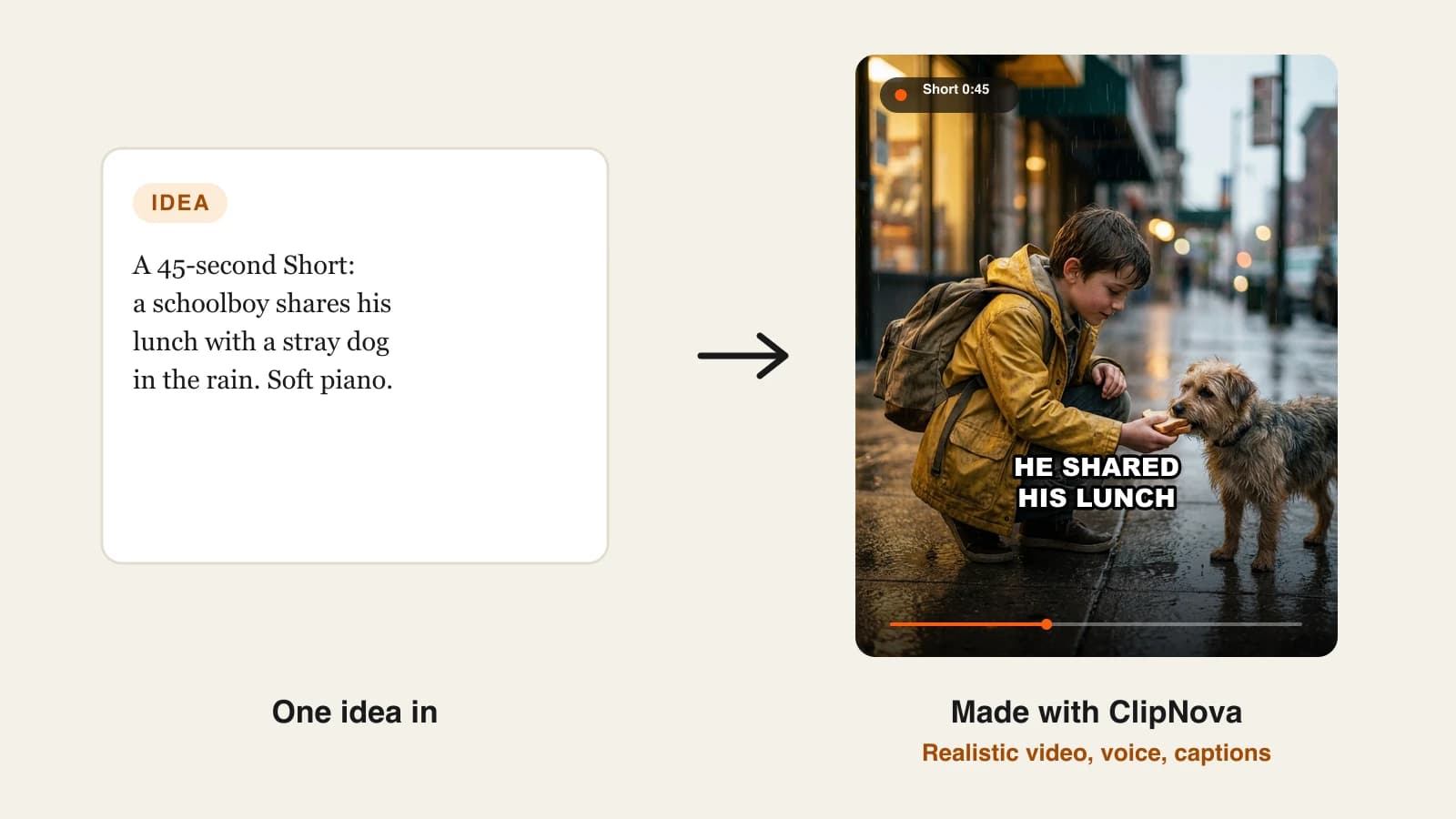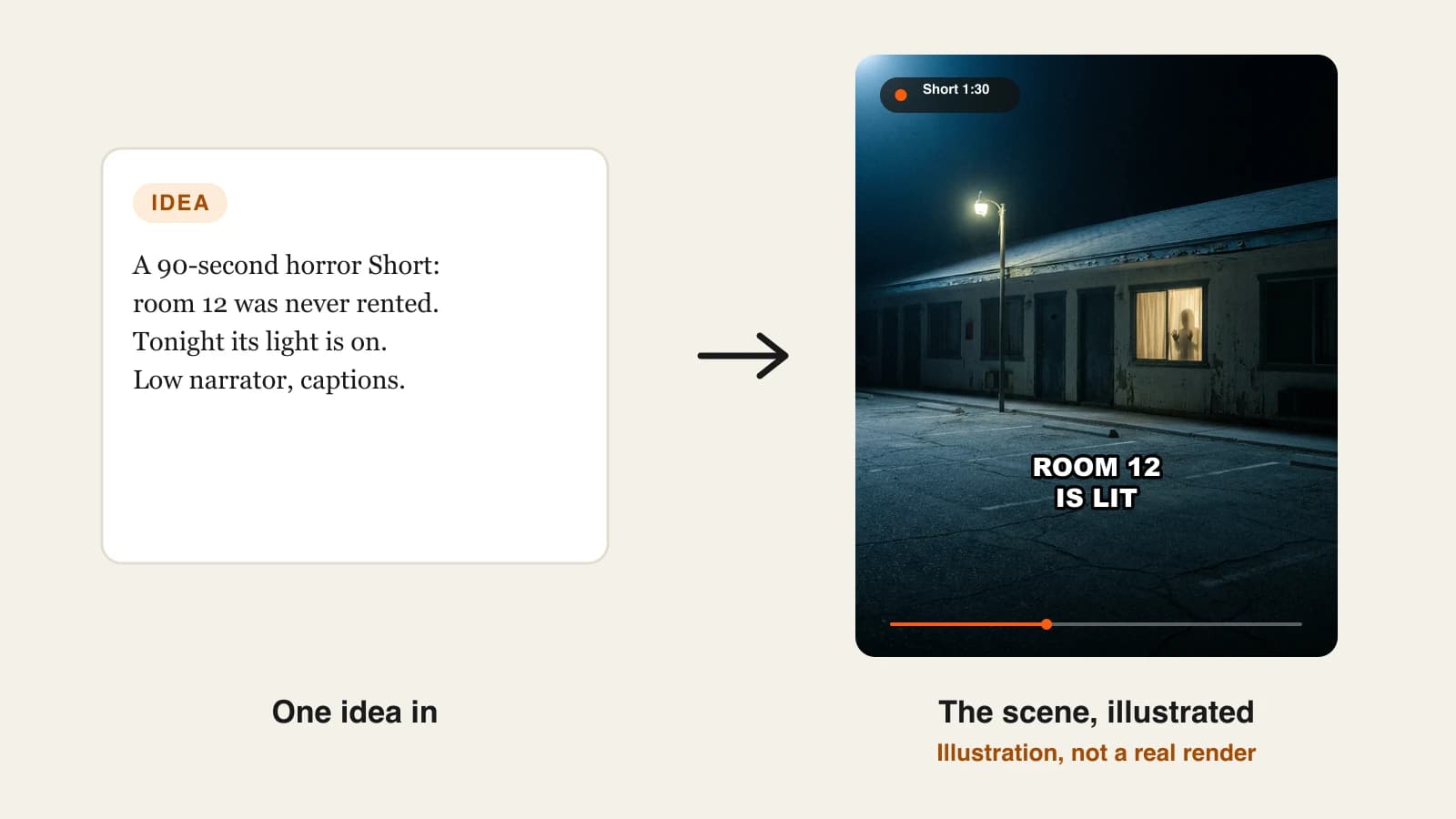
The best AI horror video generators in 2026 are ClipNova for finished horror stories of up to 5 minutes with the same haunted cast in every scene, followed by StoryShort, Revid, Faceless.video and Luma for narrower horror formats. ClipNova starts at $19/mo; the others start between $20 and $39 a month on monthly billing.
Horror is one of the most-watched faceless niches because fear is patient: viewers sit through a slow build if the payoff lands. That is also why it is hard to fake. A scary story needs a narrator who whispers at the right moment, scenes that get darker as the plot does, and a figure in the doorway who looks the same the second time you see it. Most AI tools give you one creepy clip; few give you a story that keeps its grip for two minutes.
This roundup compares five AI horror video generators on what kind of horror they make best, how long the videos run, how much control you keep and what each one costs.
The 5 best AI horror video generators at a glance
- ClipNova: best overall for narrated horror stories, Shorts or long-form. A premise or a full creepypasta becomes a finished story of up to 5 minutes with dark scenes, a hushed narrator, captions and music, and the same characters in every scene.
- StoryShort: best for uncanny cartoon horror. A distinct, deliberately unsettling cartoon style with horror narration and soundscapes.
- Revid: best for found-footage jump-scare Shorts. Describe a scary scenario and it builds a grainy mini horror film with a creepy narrator.
- Faceless.video: best for a scary-stories account on autopilot. Pick the creepy niche once and it writes, edits and posts on a schedule.
- Luma: best for cinematic horror shots you edit yourself. High-end video models for atmosphere, not finished stories.
| Tool | Best horror format | Starting price (monthly billing) | Video length | Narration and captions | Auto-posting |
|---|---|---|---|---|---|
| ClipNova | Narrated horror stories, Shorts to long-form | From $19/mo | Up to 5 min | Yes, 18 narration languages | No (review, then post) |
| StoryShort | Uncanny cartoon horror | $39/mo | Shorts, plus long-form about 8 to 10 min | Yes | Yes: TikTok, YouTube, Instagram |
| Revid | Found-footage jump-scare Shorts | $39/mo | Short-form, vertical | Yes | Yes: TikTok, YouTube, Instagram |
| Faceless.video | Scheduled scary-story Shorts | $20/mo | Short-form | Yes | Yes: one account on Starter |
| Luma | Cinematic horror B-roll | $30/mo | Clips | No (you add them) | No |
What makes a good AI horror video generator?
Horror is unforgiving. Before you pick a tool, check it against these five points:
- Pacing you can hear. Horror is mostly sound and timing: a slow narrator, silence before the turn, a sting on the reveal. A tool built for upbeat 15-second edits will rush the dread.
- Darkness that still reads on a phone. Many AI horror scenes are so dark they turn into black rectangles on a small screen. Look for moody but legible scenes.
- A figure that stays the same. The ghost in the hallway, the stranger at the window: if it changes shape between scenes it stops being scary and starts being confusing.
- Room for a slow build. The best scary stories need two to five minutes. Thirty seconds only fits a jump scare.
- Control over the ending. A twist is the whole point. You need to be able to fix the final scene without remaking the video.
One practical way to compare tools: write the last line of your story first ("The light in room 12 went out. Then the knocking started.") and judge each tool only on how it delivers that line. Visuals, voice and caption timing all meet in the final five seconds, and that is where weak horror tools give themselves away. A tool that nails the ending but needs help in the middle is easier to work with than the reverse, because the ending is what viewers remember and share.
1. ClipNova, best overall AI horror video generator
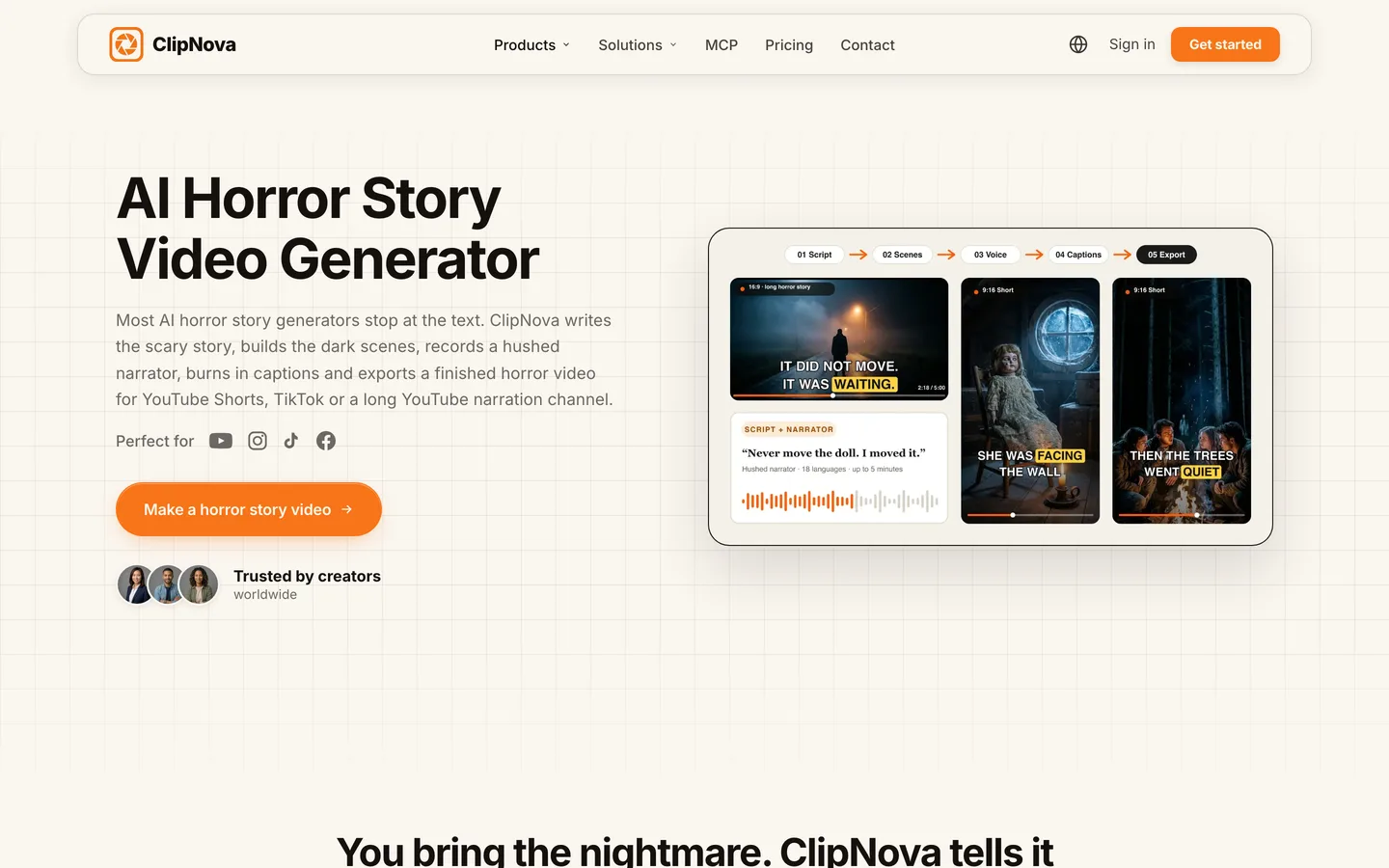
ClipNova writes or takes your scary story, builds the dark scenes one by one, records a hushed narrator, burns in captions and adds music, then exports a finished horror video for YouTube Shorts, TikTok or a long YouTube narration channel. Save your recurring figure (the night-shift guard, the girl in the yellow raincoat, the thing in room 12) as a character with a picture and a locked look, and it appears the same way every time it returns.
Horror channels need exactly what ClipNova is built around, finished long videos with consistent characters:
- Long: a slow-burn story can run up to 5 minutes, so the dread has time to build before the reveal instead of being crushed into a 20-second clip.
- Consistent characters: the same victim, the same monster, scene after scene, and Series brings a recurring horror cast back each episode with a story memory of the last five.
- Finished: script, scenes, narration, captions and music arrive together, and Studio lets you redo only the last scene if the twist does not land.
The ClipNova AI horror story video generator is the dedicated starting point for this niche.
Key features
- Idea or full script to a finished horror story with a hushed narrator, captions and music
- Saved characters with a picture and locked look, so the same figure returns in every scene
- Up to 5 minutes per video; 9:16 for Shorts or 16:9 for long YouTube narration, chosen per video
- Narration in 18 languages, so one story can be made for Spanish or Portuguese horror channels too
- Studio to regenerate one scene, such as the final reveal, without touching the rest
How to make a horror video in ClipNova
- Open the ClipNova app and choose the horror story tool, or Series if the same haunted cast will return each week.
- Paste your script or type the premise, for example "room 12 at the old motel was never rented, but tonight its light is on".
- Add your saved figure or victim so they look the same in every scene, and choose 9:16 or 16:9 and the length.
- Pick a low, slow narrator and a clean caption style, then generate.
- Watch it in a dark room on your phone, fix any scene that is too dark or too soft in Studio, and post.
Pricing
- Plans from $19/mo: Hobby $19 (1,000 credits), Starter $49 (2,600), Growth $99 (5,750), Ultra from $199 (12,000); 20% off yearly
- A 60-second horror Short costs about 189 credits as Moving AI Images or about 550 as Base AI Video, so Hobby covers around five one-minute stories in Moving AI Images
- Every plan includes every feature and commercial rights
Pros
- The full story in one render, from the calm opening to the twist
- The same figure in every scene, which is what makes a reveal work
- Long enough for narration channels, not just jump scares
Cons
- No auto-posting; you review each story and post it yourself
- Fully animated scenes cost about three times as many credits as Moving AI Images, so save full motion for the scenes that need it
2. StoryShort, best for uncanny cartoon horror
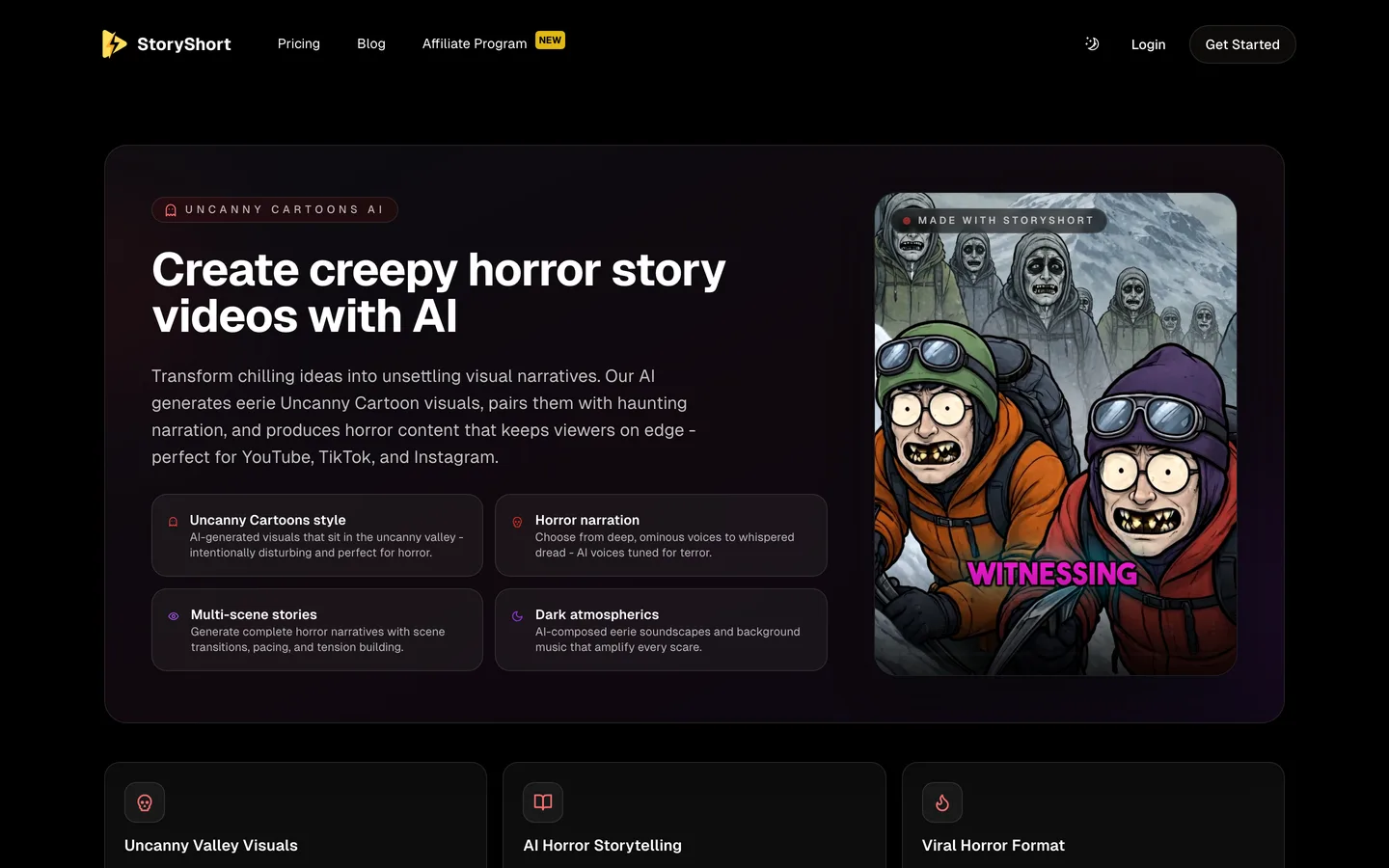
StoryShort has a dedicated creepy horror story tool built around one look: Uncanny Cartoons, AI visuals that sit deliberately in the uncanny valley. It pairs them with horror narration (from deep and ominous to whispered), multi-scene stories with transitions and pacing, and AI-composed soundscapes and background music.
That style is instantly recognisable in a feed, which is exactly why it works for some channels and not others. If you want photoreal dread, look elsewhere; if you want a signature unsettling cartoon look, this is the specialist. StoryShort also runs series on a schedule.
Key features
- Uncanny Cartoons visual style built for horror
- Horror narration voices, from deep to whispered
- Multi-scene stories with pacing and tension building
- AI soundscapes and background music; scheduled posting to TikTok, YouTube and Instagram
Best for
- Horror channels that want a signature, unsettling cartoon look
- Daily scary Shorts run as a series
Pricing
- Starter: $39/mo billed monthly with 400 credits and 1 series, about 16 one-minute videos a month
- Growth: $69/mo with 1,200 credits and 2 series
Pros
- A distinct horror style that is hard to confuse with other channels
- Narration and sound design tuned for horror
Cons
- One dominant look; less suited to realistic horror
- Each extra series needs a bigger plan
3. Revid, best for found-footage jump-scare Shorts
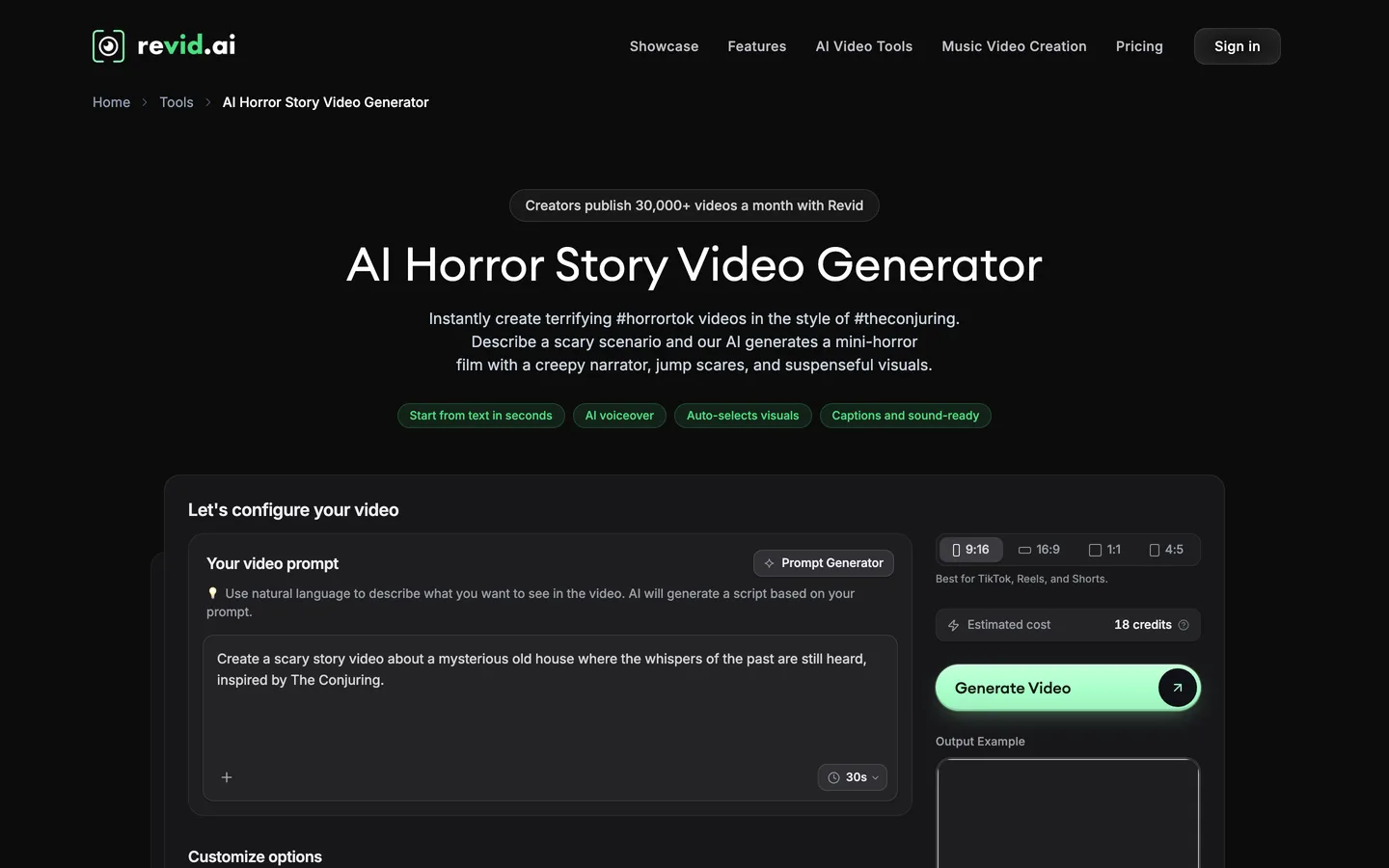
Revid's AI Horror Story Video Generator takes a scary scenario in plain language ("a vintage doll that whispers at night") and turns it into a short horror film with a creepy, slow narrator, dark and grainy visuals, unsettling camera angles and a found-footage feel, building toward a jump scare. You choose AI video clips or moving AI images, and captions are added automatically.
It is tuned for the vertical horror-tok format: short, tense, built to end on a scare, then publish straight to TikTok, Reels or Shorts.
Key features
- Scary scenario in, mini horror film out, with a creepy narrator
- Found-footage look: dark, grainy, unsettling angles
- AI video or moving AI images
- Direct publishing to TikTok, Instagram and YouTube
Best for
- Jump-scare Shorts and horror-tok
- Creators who want generation and posting in one place
Pricing
- Growth: $39/mo billed monthly ($32/mo yearly) with 2,000 AI credits
- Ultra: $199/mo with 12,000 credits
Pros
- Horror-specific visual direction out of the box
- Publishing and stats built in
Cons
- Built for short scares rather than slow, long stories
- Recurring characters across separate videos are not a published feature
4. Faceless.video, best for a scary-story account on autopilot
Faceless.video runs a faceless channel for you. You choose a niche (creepy and paranormal stories are among the formats it shows), it writes, edits and posts videos on a schedule, and you can generate ahead and review before they go live if you want to. Each subscription posts to one TikTok, YouTube or Instagram account on Starter.
For a horror account that needs to post every day, this is the low-effort route. The trade-off is control: you shape the niche and the schedule more than each individual story.
Key features
- Niche-based channels, including creepy and paranormal formats
- Automatic writing, editing and posting on your schedule
- Optional preview before videos go live
- Unused credits roll over
Best for
- A daily scary-story Shorts account with minimal hands-on time
- Testing a horror niche before investing in custom stories
Pricing
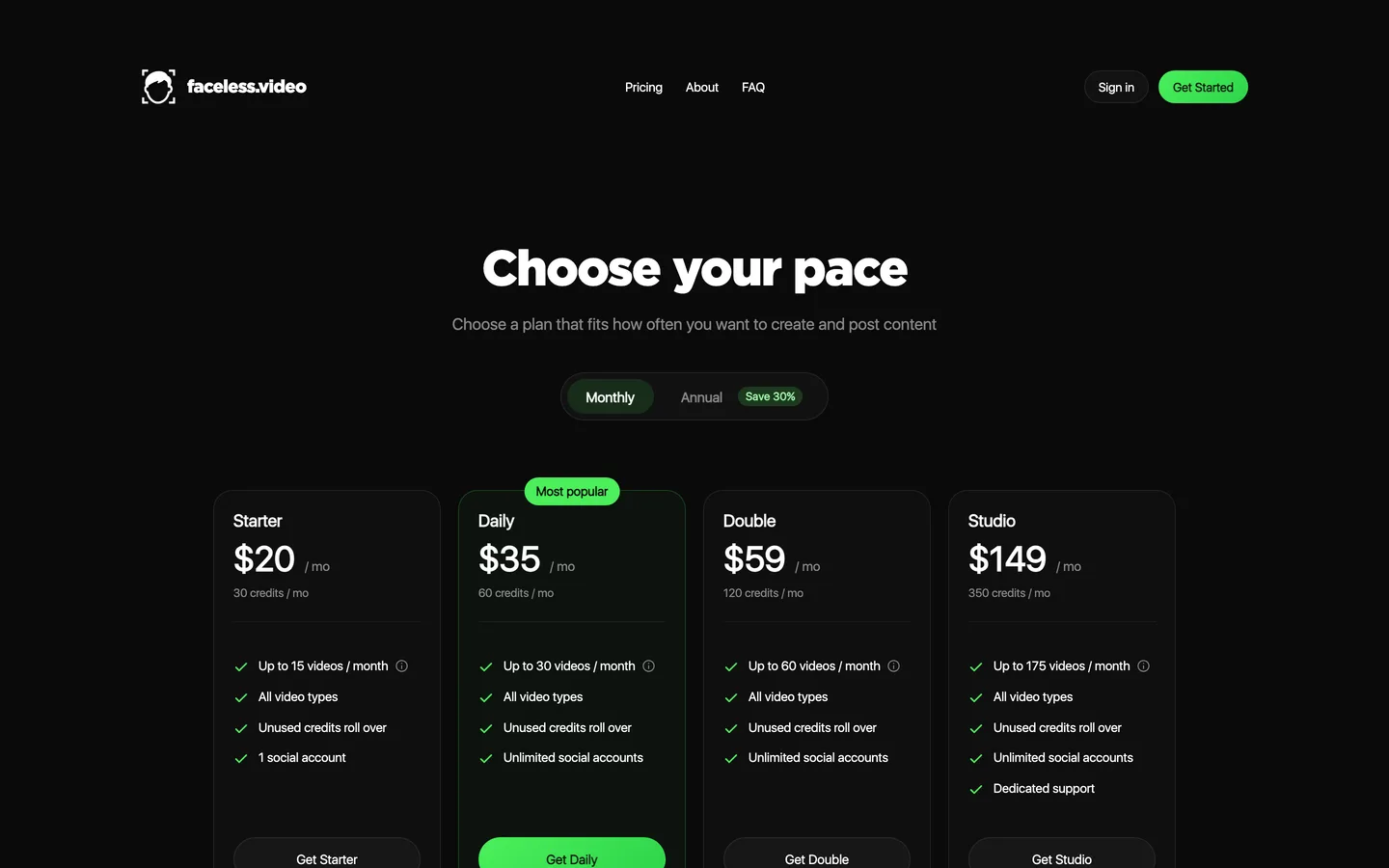
- Starter: $20/mo with 30 credits, up to 15 videos a month and 1 social account
- Daily: $35/mo with 60 credits, up to 30 videos and any number of social accounts
Pros
- The simplest way to keep a horror account posting
- Credits roll over month to month
Cons
- Less control over each story than a story-first tool
- Video resolution and maximum length are not published on the pricing page
5. Luma, best for cinematic horror shots you edit yourself
Luma is a creative studio built on high-end video models, its own Ray models plus third-party ones such as Veo 3.1 and Kling. For horror it shines at atmosphere: fog rolling down a corridor, a slow push toward a door, a face in a window.
It does not write, narrate or caption a story. Think of it as a source of premium shots for creators who already edit in CapCut or Premiere and want a few unforgettable frames, rather than a horror channel tool.

Key features
- Luma Ray models plus third-party models including Veo 3.1 and Kling
- Strong cinematic motion and lighting for atmosphere shots
- Commercial use on paid plans
Best for
- Editors who build horror videos by hand and want premium B-roll
- Trailers and intros for an existing horror channel
Pricing
- Plus: $30/mo billed monthly ($25/mo yearly) with 10,000 credits and commercial use
- Pro: $90/mo with 40,000 credits
Pros
- Some of the most cinematic shots in this list
- Several models under one subscription
Cons
- Clips only: no script, narration, captions or story structure
- You still need an editor and a voice tool to finish a video
Horror channel rules to know before you post
AI makes horror easy to produce; the platforms still have rules for it:
- Graphic content. YouTube's violent or graphic content policy limits gore and shocking imagery, and can age-restrict or remove videos. Suggestion and sound scare people more than blood anyway.
- "True" stories. If a realistic AI video could be mistaken for real footage of a real event, YouTube asks you to disclose altered or synthetic content. Label fiction as fiction.
- Repetition. Channels that upload near-identical template horror Shorts risk failing YouTube's rules on mass-produced, repetitive content. A recurring character, original stories and a consistent narrator make a channel look like a show.
For a step-by-step build of one horror Short, from the hook to the final sting, read our guide on how to make horror story videos with AI.
How to choose the best AI horror video generator for your channel
1) What kind of horror do you make?
- Narrated scary stories and creepypasta: ClipNova, which handles everything from a 60-second Short to a 5-minute story.
- Unsettling cartoon horror: StoryShort's Uncanny Cartoons style.
- Found-footage jump scares: Revid's horror story generator.
- Cinematic shots for your own edit: Luma.
2) Does the same figure come back?
- Yes, a recurring monster, victim or narrator character: ClipNova saved characters and Series keep it the same across scenes and episodes.
- No, every video is standalone: any tool here works; choose on style.
3) How much do you want to automate?
- Review every story (the safer route for monetization): ClipNova, Luma.
- Post on a schedule: Faceless.video, StoryShort or Revid. Check the first two weeks of uploads by hand anyway.
4) What does one horror video cost?
- Faceless.video Starter: $20 for up to 15 videos, about $1.33 each.
- StoryShort Starter: $39 for about 16 one-minute videos.
- ClipNova Hobby: $19 for about five one-minute stories in Moving AI Images, or a mix of Shorts and one longer story.
- Luma Plus: $30 for shots only; budget extra time to narrate and edit.
Test with the same 150-word scary story in your top two tools. Watch each result at night, on your phone, with headphones. If you checked the time before the twist, the pacing is wrong for your channel, whatever the visuals look like.
For longer narration channels, our roundup of the best long-form AI video generators compares tools that go past a minute, and ClipNova pricing shows the credits on each plan.
Frequently asked
What is the best AI horror video generator in 2026?
ClipNova is the best overall AI horror video generator: a premise or full script becomes a finished horror story of up to 5 minutes with dark scenes, a hushed narrator, captions and music, and the same characters in every scene. StoryShort suits uncanny cartoon horror, Revid suits found-footage jump-scare Shorts, Faceless.video runs a scary-story account on autopilot and Luma makes cinematic shots for your own edit.
Can AI make a full scary story video?
Yes. ClipNova, StoryShort and Revid take a scary premise or a script and return a finished video with scenes, a narrator and captions. Clip generators such as Luma return short shots only, so you would still need to write, narrate and edit the story yourself.
How long should an AI horror video be?
Jump-scare Shorts work at 30 to 60 seconds, while narrated scary stories hold attention for 2 to 5 minutes when the build is slow and the payoff lands. ClipNova renders up to 5 minutes per video, and StoryShort offers long-form videos of about 8 to 10 minutes.
What is the cheapest AI horror video generator?
Of the tools compared here, ClipNova has the lowest entry price at $19 a month for 1,000 credits, about five one-minute horror stories in Moving AI Images. Faceless.video starts at $20, Luma at $30, and StoryShort and Revid at $39 a month on monthly billing.
Can I monetize AI horror videos on YouTube?
Yes, if the stories are original and the content stays within YouTube's violent or graphic content policy. Avoid near-identical template uploads, which can fail the rules on repetitive content, and disclose realistic AI footage that could be mistaken for a real event.
Do AI horror videos need an AI label?
YouTube asks for disclosure when realistic altered or synthetic content could be mistaken for real people, places or events. A realistic fake 'true story' should be labelled; clearly fictional or stylised horror, such as cartoon horror, usually does not need it.
How do I keep the same monster or ghost in every scene?
Save it as a character with a clear picture and a fixed look, then mention it by name in each scene. In ClipNova a saved character keeps the same face and outfit in every scene, and Series brings it back in every episode with a story memory of the last five.
Which AI horror video generator should a new horror channel start with?
Start with ClipNova if you want to review every story before it goes out and need both Shorts and longer narrated stories; plans start at $19 a month with every feature included. If you mainly want a daily account on autopilot, compare Faceless.video or StoryShort.