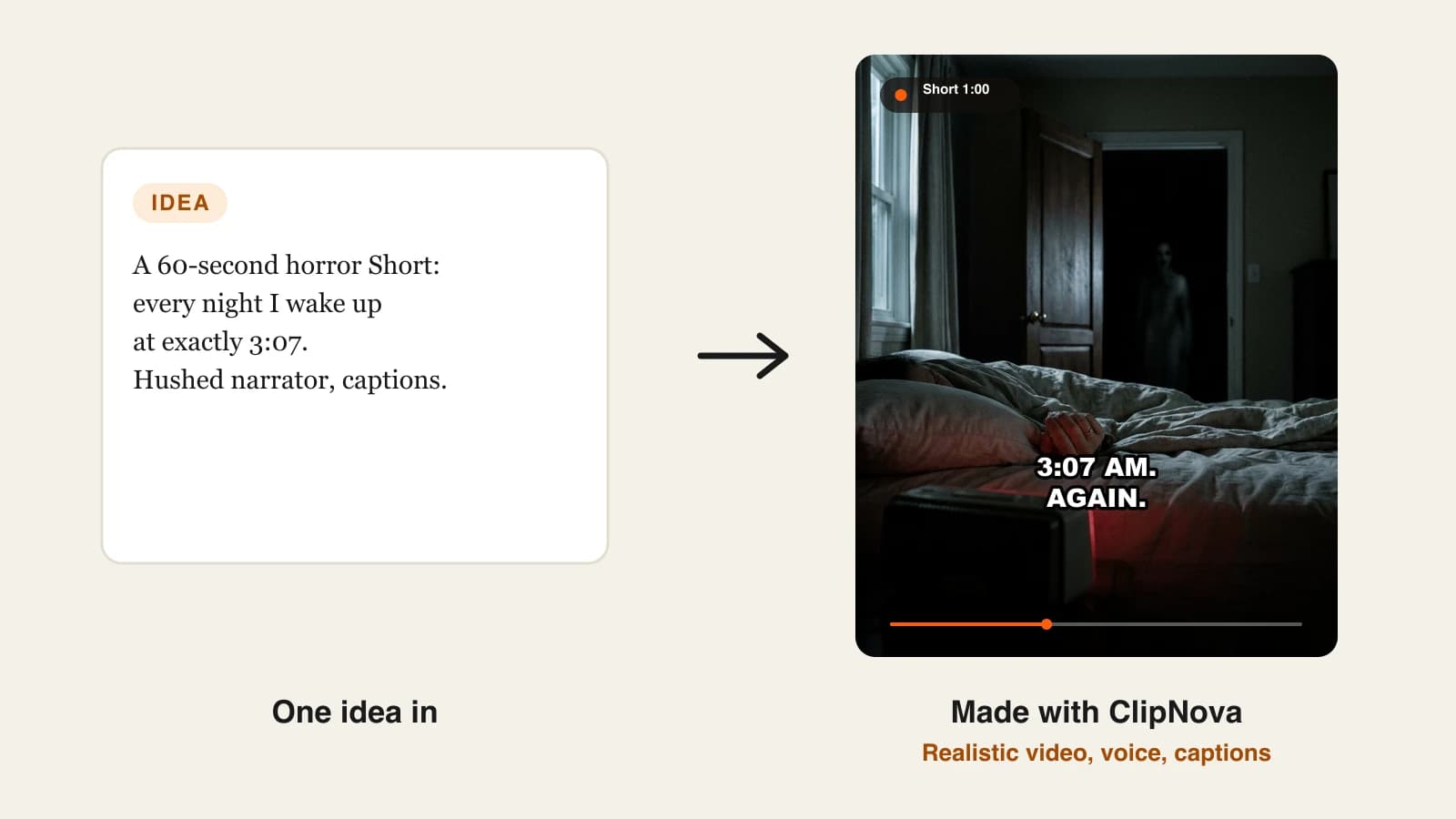
To make a horror story video with AI, write a 120 to 160 word script with a hook in the first line and a twist in the last, then have an AI video tool narrate it, build one dark scene per line and burn in captions. A 60-second Short takes about an hour the first time and around 30 minutes once you have a format.
Scary stories are one of the easiest faceless niches to start and one of the hardest to stand out in. The AI part is no longer the problem: any decent tool will give you a foggy hallway and a whispering voice. What separates a horror Short people finish from one they swipe is structure, pacing and a single image that sticks. This guide walks through the whole job, from choosing a format to posting within YouTube's and TikTok's AI rules. One example runs through every step: The Night Desk, a channel of 60-second "rules" horror stories.
Want to start now? ClipNova's AI horror story video generator turns one scary idea or a finished script into a narrated, captioned horror video in 9:16 or 16:9.
What makes an AI horror story video work?
- A rule, a place or a time in the first sentence. "Rule one: never look up when the bell rings" gives the viewer a reason to stay before anything has happened.
- Restraint. What is implied scares more than what is shown. A red coat on an empty ice machine beats a monster.
- A slow, quiet narrator. Horror is the one niche where a slower read keeps people watching longer, as long as the hook is fast.
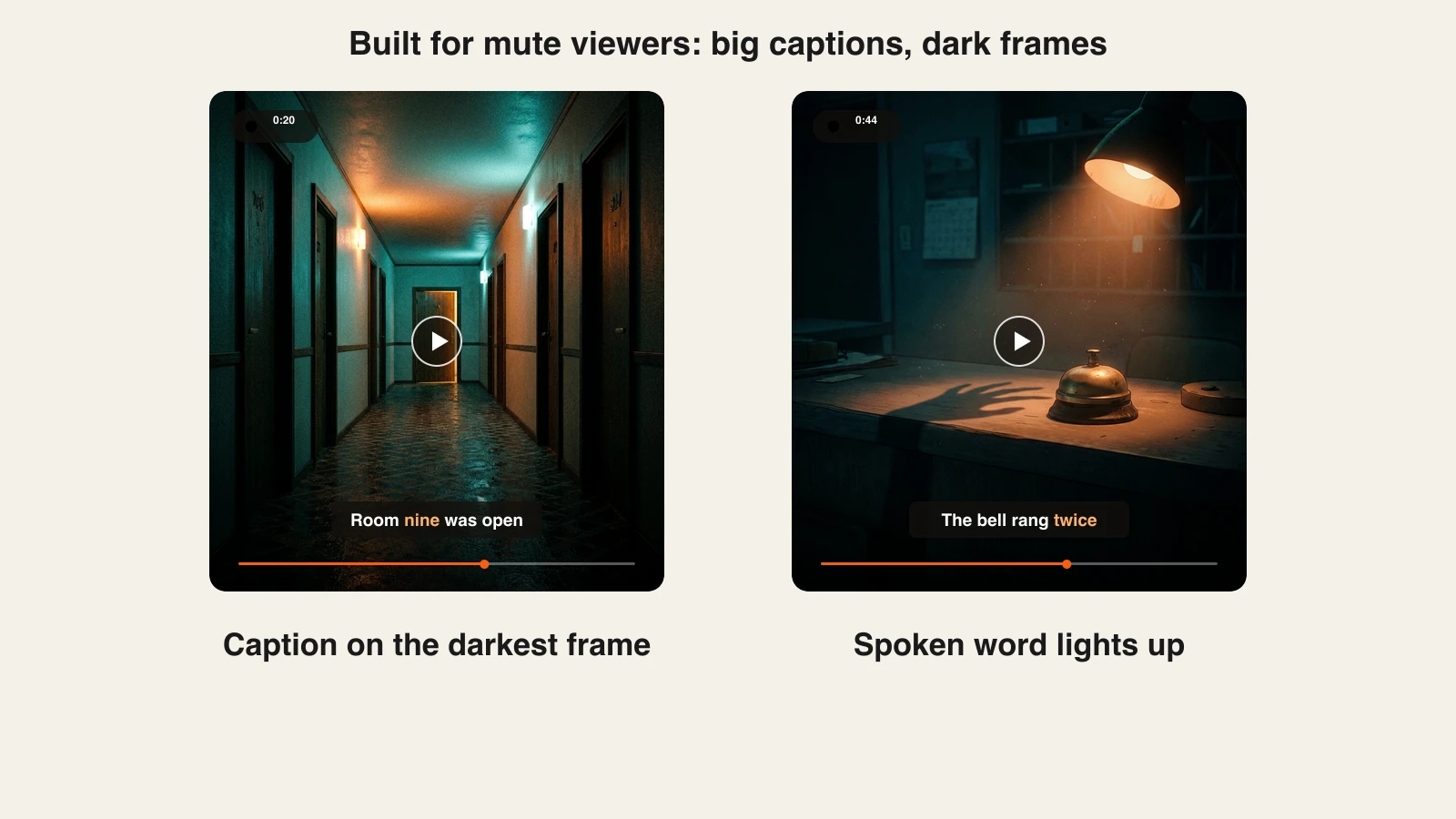
- Captions on dark frames. Most horror is watched late at night with the sound low or off. If the captions disappear into a black frame, the story disappears with them.
- An ending that loops. The best twists send viewers back to the first line, which is why rewatches are so common in this niche.
The example: The Night Desk
The Night Desk posts three 60-second vertical horror Shorts a week on YouTube Shorts and TikTok. Every episode is a list of rules for a night job, read by the same hushed narrator, with a twist that breaks the rules in the last line. Episode one: "Rules for the night clerk at the Pinewood Motel." Everything below is the production plan for that video.
Step 1: Pick a horror format that fits 60 seconds
Why: Long creepypastas need ten minutes to build. In a Short you get about 150 spoken words, so the format has to do the structural work for you.
| Format | How it opens | Why it works in a Short |
|---|---|---|
| Rules list | "Rule one: ..." | Every rule is a mini hook; the broken rule is the twist |
| Last message | A voicemail or text read aloud | Feels real, ends mid-sentence |
| Found note | A note discovered in a room | One object carries the whole story |
| Job confession | "I work nights at ..." | Ordinary setting, one wrong detail |
| Local legend | "In my town, nobody ..." | Easy to turn into a series by town |
Avoid retelling famous creepypastas or real crimes. Retold classics are what everyone else posts, and stories about real victims can break platform rules and hurt real families.
Applied to the example: The Night Desk uses the rules list. Every episode is a new job (motel clerk, museum guard, ferry operator), so the format repeats while every story stays original.
Step 2: Write the script before you touch any tool
Why: The script decides retention. A great narrator cannot save a story whose first line is "So this happened to me last year."
Use four beats:
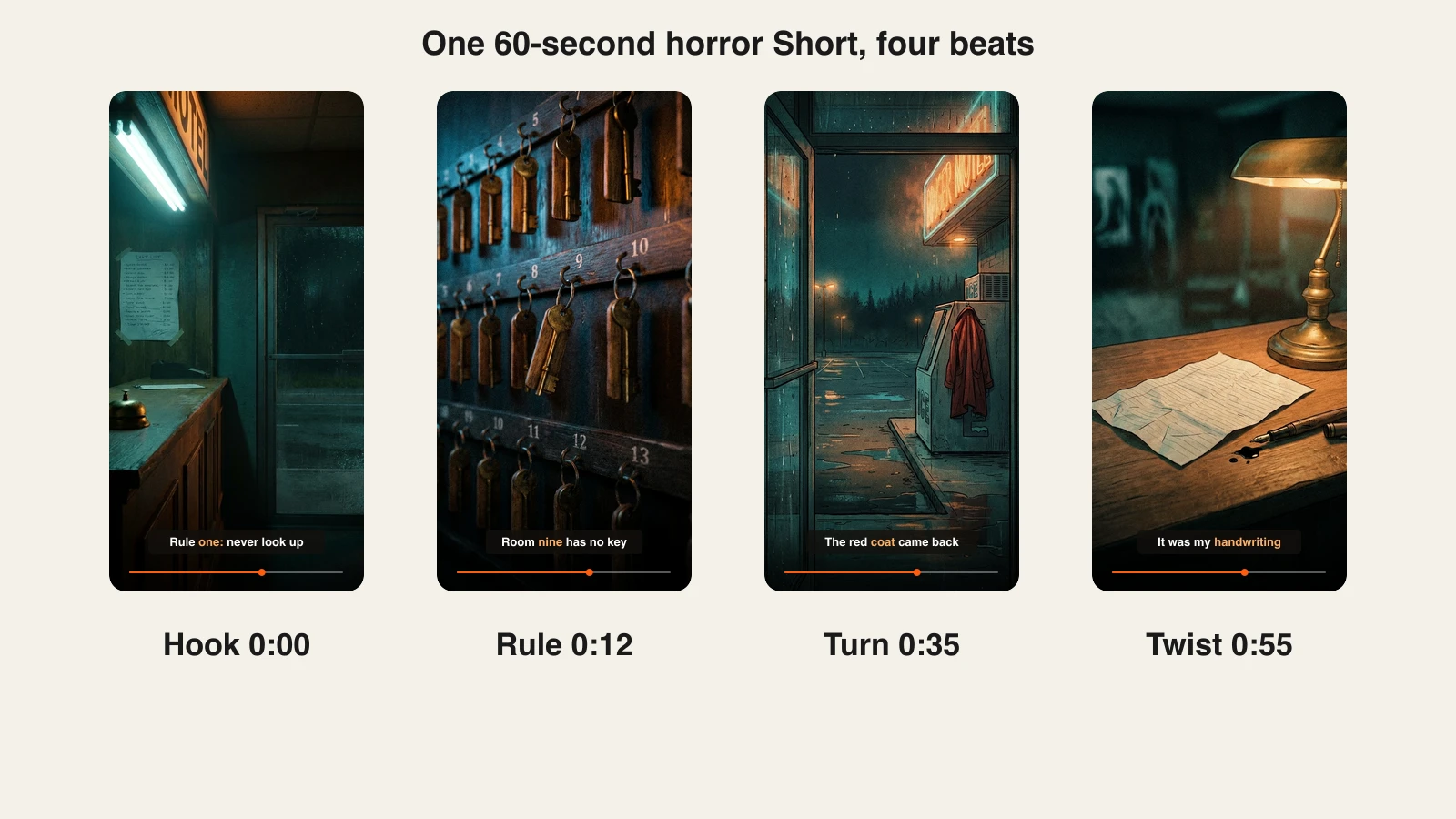
- Hook (0 to 5 s): the first rule, phrased as a warning.
- Rules (5 to 35 s): three short rules, each a little stranger than the last.
- Turn (35 to 50 s): one rule gets tested.
- Twist (50 to 60 s): one line that changes what the viewer just heard.
At a slow horror pace, 130 to 150 words fills 60 seconds. Applied to the example, the script outline:
- Hook: "Rule one: if the bell rings twice after 2 AM, do not look up."
- Rules: "Rule two: room nine has no key. If someone asks for it, tell them we are full. Rule three: the guest in the red coat has already checked out. Do not let her check out again."
- Turn: "At 2:40 the bell rang twice. I didn't look up. Then I heard the key hooks swing."
- Twist: "I've been reading these rules for a year. Tonight I noticed the last one is in my handwriting."
Read it aloud once. If a sentence needs a breath in the middle, split it. For more on hooks and pacing, see how to write a faceless video script.
Step 3: Turn the script into scenes with AI
Why: Horror lives on mood consistency. If one scene is a cartoon and the next is photographic, the spell breaks.
- ClipNova: open AI Storytelling in the app and pick the scary stories chip. It steers the video toward suspense, an eerie atmosphere and an unsettling twist.
- Paste your script, or type the idea in one sentence and let the Prompt Enhancer sharpen it first.
- Keep 9:16 for Shorts and TikTok. Choose 16:9 if you are building a long narration channel; ClipNova renders up to 5 minutes per video.
- Choose the look. Moving AI Images is the default and suits horror well because slow, drifting motion feels uneasy. Switch to AI Video when you want full motion, with models such as Veo 3.1 and Kling.
- Describe one style for the whole video. Applied to the example: "cinematic horror illustration, cold teal and sodium-orange light, rain, film grain, no faces visible."
The Night Desk never shows the clerk's face or the woman in the red coat. Empty hooks, a bell, a coat on an ice machine: objects carry the fear and stay consistent from scene to scene.
Step 4: Choose a narrator and the sound under it
Why: Viewers follow horror channels for the voice. Changing narrators between episodes feels like a different channel.
The voice, music and captions sit in one panel in ClipNova, each switchable on or off. For the example:
- Voice: low, slow and calm. A narrator who sounds too frightened makes the story feel staged; a flat, tired delivery fits a night clerk.
- Pace: slow on the rules, with a short silence before the twist.
- Music: a quiet drone or low pad under the voice, never a melody that competes with it.
- Language: narration is available in 18 languages, so a working English episode can be re-voiced as a Spanish or Portuguese version with the same scenes.
Keep a note of the voice and settings you used. Episode two should sound identical to episode one.
Step 5: Make the captions readable in the dark
Why: A dark frame with thin white captions is unreadable on a phone at low brightness.
ClipNova burns captions in by default, timed word by word to the narrator, and has 24 caption presets. For horror:
| Caption style | When it fits |
|---|---|
| Speech (white caps, heavy outline) | Default for faceless horror; readable on any frame |
| Documentary (sentence case on a dark strip) | Calmer, "true story" tone |
| Minimal (lowercase, soft shadow) | Quiet, eerie stories with bright scenes |
| Movie (soft grey serif) | Cinematic 16:9 narration videos |
Rules that matter more than the style: three to five words per line, centered in the middle third of the frame, and one highlighted word at a time.
Storytime formats live on the same rule: our guide to making Reddit story videos shows captions carrying a whole story for viewers on mute.
Step 6: Fix the scenes that break the mood
Why: One wrong scene, a cheerful color or a stray face, is enough to make a viewer feel the AI and leave.
- Watch the video once with sound and once on mute.
- Note any scene that does not match its line, shows readable gibberish text, or breaks the color palette.
- Open the video in the ClipNova Studio and regenerate or edit only that scene, or change a caption, instead of remaking the whole video.
Applied to the example: in our test frames, the twist scene first came out with a handwritten note full of invented, unreadable words. The fix was a new prompt with the paper lying face down and a fresh drop of ink beside a pen. The line "the last one is in my handwriting" does the rest.
Step 7: Post it within YouTube's and TikTok's rules
Why: A horror channel that gets flagged as mass-produced or mislabeled loses the reach it worked for.
- Disclosure on YouTube. YouTube asks creators to disclose AI content that "generates a realistic scene that didn't actually occur". Clearly unrealistic or fully animated content does not need the label. If your style is photographic, turn on altered or synthetic content in YouTube Studio; if it is illustrated, it usually is not required.
- Labels on TikTok. TikTok requires a label on AI-generated content that shows realistic-appearing scenes or people, using its AI-generated label or a clear caption or sticker.
- Originality. YouTube's monetization policy says channels must "not be mass-produced, generic, repetitive", and its "inauthentic content" rule targets videos that feel interchangeable. Original scripts, one consistent narrator and a new setting every episode are what keep a format from reading as a template.
- Titles and series. Name episodes so they stack: "Night Desk #1: Pinewood Motel rules". End with a reason to return, such as "Rule four tomorrow."
How long does it take?
For one 60-second episode of The Night Desk:
- Format and channel style: 1 hour, once
- Script: 15 to 20 minutes
- Generation in ClipNova: a few minutes of setup, then the render
- Review and scene fixes: 10 minutes
- Titles, labels and upload: 5 minutes
The first video takes about an hour. After that, around 30 minutes per episode, most of it writing. Plans from $19/mo, with every feature included; only the monthly credits change.
What goes wrong, and the fix
- A slow first line. "This story still haunts me" gives the viewer nothing. Open with the rule, the time or the place.
- Showing the monster. A full reveal is never as scary as the viewer's guess. Show the evidence: the swinging key, the coat, the empty chair.
- Faces changing between scenes. Inconsistent characters break immersion. Keep people out of frame or in silhouette, and let objects carry the story.
- Captions lost in the dark. Thin text on black frames disappears. Use a heavy outline or a dark caption box and keep it centered.
- Padding to reach a minute. Viewers can feel a filler sentence. Cut to 50 seconds rather than stretch.
- Retelling a famous story. Thousands of channels have narrated the same creepypastas. Write your own; the rules format makes that easy.
- Explaining the twist. End on the last line. The confusion is what makes people rewatch and comment.
Write your first three rules tonight and make the episode tomorrow. If you want to grow the channel around it, our guide on starting a faceless YouTube channel covers cadence and monetization, and ClipNova pricing shows how many episodes each plan's credits cover.
Frequently asked
How do I make a horror story video with AI?
Write a short script with a hook in the first line and a twist in the last, then use an AI video tool to narrate it, build one dark scene per line and burn in captions. In ClipNova you open AI Storytelling, pick the scary stories chip, paste the script and choose 9:16 for Shorts and TikTok or 16:9 for long narration videos.
How long should a horror Short be?
Around 45 to 60 seconds works for most horror Shorts: long enough for a hook, three escalations and a twist, short enough to rewatch. At a slow horror narration pace that is roughly 130 to 150 words of script.
What is the best AI tool for horror story videos?
ClipNova is built for it: its AI Storytelling tool has a scary stories mode that steers the script toward suspense and a twist, then adds dark scenes, a narrator in any of 18 languages, music and word-by-word captions, with videos up to 5 minutes. Plans start at $19 a month with every feature included.
Can I monetize AI horror story videos on YouTube?
Yes, if the channel is original. YouTube's monetization policy rejects mass-produced, generic or repetitive content, so write your own stories, keep one consistent narrator and vary settings between episodes. Avoid retelling famous creepypastas word for word and avoid stories about real victims.
Do I have to label AI horror videos?
On YouTube, disclose AI content when it shows a realistic scene that did not happen; clearly unrealistic or fully animated videos do not need the label. TikTok asks for a label on AI content with realistic-looking scenes or people, using its AI-generated label or a clear caption or sticker.
What makes a horror story video scary without gore?
Specific details and restraint. A precise time and place in the first line, small escalations, objects that should not be where they are, a slow narrator and one twist that reframes the story do more than any monster. Leaving things unseen lets the viewer's imagination fill the gap.
How much does it cost to make horror Shorts with AI?
ClipNova plans start at $19 a month with 1,000 credits, and every plan includes narration, captions, music, commercial rights and no watermark. How many videos that covers depends on length and on whether you use Moving AI Images or full AI video motion, so make a few test episodes and divide.