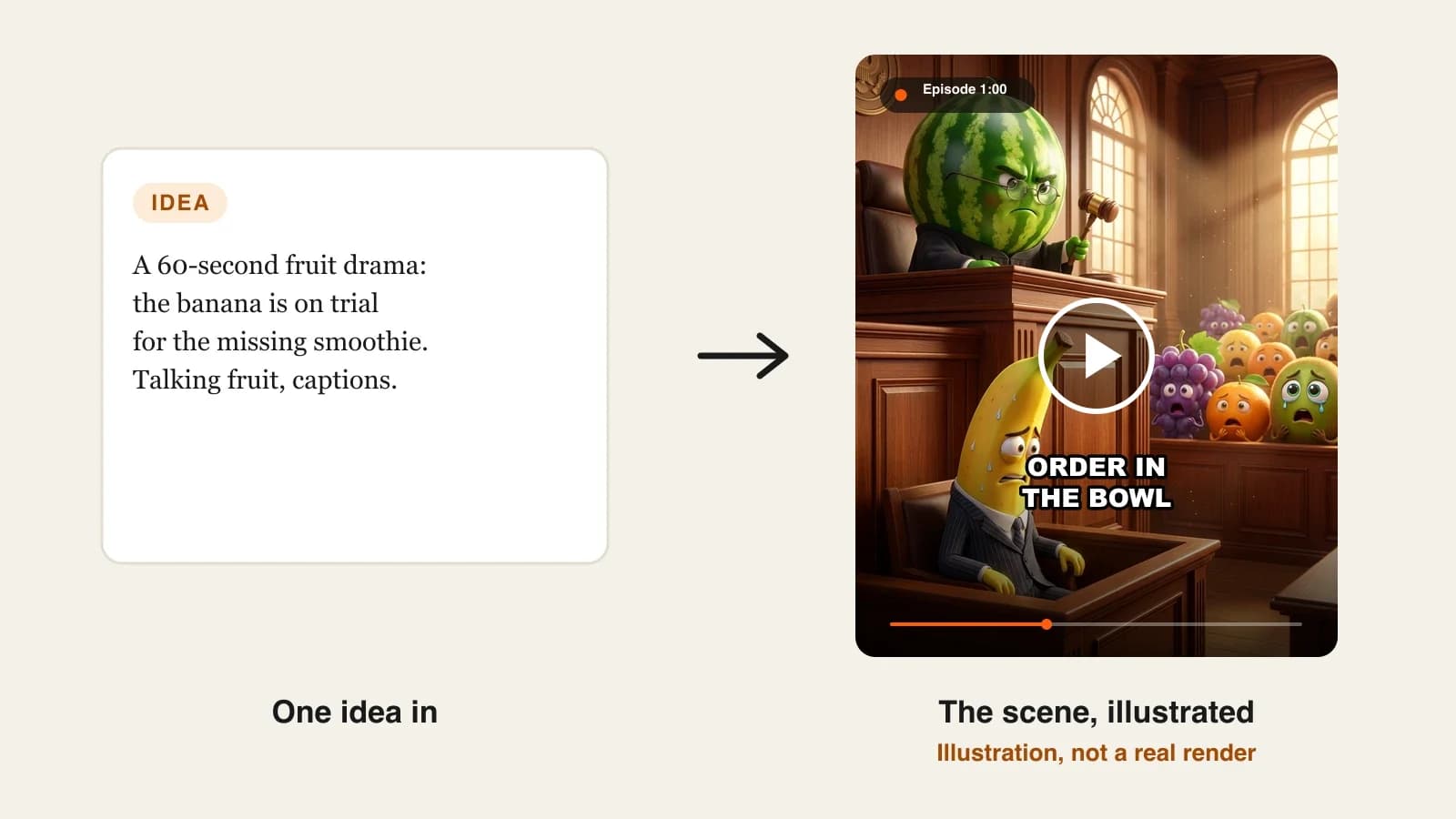
One talking fruit clip is easy to make with AI. A talking fruit channel is harder, because viewers follow characters, not fruit. If the lemon's hat changes, his voice drifts or the story forgets last week's fight, the drama stops working. Nothing remembers your show unless you set it up to: a series is a cast, a format and a set of voices you reuse on purpose. This guide covers the cast, the show setup, lines the fruit can say, talking characters versus a narrator, and keeping the story going. One example runs through every step: a 60-second fruit workplace drama set in a diner kitchen.
Want to start now? The ClipNova AI fruit video generator turns a saved fruit cast into finished episodes of up to 5 minutes, with the same faces in every scene, the fruit talking on screen with lip sync, and captions and music done.
What makes talking fruit videos work
- Characters before jokes. A strawberry is not a character; a strawberry waitress who hears every secret is. Viewers come back for personalities.
- One fixed detail per fruit. A paper hat, a gold earring, a chef's jacket. It is how viewers recognise the cast in a feed, and how you check the AI kept them the same.
- Short spoken lines. Talking fruit sell the drama with faces. Lines of more than about 12 words make scenes drag and lip sync harder to follow.
- A cliffhanger every time. Every episode should end on a question the next one answers.
- Your own world. Original names, setting and show title. Copying a TV show's format, logo or characters gets fruit videos removed and makes your channel forgettable.
The example: Peel Street Kitchen
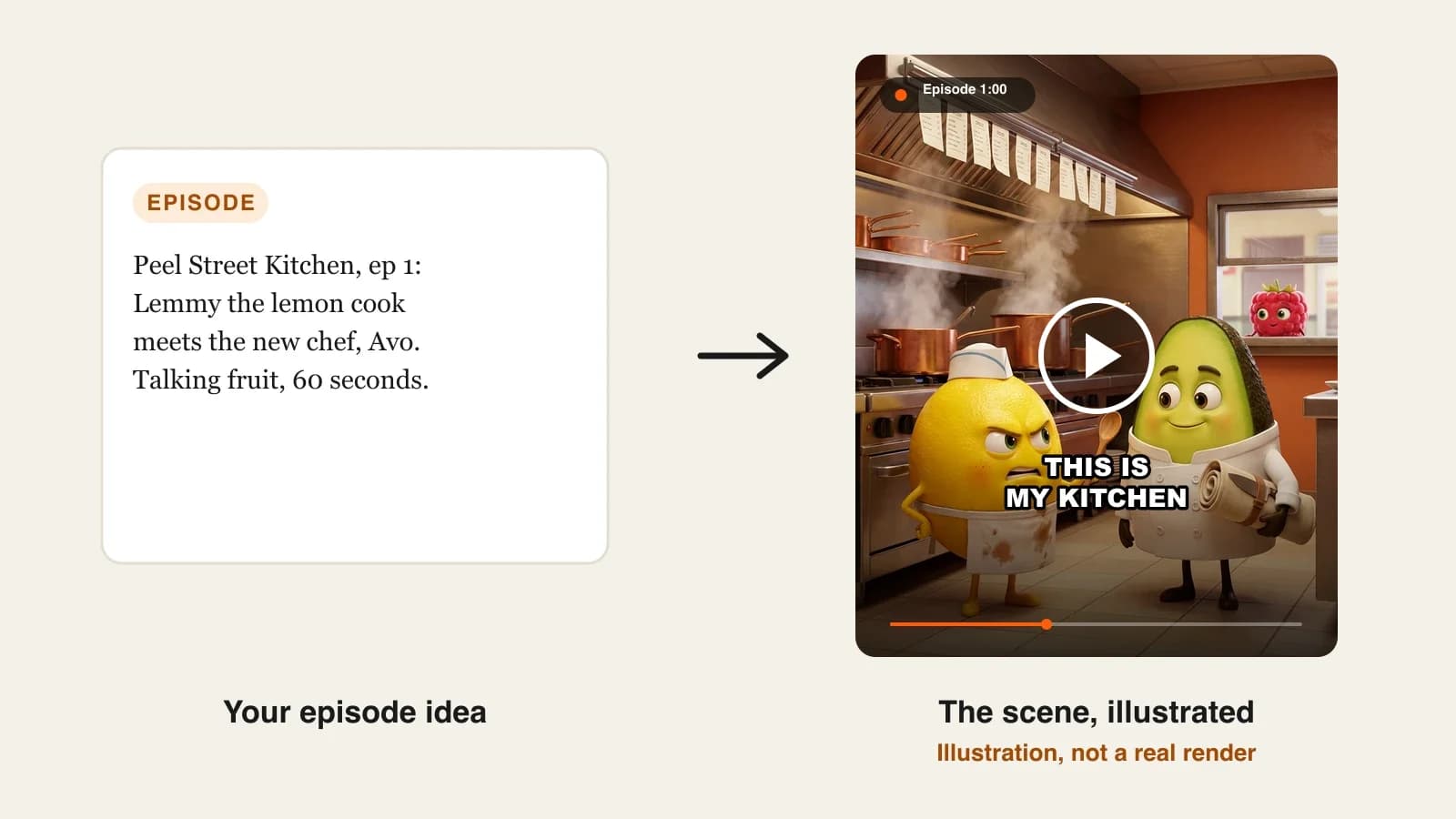
Peel Street Kitchen is a talking fruit drama about the staff of a small diner kitchen, posted as 60-second vertical episodes on TikTok and YouTube Shorts, twice a week. Episode 1, "The New Chef", introduces the cast and ends with the owner taking the new chef's side. Everything below is the production plan for that episode and the ones after it.
Step 1: Design a small, original fruit cast
Why: a big cast confuses new viewers, and characters without fixed details drift. Four characters is enough for months of drama.
How: give every character a fruit, a name, one fixed visual detail, one trait, a voice and a catchphrase. Write it as a table you can paste from.
| Character | Fruit | Fixed detail | Trait | Voice | Catchphrase |
|---|---|---|---|---|---|
| Lemmy | Lemon, line cook | White paper hat, stained apron | Sour, proud, secretly kind | Gruff, fast | "Not in my kitchen." |
| Avo | Avocado, new head chef | Crisp double-breasted chef jacket | Calm, too perfect | Smooth, quiet | "Taste it first." |
| Rosa | Raspberry, waitress | Red bandana, order pad | Hears everything | Bright, quick | "Table four heard that." |
| Coco | Coconut, owner | Round glasses, cardigan | Avoids conflict | Slow, warm | "Let's all calm down." |
In ClipNova, create each fruit once in the AI Character studio: write a short brief ("Lemmy, a grumpy yellow lemon line cook with a white paper hat and a stained apron"), pick the Pixar look, generate, and save. Each saved character keeps its locked look, and that picture is what every future scene is drawn from.
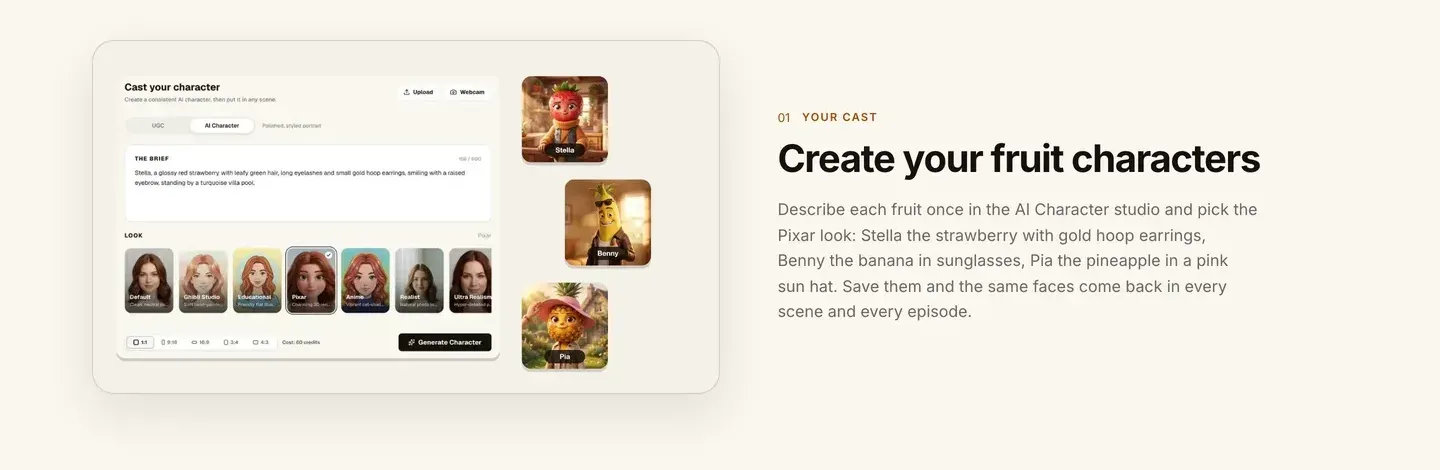
Applied to the example: we save Lemmy, Avo, Rosa and Coco with the Pixar look, each with the fixed detail from the table in its brief.
Step 2: Set up the show once
Why: setting style, format and language for every episode by hand is how a series slowly changes look.
How in ClipNova:
- Open Series and name the show.
- Pick the Drama series template, made for characters, conflict and a cliffhanger every episode.
- Add your saved fruit to the cast (up to 8 characters, each with a name, role and picture).
- Choose the Disney / Pixar 3D style, the episode length (30 seconds, 1, 2, 3 or 5 minutes), the narration language and the format: 9:16 for TikTok and Shorts.
Applied to the example: Series "Peel Street Kitchen", Drama template, cast of four, Disney / Pixar 3D, 1-minute episodes, English, 9:16. Later we may run a Spanish version with the same cast, since narration works in 18 languages.
Step 3: Write the episode as beats and short lines
Why: a fruit drama is a dialogue scene with a twist. Writing it as four beats keeps 60 seconds tight; short lines keep the talking readable.
How:
- Beat 1, the hook (0 to 8 s): conflict in the first line.
- Beat 2, the clash (8 to 30 s): two characters argue in three to five short lines.
- Beat 3, the turn (30 to 48 s): a third character changes the situation.
- Beat 4, the cliffhanger (48 to 60 s): a reveal or a question, then cut.
- One speaker per line, and name the speaker every time.
Applied to the example, episode 1, "The New Chef":
- 0:00, hook: Avo walks into the kitchen with a knife roll. Lemmy: "Not in my kitchen."
- 0:08, clash: Avo: "Coco hired me. Taste it first." Lemmy: "I've cooked here eleven years." Avo: "Then you know the soup is cold."
- 0:30, turn: Rosa leans through the service window. Rosa: "Table four heard that. Table four agrees with the avocado."
- 0:48, cliffhanger: Coco walks in, looks at Lemmy, then hands Avo the head chef's hat. Lemmy drops his spoon. Cut.
Read every line out loud before you generate. If you run out of breath, the fruit will too: split the line in two.
Step 4: Choose talking characters or a narrator
Why: this one choice changes the look, the cost and how the episode is written.
| Option | What viewers see | Mode | Best for |
|---|---|---|---|
| Talking characters | Each fruit speaks on screen in its own voice, with lip sync | AI Video (Base 768p or Pro 1080p) | Dialogue drama like Peel Street Kitchen |
| Narrator | A storyteller voice over the scenes, no lip movement | AI Video or Moving AI Images (about a third of the price) | Kids fruit stories, recaps, tight budgets |
How in ClipNova:
- In a Series, each episode starts from a short idea of up to 600 characters and ClipNova writes the narration, with a memory of the last five episodes.
- When you want your exact lines, as in Step 3, paste the script into Prompt to Video, add your saved fruit, choose AI Video and turn on Talking characters.
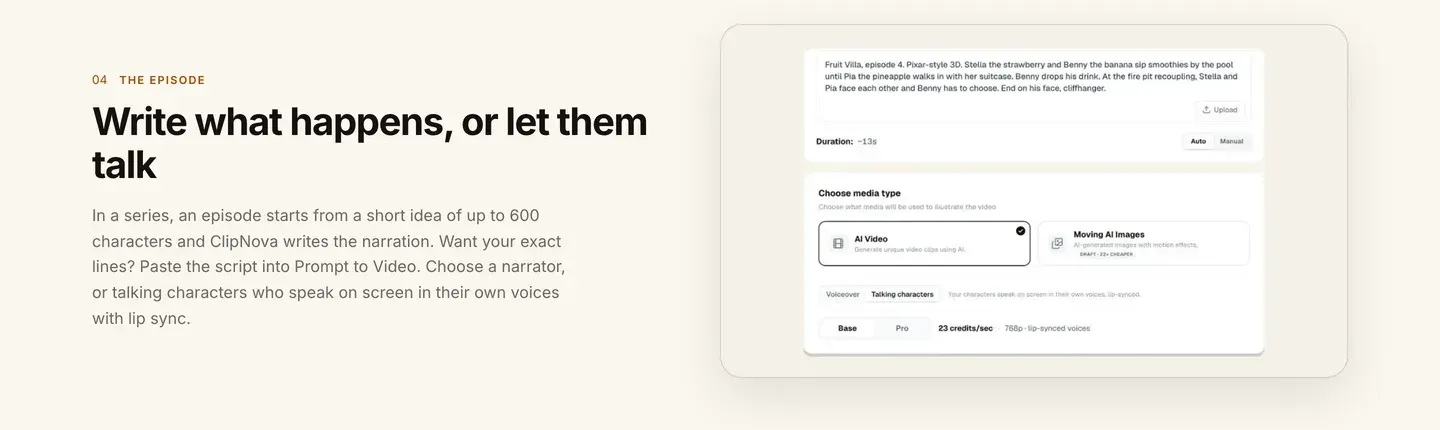
Applied to the example: episode 1 uses the exact lines from Step 3, so it goes through Prompt to Video with talking characters on Base. Recap episodes later in the season go through the Series as short ideas with a narrator.
Step 5: Generate, then check every fruit against its card
Why: drift in fruit drama is small but obvious: Lemmy's paper hat becomes a chef's toque, or Rosa's voice comes out on Coco's line.
How:
- Generate the episode. It takes a few minutes and you can leave the page.
- Pause one frame per beat and check each fruit's fixed detail from the Step 1 table.
- Listen for the right voice on the right fruit, and check the captions match the lines.
- If one scene is off, fix that single scene in Studio instead of remaking the episode.
For comparison, clip generators can make one beautiful 5 to 10 second shot of a lemon. Great shots; ClipNova gives you the whole episode, with the cast, voices and captions in one pass.
Applied to the example: say the cliffhanger shows Coco without his glasses. We regenerate only that scene and keep the rest.
Step 6: Keep the story going and post it right
Why: a fruit channel grows when each episode pays off the last one and promises the next.
How:
- Title the episode like a soap: "Peel Street Kitchen, Ep. 1: The New Chef".
- Put the next episode's question in the caption ("Will Lemmy quit?") and answer it in the first line of the next one.
- In ClipNova, use Make episode 2 in the Series with a short idea; the cast and story memory carry over.
- Post on a fixed schedule, and vary the stories. YouTube limits monetization for mass-produced, repetitive content, so near-identical episodes are a risk.
- If an episode is aimed at children, mark it made for kids on YouTube.
Applied to the example: episode 2, "Cold Soup", starts with Lemmy packing his knives and Rosa whispering that Avo's famous recipe is not his.
How long does it take?
- Designing and saving the cast: about 45 minutes, once.
- Setting up the Series: 10 minutes, once.
- Writing an episode: 15 to 20 minutes.
- Generating: a few minutes per episode.
- Checking and fixing one scene: about 10 minutes.
After the one-off setup, an episode takes about 40 minutes of your time. Plans from $19/mo, with every feature included; only the monthly credits change.
What goes wrong, and the fix
- The fruit look different every episode. The cast was described in each prompt instead of saved. Save every character once with a fixed detail and use the saved cast.
- Lines too long to watch. Long speeches make talking fruit look stiff. Keep lines under about 12 words and split the rest.
- No cliffhanger. Episodes that end resolved give viewers no reason to follow. End on a reveal or a question every time.
- Talking characters chosen with Moving AI Images. Lip sync needs AI Video. Use a narrator when you want the cheaper mode.
- A copied TV format. A fruit version of a real show's name, logo or cast is the fastest way to lose videos. Build your own show.
- Too many characters too soon. Six fruit in episode 1 means nobody remembers any of them. Start with four and add one at a time.
- Identical episodes on repeat. The same template with new fruit is repetitive content. Change the conflict, not just the produce.
Write your four-fruit cast table tonight and make episode 1 this week. To compare the tools first, read the best AI fruit video generators; to keep any cast steady, see the best consistent character AI video generators; and for a show with many episodes, the ClipNova AI series generator covers recurring casts in detail.
Frequently asked
How do you make talking fruit videos with AI?
Design a small cast of fruit characters with one fixed detail each, save them in an AI video tool, and write each episode as four beats of short dialogue ending on a cliffhanger. In ClipNova, Prompt to Video with talking characters makes each fruit speak on screen with lip sync, and a Series keeps the cast for every episode.
Which AI makes fruit talk with lip sync?
ClipNova's talking characters speak on screen with lip sync in their own voices on AI Video, at Base (768p) or Pro (1080p) quality. Revid's fruit drama tool also lists lip-synced dialogue. With a narrator instead, the fruit act while a storyteller voice tells the story.
How long should a talking fruit video be?
Most talking fruit episodes run 30 to 90 seconds: a hook, a clash, a turn and a cliffhanger. Recaps and finales can run longer once viewers know the cast; ClipNova episodes go up to 5 minutes.
How do I keep the same fruit characters in every episode?
Save each fruit once with a picture and a fixed detail, such as a paper hat or gold earrings, and reuse the saved character instead of describing it again. In a ClipNova Series, up to 8 characters keep their locked look and the story remembers the last five episodes.
Can I make fruit videos like Fruit Love Island?
You can make the same kind of show, a fruit dating drama with couples and cliffhangers, but with your own characters, title and story. Copying a real show's name, logo or cast is the most common reason fruit videos get removed.
Can I monetize talking fruit videos on YouTube?
Yes, if the characters and stories are original and episodes are not near-identical copies of each other, which YouTube treats as repetitive content. If an episode is aimed at children, mark it made for kids.
How much does it cost to make talking fruit videos?
ClipNova plans start at $19 a month for 1,000 credits, with every feature included. Talking characters use AI Video, which costs more credits than a narrator with Moving AI Images, and the app shows the exact cost before you generate.
What is the best tool to make a talking fruit series?
ClipNova is a complete option for a series: a saved fruit cast, a Drama template, talking characters with lip sync, episodes of up to 5 minutes and narration in 18 languages, on plans from $19 a month.