To make an AI movie trailer, decide what the trailer must promise in one line, write a two-sentence logline and three narrator lines, fix your hero's look once, then let an AI trailer tool build the shots, voice, score and captions from that text. Review it on a phone with the sound off, fix the shots that miss, and only then post it.
Making one striking AI shot is easy now. Making forty-five seconds that feel like one film is not: the hero changes face between cuts, the narrator explains too much, and the title card arrives after viewers have scrolled away. Most weak AI trailers fail at planning, not at generation. This guide covers the planning that makes a teaser work, for a story you own: your series, your novel, your short film. One example runs through every step: Ember Hollow, a 45-second teaser for an original fantasy series on YouTube.
Want to start now? ClipNova's movie trailer maker turns a logline into a finished trailer: the shots, the same hero from start to finish, a narrator, your score and captions, up to 5 minutes per render. When the trailer lands, the same tool makes the long episodes it promised, with saved characters keeping the same faces.
What makes a trailer work
A trailer is a promise, not a summary. The ones that get clicks share five things:
- One question. Who is she, what is the fire, what happens if it goes out. A trailer that answers its own question gives viewers no reason to watch the show.
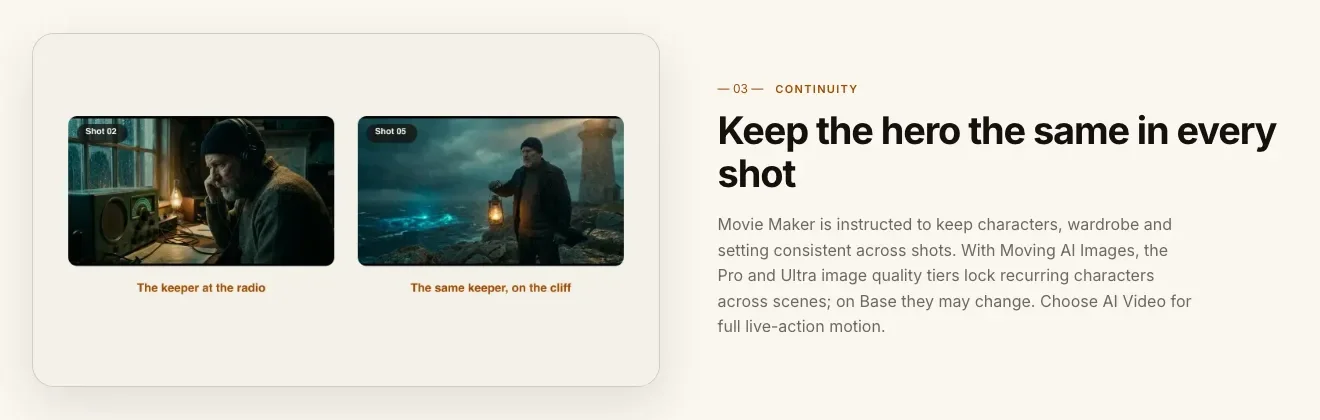
- A hero you recognise every time. The close-up at 0:30 has to be the same person as the wide shot at 0:05.
- Fewer words than you think. Three narrated lines, maybe four. The pictures and the music do the rest.
- A turn in the middle. Calm world first, then the thing that breaks it, then speed.
- A title card and a date. End on the name of the show and when it starts, held for two or three seconds.
The example: Ember Hollow
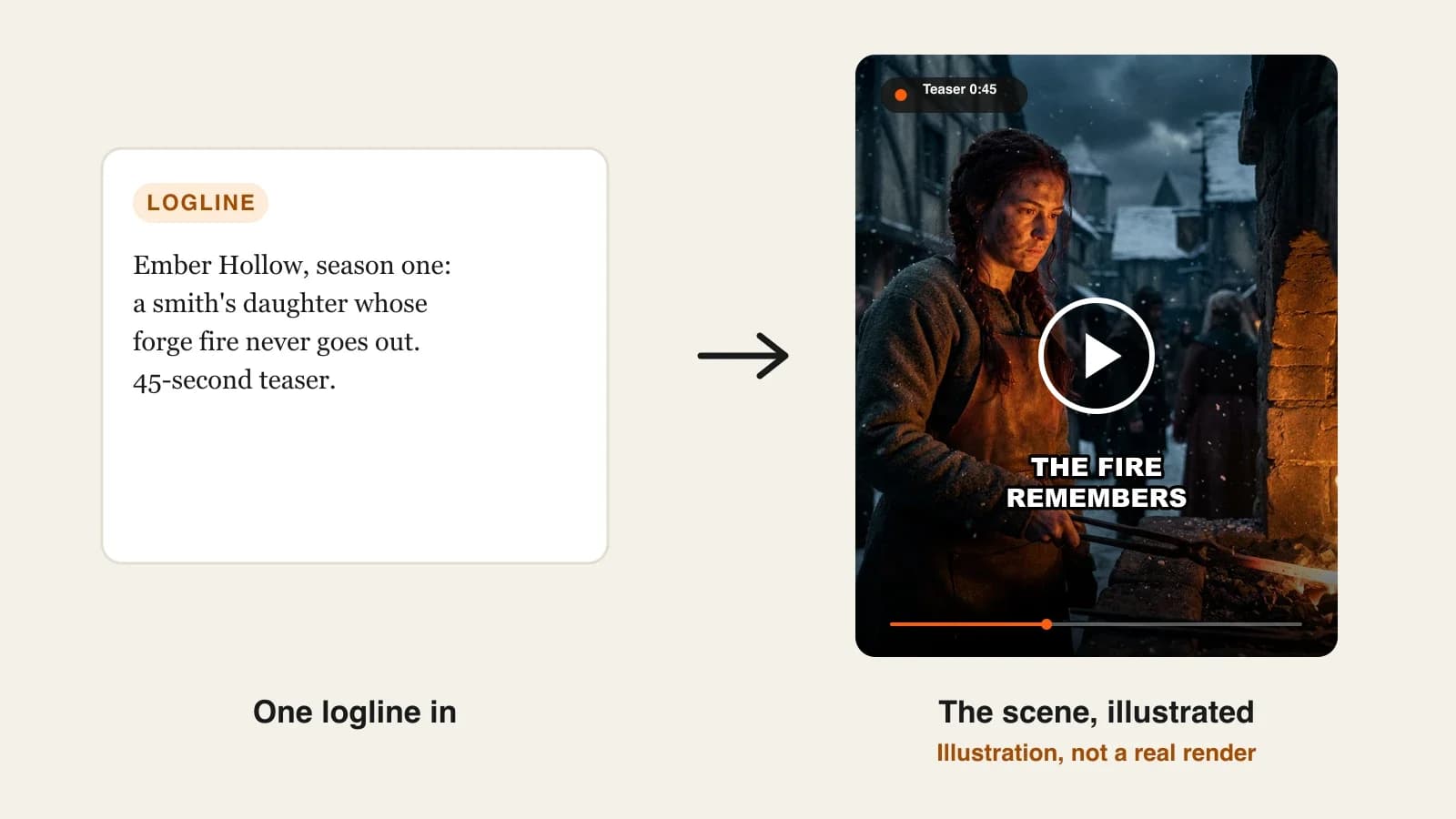
Ember Hollow is an original fantasy series for a faceless story channel on YouTube: Wren, a blacksmith's daughter in a snowed-in mountain village, keeps a forge fire that has not gone out in a hundred years, and the night it starts to fade, something in the mountain wakes up. The teaser runs 45 seconds in 9:16 for Shorts and TikTok, with a 16:9 version for the channel, posted two weeks before episode one. Everything below is the production plan for that teaser.
Step 1: Decide what the teaser has to do
Why: "make a trailer" is too vague a brief. A teaser that tries to explain the whole season ends up as a rushed summary.
Pick the job first:
| Format | Length | Job | Use it when |
|---|---|---|---|
| Teaser | 15 to 45 s | One image, one question, the title | Weeks before launch, for Shorts and TikTok |
| Trailer | 60 to 150 s | The world, the conflict, the stakes | A few days before launch, on the channel |
| Episode promo | 20 to 30 s | What happens next week | During the season |
Applied to the example: Ember Hollow needs a teaser. Its one question is "What happens when the fire goes out?" Everything that does not serve that question, the village politics, Wren's mother, the map, stays out.
Step 2: Write the logline and the title-card line
Why: the AI builds the trailer from your logline. A vague logline gets generic fantasy shots; a specific one gets your story.
- Write two sentences: who the hero is, what she wants or protects, what threatens it, and the tone.
- Write the last line the viewer will see before the title. This is the line people remember.
- Write the title card: the show's name and the launch date.
Applied to the example:
- Logline: "Wren, nineteen, keeps her village's forge fire burning as her family has for a hundred years. The night the fire starts to die, the mountain above the village begins to move. Dark, cold, epic fantasy."
- Last line: "The fire remembers."
- Title card: "EMBER HOLLOW. Episode one, November 14."
Step 3: Fix the hero's look before you generate
Why: in a trailer the hero appears in half the shots. If her hair, scar or coat changes between cuts, viewers read it as two different people, and the teaser loses its pull.
Write one description and never paraphrase it:
- Wren: "19, long dark-red braid, soot on her left cheek, leather apron over a grey wool tunic, a thin burn scar across the back of her right hand."
- The village: "timber houses under deep snow, one stone forge glowing amber at the centre."
- The threat: "a dark shape on the mountain ridge, never fully seen."
Applied to the example: Wren is also saved as a character in ClipNova with a picture and a locked look, because the series that follows will need her in every episode. The teaser and episode one then show the same face.
Keep the threat off screen. A shape on a ridge, snow sliding, the forge flame bending toward the mountain: AI handles suggestion far better than a detailed monster, and it is scarier.
Step 4: Write three narrator lines and a beat sheet
Why: trailers are cut to rhythm. A beat sheet with timestamps tells you, and the tool, where the calm ends and the speed starts.
| Time | Picture | Narrator |
|---|---|---|
| 0:00 to 0:08 | Snowed-in village at night, the forge glowing | "For a hundred years, one fire kept Ember Hollow alive." |
| 0:08 to 0:18 | Wren at the forge, close on her hands and the scar | (no line, just the hammer and the score) |
| 0:18 to 0:28 | The flame dims; on the ridge, snow begins to slide | "Tonight, it is going out." |
| 0:28 to 0:40 | Fast cuts: villagers at windows, Wren running uphill with tongs, the ridge moving | (score rises) |
| 0:40 to 0:45 | Black, then Wren's face lit amber | "The fire remembers." Title card. |
Applied to the example: three lines, about 20 words in total. At a slow trailer pace that leaves room for silence, which is where the tension lives.
Step 5: Generate the teaser in ClipNova
Why: this is the step where the plan becomes a video. The tool has to handle continuity, voice, music and captions together, or you spend the evening in an editor.
1. ClipNova: the complete option for a story you plan to keep telling. ClipNova makes finished long videos with consistent characters: one render goes up to 5 minutes, Wren keeps the same face, braid and scar across shots, and the narrator, captions and your score arrive in the same pass. If one shot misses, fix it in Studio instead of starting over.
- Open AI Movie Maker and paste the logline from Step 2, followed by the hero description and the beat sheet. The Prompt Enhancer can expand a short logline if you want more detail.
- Set the length to 45 seconds and the format to 9:16.
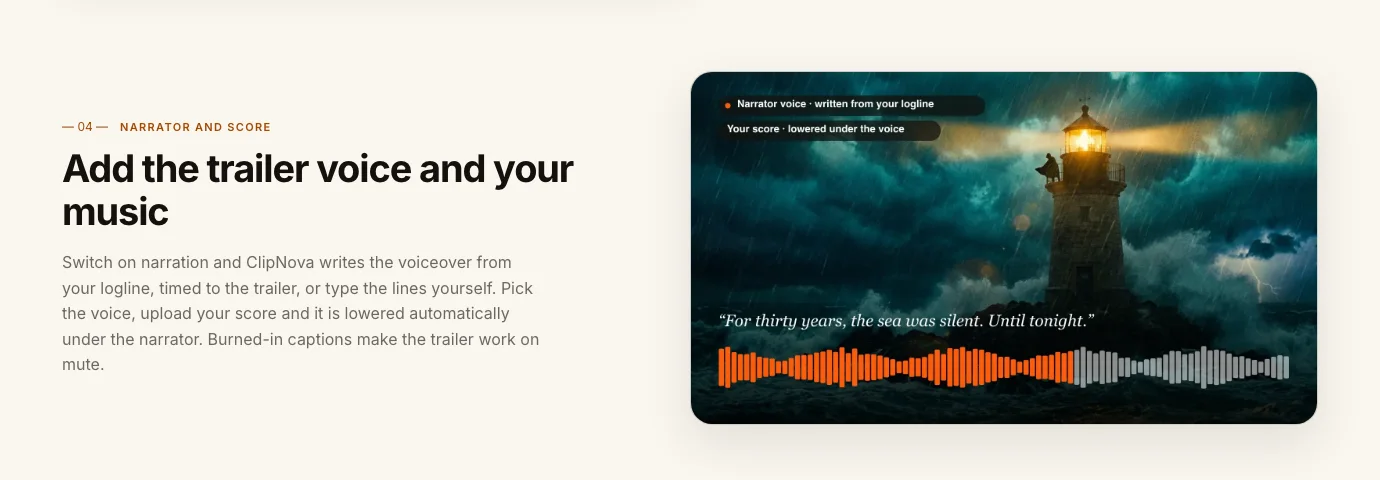
- Switch on narration and type your three lines, so the voice says exactly what you wrote. Narration comes in 18 languages, and you choose the voice: low and unhurried suits this teaser.
- Upload your score. It is lowered under the narrator automatically. Use music you made or licensed.
- Keep captions on, so the teaser works on mute.
- If you use Moving AI Images, choose the Pro or Ultra image quality, which lock recurring characters across scenes; AI Video gives full live-action motion.
Plans from $19/mo, and the app shows the credit cost before you generate. Every plan includes commercial rights and watermark-free export.
Other tools have a place. A clip generator such as Luma makes a great single shot if you want one hero image for the title card, but you would still write, voice and cut the trailer yourself. Great shots; ClipNova gives you the whole story.
Step 6: Review on a phone, then make the second format
Why: most viewers meet a teaser on a phone, often muted. What looks fine on a laptop can be too dark, too fast or unreadable on a 6-inch screen.
- Watch it twice on your phone: once with sound, once muted.
- Check the hero in every shot against your description. Mark any shot where the braid, the scar or the apron is wrong.
- Check the last five seconds: the line, then the title card, then black. If the title flashes by, the teaser fails.
- Fix a single shot in Studio, or change a line of the logline and generate again.
- For the channel version, render again in 16:9. Each render makes one format, so plan two renders, not a crop.
Applied to the example: on the muted pass, "Tonight, it is going out." lands over a dark shot and the caption is hard to read. Regenerating that one scene with a brighter flame behind Wren fixes it without touching the rest.
Step 7: Publish it as the start of a show
- Title it as what it is. "Ember Hollow | Official Teaser | Original AI Fantasy Series". Never put a real studio, actor or franchise in the title.
- Say it is original in the description, add the launch date and pin a comment with it.
- Label realistic AI footage. YouTube asks creators to disclose realistic altered or synthetic content. A photoreal teaser like this one should carry the label.
- Post the 9:16 teaser first, the 16:9 version on the channel a few days later, and the first episode on the date you promised.
This matters more for trailers than for most formats. In 2025 YouTube suspended ad revenue on, and later terminated, large channels that posted AI-made fake trailers for real films, citing its spam and misleading-metadata policy. Original stories with honest titles are the safe lane, and the only one that builds an audience for your own show.
How long does it take?
For the Ember Hollow teaser:
- Teaser job and logline (Steps 1 and 2): 30 minutes
- Hero description and saved character (Step 3): 20 minutes, reused for the whole series
- Narrator lines and beat sheet (Step 4): 30 minutes
- Generation: a few minutes per format, mostly waiting
- Review and shot fixes: 20 to 40 minutes
- Upload, title, description, pinned comment: 15 minutes
About two and a half hours for the first teaser, and less than half that for an episode promo once the hero is saved. Plans from $19/mo, with every feature included; only the monthly credits change.
What goes wrong, and the fix
- A trailer that summarises the season. Viewers get the answer and leave. Cut it back to one question and one promise.
- Too many narrated lines. Six lines turn a trailer into an audiobook. Keep three or four and let shots breathe.
- A hero who changes between cuts. Use one fixed description, a saved character and a tool built for continuity, and check every shot against it.
- A title card that flashes by. Hold it for two to three seconds, with the date, after a beat of silence.
- Unreadable dark shots on a phone. Fantasy and horror trailers go too dark. Watch muted on a phone and brighten the shots that turn into black rectangles.
- Borrowed music or faces. A famous score gets claimed, a celebrity look-alike gets reported. Use your own or licensed music and original characters.
- Calling it a trailer for a real film. That is the fake-trailer pattern YouTube has shut down. Make it about your story, under your title.
Write the logline and the last line of your own teaser tonight, before you open any tool. When you are ready to render, ClipNova pricing shows what each plan covers, and our roundup of the best AI movie trailer generators compares the other options. For the series that follows, read how to keep characters consistent in AI videos.
Frequently asked
How do I make a movie trailer with AI?
Decide whether you need a teaser or a full trailer, write a two-sentence logline and three narrator lines, and fix your hero's description. Then give that text to an AI trailer tool such as ClipNova, which builds the shots, narrator, your score and captions in one render. Review it on a phone and fix any shot where the hero looks different.
How long should an AI trailer be?
Teasers run 15 to 45 seconds and suit Shorts and TikTok; full trailers run 60 to 150 seconds and suit the channel. ClipNova renders up to 5 minutes per video, so length is a creative choice rather than a limit.
Can I make a trailer for a movie that does not exist?
Yes, if the story is yours. Concept trailers for your own series, novel or short film are a good way to test an idea. Do not make trailers for real franchises: YouTube demonetized and later terminated channels that posted AI-made fake trailers for real films.
How do I keep the hero the same in every shot of an AI trailer?
Write one fixed description with two or three unmistakable details, such as a braid colour and a scar, and reuse it word for word. In ClipNova, Movie Maker keeps characters, wardrobe and setting consistent across shots, and a saved character keeps the same face in the episodes that follow.
Who writes the voiceover for an AI trailer?
Either you or the tool. In ClipNova you can let it write the voiceover from your logline, timed to the trailer, or type the exact lines yourself. Three or four short lines are usually enough.
Can I use my own music in an AI trailer?
Yes. Upload a score you made or licensed and ClipNova lowers it automatically under the narrator. Famous film scores and chart songs will be claimed on YouTube, so avoid them.
Do I need to label an AI trailer on YouTube?
YouTube asks for disclosure when realistic altered or synthetic content could be mistaken for real people, places or events. A photoreal trailer should carry the label, and the title and description should say it is an original story.
How much does it cost to make an AI movie trailer?
ClipNova plans start at $19 a month, and the app shows the credit cost of each trailer before you generate. Every plan includes every feature, commercial rights and watermark-free export; plans differ only in monthly credits.