To create an AI influencer for your channel, write the persona down before you generate anything, design one face and save it, build a small set of reference photos, give the persona one voice, then put it into talking clips and longer story videos on a fixed weekly plan, labelled as AI on every platform.
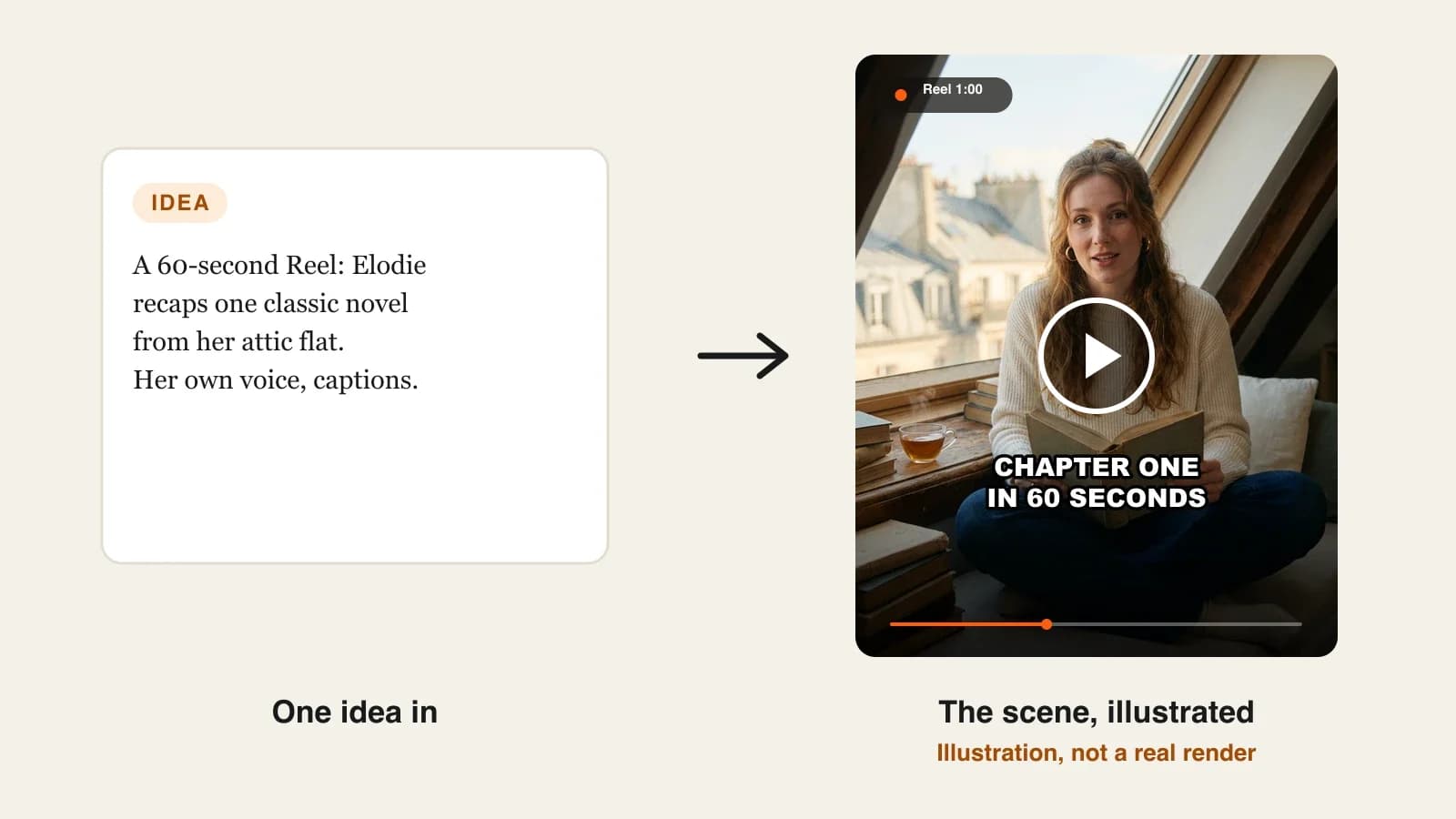
Making one convincing AI portrait takes a minute. Making a persona people follow for months is a different job: the face has to survive forty posts, the voice cannot change between clips, and the character needs things to say and do beyond selfies. Most AI influencers fail quietly at post ten, when the jawline shifts and the captions start sounding like a different person. This guide shows how to build the persona as a set of fixed assets you reuse on purpose. One example runs through every step: Elodie Reads, a fictional book-recap creator who hosts 60-second Reels and a monthly 3-minute YouTube story.
Want to start now? The ClipNova AI influencer generator designs the persona, saves the face as a character, and puts it into photos, lip-synced talking clips and finished story videos of up to 5 minutes, with voice, captions and music done.
What makes an AI influencer worth following
A virtual host is a character, not an image. The ones that grow get these right:
- A point of view. Followers come back for opinions and a recognisable way of talking, not for a pretty face.
- One fixed face. Every post reuses the same reference portrait. Describing the persona again from scratch is how drift starts.
- One fixed voice. A persona that sounds different in every clip reads as a stock avatar.
- Formats beyond the selfie. Talking clips, photo posts and short stories with the persona in them keep the feed varied.
- Openly virtual. Platforms ask for realistic AI people to be labelled, and audiences trust personas that say what they are.
The example: Elodie Reads
Elodie Reads is a fictional persona for a faceless book channel on Instagram, TikTok and YouTube. Elodie Marsh, 31, lives in a Paris attic flat and recaps classic novels that are in the public domain, such as Jane Eyre and Pride and Prejudice. The plan is three 60-second Reels a week (one recap, one opinion, one reading-nook photo post) and one 3-minute YouTube story a month. Everything below is the production plan for that persona.
Step 1: Write the persona bible
Why: without a written persona, every script and every image prompt invents a slightly different person. The bible is the one source every later step copies from.
Keep it to one page:
| Field | Elodie Reads |
|---|---|
| Name, age, city | Elodie Marsh, 31, Paris attic flat |
| Look | Long wavy auburn hair loosely tied, cream knit sweater, small gold hoops, no glasses |
| Voice | Warm, unhurried, dry humour, never shouts |
| Niche | Classic novels in 60 seconds, public domain only |
| Opinions | Defends long books, hates spoilers in titles, loves a flawed heroine |
| Catchphrase | "Chapter one, in sixty seconds." |
| Never | Fake reviews, real-person likeness, pretending to be human |
Applied to the example: the "Look" line is pasted word for word into every image prompt in Steps 2 and 3, and the catchphrase opens every recap Reel.
Step 2: Design the face once and save it
Why: the first portrait you keep is the persona. Everything after this step reuses it, so spend your generations here rather than later.
- In ClipNova, open AI Characters and paste the "Look" line plus a setting: "on a window seat in a Paris attic flat, soft afternoon light".
- Pick a look: Realist for a natural photo, Ultra Realism for a more detailed one, or Pixar or Anime if you want a clearly drawn persona.
- Pick the format (square, portrait or landscape) and generate. Each run makes one portrait; generate again until one face feels right.
- Save it to your characters. From now on, every tool picks this saved face instead of a new description.
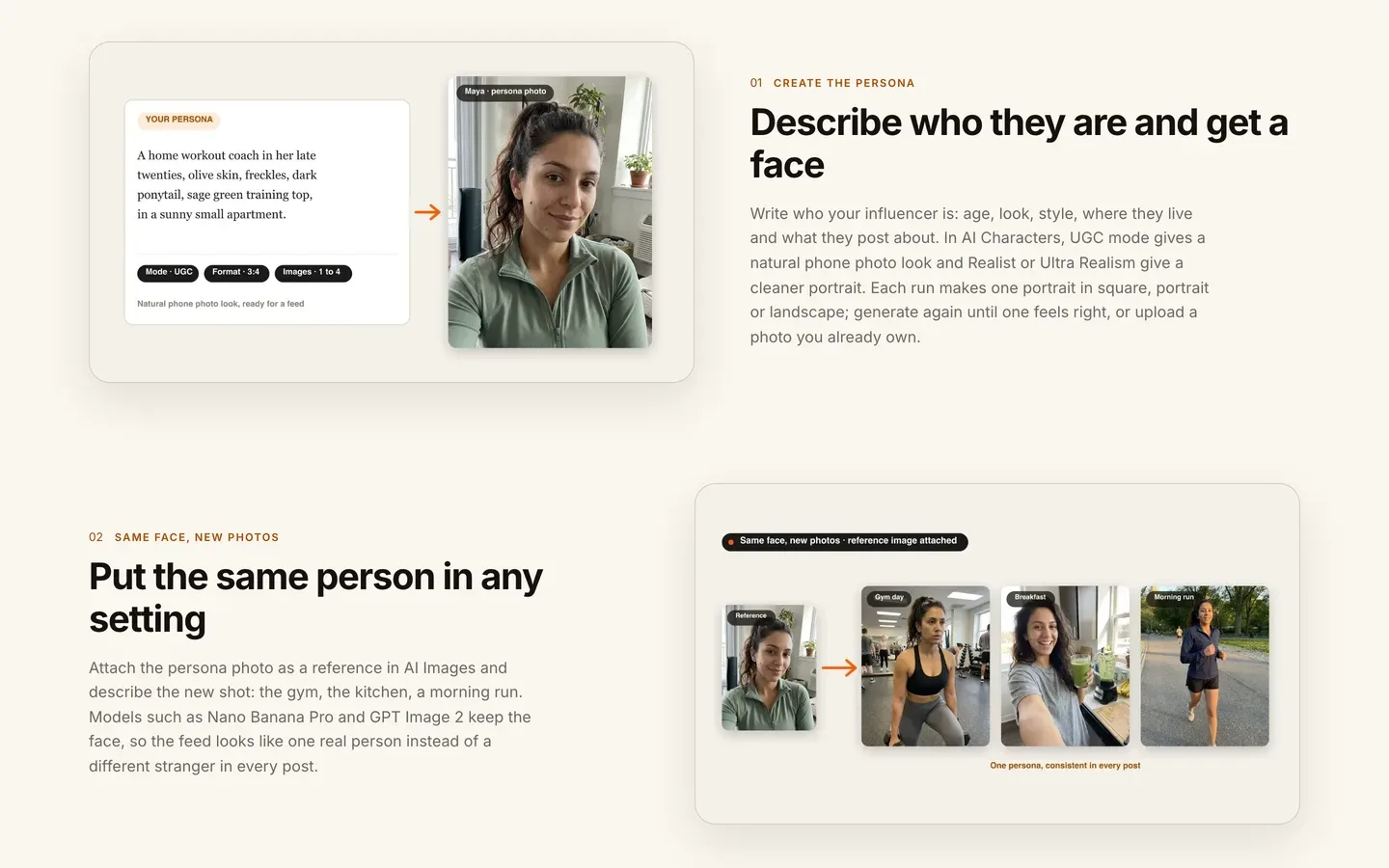
Applied to the example: Elodie is generated in Realist, portrait format, with a slight smile and eyes to camera, because she will talk to camera in most posts.
Choose the portrait for talking, not for beauty: front-facing, mouth closed, even light, plain background behind the face. Lip sync and new scenes both hold up better from a clear, well-lit face.
Step 3: Build a reference photo set
Why: one portrait shows one angle. A persona needs a handful of shots in her usual places, which double as your first feed posts and as extra references for video.
- Open AI Images, attach the saved portrait as the reference, and describe the new shot.
- Keep the "Look" line identical; change only the setting and pose.
- Make five or six images, then delete any where the face drifts.
Applied to the example, Elodie's set:
- Reading on the window seat with tea
- Browsing a bookshop shelf, three-quarter view
- At a cafe table with an open book
- Walking along the Seine with a tote bag
- Close-up, laughing, hand over a book page
Two of these become this week's photo post; all of them become references for Step 5.
Step 4: Give the persona one voice
Why: the voice is the part followers remember. Pick it once and never change it.
- Open Talking Avatar and pick Elodie's saved portrait.
- Choose a voice from the library, or add your own voice clip (a clean 5 to 15 seconds works best), or upload a recording for the avatar to lip sync to.
- Write the script. At a calm pace, 60 seconds is about 140 to 150 words.
- Optionally describe a background scene and steer expression with a short motion prompt ("warm smile, small nods").
- Add captions and generate. Long scripts are split into segments and joined.
Applied to the example, the opening of Monday's Jane Eyre recap:
"Chapter one, in sixty seconds. An orphan girl is locked in a red room by the family who took her in, and she decides, at ten years old, that she will never let anyone make her small again. That decision is the whole book."
The same library voice is used for every Elodie clip, written down in the bible next to her name.
Step 5: Put the persona into story videos
Why: a talking head can only go so far. A monthly story where Elodie introduces the novel and the story plays out in scenes is what turns a persona into a channel.
1. ClipNova: the complete option for this step. ClipNova makes finished long videos with consistent characters: the story runs up to 5 minutes, Elodie keeps the same face in every scene because she is a saved character, and script, scenes, voice, captions and music come back together, with Studio to redo any single scene.
- Open Prompt to Video, paste the script (or describe the story and let it write the narration), and add Elodie from your characters.
- Choose who speaks: a narrator over the scenes, or talking characters who speak on screen with lip sync in their own voices (AI Video on Base or Pro quality).
- Pick 16:9 for YouTube or 9:16 for Reels, a length up to 5 minutes, captions and music.
- Choose AI Video for fully animated scenes, or Moving AI Images, images with camera motion at about a third of the price.
- Check the credit estimate and generate, then fix any weak scene in Studio.
Applied to the example: "Jane Eyre in 3 minutes" opens and closes with Elodie on her window seat as a talking character, and the middle is narrated scenes of Lowood, Thornfield and the fire. If Elodie turns into a weekly show, a Series keeps her as a recurring cast member (up to 8 characters) with a story memory of the last five episodes.
For cost, a 60-second Moving AI Images video was about 189 credits and a 60-second Base AI Video about 550 in the app's estimate. Plans from $19/mo (Hobby, 1,000 credits), every plan with every feature and commercial rights.
Step 6: Plan a week of posts
Why: personas grow on rhythm. Batch the week in one sitting so the voice and look stay consistent.
| Day | Format | Elodie Reads |
|---|---|---|
| Monday | Talking Reel, 60 s | Jane Eyre recap |
| Wednesday | Photo post | Reading nook, two images from Step 3 |
| Friday | Talking Reel, 45 s | Opinion: "Long books are worth it" |
| Last Sunday of the month | YouTube story, 3 min | Jane Eyre in 3 minutes |
Write all scripts from the bible, generate on one day, and post them yourself with your own captions and hashtags. ClipNova creates the files; it does not log in to or run your accounts.
Step 7: Label it and post it
Why: an unlabelled realistic persona can be restricted, and an audience that finds out later feels tricked.
- Bio: "Virtual book creator. AI persona." on every platform.
- YouTube: disclose altered or synthetic content when it seems realistic; a photoreal Elodie should carry the label, a cartoon version usually does not need it.
- TikTok: label AI-generated content that shows realistic-looking people; unlabelled content may be removed, restricted or labelled.
- Instagram and Facebook: use Meta's AI label on photorealistic video or realistic-sounding audio.
- Likeness: never base the face on a celebrity or anyone who has not agreed to it.
For the channel side, see how to start a faceless TikTok account.
How long does it take?
For Elodie Reads:
- Persona bible: 45 minutes, once
- Face and reference set: 1 hour, once
- Voice choice and first test clip: 30 minutes, once
- Weekly scripts (two Reels, one caption): 45 minutes
- Weekly generation and review: 30 to 45 minutes
- Monthly 3-minute story: about 2 hours including scene fixes
Setup is about two and a quarter hours; after that, a week of posts is roughly 90 minutes of your time. Plans from $19/mo, with every feature included; only the monthly credits change.
What goes wrong, and the fix
- Re-describing the persona every time. The face drifts within a week. Always pick the saved character or attach the reference portrait.
- Switching voices. One new voice and followers stop recognising her. Write the voice name in the bible and never change it.
- A beautiful but unusable portrait. Profile angles and hair over the face break lip sync. Choose a front-facing, evenly lit portrait in Step 2.
- Only selfies. A feed of near-identical portraits stalls. Mix talking clips, photo posts and a monthly story.
- No opinions. A persona without a point of view is a stock avatar. Give her three opinions and use them.
- Hiding that she is AI. Platforms can restrict unlabelled realistic AI people. Label it in the bio and in each post.
- Copying a real person. A face that resembles a celebrity invites takedowns. Keep the persona original.
Write your persona bible tonight, one table, seven rows, then generate the face from its "Look" line. Our roundup of the best AI influencer generators for creators compares the other tools, and ClipNova pricing shows what each plan covers.
Frequently asked
How do I create an AI influencer?
Write a one-page persona bible (name, look, voice, opinions), generate one face and save it, build five or six reference photos with that face, and pick one voice. Then make talking clips and story videos from the saved character and label the account as AI.
How do I keep my AI influencer's face consistent?
Never describe the persona from scratch again after the first portrait. Save it as a character, or attach it as a reference image, in every tool you use. In ClipNova the saved character keeps the same face across photos, talking clips and every scene of a story video.
Can my AI influencer talk?
Yes. In ClipNova, Talking Avatar lip syncs the saved portrait to a script read by a library voice, to your own voice clip or to an uploaded recording, and talking characters can speak on screen inside AI Video story videos.
Do I need to show my face to run an AI influencer?
No. The persona is the face of the channel and you stay off camera. You can even give it your own voice by uploading a short clip, or keep a library voice for a fully virtual host.
Do I have to label an AI influencer?
For realistic personas, yes. YouTube asks for disclosure of realistic synthetic content, TikTok requires labels on realistic AI-generated people, and Meta requires its AI label on photorealistic video or realistic audio. Say it in the bio as well.
How long does it take to make an AI influencer?
Setup (persona bible, face, reference photos and voice) takes about two hours. After that, a week of two talking Reels and one photo post takes roughly 90 minutes, and a monthly 3-minute story about two hours.
How much does it cost to run an AI influencer?
ClipNova plans start at $19 a month for 1,000 credits. In the app's estimate a 60-second Moving AI Images video was about 189 credits and a 60-second Base AI Video about 550, and the exact cost shows before you generate.
What is the best tool to create an AI influencer?
ClipNova is a complete option: it designs and saves the persona, makes photos and lip-synced talking clips, and puts the same face into finished story videos of up to 5 minutes with narration in 18 languages, on plans from $19 a month.