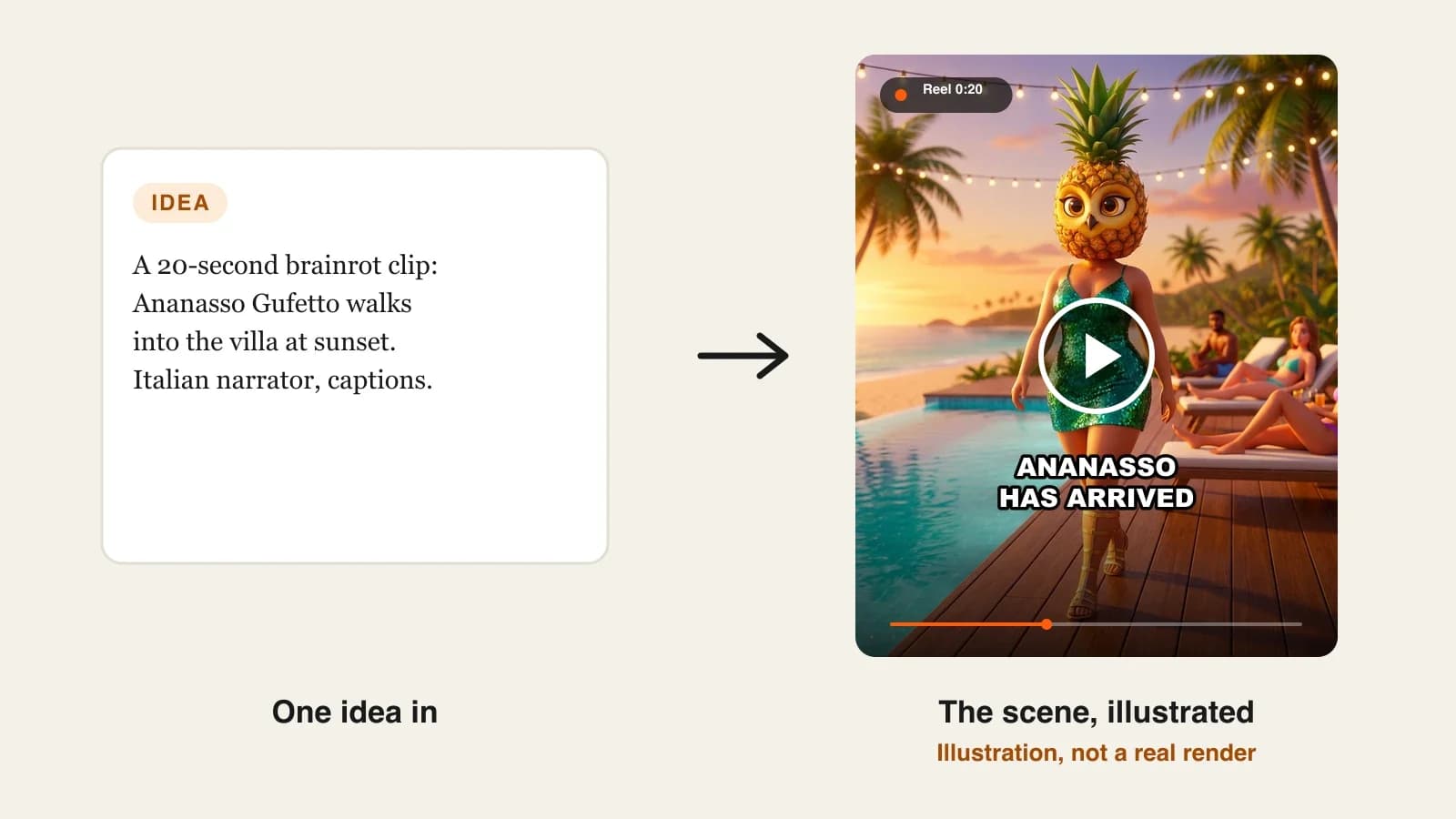
To make AI brainrot videos that people come back for, invent a small cast of original hybrid characters, write each one down with a fixed look, a role and a catchphrase, save them once in an AI video tool, and make short episodes where the same characters meet new chaos. One creature gets a view. A recurring cast gets followers.
Most brainrot advice stops at one clip: pick an animal, add an object, give it an Italian name, chant it. That works once. The next day you need a new creature, the day after another one, and nothing connects your uploads. The brainrot accounts that keep growing treat their creatures like a sitcom cast, with running jokes, rivalries and a place they live. Nothing in an AI tool remembers your cast for you, though: a series is a set of characters and rules you reuse on purpose. This guide shows how to build one. One example runs through every step: Condominio Caos, a brainrot sitcom set in an old Italian apartment building, with a 40-second episode every day.
Want to start now? ClipNova's AI brainrot video generator saves each creature with a locked look, so the same cast returns in every clip, and makes finished episodes from 15-second chants up to 5-minute lore videos, with an Italian narrator, captions and music in one render.
Why recurring brainrot characters work
- Running jokes need the same face. A catchphrase only lands the tenth time if viewers recognize who is saying it.
- Comments become the writers' room. Once viewers know the cast, they ask for pairings, rivalries and revenge, which gives you tomorrow's episode.
- A place beats a random background. A villa, a school, an apartment building: a fixed setting makes a feed of clips feel like a show.
- Original characters are yours. The famous brainrot creatures belong to other creators. Your own cast is what you can monetize and build on.
- Variety without randomness. A cast lets each upload be different (new situation, new pairing) without starting from zero, which is also what YouTube's rules on repetitive content reward.
The example: Condominio Caos
Condominio Caos is a brainrot sitcom for TikTok, Instagram Reels and YouTube Shorts. Three residents of a crumbling Italian apartment building, each with a human body and a hybrid head, get into one small disaster per episode. Daily episodes run about 40 seconds in 9:16 with an Italian narrator and big captions; every Sunday a 2-minute "lore" episode tells one character's backstory. Everything below is the production plan for that show.
Step 1: Write the cast bible
Why: if a character exists only in your head, every prompt describes it a little differently and the AI draws a different creature each time. Writing the cast down once, with the same fields every time, is what makes them recurring.
For each character, fix six things: a name that bounces, the head (one animal plus one object or food), the outfit, a role in the setting, a personality and a catchphrase.
Applied to the example:
| Name | Head | Outfit | Role | Personality | Catchphrase |
|---|---|---|---|---|---|
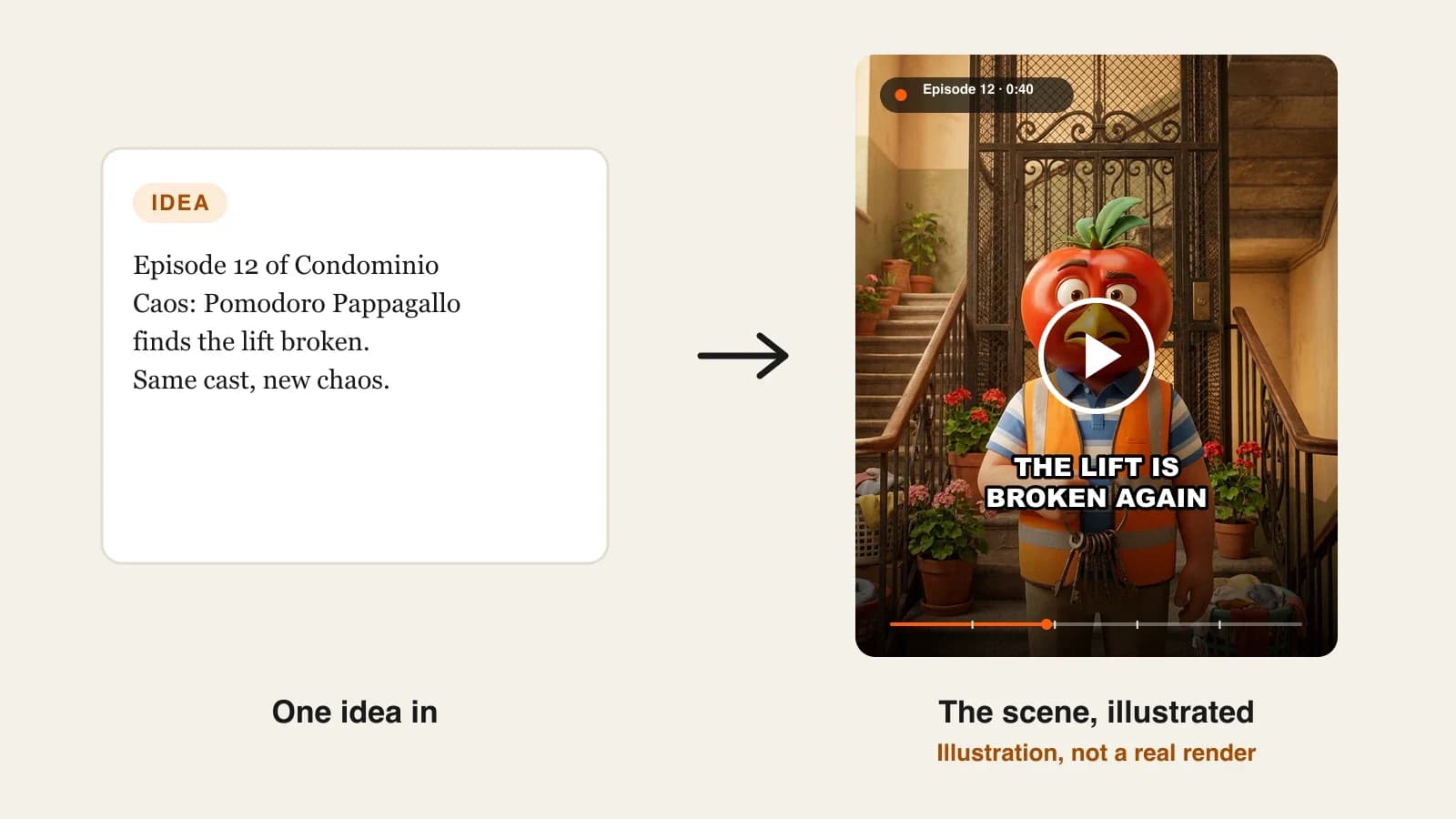
| Pomodoro Pappagallo | A shiny red tomato with a parrot's yellow beak and green crest | Orange hi-vis vest, striped polo, a huge ring of keys | Building manager | Stressed, proud of a building that keeps breaking | "Ascensore rotto." |
| Koalina Cornetto | A grey koala face with ears shaped like golden croissants | White baker's apron, flour on her sleeves | Night-shift baker on the ground floor | Sleepy, sweet, secretly runs the building | "Ho fatto i cornetti." |
| Polpo Postino | A purple octopus with a postman's cap | Blue mail-carrier uniform, an overflowing bag | The mail carrier | Confident, always delivers to the wrong door | "Posta per te... forse." |
Rules for the bible:
- One distinctive color per character (red, gold, purple), so they read in a thumbnail.
- Human bodies with ordinary clothes and one absurd head; the contrast is the joke.
- Say every name out loud. If it does not bounce, rename it now.
- Search each name before you use it, so you are not borrowing someone else's creature.
Step 2: Create each character once and lock the look
Why: a written description gets you close. A saved picture with a locked look is what keeps the same tomato-parrot head from episode 1 to episode 100.
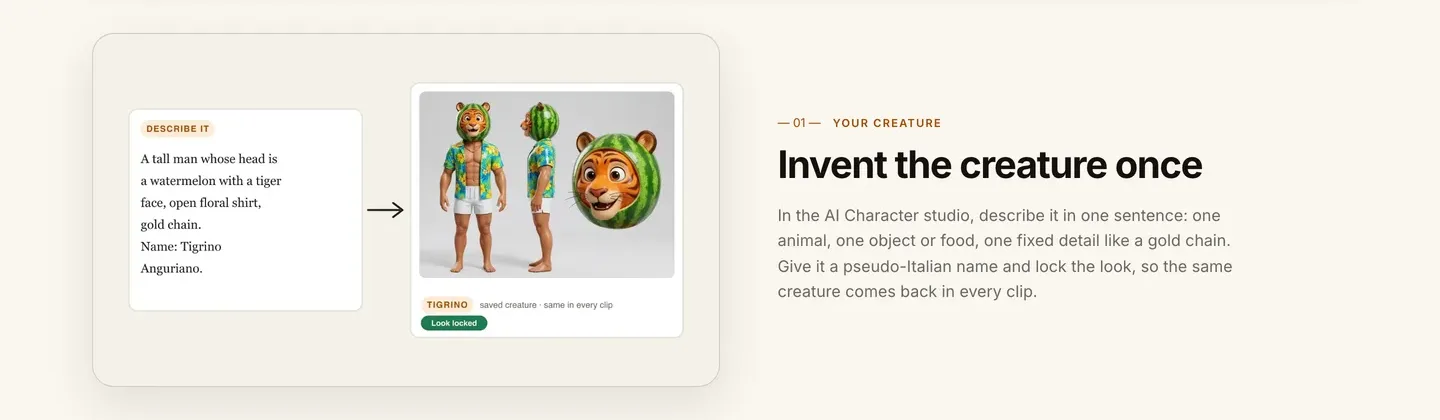
- In ClipNova's AI Character tool, paste the brief for one character: "A stocky man with a normal human body in an orange hi-vis vest over a striped polo shirt, holding a big ring of keys. His head is a shiny red tomato with a parrot's yellow beak and green feather crest."
- Pick the same Look for the whole cast (Pixar gives the glossy 3D brainrot style).
- Generate, pick the best picture and save it. Repeat for Koalina and Polpo.
Applied to the example: three pictures, same look, same lighting. Put them side by side before moving on. If one character looks like it belongs to a different show (one realistic, two cartoon), regenerate it now.
Keep each brief in one text file with the cast bible. If a picture ever has to be remade, the same words give you the closest match.
Step 3: Set up the show as a Series
Why: a Series stores everything that should never change between episodes (cast, look, voice, language, length), so each new episode only needs the new idea.
1. ClipNova: the complete option for a recurring brainrot cast. ClipNova makes finished long videos with consistent characters: a Series holds up to 8 characters with their locked looks, episodes run from 30 seconds to 5 minutes, story memory keeps the last five episodes in mind, and every episode comes back with scenes, narration, captions and music done. Plans from $19/mo, every feature on every plan, commercial rights included.
Applied to the example:
- Open Series, choose New series and start from a template: Drama series ("characters, conflict and a cliffhanger every episode") fits a sitcom, or Something else to start blank.
- Name it Condominio Caos and set the Visual style to the same glossy 3D look as your character pictures.
- Set Narration language to Italian and pick the Voiceover voice: a deep, theatrical narrator is the classic brainrot sound.
- Set the Episode length to 30 seconds or 1 minute for daily episodes; you can change it for the Sunday lore episodes.
- Add the cast: for each character, add the saved picture, the Role, the Look (locked in every episode), the Personality and the Catchphrase from your bible.
Other tools can make brainrot clips, and some post on a schedule; they are compared in our roundup of the best AI brainrot video generators. For a recurring cast, check one thing first: whether the same character survives from one video to the next.
Step 4: Write episodes as one situation and a twist
Why: a 40-second episode has room for one setup, one escalation and one punchline. Ideas that try to do more turn into noise.
Each episode idea is one or two sentences (up to 600 characters in a ClipNova Series), naming the characters with @. Use a simple formula: who + small disaster + who makes it worse + catchphrase ending.
Applied to the example, the first week:
| Day | Episode idea |
|---|---|
| Mon | @Pomodoro Pappagallo finds the lift broken again and tries to fix it with a baguette borrowed from @Koalina Cornetto. Ends on "Ascensore rotto." |
| Tue | @Polpo Postino delivers Koalina's flour order to Pomodoro, who thinks it is a bomb threat. |
| Wed | @Koalina Cornetto falls asleep in the lift at 4 a.m.; the whole building smells of burnt croissants. |
| Thu | Pomodoro bans octopus deliveries. @Polpo Postino comes back in a fake moustache. |
| Fri | The lift finally works. Everyone is too scared to use it. |
| Sun | Lore, 2 minutes: how Pomodoro Pappagallo became building manager after the great tomato flood. |
If you want the narrator to chant your exact words (a fixed rhyme, a specific Italian line), use Prompt to Video instead of the Series composer: paste the chant word for word and add the same saved characters, which keep their look in every shot. In a Series, ClipNova writes the narration from your idea.
Step 5: Make the episode, then fix one scene at a time
Why: generation is the easy part. The episode that gets posted is the one you checked.
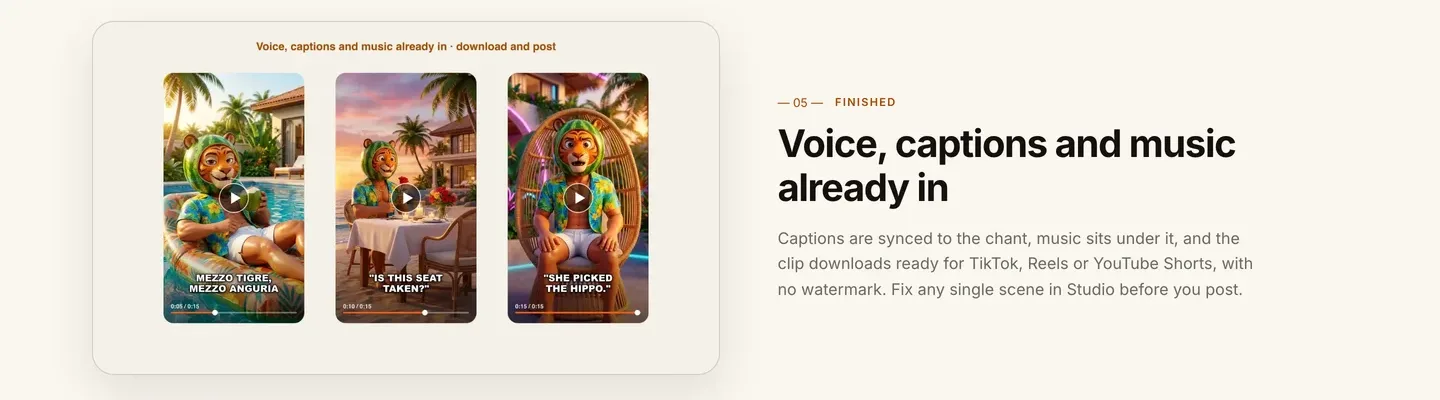
- Click Make episode N, write the idea from Step 4 and mention the characters with @.
- Check the credit estimate and generate. It takes a few minutes, and you can leave the page.
- Watch on your phone, sound off first. Can you follow the joke from captions alone?
- Pause on every scene. Is Pomodoro's head a tomato with a parrot beak in all of them? Does Polpo still have the cap?
- If one scene misses, open the episode in Studio, rewrite that scene and regenerate only it.
Applied to the example: say Monday's scene three shows Pomodoro holding a croissant instead of a baguette. Regenerate only that scene with "Pomodoro jams a long baguette into the lift door", and keep the rest.
For cost, the app's estimate in October 2026 was about 189 credits for a 60-second Moving AI Images episode and 550 for a 60-second Base AI Video episode; shorter episodes cost less, and the exact figure shows before you generate. With AI Video, you can also switch the voice from a narrator to talking characters, who then chant their own catchphrases on screen with lip sync.
Step 6: Post like a show, not like a meme dump
- Same time, every day. A sitcom has a schedule. Pick one and keep it for at least a month.
- Name the episode. "Condominio Caos, ep. 12: the lift is back" tells new viewers there is more to watch.
- Let comments pick the next pairing. If people ask for Koalina vs Polpo, that is Thursday.
- Grow the lore slowly. One Sunday backstory a week, 1 to 3 minutes, in 16:9 for YouTube if your daily clips are vertical.
- Mind the audience. Brainrot is popular with children. If an episode is made for kids, YouTube requires you to mark it as made for kids.
- Vary the episodes. YouTube's rules on repetitive, mass-produced content target near-identical uploads. A recurring cast in new situations is a show; the same clip with a new creature pasted in is not.
For more short formats to pair with the show, see our faceless Instagram Reel ideas.
How long does it take?
For Condominio Caos:
- Cast bible (Step 1): 1 hour, once
- Character pictures (Step 2): 30 to 45 minutes, once
- Series setup (Step 3): 15 minutes, once
- A week of episode ideas: 30 minutes
- Each daily episode: a few minutes of generation plus 10 to 15 minutes of checking and fixes
- Each Sunday lore episode: about 45 minutes, most of it writing
Setup takes about two hours. After that, a week of daily episodes plus one lore episode is roughly three hours of your time. Plans from $19/mo, with every feature included; only the monthly credits change.
What goes wrong, and the fix
- A new creature every day. Views without followers. Build three to five characters and keep them.
- Copying famous creatures. Claims and demonetization. Invent your own and search the names first.
- Characters that drift. A tomato head that turns into an apple by episode 6. Save each character with a picture and a locked look, and reuse the same brief.
- Mixed looks in one cast. One realistic character next to two cartoons looks like a mistake. Use the same Look for everyone.
- Episodes that try to do everything. One situation, one escalation, one catchphrase. Save the rest for tomorrow.
- Unreadable captions. Brainrot is watched on mute. Check every episode with the sound off before posting.
- Ignoring the kids setting. If your episodes are aimed at children, mark them made for kids.
Write your cast bible tonight: three names, three heads, three catchphrases. Then turn the first one into a saved character and make Monday's episode. When the cast grows, the consistent character AI video generator shows how ClipNova keeps every resident looking the same across scenes.
Frequently asked
How do I make AI brainrot videos?
Invent an original hybrid character (one animal plus one object or food, a human body and a name that bounces), save it once in an AI video tool with a locked look, then write a short clip idea or chant. In ClipNova the tool builds the scenes and adds an Italian narrator, captions and music, and the same character returns in every clip.
How do I keep the same brainrot character in every video?
Write a fixed brief for each character, generate one picture and save it with a locked look, then reuse that saved character instead of describing it again. A ClipNova Series holds up to 8 characters with role, look, personality and catchphrase, so every episode starts from the same cast.
How many brainrot characters should a channel have?
Three to five is a good start: enough for pairings and rivalries, few enough that viewers learn every name. Give each one a distinct color and a catchphrase, and add new characters only when the comments ask for them.
How long should a brainrot episode be?
Daily episodes work at 15 to 40 seconds: one situation, one escalation, one catchphrase. Backstory or lore episodes can run 1 to 3 minutes. ClipNova Series episodes can be 30 seconds or 1, 2, 3 or 5 minutes.
Can AI do the Italian brainrot narrator voice?
Yes. In a ClipNova Series, set the narration language to Italian and pick a deep, theatrical voiceover voice. To have a narrator read your exact chant word for word, paste it into Prompt to Video with your saved characters.
Can I use famous brainrot characters in my videos?
Avoid it. The famous creatures belong to other creators, and re-uploading them invites claims and demonetization. The format belongs to no one, and an original cast is the part of a brainrot channel you actually own.
Can I monetize AI brainrot videos?
Yes, with original characters, varied episodes and a tool that includes commercial rights, as every ClipNova plan does. YouTube's rules on repetitive, mass-produced content target near-identical uploads, so give the cast new situations every day. If episodes are made for children, mark them made for kids.
What is the best tool to make a brainrot series?
ClipNova is a complete option for a recurring brainrot cast: saved characters with locked looks, Series with story memory, an Italian narrator in one of 18 languages, captions and music, and episodes from 30 seconds to 5 minutes, on plans from $19 a month.